-
XTransfer Module 1- Genesis 3 to Genesis 8 Morph Converter (Commercial)
OK - working now. Thanks for the help with ERC - I would not have had a clue how to do that. The transferred character looks very similar other than the lack of HD, of course. Huge pity that the HD transfer is not possible. I guess I could look at creating Normal Maps from the G3M character but again that's wandering into an area that I know very little about.
Anyway, I have a bunch of G3M characters that are the result of my own parameter sliding so lots to do for a few days.
Celebrity Look-a-Likes for 3D figures part 3Haruchai said:
totocandy1 has started selling some of their face morphs and textures on DeviantArt. Slightly stylised but may be of interest.
Salma Hayek - Salma HEADMORPH for sale by totocandy1 on DeviantArt
Gal Gadot - Gal head morp for sale by totocandy1 on DeviantArt
Anya Taylor Joy - Anya head morph for sale by totocandy1 on DeviantArt
Of course I could just be seeing things I want to see.
Anya looks good!

The other two, Salma Hayek and Gal Gadot, however...
 XTransfer Module 1- Genesis 3 to Genesis 8 Morph Converter (Commercial)
Zev0 said:
Go into edit mode
Right click in an empty space in parameters and go create new property.
Name it etc and click create , Dial it up, Right click on it and say erc freeze, the accept. You will now see that dial control all dialed morphs when you adjust slider.
Now, specify path where it must be located in parameters, now go file, save it as support asset/morph asset.
Getting there. My first attempt resulted in the right shape but about a half-sized figure. I'm guessing that one of the parameters was applied more than once or should not have been applied at all. I'll try again.
[EDIT] yes - there was a parameter called "Scale" which was the one I needed to leave out. I also de-selected all the HD morphs and a bunch of your Vascularity morphs because I don't have that product for G8M (I doubt whether they would have transferred anyway because they are HD).
hi i need help with Go z and morph loader proand also when i do it with go z the screen doesnt come up in daz studio that morph was created
hi i need help with Go z and morph loader proi cant create morphs....... when i do create them it says morph not created geaometry changed when i go back into daz studio .
also the send to zbrush is missing from daz studio i dont know why... please can someone help me thanks
XTransfer Module 1- Genesis 3 to Genesis 8 Morph Converter (Commercial)Go into edit mode
Right click in an empty space in parameters and go create new property.
Name it etc and click create , Dial it up, Right click on it and say erc freeze, the accept. You will now see that dial control all dialed morphs when you adjust slider.
Now, specify path where it must be located in parameters, now go file, save it as support asset/morph asset.
XTransfer Module 1- Genesis 3 to Genesis 8 Morph Converter (Commercial)Zev0 said:
A character preset won't work because the converted morph names on Genesis 8 have an XT prefix, so the character preset won't pick them up. A prefix was needed so that it does not clash with existing G8 morphs of the same name also to prevent the(2) infront of morph names which happens when two morphs are named exactly the same. The prefix added prevents this from happening, also makes searching for any converted morphs from the script easy to find via search.
OK - that makes sense but I am having trouble finding a YouTube tutorial explaining ERC Freeze. The most relevant one is from our friendly WP Guru but that explains how to make the rigging work for an imported character with a different skeleton rig. That's not the case here because, from your hints, I am thinking that what I need to achieve is to create a single slider for all the morphs on my custom G3 character.
XTransfer Module 1- Genesis 3 to Genesis 8 Morph Converter (Commercial)A character preset won't work because the converted morph names on Genesis 8 have an XT prefix, so the character preset won't pick them up. A prefix was needed so that it does not clash with existing G8 morphs of the same name also to prevent the(2) infront of morph names which happens when two morphs are named exactly the same, and if you dial that up that slider it will dial up both morphs. The prefix added prevents this from happening, also makes searching for any converted morphs from the script easy to find via search.
XTransfer Module 1- Genesis 3 to Genesis 8 Morph Converter (Commercial)Zev0 said:
marble said:
Llola Lane said:
marble said:
I bought this last week but have only just got around to trying it and have fallen flat at the first hurdle.
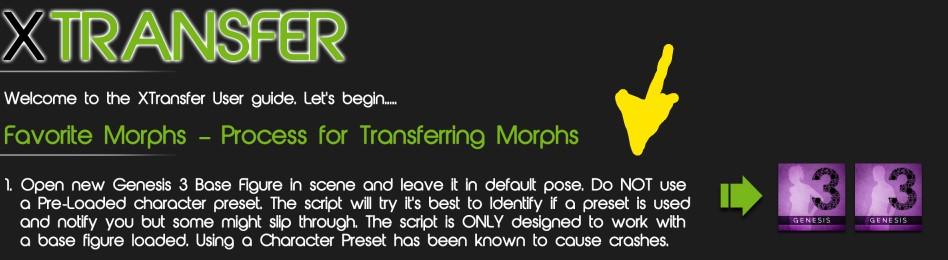
I bought it because I have lots of G3M characters that I have created myself using the parameter dials and mixing purchased character shapes along with morph packs such as those from Zev0. So I thought that I could load my G3M character and transfer him to a G8M providing I have the required morph packs (which I also bought to enable this process). However, the first item in the included PDF informs me that my expectations have been shattered. I would appreciate any advice on how to do what I bought the product to do or confirm that it is not possible without re-creating all the morphs again. It seems that the starting point must be a base G3M and not a character, however the character was created (bought or dialed-in).
There IS a bit of a learning curve for this product marble... It helped me to read the past posts in this thread. I know it's a lot to read through but I eventually got the product to work... although my converted G3 characters are not EXACT for G8... they are passable.
So I have to read 33 pages of a forum thread to figure out how to do something that the product seems to be advertised to do? At first glance and without reading those 33 pages, it looks to me like I need to go through all of the morphs in my G3 character and favourite each and every one. I don't even know if I can figure out which morphs I used because I can't start with that character in my viewport - that's a big Catch-22 to start with.
Sorry to be so negative but I seem to be running into this kind of problem with products I have purchased recently - the answer in the forum is usually some form of "big learning curve". That is the kind of information that should be in the product description, not covered over 33 pages of forum discussion.
No catch 22. All you have to do is ERC freeze all used morphs on your character to a new character/property dial and save that dial. Now all you do is favorite that property dial, like you do with any other character dial and you are good to go for conversion. If you create a character/property dial that drives all your used morphs that is all thats needed, the script will detect and convert all that is used, then simply dial up that same property dial on Genesis 8.
So once dial is created and saved, load in a new genesis 3 base, favourite that dial and you are set for transfer. That dial along with all linked morphs that make up your character will now be on genesis 8.
If you do not know how to create and erc freeze a property dial there is lots of tutorials on youtube. Alternatively there is always this which does all the work for you.
https://www.daz3d.com/dial-fusion-for-genesis-2-to-81
"although my converted G3 characters are not EXACT for G8... they are passable."
Can I see some examples of just passable? XTransfer transfers the morphs 1 to 1 accuracy except for HD morphs which it wll only transfer the base level of those. How are they just passable? This product is an automated process of how you transfer morphs manually to genesis 8 with highest accuracy, and the process the script uses is the same process used by Daz themselves how to convert G3 morphs to G8.
It would be that Dial-Fusion is one of the few products from you that I don't (yet) have. I have seen references to ERC freeze lots of times here in the forum but have no idea what it does so I'll watch the video and learn something new. I did think about creating a Character Preset thinking along those same lines but, of course, that would not have worked according to your PDF manual.
So I'll try the ERC freeze and report back. Thanks.
Ambient Occlusion Maps for G3 or G8hazneliel_cc85b88108 said:
blaz said:
Interesting, could you tell me more about that tool?Thankshttps://www.deviantart.com/sickleyield/journal/Tutorial-The-Map-Transfer-Utility-368686796
XTransfer Module 1- Genesis 3 to Genesis 8 Morph Converter (Commercial)marble said:
Llola Lane said:
marble said:
I bought this last week but have only just got around to trying it and have fallen flat at the first hurdle.
I bought it because I have lots of G3M characters that I have created myself using the parameter dials and mixing purchased character shapes along with morph packs such as those from Zev0. So I thought that I could load my G3M character and transfer him to a G8M providing I have the required morph packs (which I also bought to enable this process). However, the first item in the included PDF informs me that my expectations have been shattered. I would appreciate any advice on how to do what I bought the product to do or confirm that it is not possible without re-creating all the morphs again. It seems that the starting point must be a base G3M and not a character, however the character was created (bought or dialed-in).
There IS a bit of a learning curve for this product marble... It helped me to read the past posts in this thread. I know it's a lot to read through but I eventually got the product to work... although my converted G3 characters are not EXACT for G8... they are passable.
So I have to read 33 pages of a forum thread to figure out how to do something that the product seems to be advertised to do? At first glance and without reading those 33 pages, it looks to me like I need to go through all of the morphs in my G3 character and favourite each and every one. I don't even know if I can figure out which morphs I used because I can't start with that character in my viewport - that's a big Catch-22 to start with.
Sorry to be so negative but I seem to be running into this kind of problem with products I have purchased recently - the answer in the forum is usually some form of "big learning curve". That is the kind of information that should be in the product description, not covered over 33 pages of forum discussion.
No catch 22. All you have to do is ERC freeze all used morphs on your character to a new character/property dial and save that dial. Now all you do is favorite that property dial, like you do with any other character dial and you are good to go for conversion. If you create a character/property dial that drives all your used morphs that is all thats needed, the script will detect and convert all that is used, then simply dial up that same property dial on Genesis 8.
So once dial is created and saved, load in a new genesis 3 base, favourite that dial and you are set for transfer. That dial along with all linked morphs that make up your character will now be on genesis 8.
If you do not know how to create and erc freeze a property dial there is lots of tutorials on youtube. Alternatively there is always this which does all the work for you.
https://www.daz3d.com/dial-fusion-for-genesis-2-to-81
"although my converted G3 characters are not EXACT for G8... they are passable."
Can I see some examples of just passable? XTransfer transfers the morphs 1 to 1 accuracy except for HD morphs which it wll only transfer the base level of those. How are they just passable? This product is an automated process of how you transfer morphs manually to genesis 8 with highest accuracy, and the process the script uses is the same process used by Daz themselves how to convert G3 morphs to G8.
Ambient Occlusion Maps for G3 or G8blaz said:
hazneliel_cc85b88108 said:
RawArt said:
hazneliel_cc85b88108 said:
RawArt said:
Also be aware that this is for G8.1 Female not G8 Female
Thanks, do they not have the same UVs?
Nope...thats why I mentioned it
Unfortnately I learned that too late, would have to request a refund...
You can convert them to G8 with Map Transfer in Studio.Interesting, could you tell me more about that tool?ThanksAdd Shortcut Icon To ToolbarI have the Customize dialogue open.
I'm trying to mouse click and drag the CCT Morph Loader Pro command from the left Actions panel onto the Tool Bars panel on the right. Instead, all I'm able to do is highlight the command, nothing more. How do I drag it, or alternatively, copy and paste it, to the right-side panel?
XTransfer Module 1- Genesis 3 to Genesis 8 Morph Converter (Commercial)Llola Lane said:
marble said:
Llola Lane said:
marble said:
I bought this last week but have only just got around to trying it and have fallen flat at the first hurdle.
I bought it because I have lots of G3M characters that I have created myself using the parameter dials and mixing purchased character shapes along with morph packs such as those from Zev0. So I thought that I could load my G3M character and transfer him to a G8M providing I have the required morph packs (which I also bought to enable this process). However, the first item in the included PDF informs me that my expectations have been shattered. I would appreciate any advice on how to do what I bought the product to do or confirm that it is not possible without re-creating all the morphs again. It seems that the starting point must be a base G3M and not a character, however the character was created (bought or dialed-in).
There IS a bit of a learning curve for this product marble... It helped me to read the past posts in this thread. I know it's a lot to read through but I eventually got the product to work... although my converted G3 characters are not EXACT for G8... they are passable.
So I have to read 33 pages of a forum thread to figure out how to do something that the product seems to be advertised to do? At first glance and without reading those 33 pages, it looks to me like I need to go through all of the morphs in my G3 character and favourite each and every one. I don't even know if I can figure out which morphs I used because I can't start with that character in my viewport - that's a big Catch-22 to start with.
Sorry to be so negative but I seem to be running into this kind of problem with products I have purchased recently - the answer in the forum is usually some form of "big learning curve". That is the kind of information that should be in the product description, not covered over 33 pages of forum discussion.
I totally agree marble... and to be honest I have not played with it much because I got so discouraged. I just wanted to answer you to try and help cause I'm not sure anyone else is watching this thread. I am sorry if I made things worse. I'll have to play with it some more. I too get discouraged.. but rather than give up I try and see if I can figure things out... hence the reading the 33 pages (sighs). I'll just shut up now ... Good luck :)
No please - my negativity wasn't directed at you. I was just disappointed that what I thought would work for me apparently will not. However, all is not lost because I think I can create a platform for G8M from transferring G3M morphs. Not what I envisaged when I first opened the product but at least I can see a way forward.
I'm sorry to have to seemed to react badly to your suggestions and I appreciate the advice even though 33 pages is quite daunting.
XTransfer Module 1- Genesis 3 to Genesis 8 Morph Converter (Commercial)marble said:
Llola Lane said:
marble said:
I bought this last week but have only just got around to trying it and have fallen flat at the first hurdle.
I bought it because I have lots of G3M characters that I have created myself using the parameter dials and mixing purchased character shapes along with morph packs such as those from Zev0. So I thought that I could load my G3M character and transfer him to a G8M providing I have the required morph packs (which I also bought to enable this process). However, the first item in the included PDF informs me that my expectations have been shattered. I would appreciate any advice on how to do what I bought the product to do or confirm that it is not possible without re-creating all the morphs again. It seems that the starting point must be a base G3M and not a character, however the character was created (bought or dialed-in).
There IS a bit of a learning curve for this product marble... It helped me to read the past posts in this thread. I know it's a lot to read through but I eventually got the product to work... although my converted G3 characters are not EXACT for G8... they are passable.
So I have to read 33 pages of a forum thread to figure out how to do something that the product seems to be advertised to do? At first glance and without reading those 33 pages, it looks to me like I need to go through all of the morphs in my G3 character and favourite each and every one. I don't even know if I can figure out which morphs I used because I can't start with that character in my viewport - that's a big Catch-22 to start with.
Sorry to be so negative but I seem to be running into this kind of problem with products I have purchased recently - the answer in the forum is usually some form of "big learning curve". That is the kind of information that should be in the product description, not covered over 33 pages of forum discussion.
I totally agree marble... and to be honest I have not played with it much because I got so discouraged. I just wanted to answer you to try and help cause I'm not sure anyone else is watching this thread. I am sorry if I made things worse. I'll have to play with it some more. I too get discouraged.. but rather than give up I try and see if I can figure things out... hence the reading the 33 pages (sighs). I'll just shut up now ... Good luck :)
Shape Splitter - Divide, Combine and Save (The new version is already available. 1.2.1)[Commercial]Rod Wise Driggo said:
I'm finally going to use this product to extract a nose shape for use on a different character.
Are there any good tutorials on just getting the nose morph?
Also just one thing I'd like to add: Had a hard time to find the product in DIM. Smart Content showed, that I don't had "Shape Splitter" installed. So I looked in DIM for it but did not find anything. Reason was that the DIM-Listing is still named "X-Morphs". So installed that and now Shape Splitter is available via Smart Content. Don't know whether the filename can be changed for DIM but that would make it easier for new users I guess.
These buttons provide help for the product in pdf format and "Help file" and "Tutorial Videos" videos.
To get a character's nose, the easiest method is through regions. There we select the nose. In step 2 we select the morph that we want to divide. In the case of the nose, it is important to reduce the smoothing, since with the default value it can affect the eyes such as the mouth of the character. But a very low value can cause very abrupt changes in the transition of the nose. It may also be necessary to correct the position of the nose using the calculate button. If you have more questions, I can help you with pleasure.
I already raised a ticket to correct the problem of the name in DIM
 XTransfer Module 1- Genesis 3 to Genesis 8 Morph Converter (Commercial)
Llola Lane said:
marble said:
I bought this last week but have only just got around to trying it and have fallen flat at the first hurdle.
I bought it because I have lots of G3M characters that I have created myself using the parameter dials and mixing purchased character shapes along with morph packs such as those from Zev0. So I thought that I could load my G3M character and transfer him to a G8M providing I have the required morph packs (which I also bought to enable this process). However, the first item in the included PDF informs me that my expectations have been shattered. I would appreciate any advice on how to do what I bought the product to do or confirm that it is not possible without re-creating all the morphs again. It seems that the starting point must be a base G3M and not a character, however the character was created (bought or dialed-in).
There IS a bit of a learning curve for this product marble... It helped me to read the past posts in this thread. I know it's a lot to read through but I eventually got the product to work... although my converted G3 characters are not EXACT for G8... they are passable.
So I have to read 33 pages of a forum thread to figure out how to do something that the product seems to be advertised to do? At first glance and without reading those 33 pages, it looks to me like I need to go through all of the morphs in my G3 character and favourite each and every one. I don't even know if I can figure out which morphs I used because I can't start with that character in my viewport - that's a big Catch-22 to start with.
Sorry to be so negative but I seem to be running into this kind of problem with products I have purchased recently - the answer in the forum is usually some form of "big learning curve". That is the kind of information that should be in the product description, not covered over 33 pages of forum discussion.
XTransfer Module 1- Genesis 3 to Genesis 8 Morph Converter (Commercial)marble said:
I bought this last week but have only just got around to trying it and have fallen flat at the first hurdle.
I bought it because I have lots of G3M characters that I have created myself using the parameter dials and mixing purchased character shapes along with morph packs such as those from Zev0. So I thought that I could load my G3M character and transfer him to a G8M providing I have the required morph packs (which I also bought to enable this process). However, the first item in the included PDF informs me that my expectations have been shattered. I would appreciate any advice on how to do what I bought the product to do or confirm that it is not possible without re-creating all the morphs again. It seems that the starting point must be a base G3M and not a character, however the character was created (bought or dialed-in).
There IS a bit of a learning curve for this product marble... It helped me to read the past posts in this thread. I know it's a lot to read through but I eventually got the product to work... although my converted G3 characters are not EXACT for G8... they are passable.
XTransfer Module 1- Genesis 3 to Genesis 8 Morph Converter (Commercial)I bought this last week but have only just got around to trying it and have fallen flat at the first hurdle.
I bought it because I have lots of G3M characters that I have created myself using the parameter dials and mixing purchased character shapes along with morph packs such as those from Zev0. So I thought that I could load my G3M character and transfer him to a G8M providing I have the required morph packs (which I also bought to enable this process). However, the first item in the included PDF informs me that my expectations have been shattered. I would appreciate any advice on how to do what I bought the product to do or confirm that it is not possible without re-creating all the morphs again. It seems that the starting point must be a base G3M and not a character, however the character was created (bought or dialed-in).
G8F and G8M Doorway Fitness Rail, Poses and BloopersI will quote the rendo links as they're easier to find. There is G2->G8F here https://www.renderosity.com/freestuff/items/89255/g2f-pose-transfer-to-g8f and G2->V4 here https://www.renderosity.com/freestuff/items/87764/g2f-pose-transfer-to-v4a4. That's the lot that I have done regarding G2. G2 seems to be the forgotten one, with very little notice being taken of it. Have never loaded anything on ShareCG. HTH, Regards, Richard.Daz 3D is part of

Connect
DAZ Productions, Inc.
7533 S Center View Ct #4664
West Jordan, UT 84084Licensing Agreement | Terms of Service | Privacy Policy | EULA
© 2026 Daz Productions Inc. All Rights Reserved.