-
HH Sayble for Genesis 8.1 Female [Commercial]
She is PHENOMENAL! Got a render going now, and I can already tell she's going to be one of my go-to characters. I did my own morph, as I always do, but started by putting in a fair amount of the body and head morph to build off of. Thanks for this amazing character!
Duplicate keyStill getting duplicate keys on some assets with the latest Studio release.
ERROR: duplicate key value violates unique constraint "product_guid_key"
Reindeer Irradiator and Poses
SBibb Kitten Poses and Morph
Mars the planet
Stylized Animations for Genesis 8
Beauties of the World for Genesis 8 Female
Only Dress for Genesis 8 Female
Industrial Pneumatic Tools
Variety Facial Hair for Genesis 8 Male(s)
Lisa''s Botanicals - Palm Trees
Genesis Starter EssentialsAnuy fixes or should i resort to the links in this post.
https://www.daz3d.com/forums/discussion/740/
Extracting specific morphs for individual body parts.I have converted a GF2 to a GF8 successfully. However it converted the entire GF2. That is okay but what I would like to do now is create a new morph for my GF8 that is JUST the head and shape that come from the GF2.
Is there some way I can create a new morph from my full body GF8 converted from the GF2 to a new morph of just the head shape and associated morphs to be used in for a GF8 model?
Thanks.
product containing "eyes relax" morph for g3fCHWT said:
I think it's not a morph but a pose dial similar to G8F. Try finding it in the eyes pose control section maybe?
Thanks for your comment. Already done that. It didn't come up even with 'relax' keyword. At this point, I suspect that the pose dial does not exist for G3.
Bonnie 8.1 Bundlesprobably that mouth realism morph clash some characters have
g8f g8.1f g8m g8.1mWhen you load a figure, Daz also has to load every single morph that goes with it and it also has to reconcile any issues that arise from them. If your figure is taking five hours to load, there's probably some issue affecting all your morphs, which means Daz wastes time trying to rectify it for every single property it loads.
Help -> Troubleshooting -> View Log File
If there are errors, they'll be in your log file. Let it run for ten minutes, cancel it, and then review the last few lines to see what's taking so long.
Warrior (aka Roy Batty from "Blade Runner") for G8.1M. Head morph only.Thank you for the update, I'll give it a whirl later on.
I don't know quite what to say, it was not my intention to make evident any short-comings. I liked the morph and my thank you for it was genuine.
Odd missing file during G8F loadsFP said:
Simple fix just drop a copy in that folder. I've had to do that for random files of random venders.
With that 'fix', one is assuming that it is the male file that the morph is really looking for, instead of it being a typing error.
Warrior (aka Roy Batty from "Blade Runner") for G8.1M. Head morph only.@Catherine - thank you for drawing my attention to the shortcomings of the Soldier model. That was a rude awakening but necessary.
@Eustace Scrubb - thank you for the kind words about my work. It was such a relief to hear that I have managed to improve upon the original Soldier model.
@Faeryl Womyn - thank you for your advice!
@nonesuch00 - your input proved priceless and I appreciate it accordingly. I tried to implement your new advice as much as I could.
Here is the (hopefully) end result of my work on the Warrior - the new take on the Roy Batty character (the head morph is in the attached zip file):
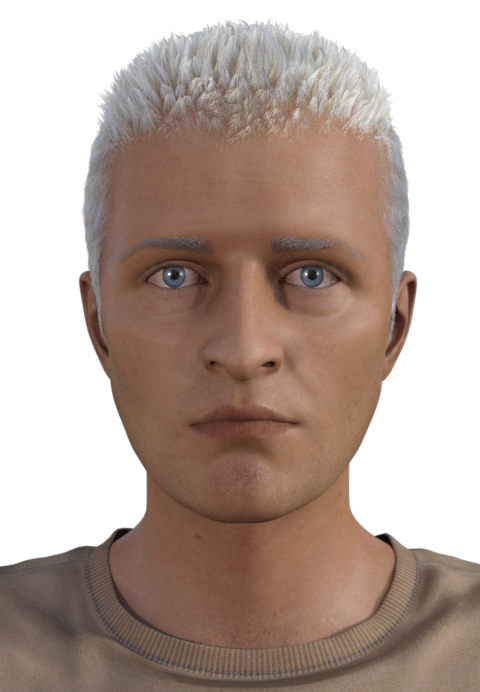
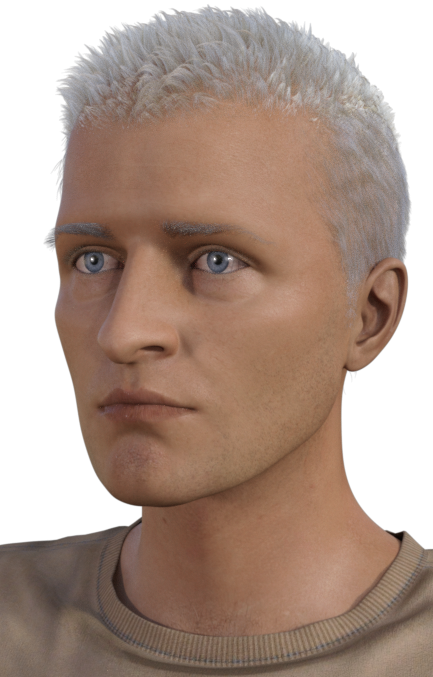
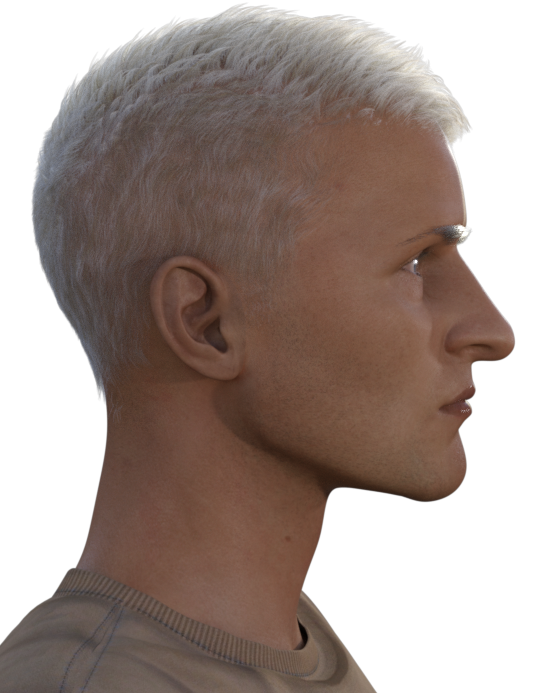
I have used in the renderings the following products:
G8.1M
The T-shirt from Mi tactical outfit for G8 and G8.1 Males
Togatta Hair (actually two of them to give the hair more fullness)
Bold Brows Fibermesh for G8M (Groomed02)
As usual this is only the head morph without any textures included. Noncommercial use only.
If something isn't working, please let me know.
Changes to the basic textures you will see in the renderings: I tried to give the Warrior the ruddy skin but he still looks like he has a tan. Oh well, I tried... I also lightened and desaturated the irises of the blue-eye texture for the basic G8.1M model. I think this really enhanced the Warrior's look, so I would advise you to do the same. I would also suggest that you work on the Warrior's eyelashes so they aren't so feminine as they are straight "out of the box".
If you feel like commenting, please do. I love hearing from you!
Enjoy!
AOBB
Looking for Genesis 8.1F Body Scaling CapabilityI would use the Head Propigating Scale to change the size of the head to fit the body. There is not a morph to do the body without the head.
Looking for Genesis 8.1F Body Scaling CapabilityI need an 8.1 female body scaling tool / morph to proportionately scale the body only. I have about every morph package out for G8F and have been using BD Body Proportions dial (not sure what package that came with.) When I use it on 8.1, the body proportionately changes size, but the eyelashes stay in the original position.
I am not looking for character scaling, I want to scale the body only to better match a head. I am not looking for a convoluted way of doing this, Just need to scale the body up to match the head and then scale the whole character back down to desired height. I know there has to be a package out there with proportionate body scaling. Anyone?
SereneNight’s Sci-Fi Fun Thread 3Every so often, I just have to mess around with Genesis 8.1 Boyd. It is a sickness I tell you! Here Boyd is showing off his new underboob muscle definition. This is courtesy of a morph that simply doesn't play well with Genesis 8.1 Male. You get extra points if you can guess what Genesis 8.1 skin I used. I know VWrangler will be able to. (Don't hate me, I was just trying it out)
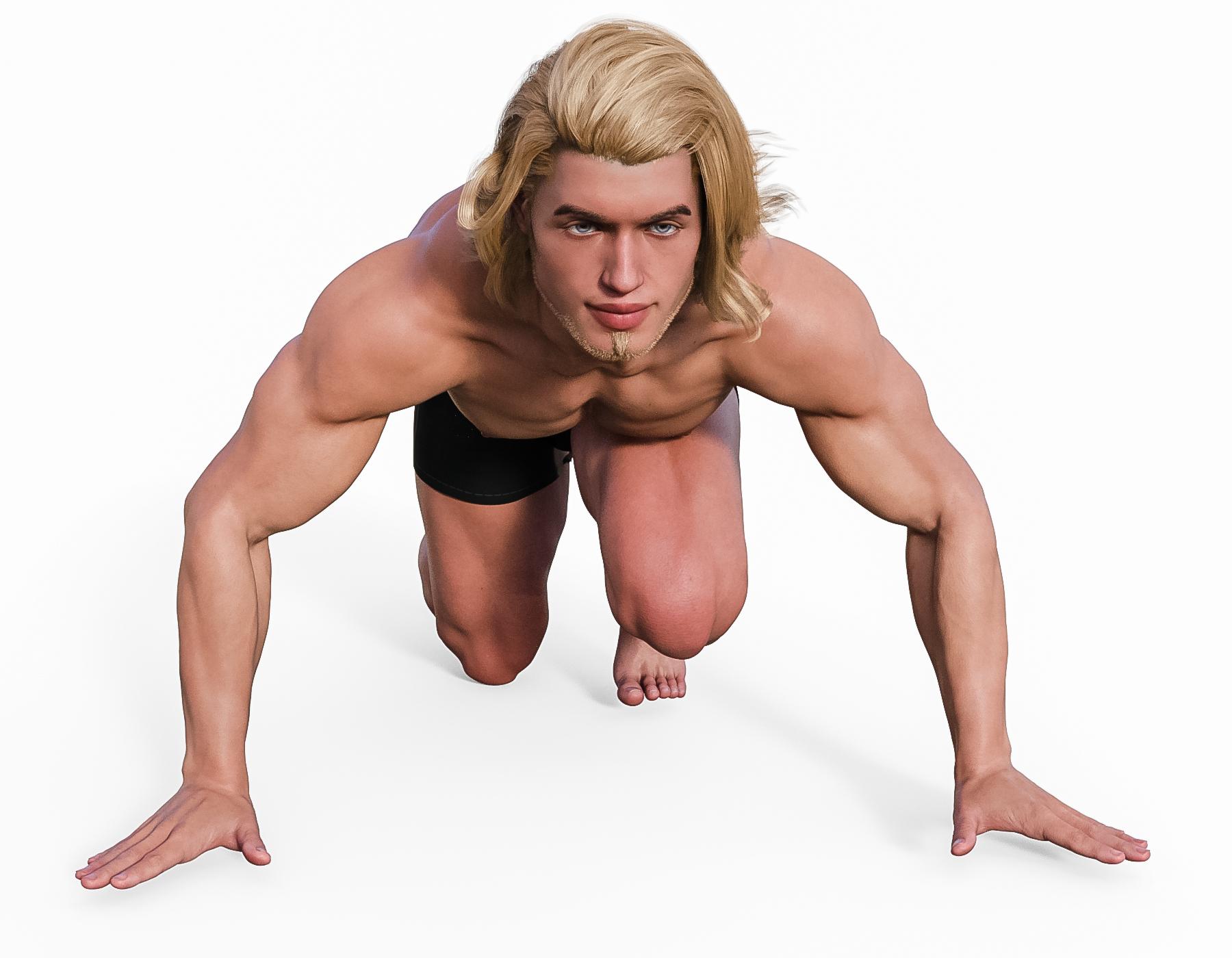
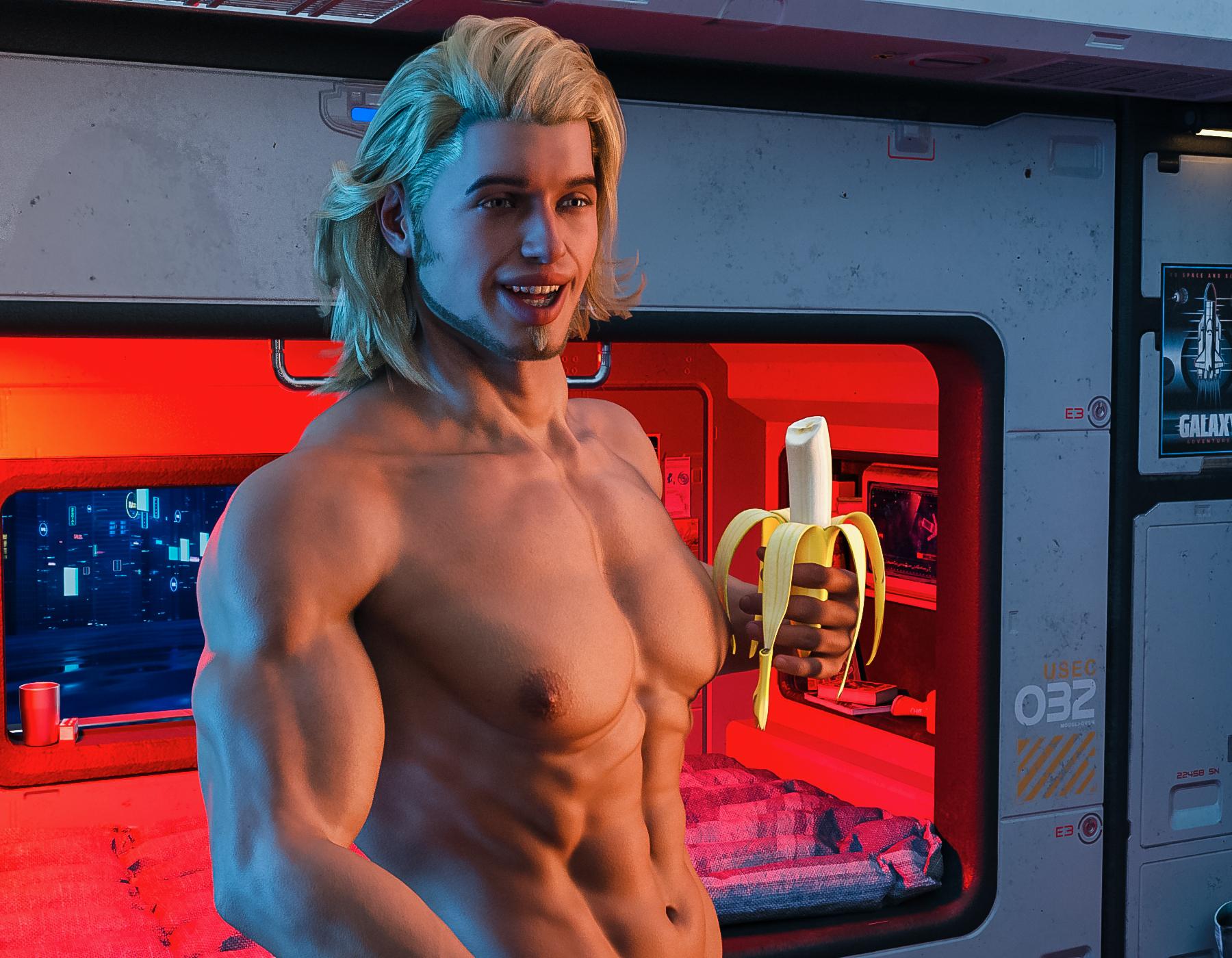 Please some help with the settings of "Transfer utility"
Please some help with the settings of "Transfer utility"
Sometimes ago I read in this forum the settings of Transfer utility to transfer morphs from one clothing to another and even succeesfully used it couple of times. Now I cannot find this old topic and trying to transfer morphs from one dress to dForce dress (g8f) failed miserably (I need some morphs as my PC is rather outdated and using dForce takes a lot of time).So please advise (as dumbproof as possible!)
"Why it’s so hard to make CGI skin look real" - VOXPhilemo_Carrara said:
Jonstark said:
Oh yes, I've got Reby. I have all the Elite series, even the S5 Joanie, M5 Dave, V5 Valerie... the only one I didn't have up til a few weeks ago was V4 Ariana, which somehow I never saw or heard of before, and to be honest I'm wasn't in love with the promo renders for her, but when it popped up on sale my OCD side said: "must complete Elite collection immediately!" and since I have no impulse control...
The Reby sky for Genesis is just a morph for the Reby shape though, it doesn't include any textures. But yeah the Reby textures are kind of fun to see what kind of hijinx the texture creators were trying to get up to back in the day to make a crude SSS effect (which in fairness worked pretty well). The SSS maps made me chuckle, looks like a kindergartner with a crayon drew red marks over a diffuse map.
Better SSS maps are included with M5 Philip and V5 Bree (the 2 that every Carrarist has as they were included with Carrara). Though imo everyone has gotten SSS maps wrong in one way or another. I ended up making my own to make sure that the effect was guided to the right places and not the wrong ones. (almost everyone who made a SSS map seems under the impression that every character render should have eyes so red it looks like they are in the throes of a terrible malady).
That reminded me I also had nearly all of them. I agree they're great. I decided to give it another try.
This is V5 Valerie:
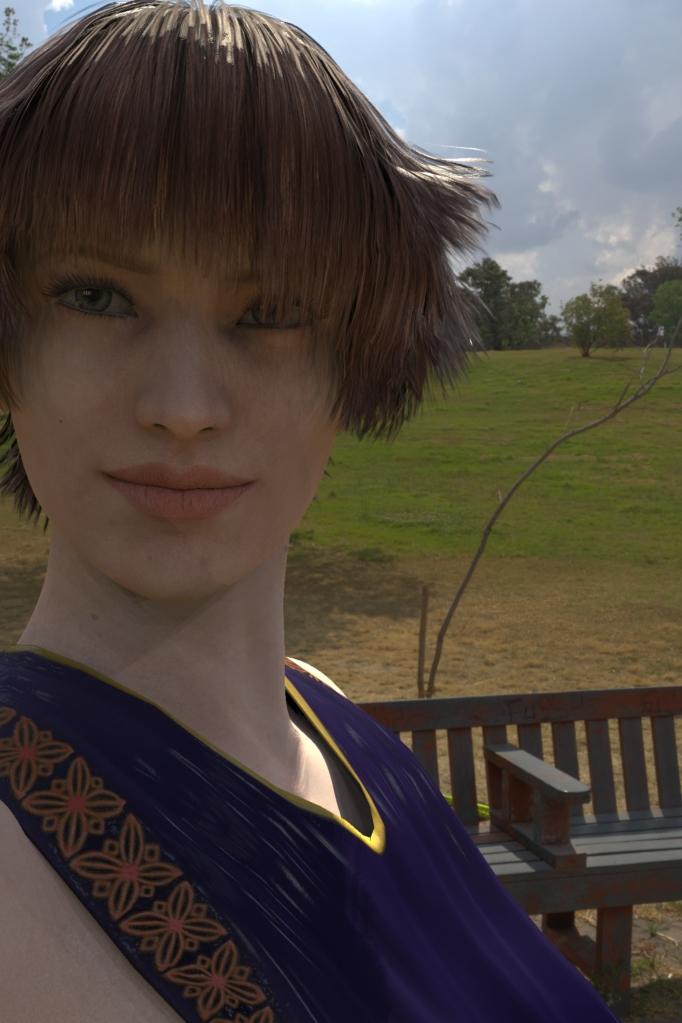
Nice. A backlit scene is the most difficult to get a good appreciation for skin textures in my experience, the skin being mostly in shadow makes it hard to see specular details. Directly facing the lighting has its problems too, too much light washing out the skin and giving it too even an appearance. Side lighting is probably the way to bring out the skin texture best, I'm guessing.
Export genesis 8 FBXnope, i'm having the same issue as you as i described here:
the only possible fix for this issue which i can see is someone creating a "corrective morph outside daz like in blender where the bad distortion can happen then you "fix it or make something "better" then turn in a morph to be applied when the character bend to be exported and applied in the animation bp
other way around which also is more impossible to happens than even unreal have support to dual quartenion would be daz "rework all the characters to support the linear bend" then manually fix all the bad bends which will happens without dual quartenion, which is a "lot of work to do and not the best solution.
among the 2 almost 100% impossible solutions unreal give support to DQ would be the less "impossible".
the most "realistic and possible soluction is the creation of target morphs for this specific issue.
product containing "eyes relax" morph for g3fI think it's not a morph but a pose dial similar to G8F. Try finding it in the eyes pose control section maybe?Old Jeb and his horse.cclesue said:
Ha! just discovered the emaciated morph for the horse 2 (thank you Blaz) I wa toying with the idea of attempting to do something in Photoshop but this is so much better. . .now if I can give it a swayed back. . .
Nice to know for future reference. And your tintype looks great.
XTransfer Module 1- Genesis 3 to Genesis 8 Morph Converter (Commercial)Hi. Here I converted Tamara. At first I just favorited Tamara for conversion, but for some reason it didn't pick up Josie 7 Iris morph which was a requirement for Tamara, and linked to Josie 7's head. So to be sure I got it all second time around, I favorited Josie 7 and Tamara and conversion came out fine. If a character requires another, I'd make sure that required character is converted as well just to be safe. Here I did it in one go.
zbrush size export problemsI deleted eyeslash and I have the same scaling problem for morph ,that additional zeros I have to put it in daz or in zbrush to correct guys?
2021 Sales thread cont: Report Issues Here "There's Always Another Sale™"Cris Palomino said:
Lindsey said:
L4N4 HD Morph for Genesis 8 Females needs to be removed from the Genesis Character Selection for the GIMME-3/GIMME-5 coupon offer as it's not a Daz Original and it doesn't work with either coupon. It's the first product that shows on the product selection for the offer.
It's the only product, out of 162 characters I don't own LOL!
Will report. Thank you.
L4N4 HD Morph is also erroneously listed on the Genesis 8 Core Figures page, along with dForce CB Storm Sea Clothing Set, Wensday, & SY Lamia Genesis. The Genesis 8.1 Core Figures page also has several inappropriate items listed.
Daz 3D is part of

Connect
DAZ Productions, Inc.
7533 S Center View Ct #4664
West Jordan, UT 84084Licensing Agreement | Terms of Service | Privacy Policy | EULA
© 2026 Daz Productions Inc. All Rights Reserved.