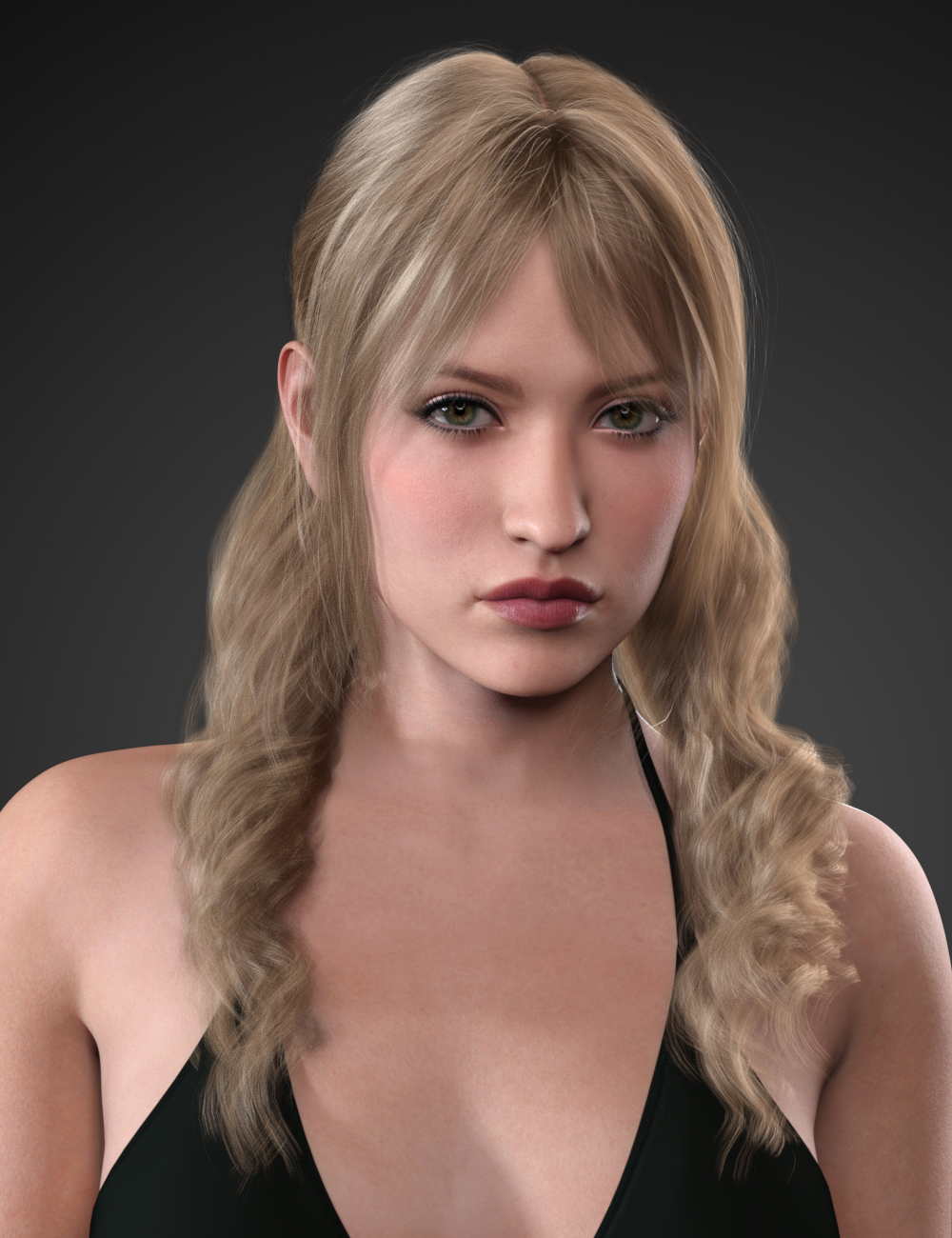
-
[Released] RSSY Character And Material Conversion Bundle Genesis 8 to Genesis 9 [Commercial]
XiousDs said:
RiverSoftArt said:
rorronline said:
ok so been waiting for these since gen 9 release. And finally. However there is some issues.
The Batch Converters work but only marginally. There is a large amount of characters both male and female that after convertion look like they got ran over by a mac truck a few times. I understand that maybe some of the stylized characters could have this issue but most of them that end up this way are 'normal' characters. Real people type of characters. A bit disappointing.
From the manual:
The Converted Character’s Body is wrinkled. Because of the way that morphs must be converted, a morph that on Genesis 8 appears to only touch a small part of the head can affect the whole body on Genesis 9. You need to show Currently Used parameters to show all morphs on the converted character. Then, one by one, dial in the morphs to find the offending morph(s). Once you find them, delete the morphs from your HD (click the Gear icon, Parameter Settings, and look at File Path for the asset to figure out where the morph is and what it is called). You should also resave the character with the offending morph(s) dialed out (set to 0).
THe Custom character convcerters worker once each. Meaning One male converted fine, and one female converted fine. Since then i get Daz throwing a scripr error. pertentent log file parts are below. Any ideas?
I have tried everything including uninstalling and reinstalling. Nothing helps.
2023-06-04 11:30:37.077 [INFO] :: Loading script: D:/Daz Library/Scripts/RiverSoft Art/Character Converter/Convert Custom Character G8M to G9.dse
2023-06-04 11:30:37.955 [DEBUG] :: FOUND: D:/Daz Library/data/RiverSoft Art/Common/RSConstants.dsa
2023-06-04 11:30:38.033 [DEBUG] :: FOUND: D:/Daz Library/data/RiverSoft Art/Common/RSAdvCharacterConversionConstants.dsa
2023-06-04 11:30:38.051 [DEBUG] :: FOUND: D:/Daz Library/data/RiverSoft Art/Common/RSG8G9CharacterConversionConstants.dsa
2023-06-04 11:30:38.067 [DEBUG] :: FOUND: D:/Daz Library/data/RiverSoft Art/Common/RSBuildPanels.dsa
2023-06-04 11:30:38.080 [DEBUG] :: FOUND: D:/Daz Library/data/RiverSoft Art/Common/RSHelperFunctions.dse
2023-06-04 11:30:38.110 [DEBUG] :: FOUND: D:/Daz Library/data/RiverSoft Art/Common/RS2019HelperFunctions.dse
2023-06-04 11:30:38.144 [DEBUG] :: FOUND: D:/Daz Library/data/RiverSoft Art/Common/RS2020HelperFunctions.dse
2023-06-04 11:30:38.156 [DEBUG] :: FOUND: D:/Daz Library/data/RiverSoft Art/Common/RS2021HelperFunctionsConstants.dsa
2023-06-04 11:30:38.186 [DEBUG] :: FOUND: D:/Daz Library/data/RiverSoft Art/Common/RS2021HelperFunctions.dse
2023-06-04 11:30:38.227 [DEBUG] :: FOUND: D:/Daz Library/data/RiverSoft Art/Common/RS2022HelperFunctions.dse
2023-06-04 11:30:38.235 [DEBUG] :: FOUND: D:/Daz Library/data/RiverSoft Art/Common/RS2023HelperFunctions.dse
2023-06-04 11:30:38.309 [DEBUG] :: FOUND:
2023-06-04 11:30:38.310 [DEBUG] :: FOUND: D:/Daz Library/data/RiverSoft Art/Common/RSG8G9CharacterConversionFunctions.dse
2023-06-04 11:30:38.346 [WARNING] :: Script Error: Line 4231
2023-06-04 11:30:38.346 [WARNING] :: TypeError: Result of expression 'this.sWhatsThis' [undefined] is not an object.
2023-06-04 11:30:38.346 [WARNING] :: Stack Trace:
<anonymous>()@D:/Daz Library/data/RiverSoft Art/Common/RSG8G9CharacterConversionFunctions.dse:4231
2023-06-04 11:30:38.348 [INFO] :: Error in script execution: D:/Daz Library/Scripts/RiverSoft Art/Character Converter/Convert Custom Character G8M to G9.dseShoot! That is a bug I introduced in the update. I will fix it asap.
I am also getting this error when I try using the custom character converter. I look forward to trying the fixed version. I read through all 10 pages hoping someone had an answer to my issues before I bothered yal knowing you are likely super busy.
I have the full bundle as I was hoping this tool will let me merge my beasty morphs to gen 9. I saw that the product photos showed one of the werewolf morphs with Victoria so I was excited hoping that I could get okish results with half my library of non pure humoid shape characters. So far my experience has not been great, but the custom character converter is 100% broken currently, so I can't actually test that part. You have the fix on its way so I look forward to testing it once I can.
With that said, in the software I see the character converter and the custom character converters for the gen 8 and 9s, but I have some confusion from the instructions manual.
In the manual on page 4 it says "Shape files cannot be converted with the Character Converter script. Please use the Convert Custom Character script to convert morphs that are defined in Shape files."
So I looked for the section in the instructions that is for "Convert Custom Character" which matches what I see in the Daz interface, but it does not exist. Instead what exists is the "Convert Scene Character" section which starts on page 8. The index for the manual has the same name.
(1) Is the "Convert Scene Character" section the same thing as the "Convert Custom Character" section?Yes, they are the same.
If it is the same thing, then in that section it says "It does not create a character preset or a scene subset preset (needed if it Material Suit is used).
(2) Does this mean it won't create a character material suit then?
The Custom Character script does add the material suit.
(3) Some folks have mentioned getting better results following SY instructions on doing manual conversions of gen 8 to 9. Would yal be able to point me to where that is so I can test between the results of the tool and the manual conversions?I don't know where that is. I didn't know she had done so.
(4) It is mentioned that some morphs won't work around large eyes unless you use the eye shape fixer. Since I could not test my custom characters, I tried running the tool against story book frog, and the head got very messed up with the eye sockets and mouth very distorted. It also massively distorted the feet something completely unuseable. Do you have any reccomendations where I might be able to get some OKish results? If there is some distortion, I could fix that possibly in blender, but storybook frogs feet look like pancakes meaning they would need to almost be resculpted from scratch... lolI would look to see what morph is distorting the feet. If every other morph is dialed out and it is only its body morph messing up the feet, then I don't see how to get good results for Storybook Frog. When you are doing a converion with the eye dialog, make very sure to delete the "wrong" converted eye morphs as well as the body morphs before trying again. Applying the eye dialog again when there is already a bad eye morph just makes things worse.
I am trying to see if this tool will have use to me as I want to jump onto the gen 9 bandwagon, but if I can't bring in a decent chunk of my Oso, Joe Quick, Josh Crocket, and Raw Art morphs, with okish enough results where I can clean them up in blender, then I might just end up sticking to Gen 8/8.1 like what a lot of folks seem to be doing.
I need to be able to do half blood races for my world, so I wanted to be able to merge non-human races with the new characters like Victoria 9, Joan 9, etc. instead of just sticking to the Gen 8.1s. You are doing good work so I hope you don't take this too negatively as I know there is a lot of that right now with a tool having to do such a hard/complex task within the limitations of DAZ Studio.As along as each Oso/Quick/etc look is from one body morph, I would think the results can be good. However, CC does not convert JCMs so if the character requires a lot of them to fix problems when posing, it might not be worth it.
Thanks
[Released] RSSY Character And Material Conversion Bundle Genesis 8 to Genesis 9 [Commercial]RiverSoftArt said:
rorronline said:
ok so been waiting for these since gen 9 release. And finally. However there is some issues.
The Batch Converters work but only marginally. There is a large amount of characters both male and female that after convertion look like they got ran over by a mac truck a few times. I understand that maybe some of the stylized characters could have this issue but most of them that end up this way are 'normal' characters. Real people type of characters. A bit disappointing.
From the manual:
The Converted Character’s Body is wrinkled. Because of the way that morphs must be converted, a morph that on Genesis 8 appears to only touch a small part of the head can affect the whole body on Genesis 9. You need to show Currently Used parameters to show all morphs on the converted character. Then, one by one, dial in the morphs to find the offending morph(s). Once you find them, delete the morphs from your HD (click the Gear icon, Parameter Settings, and look at File Path for the asset to figure out where the morph is and what it is called). You should also resave the character with the offending morph(s) dialed out (set to 0).
THe Custom character convcerters worker once each. Meaning One male converted fine, and one female converted fine. Since then i get Daz throwing a scripr error. pertentent log file parts are below. Any ideas?
I have tried everything including uninstalling and reinstalling. Nothing helps.
2023-06-04 11:30:37.077 [INFO] :: Loading script: D:/Daz Library/Scripts/RiverSoft Art/Character Converter/Convert Custom Character G8M to G9.dse
2023-06-04 11:30:37.955 [DEBUG] :: FOUND: D:/Daz Library/data/RiverSoft Art/Common/RSConstants.dsa
2023-06-04 11:30:38.033 [DEBUG] :: FOUND: D:/Daz Library/data/RiverSoft Art/Common/RSAdvCharacterConversionConstants.dsa
2023-06-04 11:30:38.051 [DEBUG] :: FOUND: D:/Daz Library/data/RiverSoft Art/Common/RSG8G9CharacterConversionConstants.dsa
2023-06-04 11:30:38.067 [DEBUG] :: FOUND: D:/Daz Library/data/RiverSoft Art/Common/RSBuildPanels.dsa
2023-06-04 11:30:38.080 [DEBUG] :: FOUND: D:/Daz Library/data/RiverSoft Art/Common/RSHelperFunctions.dse
2023-06-04 11:30:38.110 [DEBUG] :: FOUND: D:/Daz Library/data/RiverSoft Art/Common/RS2019HelperFunctions.dse
2023-06-04 11:30:38.144 [DEBUG] :: FOUND: D:/Daz Library/data/RiverSoft Art/Common/RS2020HelperFunctions.dse
2023-06-04 11:30:38.156 [DEBUG] :: FOUND: D:/Daz Library/data/RiverSoft Art/Common/RS2021HelperFunctionsConstants.dsa
2023-06-04 11:30:38.186 [DEBUG] :: FOUND: D:/Daz Library/data/RiverSoft Art/Common/RS2021HelperFunctions.dse
2023-06-04 11:30:38.227 [DEBUG] :: FOUND: D:/Daz Library/data/RiverSoft Art/Common/RS2022HelperFunctions.dse
2023-06-04 11:30:38.235 [DEBUG] :: FOUND: D:/Daz Library/data/RiverSoft Art/Common/RS2023HelperFunctions.dse
2023-06-04 11:30:38.309 [DEBUG] :: FOUND:
2023-06-04 11:30:38.310 [DEBUG] :: FOUND: D:/Daz Library/data/RiverSoft Art/Common/RSG8G9CharacterConversionFunctions.dse
2023-06-04 11:30:38.346 [WARNING] :: Script Error: Line 4231
2023-06-04 11:30:38.346 [WARNING] :: TypeError: Result of expression 'this.sWhatsThis' [undefined] is not an object.
2023-06-04 11:30:38.346 [WARNING] :: Stack Trace:
<anonymous>()@D:/Daz Library/data/RiverSoft Art/Common/RSG8G9CharacterConversionFunctions.dse:4231
2023-06-04 11:30:38.348 [INFO] :: Error in script execution: D:/Daz Library/Scripts/RiverSoft Art/Character Converter/Convert Custom Character G8M to G9.dseShoot! That is a bug I introduced in the update. I will fix it asap.
I am also getting this error when I try using the custom character converter. I look forward to trying the fixed version. I read through all 10 pages hoping someone had an answer to my issues before I bothered yal knowing you are likely super busy.
I have the full bundle as I was hoping this tool will let me merge my beasty morphs to gen 9. I saw that the product photos showed one of the werewolf morphs with Victoria so I was excited hoping that I could get okish results with half my library of non pure humoid shape characters. So far my experience has not been great, but the custom character converter is 100% broken currently, so I can't actually test that part. You have the fix on its way so I look forward to testing it once I can.
With that said, in the software I see the character converter and the custom character converters for the gen 8 and 9s, but I have some confusion from the instructions manual.
In the manual on page 4 it says "Shape files cannot be converted with the Character Converter script. Please use the Convert Custom Character script to convert morphs that are defined in Shape files."
So I looked for the section in the instructions that is for "Convert Custom Character" which matches what I see in the Daz interface, but it does not exist. Instead what exists is the "Convert Scene Character" section which starts on page 8. The index for the manual has the same name.
(1) Is the "Convert Scene Character" section the same thing as the "Convert Custom Character" section?
If it is the same thing, then in that section it says "It does not create a character preset or a scene subset preset (needed if it Material Suit is used).
(2) Does this mean it won't create a character material suit then?
(3) Some folks have mentioned getting better results following SY instructions on doing manual conversions of gen 8 to 9. Would yal be able to point me to where that is so I can test between the results of the tool and the manual conversions?
(4) It is mentioned that some morphs won't work around large eyes unless you use the eye shape fixer. Since I could not test my custom characters, I tried running the tool against story book frog, and the head got very messed up with the eye sockets and mouth very distorted. It also massively distorted the feet something completely unuseable. Do you have any reccomendations where I might be able to get some OKish results? If there is some distortion, I could fix that possibly in blender, but storybook frogs feet look like pancakes meaning they would need to almost be resculpted from scratch... lol
I am trying to see if this tool will have use to me as I want to jump onto the gen 9 bandwagon, but if I can't bring in a decent chunk of my Oso, Joe Quick, Josh Crocket, and Raw Art morphs, with okish enough results where I can clean them up in blender, then I might just end up sticking to Gen 8/8.1 like what a lot of folks seem to be doing.
I need to be able to do half blood races for my world, so I wanted to be able to merge non-human races with the new characters like Victoria 9, Joan 9, etc. instead of just sticking to the Gen 8.1s. You are doing good work so I hope you don't take this too negatively as I know there is a lot of that right now with a tool having to do such a hard/complex task within the limitations of DAZ Studio.Thanks
AIUTO...CHI CONOSCE L’ITALIANO? PARTE TREDICIMuscleman said:
Silvhe said:
Muscleman said:
* PUBBLICITA' *
https://www.daz3d.com/kissing-you-poses-for-genesis-9-genesis-8-and-3
Un nuovo set appena uscito : KISSING YOU!Kissing you! Poses for Genesis 3, Genesis 8 and 9: (.DUF)
- 16 couple Full Body Poses for Genesis 3 Base shapes
- 16 couple Full Body Poses for Victoria 7 and Michael 7
- 16 couple Full Body Poses for Genesis 8.1 Base shapes that work on Genesis 8 Base shapes too
- 16 couple Full Body Poses for Victoria 8.1 and Michael 8.1
- 16 couple Full Body Poses for Genesis 9 Masculine Couple
- 16 couple Full Body Poses for Genesis 9 Feminine Couple
- 16 couple Full Body Poses for Genesis 9 Masculine and Feminine
- 16 couple Full Body Poses for Victoria 9 and Michael 9
Interessante, le pose per Victoria 8.1 funzionano anche con Victoria 8?
si :) solo una leggera differenza di proporzioni in coppia ma funzionano
Ok, adesso provo. L'ho appena comprato
 AIUTO...CHI CONOSCE L’ITALIANO? PARTE TREDICI
Silvhe said:
Muscleman said:
* PUBBLICITA' *
https://www.daz3d.com/kissing-you-poses-for-genesis-9-genesis-8-and-3
Un nuovo set appena uscito : KISSING YOU!Kissing you! Poses for Genesis 3, Genesis 8 and 9: (.DUF)
- 16 couple Full Body Poses for Genesis 3 Base shapes
- 16 couple Full Body Poses for Victoria 7 and Michael 7
- 16 couple Full Body Poses for Genesis 8.1 Base shapes that work on Genesis 8 Base shapes too
- 16 couple Full Body Poses for Victoria 8.1 and Michael 8.1
- 16 couple Full Body Poses for Genesis 9 Masculine Couple
- 16 couple Full Body Poses for Genesis 9 Feminine Couple
- 16 couple Full Body Poses for Genesis 9 Masculine and Feminine
- 16 couple Full Body Poses for Victoria 9 and Michael 9
Interessante, le pose per Victoria 8.1 funzionano anche con Victoria 8?
si :) solo una leggera differenza di proporzioni in coppia ma funzionano
Base Model suggestions?Victoria 8 is a character (shape and textures) for Genesis 8 Female, not a base model
Base Model suggestions?I'm looKing to buy a range of base models that I can manipulate and make my own for my projects and the like. I belive the most common one I heard about on this site is Victoria 8 (I want to work with Gen 8) and I would like if you could offer suggestions as to what to buy from the store. I am hoping for a range of skin tones going Pale, Tanned, Brown and Black. I want at least four if not more for choice and I would like them for both males and females if possible? Do you have any sugestions?
New Genesis, New Sales Thread: Report Issues Here "Reporting Only"Cyonix said:
Hylas said:
Parquet is working now, thx
Still not working correctly for me, items are only being discounted to $5.09 (cart screenshot attached)Not working here either, "Victoria 7 Expression set" is from "Gift Just for You" and is supposed to be free with "Buy any 2+ Debut New, Still New, or Spotlight Release"
There's Always Another Sale Thread -- Discussions Only
Daz+ Grab N' Go has been rather disappointing - the best deals of the sale, but they seem most suited to enticing or exciting new members as the items are Daz staples likely to have already been purchased by those who've been around a couple years or longer. I haven't seen a single Grab N' Go offer yet. It would've been nice to get a small extra discount for the day for already having the bundles, perhaps something like 5% off a cart.Blando Calrissian said:Charlie Judge said:
Great Grab n' Go today if you don't already own it
And today brings a Vicky 8 Grab n' Go to balance things out (BYO sword and temple)
But at least it should make some members quite happy - for those who didn't have the characters/bundles yet, $5 each is a fantastic deal.How to achieve this Skin quality ?Gordig said:
PBRSkin is the skin shader that was introduced with G8.1, and is used on all the core figures as well as many PA characters. You can find it in your default resources. Whereas Iray Uber shader has a single normal map slot, PBRSkin includes a micro detail slot. A typical normal map for a figure will be 4K and cover the entire UV island, like the entire face. The micro detail maps are 4K or even 8K and cover a small area of skin, but are tiled so that you get much finer details, which will help you get to the skin quality you're after. If you have any 8.1 core figures (Victoria, Brooke, etc.) try applying their skin and give that a render.
Oh okay now I get it. I often wondered what those pbr and uber files were for (i thought those uber files were for iray and pbr for interactive render mode). I have another selfish request. Can you guide me on this, I'm absolutely clueless on how to do this. Really appreciate it
There's Always Another Sale Thread -- Discussions OnlyCharlie Judge said:
Great Grab n' Go today if you don't already own it
And today brings a Vicky 8 Grab n' Go to balance things out (BYO sword and temple)
How to achieve this Skin quality ?PBRSkin is the skin shader that was introduced with G8.1, and is used on all the core figures as well as many PA characters. You can find it in your default resources. Whereas Iray Uber shader has a single normal map slot, PBRSkin includes a micro detail slot. A typical normal map for a figure will be 4K and cover the entire UV island, like the entire face. The micro detail maps are 4K or even 8K and cover a small area of skin, but are tiled so that you get much finer details, which will help you get to the skin quality you're after. If you have any 8.1 core figures (Victoria, Brooke, etc.) try applying their skin and give that a render.
AIUTO...CHI CONOSCE L’ITALIANO? PARTE TREDICIMuscleman said:
* PUBBLICITA' *
https://www.daz3d.com/kissing-you-poses-for-genesis-9-genesis-8-and-3
Un nuovo set appena uscito : KISSING YOU!Kissing you! Poses for Genesis 3, Genesis 8 and 9: (.DUF)
- 16 couple Full Body Poses for Genesis 3 Base shapes
- 16 couple Full Body Poses for Victoria 7 and Michael 7
- 16 couple Full Body Poses for Genesis 8.1 Base shapes that work on Genesis 8 Base shapes too
- 16 couple Full Body Poses for Victoria 8.1 and Michael 8.1
- 16 couple Full Body Poses for Genesis 9 Masculine Couple
- 16 couple Full Body Poses for Genesis 9 Feminine Couple
- 16 couple Full Body Poses for Genesis 9 Masculine and Feminine
- 16 couple Full Body Poses for Victoria 9 and Michael 9
Interessante, le pose per Victoria 8.1 funzionano anche con Victoria 8?
AIUTO...CHI CONOSCE L’ITALIANO? PARTE TREDICI* PUBBLICITA' *
https://www.daz3d.com/kissing-you-poses-for-genesis-9-genesis-8-and-3
Un nuovo set appena uscito : KISSING YOU!Kissing you! Poses for Genesis 3, Genesis 8 and 9: (.DUF)
- 16 couple Full Body Poses for Genesis 3 Base shapes
- 16 couple Full Body Poses for Victoria 7 and Michael 7
- 16 couple Full Body Poses for Genesis 8.1 Base shapes that work on Genesis 8 Base shapes too
- 16 couple Full Body Poses for Victoria 8.1 and Michael 8.1
- 16 couple Full Body Poses for Genesis 9 Masculine Couple
- 16 couple Full Body Poses for Genesis 9 Feminine Couple
- 16 couple Full Body Poses for Genesis 9 Masculine and Feminine
- 16 couple Full Body Poses for Victoria 9 and Michael 9
There's Always Another Sale Thread -- Discussions OnlyPetercat said:
DAZ is really pushing DAZ+ in these recent sales, aren't they?
Lost 18 tokens overnight. Oh, well.
And, how 'bout that? They don't apply to FastGrab.
This appears to be a pretty underwhelming Summer so far.Ya, tokens have never worked on fast grab. Actually stacking discounts in general like your coupons don't ever work on fast grab either. As fas as underwhelming, I think it really depends on what you already have. If you have already procured the items that have the best discounts, then yes, it is disappointing. If however, you have not already gotten those items, then 3 of the days since the start of the summer sales had GREAT deals. I managed to get a number of 8.1 mega bundles I did not already have for 95% off. I also got the Victoria 9 mega bundle for 92% off. Those are pretty dang good discounts to me. BUT, if you already had those bundles, then they did not apply to you and what was a great sale potentially for many, would appear underwhelming to others.
I think what would help some, is if the lighting deals thing had ALL of each personal personalized discounts all at once for the day. That way you don't have to keep checking each 3 hours to see if you have garbage items listed or a pro bundle that stacks with other discounts to bring the price down to 95% off. I think a bunch of buying opportunities are missed because folks who might get good deals and buy things, don't see their personalized good deals, then don't buy things. I mean a number of folks have complained about too many rotating sales and not getting enough time to figure out what they want, don't want, etc, and DAZ makes a feature that gives you a new sale every 3 hours... Pretty certain most folks would rather be able to see all the deals that will apply for a longer amount of time so that they have more time to figure out what they want. I know a lot of times I will just dump carts or don't buy, because I run out of time looking once I find out about a sale that has discounts that I like on stuff that I like.
Celebrity Look-a-Likes for 3D figures part 3deepred6502 said:
deepred6502 said:
ICYMI, HID Emmy (Easter freebie, now on sale) is Emily Browning.
PS: Does anyone know the hairstyles in the promos are?
PPS: The 2nd & 6th promo pic look like Soft Curls Ponytail for G9, and I'm not sure about the others, though they seem to lean towards the style of AprilYSH or OOT.
PPPS: To narrow things down, the 1st pic is quite likely a ponytail style. For some reason the search engine's borked again so I can't set any filters.
Let's appreciate/discuss today's new releases - ongoing threadMaddie HD
It's just a juvenile homo sapiens female. I swear, the specimens do not always look like 21+ Victoria's Secret models. Really!
I don't think even Skye is that stylised.
Celebrity Look-a-Likes for 3D figures part 3deepred6502 said:
ICYMI, HID Emmy (Easter freebie, now on sale) is Emily Browning.
PS: Does anyone know the hairstyles in the promos are?
PPS: The 2nd & 6th promo pic look like Soft Curls Ponytail for G9, and I'm not sure about the others, though they seem to lean towards the style of AprilYSH or OOT.
There's Always Another Sale Thread -- Discussions OnlyAt least the BIG-DEALZ code was still working when I hurried to pull the trigger...
Not a bad cart for $1.86 and 5 tokens
FH Company Hallway - $16.99 -> $0.00
S3D Time to Rest Bed - $21.99 -> $5.32
Nu-Chew Food Stand - $18.99 -> $4.60
Cyberpunk 24hr Launderette - $18.99 -> $1.27
Professional DSLR Camera - $12.95 -> $0.00
Street Punk Bundle - $96.99 -> $9.37
Victoria 9 HD - $59.99 -> $5.65
Josie 9 - $59.99 -> $5.65
DAZ 3D Gift Card - $150.00 -> $120.00Total: $456.88 -> $151.86 (includes the $150 store credit I got)
[Released] RSSY Character And Material Conversion Bundle Genesis 8 to Genesis 9 [Commercial]Keiron said:
Hi
If you add a g9 model to the scene then apply the morphs ie 8 or 8.1 that i've mentioned you get bad results, the same as you get when you have created a g9 transfer
in other words you get the same issue with appying a g8 or 8.1 to a g9 figure that you see in a g9 modified one
To clarify this further
I used your app to create morphs for the g9 figure from the g8 and g9
I listed the ones I had found problems with head, body, eyes, eyelashes. I could dial out a number of these issues, it looks like a number of dials were not set to 0 some had missing amounts and had a ? mark next to them
I have then now tried using the existing 8, 8.1 morphs on the g9 to see what happens
I see very simular issues to both existing and the app modded morphs, what im pointing out is that the existing morphs head should not control the body but they do in some and dont in others
Your app is'nt causing this
Hi RiversoftArt
I had to change my PC motherboard, so I have completely reinstalled eveything from scratch. no Daz folders at all
Had a job installing Daz Studio using DIM. but the other installer worked in the end
There are now no Genesis 9 modified morphs from using your app only the original one's
I woke up wondering, if opened up the Genesis 9 figure and applied the nail morphs what would happen?
Well using the Genesis 9 figure it does the same with the nail morphs without your app
The MSO_G9_NAILS WORK OK
A&AB NAILS MORPH THE WHOLE BODY NOT THE HEAD TO A FEMALE FIGURE
HALLIE NAILS MORPH THE WHOLE BODY NOT THE HEAD TO A FEMALE FIGURE
A&A NAILS MORPH THE WHOLE BODY NOT THE HEAD TO A FEMALE FIGURE
ACRILIC NAILS MORPH THE WHOLE BODY NOT THE HEAD AND CAUSE THE NOW FEMALE FIGURE TO LOOK UNFED
CYNDER81 NAILS MORPH THE WHOLE BODY NOT THE HEAD TO A FEMALE FIGURE
CYNDER_LONG_SQUARE NAILS MORPH THE WHOLE BODY NOT THE HEAD TO A FEMALE FIGURETO LOOK UNFED
DT-BEAUTIFUL NAILS MORPH THE WHOLE BODY NOT THE HEAD TO A FEMALE FIGURE
DT-FARAH NAILS MORPH THE WHOLE BODY NOT THE HEAD TO A FEMALE FIGURE
DT NAILS MORPH THE WHOLE BODY NOT THE HEAD TO A FEMALE FIGURE
KAYLEYSS SQUARE NAILS MORPH THE WHOLE BODY NOT THE HEAD TO A FEMALE FIGURE
LONG NAILS BY FWART MORPH THE WHOLE BODY NOT THE HEAD TO A FEMALE FIGURE
CB SQUARE NAILS MORPH THE WHOLE BODY NOT THE HEAD TO A FEMALE FIGURE
MOUSSO NAILS MORPH THE WHOLE BODY NOT THE HEAD TO A FEMALE FIGURE
OZ NAILS NAILS MORPH THE WHOLE BODY NOT THE HEAD TO A FEMALE FIGURE
SQUARE NAILS BY FWSA MORPH THE WHOLE BODY NOT THE HEAD TO A FEMALE FIGURE
STELETTA NAILS MORPH THE WHOLE BODY NOT THE HEAD TO A FEMALE FIGURE
DEMONHDFINGER NAIL FIX MORPH THE WHOLE BODY NOT THE HEAD TO A MALE FIGURE
DEMONHDFINGER NAIL FIX hd MORPH THE WHOLE BODY NOT THE HEAD TO A MALE FIGURE
HALLE EYE DETAILS HD EYES AND MOUTH DISTORTED AT 100% CHANGES WHOLE FACE
CATHERINE EYE EFFECTS WHOLE FACE
EYERIM REFINE HD EYES AND MOUTH DISTORTED AT 100% CHANGES WHOLE FACE
EYES CORNEA BULGE CHANGES FACE SHAPE
GOU LUK TOTALY CORRUPTS FIGURE
GOU LUK WITHOUT EYEBROWS TOTALY CORRUPTS FIGURE
DEMON HDEYE MOISTURE FIX CHANGES INTO A MALE FIGURE
OTHER G9 EYE MORPHS WORK FINE
DT FARAH HEAD CHANGES G9 BODY TO FEMALE
DT FELICIA HEAD OK
DT KIRANA HEAD CHANGES G9 BODY TO FEMAIL WITH SOME HEAD DISTORTION
DANAE HEAD OK
DOVE HEAD OK
DUCIBELLA HD HEAD OK
EILEEN HEAD OK
ELENA HEAD HD OK
EMMALEIGH HEAD OK
EMMANUELLE HEAD OK
ENDELLION HEAD OK
ERIKA HEAD CHANGES G9 TO FEMALE
EYRNN HEAD OK
ETSU HEAD CHANGES G9 BODY TO FEMALE
EVANGELINE HEAD OK
EVELYN HEAD OK
GA CIRCA HEAD OK
GEM HEAD 1 OK
GEN HEAD 2 OK
GEMMA HEAD OK
GOU LUK HEAD LOOKS DISTORTED
GWYN HEAD OK
HD RIO HEAD OK
HALLIE HEAD OK
HALLIE HEAD HD OK
HASHIMOTO HEAD CHANGES G9 BODY TO FEMALE
HELINA HEAD HD OK
HYUNA HEAD OK
JA DEVERY HEAD OK
MSO ALEXANDRA HEAD OK
VICTORIA HEAD OK
VICTORIA HEAD 8.1 OK
ZELARA HEAD OK
GS_ MISSINGHEAD_HD_LV4 CHANGES G9 BODY TO FEMALE
PHMTEENGAOHEAD SHAPE ADJUST1 OK
PHMTEENGAOHEAD SHAPE ADJUST1 OK CHANGES G9 BODY TO FEMALE
'CLEARLY A LOT OF THESE MORPHS ACT ON THE G9 FIGURE INCORRECTLY' BEFORE USING YOUR APP '
HOPE THAT HELPS
Ah! I think I understand now. Thanks.
The Great Render Challenge: Week 6 Submission ThreadI can't believe we ate the whole thing
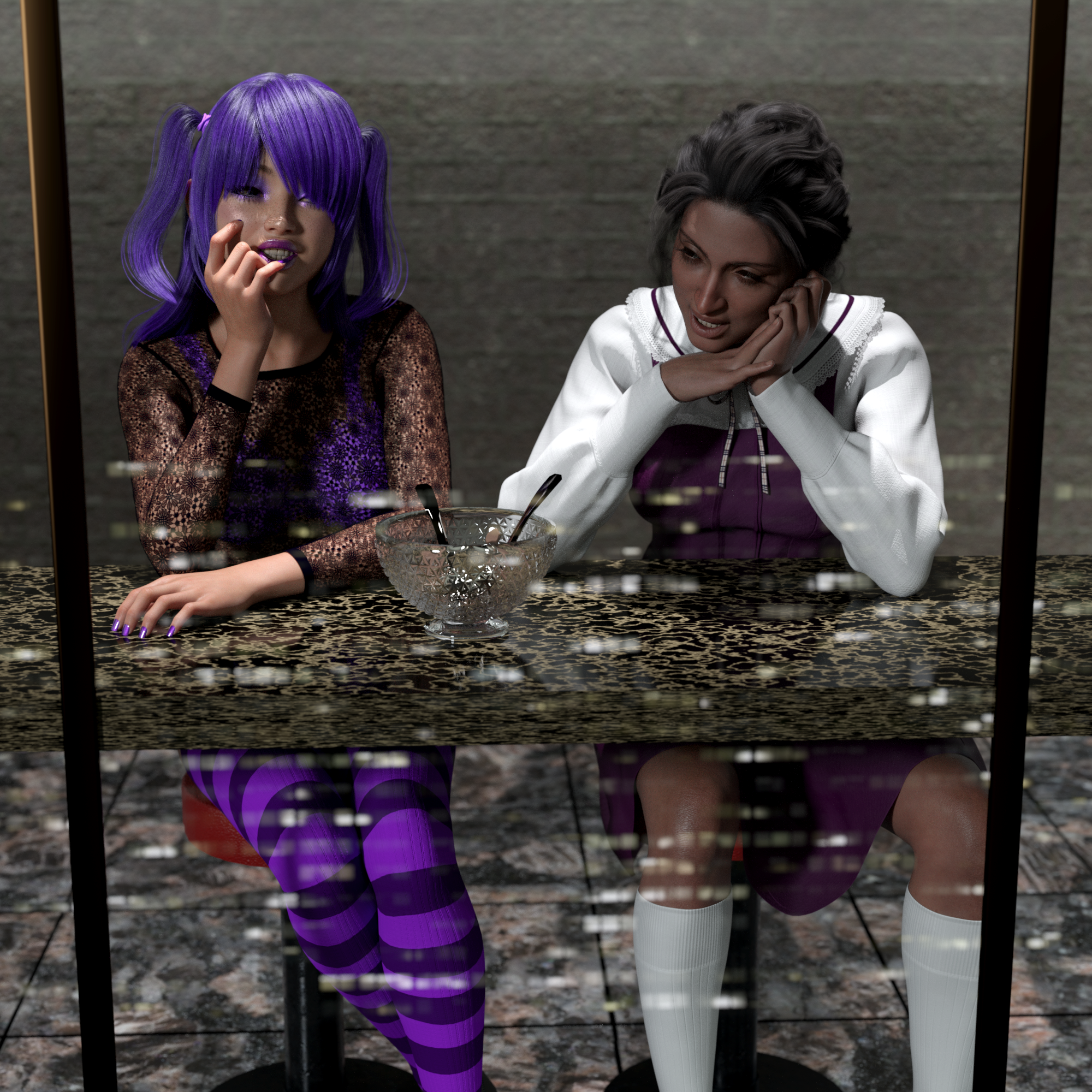
... should we order another one?
Used Kala 9, Ally 9, Cute Dress, Casualwear Outfit, Angela Hair, Ponytail Hair
(And, like some other people, I've tried and tried to get the "attach a file" to work, and finally gave up and used the gallery image instead.)
Daz 3D is part of

Connect
DAZ Productions, Inc.
7533 S Center View Ct #4664
West Jordan, UT 84084Licensing Agreement | Terms of Service | Privacy Policy | EULA
© 2026 Daz Productions Inc. All Rights Reserved.