-
Off Topic Thread #2
WendyLuvsCatz said:
Happy Birthdy Stezza
in other news, we need a UV offset parameter in the shading room, I mean there is a fart around way to do it under projection mapping but DAZ studio which cannot even animate it has an actual pair of sliders
I am thinking things like river flows etc instead of image series just move the vertical seamless image in a loop
Twinmotion and iClone both have this
Wendy, everyone, Carrara 8.5 introduced precisely this tool in the 8.5 release. It can be found in the Shader Room - it is the UV Transform Operator found under Operators > UV Transform.

Yes. I know, trying to get a seamless loop using Flat Mapping...

I'm sorry I have been absent for so long, but I have not left Carrara, just the opposite. I have been down deep deep rabbit holes exlporing these concepts of animated shader VFX for almost a year. I have so much info I could write a small book! I have basically interpolated a ton of concepts from video game authoring software to Carrara's shader.
Meanwhile, I can write up a quickie mini tutorial for exactly what you want. I'm a bit pressed for time I have to go to a friend's house in an hour to set up a wi-fi extender, so if I don't post something soon I will post it later this evening.
Meanwhile, if you explore on your own and you want the UV Transform to loop more than once you have to use an Osciallte Tweener set to 'Sawtooth' and 'Up Phase' set to 100 because the inputs won't allow for anything graeter than 1 or less than -1 for X & Y Offset.
Someone, please make an advanced animation tutorial for DAZ Studio.crosswind said:
Dartanbeck said:
Oh My... the ability to grab a whole slew of collapsed keys and drag them around... something I've always just taken advantage of in Carrara... it's finally doable in DS! So Happy, and I've been doig a Lot of it ever since!
Beyond that I'm also amazed at how much easier the keys are to select and work with now. Kudos to whoever on the team decided to make this happen!
Yeah, being able to 'shape' the motion path of an arm, leg or hip is really cool stuff.
Again, I'm nearly drown in the ocean of wording though I'm developing my English but I'm happy to learn these animation stuff from you guys anyway, hoho ~

摇滚吧,我的朋友!
Someone, please make an advanced animation tutorial for DAZ Studio.Dartanbeck said:
Oh My... the ability to grab a whole slew of collapsed keys and drag them around... something I've always just taken advantage of in Carrara... it's finally doable in DS! So Happy, and I've been doig a Lot of it ever since!
Beyond that I'm also amazed at how much easier the keys are to select and work with now. Kudos to whoever on the team decided to make this happen!
Yeah, being able to 'shape' the motion path of an arm, leg or hip is really cool stuff.
Again, I'm nearly drown in the ocean of wording though I'm developing my English but I'm happy to learn these animation stuff from you guys anyway, hoho ~
Someone, please make an advanced animation tutorial for DAZ Studio.Oh My... the ability to grab a whole slew of collapsed keys and drag them around... something I've always just taken advantage of in Carrara... it's finally doable in DS! So Happy, and I've been doig a Lot of it ever since!
Beyond that I'm also amazed at how much easier the keys are to select and work with now. Kudos to whoever on the team decided to make this happen!
Yeah, being able to 'shape' the motion path of an arm, leg or hip is really cool stuff.
Anyone bought Typi3D? Will it work if not English letters?... and Carrara but a large number of DAZ studio users will not venture out of DAZ studio
Alvin like a few other PAs who started with DAZ products using Carrara are creating plugins that do what Carrara does natively for DAZ Studio
and it seems to be a commercial success!
Good on Him
 Someone, please make an advanced animation tutorial for DAZ Studio.
benniewoodell said:
Dartanbeck said:
TheMysteryIsThePoint said:
benniewoodell said:
Dartanbeck said:
Do you folks sell your animations? How do you afford this? Just curious - not cynical
Yes. I've made my living animating for the past three years. I started with Daz and now use blender, Maya, or Daz depending on what I'm doing because they each have their own pro and con. Pretty much now I just use Daz if it's a close up of a person talking to use facemotion for quick facial mocap and don't need to do any kinds of weight shifts.
Have you tried Face-It in Blender, BW? It's incredible. Works with ArKit and Audio2Face, as well as custom sculpts.
Have any of you ever tried these features in aniMate 2? Like the limbs path editor, key frames layers and other feature mentioned here? Just curious because they're really great additions to the whole DS workflow!
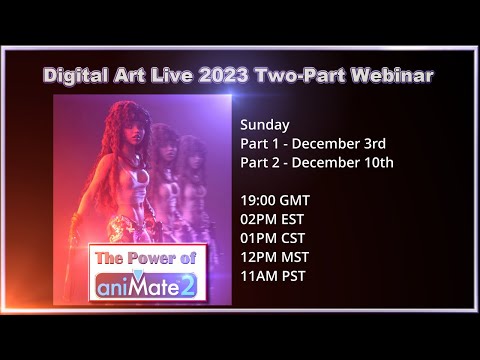
This was a Fun webinar! Had a great bunch who Really participated throughout! Loved every minute!
I've watched all your videos and you have a fantastic workflow going for yourself and what you're doing, I really am happy and excited for you, and I'm sure it will help someone out there. But the stuff you're showing here doesn't help me with what I need from an animation rig. The only time I use a premade walk cycle is if it's somebody in the background doing a cross through the frame. For my main characters, I shoot reference and act out how they would walk and move, then I animate them based off the key poses from my reference and such. I've tried, and tried, and tried to make a walk cycle from hand in Daz with it's IK rig setup and it does not do the job. And when I say I've tried, I mean every single new update Daz puts out, the first thing I do is setup a new IK chain and try to make a simple walk cycle and have never been successful with it working exactly how it would anywhere else. The IK setup in Daz is great for constraints, I've been able to do neat things with that aspect in the past and I'm pretty sure that's how you set up the hand holding shot I've seen from you. But for walks, or any movement that I need to move the hip and keep the feet firmly in place like a weight shift, like I don't want even a millimeter of a movement unless I key it, I can't get it to work in Daz properly. And I'm not going to spend the time to try and frankenstein together a bunch of different premade mocap files and such, then layer on handkeyed animation to get what I'm trying to do, I want to sit down and handkey the animation from scratch. If I just needed stuff like animation layers and such, sure, I'd give your method a try, but it just won't help me with what I'm doing at the moment. I will admit though it makes me so happy to see that you found motion paths, that was one thing I didn't know Daz had that I wanted once I found out about that in my animation class.
Fantastic!
Oh... those aren't "Character Motion Paths", but the path of a limb or the hip. The one we see in the video is the path the hip takes during that animation. So by selecting only the hip in Tool Seetings with the aniMate tool selected, I'm only changing the path of the hip - in that example, making the leap higher and more exaggerated.
If we want to change the hip within a walk, we'd select both feet and the hip in the Tool Settings pane with the aniMate tool selected, and this way when we alter the path of the hip, the feet stay locked in world position. Very handy.
But as far as I know, we don't have "Motion Paths" in Daz Studio. We do in Carrara however. Poser's Walk Designer was pretty much famed for that. But I'm pretty certain that Poser's Walk Designer hasn't been touched by development since my old Poser 5 or 6 days. They even said that they're not going to either - I think.
I remember the walk-building days. I don't know if you remember me from back then - in my Carrara days. I used to always preach: "Rotate That Hip" because so many walks I saw people making left the hip perfectly horizontal. I didn't use IK back then either. I'd start with the hip and then plant the feet. I was younger then and didn't have the best results. But I did have passion. I guess some of my walks turned out okay.
We're getting a new tool for Daz Studio - HEAT. Which is a website where we can design our own animations and bridge them back to Daz Studio. I'm eagerly awaiting the bridge to be complete so I can give it a try. It offers a service like Mixamo, but in addition to simply downloading motions, we can build our own for ourselves and/or offer them up for sale at HEAT. Looking forward to trying that out.
Who knows? With the recent improvements to the timeline, and the news of HEAT coming along, maybe some animation tool lovin' is heading our way. We can only hope.
In the meantime, I must say that I'm certainly having a Lot of Fun doing what I'm doing!
My Dynamic Character Animation workflow makes some extra magic to all of this.
With just a few of my more elaborate animation tools I can completely tweak the posture of a walk without affecting the foot placement. Shift the entire torso forward, back, to either side, twist - different from the waist bend, twist side-to-side that come with Daz Figures, these keep the shoulders parallel to their original state.
Additionally I have tools for each bone that I can adjust to get really specific - like turn a V4 walk into an old man with a cane, for example. That's how I get so many animations to work with my Rosie - though, like I said, I'm still new with it and just getting started. Not at animation, but at animating in Daz Studio.
Having my tools for facial micro-musculature adjustment is something I haven't shown a lot of yet, since most of my videos are done fairly quickly - just to illustrate that we actually can animate in Daz Studio.
Combining my tools with what I was just covering in The Power of aniMate 2 makes for a splendid combination indeed! We can layer in a total pose adjustment, and then ease in and/or out of it with the touch of a button. Pretty cool!
I also have dials that can alter where each foot is, how the leg is shaped on a per-joint level. Essentially being able to make fine-tuning graph editor adjustments using dials and tweeners rather than deleting keys and altering the spline of the graph by hand.
Hip translation and rotations, arm adjustments... I have dials that allow me to change literally any and every part of a pose anywhere I want in time. It's nowhere near as sweet in text like this as it is in practice - trust me!!!
Let's take Gordig's mermaid for an example. For dForce, I can use my Hip Rotation dials to alter whether the character is right-side up, upside-down or sideways any time I want - and simply remove those key frames after the simulation is complete. It's amazing what we can get dForce to do with a little movie magic way of thinking.
Want a special easy-pose setup for that tail? Making one and allowing it to work in reverse grants an abundance of power in that regard. Make a few and we can really get her swimming!!!
The possibilities truly are endless because of the under-the-hood working of Daz Studio and its wonderful Content Creation Tools!
I've heard some negativity before regarding 3D Universe's LimbStick and, well... with these tools I make, if I get an unsatisfactory result from what I wanted LimbStick to do for me, I can use my dials to tweak what's going on and run LimbStick again - rinse and repeat. His tutorial video demonstrates very clearly how we can tweak either the character or whatever we want the limb(s) stuck to in order to get completely different results. I've been having a blast experimenting with that.
Anyways, there shall be a Lot more Animating in Daz Studio goodness coming from the workshop of Dartanbeck this year. The more I try to make my motions better, the more I discover new ways that Daz Studio has hidden treasures under its hood that make good animation a lot more likely than what any of us knew about!
ISO Newfie Dog FigureFaeryl Womyn said:
Where do I find this plugin that converts Carrara hair?
Also I have the Mil Dog and a Pupply LE which I believe is part of the Mil Dog. I have Dog 8, with the Dachshund, French Bulldog and Great Dane. I have no problem using Hexagon or Blender to morph either versions if I have to. And recently got Mesh Grabber bundle so that might do some morphs as well once I learn to use it.
the link in my post ^
ISO Newfie Dog FigureWhere do I find this plugin that converts Carrara hair?
Also I have the Mil Dog and a Pupply LE which I believe is part of the Mil Dog. I have Dog 8, with the Dachshund, French Bulldog and Great Dane. I have no problem using Hexagon or Blender to morph either versions if I have to. And recently got Mesh Grabber bundle so that might do some morphs as well once I learn to use it.
Someone, please make an advanced animation tutorial for DAZ Studio.wolf359 said:
Blender is affordable Daz inc supports it.
https://www.daz3d.com/blender-bridge
Maya - $1,875/year or $235/month - stop paying, stops working
iClone - $599 - not too bad if this license includes the ability to export motions back to Daz 3D figures easily
Autodesk Motionbuilder - $3,180/year or $400/month - stop paying, stops working
Houdini - $1,995 perpetual + yearly maint ($995) NODE LOCKED (whatever that means - didn't feel like finding out) - not bad if you make money using it
Carrara 8.5 Pro - $286 Perpetual - Currently for Daz + Members (time of this writing) $65 Perpetual - Lacks support beyond Genesis 1, partial support for Genesis 2
For clarity on costs
Blender FOSS/ GPL-$0 literally becomes your personal property for life
AutoRig pro -$40 purchase with lifetime free updates.Rig any biped humanoid in minutes also supports quadripeds, mechs tentacled aliens etc etc.
Industry standard HumanIK control rig for both manual key frame animation and
Built-in mocap retarget system with presets to import motion data from:
Mixamo
Rokoko (suits)
perception neuron(suits)
Deep motion
Reallusion IcloneCC3/4
unreal engine skeleton
Unity,
Daz Studio
MB lab
Xsense (suits)
Wonder studio AI (Video to mocap )
and manual remap motion datafrom any biped without a preset such as poser, endorphin online free BVH archives etc
and save custom preset for later reuse.
Also has ability to trigger joint control morps
if you take the time to sculpt them in blender.
If addon developer quits or dies and new Blender version breaks any older adandoned addons
ALL previous versions of Blender permanently available for redownload at Blender website.
unlimited multiple version of blender can be run on same computer with ZERO conflicts
removing any fear of updating to new version.Built-in Pyro and Fluid Dynamics engine (mantaflow)
also animated VBD Smoke& pyro import from FREE version of Houdini Apprentice(Perpetual)
Film production quality Cycles Unbiased render engine will work with NON NVIDIA GPU computers
even CPU only machines with intel integrated graphics.( slower of course)
Realtime Viewport EEVEE render Engine both have cinematic motion blur.
Fully supports Windows Mac & linux
Two FREE Daz figure and content importers direct from DS content library for Daz native content inside blender with material conversion for Cycles & EEVEE (Diffeomoprhic & Daz to Blender)
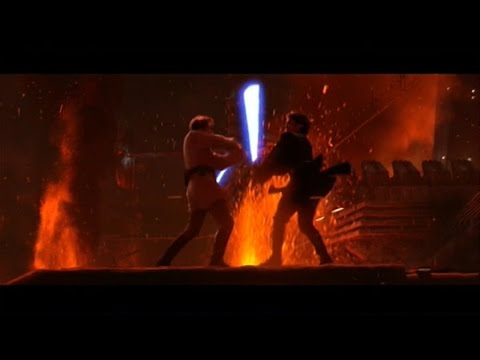
Actors in StarWars video below are a mixture of Daz genesis 8 figures and free models from sketchfab
ALL rigged & animated with ARP in Blender.
Daz figures retains facial lipsync import ability from Daz mimic,Anilip2, pose recorder or
facemojo.
For sale in the Daz store https://www.daz3d.com/shop
Any Blender animation can be converted to nonlinear motion clip that can be blended & layered with other clipsDon’t have the $40 for Auto Rig pro?
use FREE Diffeomorphic and Blender native rigify control rig
and FREE Rokoko and /or Exp kit retargeting addons.
Making your total costs ZERO
I actually hadn't seen that one of yours, Wolf, it's awesome.
And I'd add move.ai to your list. There's a little bit of confusion whether the $1 per day plan is going to continue, but with 6 iPhones I was able to capture three of my friends dancing around like idiots in the parking lot of my job. Simultaneously. And except for very close interaction, it was as good as the demo I got from the Optitrack guys in Oregon (their system still managed two people embracing each other while move.ai got confused and there's no way to fix it... when it fails it FAILS). I am soooo glad I did not raid my 401(k) to buy that system!
And now there is Move One. You just set up a single iPhone on a tripod, stand in front of it and act. It's $15/mo, I beleive, and I think that for most people it would be wholly sufficient. I don't really use any of my suits anymore, unless its for something with a lot of occlusions, like a character behind a large oak desk or something.
And the good thing is that all of these AI based mocap systems are currently at the worst they are ever going to be. With mocap democratizing so quickly, I wonder how much longer aniblocks will be valuable for... now, if you want a scene, just go capture it yourself...
Someone, please make an advanced animation tutorial for DAZ Studio.I even still have daydreams about the old LightWave "New features" promos, back when we saw those (not including the recent ones). How they'd excite me! Also how at least one of their new feature was Always (I mean Always!) something that we already had in our now ageing Carrara Pro! LOL
Not to compare Carrara to LW!!! LOL
I'm happy, however, with software that works. Give me an old copy of LightWave and - as long as I could get some Rosie hair into it (I know that I could find a way - somehow) I'd Love the experience - especially if it also came with Chronosculpt! Oh Yeah!!!
Someone, please make an advanced animation tutorial for DAZ Studio.Also, I don't want to stop folks suggesting better/alternative methods for animating. That's never a goal, as I like to look into those directions myself.
What bothered me is that I read a post - and I'm sure the OP was scared away long before I read it - that felt brutal to me. It was something like "If I get Daz Studio, can I use it for animations?"
Oh my. I was blown away. Made me wish I was there and knew then what I know now. I truly love helping people - and I do.
My entire site was dedicated to helping new Carrara users get to grips with the software on their own if they preferred that method - or they could just ask and I'd help them.
That has very recently seen a shift towards Daz Studio, though all of that free Carrara info is still there along with my own learning center for Bryce, once I finally take some time to try out that legacy treasure.
So I truly hope that I don't come off as being "Against" using the more professional approach. But I do want to offer help to those who, like me in my current state of "Having a Freaking Blast", don't want to have to exit Daz Studio to do some fun animations - and I really can.
My webinar through Digital Art Live was cool. I got to show people how easily we can put our characters in motion in Daz Studio and change the results of the mocap to fit our needs. Simple, Fast and Fun!
,,,and then we have Iray to make it all look pretty darned nice! We also have a brand-spanking new version of Otoy's OctaneRender to play with if we prefer that route.
Our winter storm just knocked out our internet nearly the whole day yesterday - reminding me of why I had to stop using that. I can't work if my tools go down. Which is also a major reason why I cannot rely on Anything that requires a subscription. We have an epileptic child in the family and we'd never be able to predict if we could keep a subscription like that going - in fact, I'd just prefer to go my separate ways from any company that demanding. Let those seeking careers in the field take that route - but it's not for me.
Someone, please make an advanced animation tutorial for DAZ Studio.Blender is affordable Daz inc supports it.
https://www.daz3d.com/blender-bridge
Maya - $1,875/year or $235/month - stop paying, stops working
iClone - $599 - not too bad if this license includes the ability to export motions back to Daz 3D figures easily
Autodesk Motionbuilder - $3,180/year or $400/month - stop paying, stops working
Houdini - $1,995 perpetual + yearly maint ($995) NODE LOCKED (whatever that means - didn't feel like finding out) - not bad if you make money using it
Carrara 8.5 Pro - $286 Perpetual - Currently for Daz + Members (time of this writing) $65 Perpetual - Lacks support beyond Genesis 1, partial support for Genesis 2
For clarity on costs
Blender FOSS/ GPL-$0 literally becomes your personal property for life
AutoRig pro -$40 purchase with lifetime free updates.Rig any biped humanoid in minutes also supports quadripeds, mechs tentacled aliens etc etc.
Industry standard HumanIK control rig for both manual key frame animation and
Built-in mocap retarget system with presets to import motion data from:
Mixamo
Rokoko (suits)
perception neuron(suits)
Deep motion
Reallusion IcloneCC3/4
unreal engine skeleton
Unity,
Daz Studio
MB lab
Xsense (suits)
Wonder studio AI (Video to mocap )
and manual remap motion datafrom any biped without a preset such as poser, endorphin online free BVH archives etc
and save custom preset for later reuse.
Also has ability to trigger joint control morps
if you take the time to sculpt them in blender.
If addon developer quits or dies and new Blender version breaks any older adandoned addons
ALL previous versions of Blender permanently available for redownload at Blender website.
unlimited multiple version of blender can be run on same computer with ZERO conflicts
removing any fear of updating to new version.Built-in Pyro and Fluid Dynamics engine (mantaflow)
also animated VBD Smoke& pyro import from FREE version of Houdini Apprentice(Perpetual)
Film production quality Cycles Unbiased render engine will work with NON NVIDIA GPU computers
even CPU only machines with intel integrated graphics.( slower of course)
Realtime Viewport EEVEE render Engine both have cinematic motion blur.
Fully supports Windows Mac & linux
Two FREE Daz figure and content importers direct from DS content library for Daz native content inside blender with material conversion for Cycles & EEVEE (Diffeomoprhic & Daz to Blender)
Actors in StarWars video below are a mixture of Daz genesis 8 figures and free models from sketchfab
ALL rigged & animated with ARP in Blender.
Daz figures retains facial lipsync import ability from Daz mimic,Anilip2, pose recorder or
facemojo.
For sale in the Daz store https://www.daz3d.com/shop
Any Blender animation can be converted to nonlinear motion clip that can be blended & layered with other clipsDon’t have the $40 for Auto Rig pro?
use FREE Diffeomorphic and Blender native rigify control rig
and FREE Rokoko and /or Exp kit retargeting addons.
Making your total costs ZEROSomeone, please make an advanced animation tutorial for DAZ Studio.Thanks man! I truly appreciate your responses. I don't understand which points I'm not responding to, but I love the responses you have to what I was trying so hard to say - and I really appreciate that.
I know that the cubic interpolation thing sounds funny in this context - it really does. This is where that comes from, if you'll bear with me a second longer.
Like I said before, I'm fairly new to using Daz Studio for anything other than a toolbox for my Carrara endeavors. Iray truly changed that for me, but that's already getting off point.
Coming into Daz Studio from Carrara - especially to animate... anything... is rather odd. Carrara has So Many tweeners, and each of them have additional controls that we can work with. "TCB", "Linear" and "Constant" truly is a smack in the face when faced with as the only options to work with - though they do at least give us some interpolation assistance.
aniMate 2 has been out nearly as long as I've been in the game - I think. When I bought it there were still options for that, aniMate 1.5 and an upgrade from 1.5 to 2 - so the cubic interpolation in Daz Studio via aniMate 2 (it was introduced in aniMate 2 as a new feature) has been around for a l o n g time - I just only discovered it recently digging into as many of aniMate 2's sweet functions and features that I wasn't using yet - as I could.
Throughout that whole journey, I got even more excited as I started layering key framed alterations to mocap directly within aniBlocks. That's freaking powerful! If you've never tried it - give it a whirl or, better yet, let's Zoom or TeamView sometime and I'll show you why I'm so excited. You would probably get a big kick out of how crazy I truly am!
Back to what you were saying - it's been a long time since I've tried Diffeomorphic. I remember that it was utterly amazing, and that you were working on some crazy-cool new updates for it at the time I was trying to figure out Blender. The limited knowledge I had of Diffeomorphic was never my issue - it was trying to find functions and features within Blender - even doing open searches for information. I just got down-right frustrated - especially since I love the hair I'm working with now (and have it back on track, working as it should once again - I got off my rocker with it for those last several videos of Rosie 8, which pretty much wrecked the hair).
I'll see about loking around at hair that I can use in Blender again. Last time I didn't have any success at all - and not just Blender - for any of the big-boy softies as well. Nothing for long, full crazy-awesome curly hair - whereas I think Linday pretty much nailed it.
I want to start learning Blender a bit on the side anyway. So I think it would be lovely to Really try it our with Rosie and some Rosie hair. Without those things together, I get bored and won't stay long.
As for the other points from earlier, I really have no clue how I'd ever be able to afford Houdini or Maya. Does Houdini also needs a separate render engine, or does it have one? Maya makes me wish I had an extra sandwich just thinking about it!
Someone, please make an advanced animation tutorial for DAZ Studio.Dartanbeck said:
While we're tossing pricing around, this is what I saw when I looked. There are likely other avenues for some/all of these, but this gives an idea. Now keep in mind that I don't make any money for my videos, I have a very small, limited income - yet I have a wish to animate my Daz 3D figures.
Maya - $1,875/year or $235/month - stop paying, stops working
iClone - $599 - not too bad if this license includes the ability to export motions back to Daz 3D figures easily
Autodesk Motionbuilder - $3,180/year or $400/month - stop paying, stops working
Houdini - $1,995 perpetual + yearly maint ($995) NODE LOCKED (whatever that means - didn't feel like finding out) - not bad if you make money using it
Carrara 8.5 Pro - $286 Perpetual - Currently for Daz + Members (time of this writing) $65 Perpetual - Lacks support beyond Genesis 1, partial support for Genesis 2
Times may have changed since I was playing the software game, but aside from Carrara, help from community forums for the above may be tough when inquiring about Daz Figure use.
Not sure where you are looking, or rather, where you are not looking, but Houdini Indie, for people making less than some amount I can't remember from 3D, was $289/yr the last time I checked. I currently make use of this plan.
Maya Indie, which I needed for Mesh to Metahuman, was also around $289, the last time I checked. I had it for two years but no longer need it.
UltraScatter Pro Help - Point LightsHylas said:
You can't instance lights.
Make an small emissive primitive cube and parent it to the original building, at the same spot where you had your point light.
Nice WIP!
Important instancing issue. Making the migration from Carrara where you can replicate lights to Daz Studio where now I know one cannot.
Thanks for the suggested workaround. Filing away for future use.
Someone, please make an advanced animation tutorial for DAZ Studio.While we're tossing pricing around, this is what I saw when I looked. There are likely other avenues for some/all of these, but this gives an idea. Now keep in mind that I don't make any money for my videos, I have a very small, limited income - yet I have a wish to animate my Daz 3D figures.
Maya - $1,875/year or $235/month - stop paying, stops working
iClone - $599 - not too bad if this license includes the ability to export motions back to Daz 3D figures easily
Autodesk Motionbuilder - $3,180/year or $400/month - stop paying, stops working
Houdini - $1,995 perpetual + yearly maint ($995) NODE LOCKED (whatever that means - didn't feel like finding out) - not bad if you make money using it
Carrara 8.5 Pro - $286 Perpetual - Currently for Daz + Members (time of this writing) $65 Perpetual - Lacks support beyond Genesis 1, partial support for Genesis 2
Times may have changed since I was playing the software game, but aside from Carrara, help from community forums for the above may be tough when inquiring about Daz Figure use.
Someone, please make an advanced animation tutorial for DAZ Studio.I saw this video just around the time when Daz 3D was introducing their Millennium Dragon 2
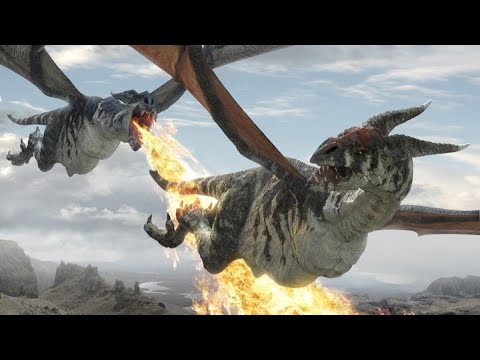
I got So excited!
Still a total noob with Carrara back then, I made this product promo (in Carrara)
As laughable as these old animations are, I still love keeping them around. It's fun to watch progress - and even digress. I might be embarrassed by some of my work, but I keep it up on my channel anyway. It's healthy to admit to one's failures.
Alita Battle Angel hit my home TV screen along with all of the incredible bonus content videos. I decided to stop trying to animate Rosie's hair using custom morphs I'd make for the three, sometimes four instance of Andelina Hair, and try my hand at using Carrara's dynamic hair.

Along with the dynamic hair, I also replaced Rosie's eyes with Arki's EYEdeas 3+, bought GenX2 and brought a whole lot of my most-used Generation 4 morphs into Genesis. As horrible as that was, it started me on a path to try and improve. Those who followed my progress know that through all of these experiments, the look of my Rosie digressed immensely as my attention was drawn elsewhere.
Along comes Blackmagic Design - including Fusion and Fairlight Studio into DaVinci Resolve... oh my!
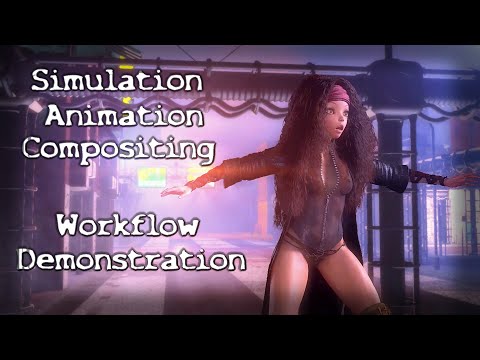
I'm still not sure how I got onto such an anorexic look for Rosie, but aside from the horrible job at shaping the character, I was also discovering AI voicing and messing with lip sync - also excercising more and more of Daz Studio's under-the-hood tools and features.

It was just around that time when I started trying Blender. I love Blender and all of the amazing capabilities it has. I really do. But now I'm at the point where "Fun" is more important to me that messing around with compatibility issues, doing all of my animations by hand, starting yet another l o n g search for adequate Rosie hair (and likely fail). I've been searching for yeard for Maya, C4D, Blender, etc., examples of hair that comes even the tiniest bit close to what Linday had done with this amazing dForce hair. The best example I've found is Merida's hair in Brave, which is vastly beyond anything I can do. That's a whole team of paid, skilled animators and simulators, writing custom code, manipulating with custom handles... it's beyond anything I can pull off for home project videos.
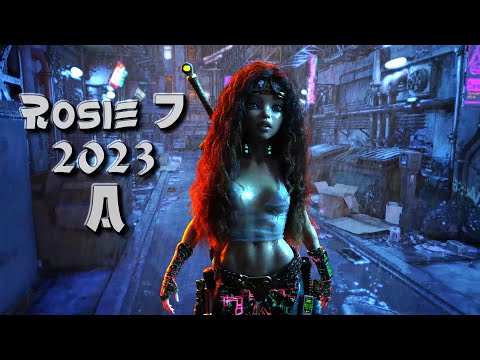
Coming back into Studio from my horrible headache of a Blender experience, I built a new Rosie using Genesis 3 Female and a plethora of morphs brought it from V4 and her whole family, Genesis 1 and 2 via GenX2, using some for shaping, others for making my own custom expression and life (breathing and such) morph dials that I put at the Actor level.
The design I started with Rosie 5 for making custom animation dials improved immensely through simplicity. I started with an elegantly simple collection of joint rotation dials at the Pose level on the base figure - so that I could change any limb's rotation values anywhere along the timeline as a completely separate key frame from the frame-after-frame motion capture data.
That was an Absolute Game Changer!
It boils down to this - Using simple dial adjustments as key frames in the timeline to make adjustments to the entire spline of that joint - just like using a graph editor, but without having to delete any keys. Interpolation is done with a single, well-placed change of that same dial. We've just completely altered the curve as if we'd have painstakingly edited each and every key along the spline in the graph! Bam!
What's much more is that we can do this quickly without opening any of the hierachy. So bends, twists, and side-to-sides can all be done simulataneously with very (Very) little effort.
But as I demonstrate in my course, I also made character-specific dilas for holding, aiming and shooting a bow. Breathing using many shaping morphs, but assigned to a single dial rather that having to dig through the Actor-level's hierarchy for each change. Making custom expressions suited for the specific character - even partial expression for mixing and matching with others...
It became animation MAGIC!!!
 Someone, please make an advanced animation tutorial for DAZ Studio.
Okay, my method IS NOT a method using a Maya animator's Professional biped rig - nor is it using Blender's elegant (though vastly hidden) system.
My method is such of a Daz 3D fanboy.
The magic of my way of working is that in coincides with being an avid Daz 3D content collector. That's it.
I see something new at the Daz 3D store, I can buy it and make it part of my movie - just like that - load n' go.
Wolf is laying it out there how much everything I'm talking about costs at MSRP. How often do any of us actually pay that price here at Daz 3D?
Now go and take a look at replacing your Daz 3D library at Reallusion (or nearly any other marketplace). Ouch! And you'll still get mocked for using "Canned Content".
So don't worry about all of that.
Yes, what I'm doing is dropping in a motion capture or two (or more and more) and then tweaking that data into my own vision.
Yes, to do that I had to collect a bunch of aniBlock packs.
You know what? That's what I do. I make a wonderful wish list that I dream about like a kid looking in a Sears Christmas Wishlist cataloque (you're probably too young to remember those).
Once in a while Rosie (the Real Rosie) tells me that I can spend some money at Daz - and so I do.
I used to collect and paint D&D miniatures, buy the books and dungeon tiles... I didn't even play the game except online via Neverwinter Nights with my 3D mentor and his awesome wife (I still want to try her Boston Creme Pie!!!)
I used to try and collect Warhammer 40K minis but it got too expensive, so I bought gas tank repair epoxy and sculpted my own.
I Love to collect Daz 3D!!!
I've replaced most of my other collecting habits with this one, because my Daz Content brings me more joy. Before now, I bought it all to bring into Carrara to animate. As elegant as Carrara is for such things, the shaders aren't compatible so we have to build those up for every item. I didn't mind. I love creating shaders in Carrara.
When I discovered the speed at which Iray renders fairly sophisticated skin shaders, I became more and more interested in Daz Studio.
I understand that this might not be Your way, but it works. It works well, it's fast (I can do several animations in a day) and I'm having a Lot of Fun doing it!
I don't want to have to build my animations from scratch anymore - though I still can, I prefer to use motion capture - Canned Animations as some folks call them.
Creating Partial aniBlocks become a short passtime experience for me. I've done some cool animations and have them all set to render, and I still have some time left before I have to leave for a few hours - at which point is the perfect time for me to initiate a render. So in that little bit of time I have, I'll start going through my collections of aniBlocks and look for Partials that I'd like to add to my Partials library.
Load in and aniBlock, bake to Studio Keys, Keep what I want, get rid of the rest (actual workflow in the link above) and create a partial aniBlock from it.
That in its own is fun for me. I'm expanding my own Daz 3D content by myself.
Inspirations
When I feel like taking in some professional workflow bliss and showcases, I visit my Inspirations page and get inspired!
Inspirations - Blade Runner: Black Lotus
Inspirations - Alita Battle Angel
Inspirations - Industrial Light & Magic (ILM)
Inspirations - William Forsche
Playlists I've made on YouTube
In a real production, things are a LOT different than my Fun homemade video sessions.
Here we can see that a shot that appears on screen for less than a minute of the movie utilizes 910 artists - 70,441 man hours to create.
I love this stuff, but I'm just me - and I love my Daz + Membership and all of the content it allows me to grab and use for my own fun stuff!
 Someone, please make an advanced animation tutorial for DAZ Studio.
Looking to get hired by a motion studio?
Trust me, they're going to be a lot more interested in what you can do over which platforms you pay for.
Big Dogs like ILM and WETA have their own proprietary software. They'll teach you how to use it.
In the meantime, spend your time practicing your craft. If you have Daz Studio - try it. Don't like it? Go ahead and check your options.
When I was first looking to get into the Daz Figure world (because That is the important part for Me) there was no friendly way to get help from the Maya/3ds Max communities. I was already using 3ds Max.
LightWave community was a lot friendlier, but those willing to help me with my Daz Figures endeavors were few at that time.
I found Carrara. It wasn't yet owned by Daz 3D. Eovia's Carrara community welcomed and cherished the notion and came up with TransPoser - an importer of Poser/Daz 3D figures for Carrara.
By the time Daz 3D released their first version of Carrara 6, we no longer needed the plugin. There's a browser build right into it.
Since Carrara 8.5, it also differentiates between Poser Runtime structures and Daz Studio Content libraries.
Load in a Daz (Genesis 1 and earlier) or Poser (not sure where that line was drawn) figure, and they work - all morphs and addons - even my Dynamic Character Animation Control Dials.
So I went for Carrara.
EDIT - Genesis 2 is also compatible with Carrara, but Carrara's version of Auto-Fit cannot differentiate between the two generations of Genesis, making auto-fit between the two incompatible - so we have to do that first in Daz Studio, then save it as a product
Back then there was a free, intermediate, advanced, and pro version for Daz Studio - I think it was that many. Might have been just three including free. Anyway, Pro was getting close to the price (half, I think) of Carrara Pro at the time, so I went with Carrara. It was the animation workhorse anyway.
We all "Knew" that you CANNOT ANIMATE IN DAZ STUDIO back then.
What we didin't know is how UNTRUE that knowledge actually was.
So I had Carrara and started to fall on some questions. The Carrara community was quick to the summons and helped me out.
There were all kinds of features that we were told not to use in Carrara because they simply are not worthy.
Believe that crap or not, it tends to lead you away, at least on some subconscious level.
Knowing how to work with those tools will help you throughout your craft, whether you want to become a pro or not. Just knowing ANY other workflow option keeps you That Much More on your toes when crunch time comes and your boss is too busy with some more important distress call than that of your own.
"How'd you end up fixing this?"
Oh, I used to use Carrara and the controls on This tool reminded me of the controls on their Fog tool, so I gave that a try and it worked.
"Good for you! By the way, I want to talk to you later about a potential promotion - can you stay a little late today?"
Nobody in the REAL Professional World (Disney, Pixar, ILM, WETA Digital, etc.,) is going to care one bit which tools you decided to use. They care about what they're seeing on the screen.
Many of them will find out that you did it using (whatever) and it'll remind them of their pre-professional days - before the studio taught them their new life.
I just started figuring out how to get along in Daz Studio for animating, and Daz 3D introduced their first Daz to Blender plugin.
I tried it. Then I also tried Diffeo. I thought both were really cool! Daz's was taking a lot of heat, but it was in its infancy - and the Daz forums attack everything with negativity - so we have to learn to push passed that. (or I'd never have discovered the magical wonders of Carrara's Fog tool!!!!)
When it came to the hair, there was a lot of hype about how incredible Blender's hair system was. I gave it over a month and wasn't even getting close to what I did in Carrara, and I left Carrara's hair for Linday's dForce hair - that's why I was here in the first place.
So I aksed myself the hard question - "Why am I giving into this?" I was on the cusp of a breakthrough with animating in Daz Studio, and here I am trying to do work that I don't want to do, just because it's what Dick and Jane told me to do.
Dropping the idea of trying to memorize enough Blender to get by without wanting to throw my computer across the room, I decided to up my game and graduate to a newer version of Genesis - this time Genesis 3.
I was using Genesis 1 before, simply because of all of the content I had that works with it. Well I wasn't dropping Genesis 1, I was just making a new Hero character - and she's going to be using some shiny new Genesis 1, 2, 3 and 8 stuff that I've acquired since then.
She also used a whole lot of V4, G1 and 2 morphs via GenX2 - which also made Genesis 3 an attractive line for me.
This is when the Best version of my Dynamic Character Animation control tools were born and flourished. I stopped thinking too heavily and just made the basics I needed to make the process work.
As it turned out - the basic control tools are what make the biggest difference, and they're So basic that we can make all of them very quickly without even hardly thinking - because the Basics are just getting a dial for each joint rotation that we need (or want) to adjust without having to rework a spline in the graph editor (which turns out doing exactly that - reshaping the spline under the hood)
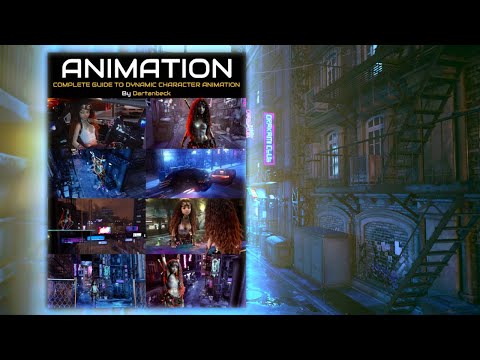
So I have this innovative way of animating. I'm still a complete noob when it comes to Daz Studio. I'm Loving it! People think I'm crazy! People want me to do things their way and be miserable because I'd have to go back to trying to animate Rosie's awesome hair by hand.
Forget all of that!!! I have a CG Animation Team - My Brute Workforce! Daz 3D and their PAs!!!
They work out the best content, I try it out and use it if I like it. That freaking simple!!!
I might agree with some of the above BS if I'd have gone into the Autodesk, Blender, Houdini, iClone forums and demanded that everybody stop wasting their time and switch to Daz Studio!
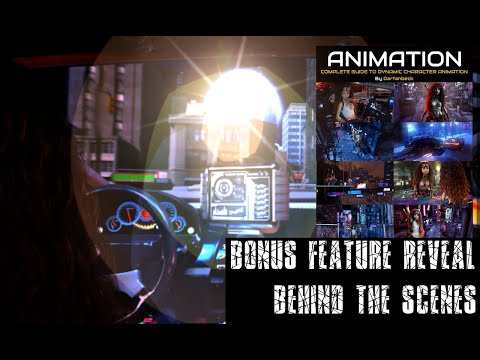 Someone, please make an advanced animation tutorial for DAZ Studio.
well Dartanbeck is answering the original Poster's question which is why I pointed him here
and did not suggest Carrara

I would love be able to afford MotionBuilder though as the results import beautifully into Carrara as 3Dage showed us
it also imports into DAZ studio
but
I might one day look into Maya LT but may be too late, not sure if I can still get it on Steam
Daz 3D is part of

Connect
DAZ Productions, Inc.
7533 S Center View Ct #4664
West Jordan, UT 84084Licensing Agreement | Terms of Service | Privacy Policy | EULA
© 2026 Daz Productions Inc. All Rights Reserved.