-
more....Wacky Modelling ~ In Carrara ~
Stezza said:
but it's Monday arvo!

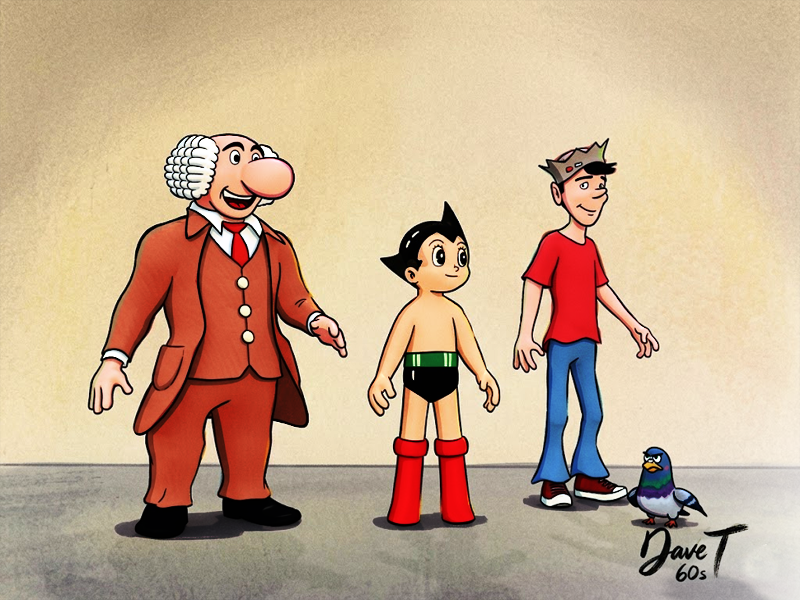
I forgot to ask, was this toon-shaded in Carrara or was AI used as a toon shader? Either way, it's excellent!
Off Topic Thread #2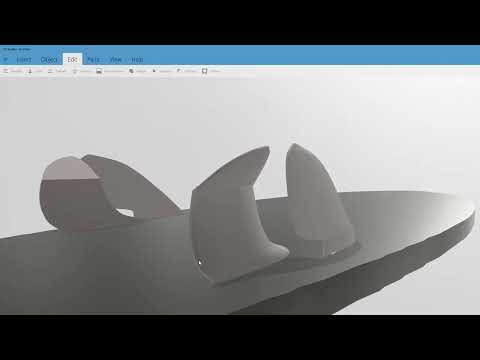
Nothing to do with Carrara but some fins i made , wanted to show them to a friend , made this video in obs software , so if you want to make a quick video using screen capture software, this works fine, took about 11 mins from woe to go
Carrara Community Art Gallery - Show us your Renders!!!WendyLuvsCatz said:
I will post this here because while it does contain a lot of Twinmotion, Ai and some DAZ studio
it also has a considerable amout of Carrara rendering too using Octane
at least half of the video
...
Interesting, thanks.
Carrara Community Art Gallery - Show us your Renders!!!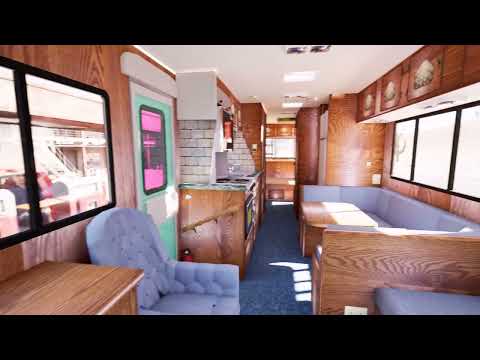
I will post this here because while it does contain a lot of Twinmotion, Ai and some DAZ studio
it also has a considerable amout of Carrara rendering too using Octane
at least half of the video
the nature/forest scenes and additional foreground of some interior shots
was in fact Howie Farkes Country road with a lot of the foliage replaced
also the replication object was a plane instead of his terrain but because the UV mapping is the same, it worls
this is a handy thing more should know if one wants a flat less resource hogging scene
most of his sets use terrains and they can be replaced with simple planes with one polygon
and if needed the shader texture baked with inagoni baker from the terrain too (I didn't, just replaced it)
Official Release of Carrara 8.5 **Update - 8.5.1.19**
just sharing a video that cane up in my feed today
good points but I personally have never found Blender as easy and intuitive to model in like Carrara, in fact Carrara is the only thing I can really model in, in spite of owning Zbrush and other 3D modelling software, yes I do fiddle in them, but invariably end up finishing anything off in Carrara anyway
more....Wacky Modelling ~ In Carrara ~just got the idea from a post I saw today that Steve K made..

Carrara & DS Animation In The 48 Hour Animation Contest 2025 - Gangs Of Rome - Daz 3D Forums
There's Always Another Sale Thread -- Discussions Only Pt 6SilverGirl said:
barbult said:
SilverGirl said:
Don't forget the quality of the weekly free-if-you-pay-for-membership items. Ohhh... random sci-fi coridor or dark waiting/club room #836... so tempting...
Yes, they are not free. They are prepaid pig-in-a-poke items. They are no longer an incentive to pay for membership, because of the extremely repetitive nature of those items you mentioned. And they just keep coming!
Yeah. It's annoying enough on the old heavily discounted subscription I got pre-premier. Now that they took away the ability to get deals like that on membership I can't see myself re-subbing for a year at a crack once this one runs out in January. The benefits just aren't going to outweigh the cost for me at that point. Kinda sad that I've hit the disillusioned point after only being here 2.5 years, but I'm not a big spender and clearly not the target market, so I doubt Daz will miss my business. And I can focus more on renders than cart jenga.
and why i talk like I do...I've been here before DAZ was DAZ. I've seen all the changes through the years. All of them. Through the Poser years, and then DAZ Studio, then no more Poser support, etc etc ... yeah Buyout of Bryce, Hexagon, Carrara, etc..and then basically dropping them all. Still here but not developed for what seems like eternity.
Remixing your art with AIone of the best video editors I used was CapCut
the only thing it didn't do at the time I used it, no idea now as haven't used it fir a couple years, was load image series as a video
however
the fact one had to bypass ones antivirus amd windows security should have set of alarms
most things only ask if you trust the software and run snyway
I uninstalled it because of constant ongoing security flags from Microsoft
I simply don't trust it
I use a lot of other opensource Chinese AI software and none of it brings up such warnings
I am not too quick to judge because PostgreSQL gave me as much trouble
I finally disabled enough Microsoft security flags that it runs and I finally have Smart Content in DAZ Studio
Octane Render 4 Carrara and iClone gave me similar issues
I probably am a bit more wary about CapCut only because it's Chinese
Remixing your art with AImattlight07 said:
WendyLuvsCatz said:
I use it, but it is very basic
however it is free and has no size limitations, loads exr and HDR, no codec issues
every other software considers pro features
Interesting. What kind of compositing did you use it for that you consider it very basic?
practically everything I do actually
but programs like Hitfilm, Da Vinci Resolve etc can do far more but not for free
I like free
I am more curious if you know something I don't given your response
like fancy fades, depth maps for faking depth of field, faux 3D
I do this stuff in other ways for free, cannot do it in the Blender video editor
can I guess in the 3D view with geometry nodes and render it out but I use Carrara or MiDas AI in Automatic 1111 using 3D depth maps from Carrara, iray canvases etc
or Paralax in Unreal Engine or Twinmotion
I do use the limited colour balance hues and curves etc
but it doesn't do lookup tables (LUT) etc
upscaling
RIFE interpolation
to name a few
Buy Something That Doesn't Work in Carrara? Post your Questions and Workarounds here. (please)yeah, not the most user friendly site, some download links didn't work and some links double up on items that already have been downloaded.

then in Carrara it is a PITA getting the textures for a lot of the products... still.. for $30AU it's worth the effort.
 Off Topic Thread #2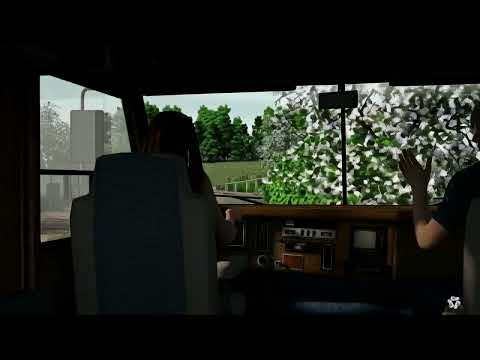
silly AI decided following the road was too obvious
yes, 2 Carrara renders layered
still deciding on the actual backgrounds for the animation
will reuse the cameras for whatever I do, only halfway done on the foreground
I did manage to transfer my Genesis 9 character that was giving all the issues mentioned in the workaround thread to Genesis 1
lot of hair pulling involved
have matching morphloader and UUW3D repaint shapes now to make it easier in future
Buy Something That Doesn't Work in Carrara? Post your Questions and Workarounds here. (please)I want to use Carrara
it just makes me cry
none of the Genesis 9 poses are now working on my saved blended weight Genesis 9 characters
my DAZ Content folder won't update
had to load blended weight mapped clothing via file because would error from browser
I am just so frustrated
I am going to try resaving in D|S4.11
The "Animators Assemble!" thread for Daz animation WIPs, clips, and tipsDartanbeck said:
My first Mimic Pro for Carrara test - Rosie 4
December 19, 20120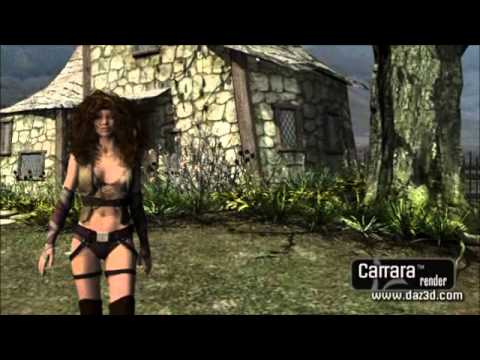
Wow! Neat test clip, I love seeing different points in Rosie's evolution. She (and you) have sure come a long, long way!
Off Topic Thread #2Maybe go other way , here s a low res pic of one of my paintings, then ai version photorealistic, I could use the ai version to work up a new painting and get it add composito al elephants... er mean elements ;)
The original painting was painted using one of my carrara renders as reference, you van see i snookered myself with the almost hidden hand of the back chap
Carrara Cafe part ways with DAZ3DWendyLuvsCatz said:
I hope this is not a foreshadowing of DAZ's continuing to sell Carrara and support it on the forum
I admit I don't visit Cafe simply because I have everything I want from there already
it is however a valuable repository and everyone appreciates you hosting it

Double this, thank you Danas for your labour of love
The "Animators Assemble!" thread for Daz animation WIPs, clips, and tipsMy first Mimic Pro for Carrara test - Rosie 4
December 19, 20120Carrara Cafe part ways with DAZ3DSad news, but good news you are keeping it alive !
Anyway to set up a PayPal donation link to help you out with costs ?
I also have a number of Carrara models to add, currently loaded up at Rendo. Would have more but have been concentrating on reading as well as downloading ebooks to read.
Currently looking at replacing my 2016 graphics computer with a more modern one but got a few hurdles in the way. Once done will be back into doing a lot of modelling.
Carrara Cafe part ways with DAZ3D-
Scene files and 3D models
we have a lot of Carrara models available that you can use if needed
~ Links to Carrara Wacky Models to download ~ - Daz 3D Forums
if I can help in some way let me know
Carrara Cafe part ways with DAZ3DI hope this is not a foreshadowing of DAZ's continuing to sell Carrara and support it on the forum
I admit I don't visit Cafe simply because I have everything I want from there already
it is however a valuable repository and everyone appreciates you hosting it
Carrara Cafe part ways with DAZ3DHello, dear Carrara community,
It has been quite a while, and while I wish my return came with different news, I must share that Carrara Cafe and DAZ3D have officially parted ways. Carrara Cafe is no longer an official DAZ3D project—a transition that, while bittersweet, is perhaps to be expected. I remain deeply grateful to DAZ3D for their support over the years; considering Carrara has not seen active development for over a decade, their commitment lasted far longer than many of us ever expected.
I couldn’t bear to see the sunset on a place that has meant so much to us. Driven by sentiment and a deep appreciation for this community, I have personally taken over the ownership of the Carrara Cafe domain.
The transition hasn’t been without its hurdles. Due to a lapse in the previous hosting during the handover, I’ve had to migrate the site to my personal hosting, which is secured through 2029. Unfortunately, I had to restore the site from older backup files, which means some recent articles or files may be missing, and certain features might be temperamental.
Carrara and this community have been a significant part of my life. To me, keeping the Cafe alive is a token of gratitude for the wonderful years we’ve shared. However, the current WordPress system is complex to maintain. With my newfound creative freedom over the site, I am planning to rebuild Carrara Cafe as a sleek, simple static website during my spare time.
Because many old links have vanished into the digital ether, I believe it’s best to start fresh. And this is where I would love your help.
How You Can Help
If you still believe in having a "central home" for everything Carrara, I invite you to help me curate its new iteration. If you have any of the following, please consider sharing them with me:
-
Essential plug-ins and shaders
-
Scene files and 3D models
-
Showcases of exciting projects or "gems" created in Carrara
Rather than patching a broken system, let’s rebuild a library of resources that actually work. If the interest is there, we can ensure the legend of Carrara continues. If not, the Cafe will eventually have its sunset in 2029—but I truly hope we can keep the fire burning a little longer.
Thank you for the adventures, the art, and the memories. I look forward to hearing your thoughts and seeing what we can build together.
With my warmest regards,
Danas
(P.S. this is not AI but I have used Gemini to help me with text editing)
Daz 3D is part of

Connect
DAZ Productions, Inc.
7533 S Center View Ct #4664
West Jordan, UT 84084Licensing Agreement | Terms of Service | Privacy Policy | EULA
© 2026 Daz Productions Inc. All Rights Reserved.