-
Draw style Filament: Mesh lights don't illuminate scene
In the documentation of Filament itself - yes, emissives are mentioned, but apparently they're not implemented in DAZ.
PNG Alpha without a mask in the Opacity channeloh I was doing something with pngs and subsequently Googled my posts because it never worked before for me in iray
this works in all the engines but does weird overlap errors in OpenGL and Filament like all transmaps
it still proved more work in the end than creating opacity maps for 100 figures
(I did that by treating them as an image series in software that sees alpha and rendering the alpha channel)
Draw style Filament: Mesh lights don't illuminate sceneI don't think Filament has emissive materials at all.
Draw style Filament: Mesh lights don't illuminate sceneI am very new to Daz and I struggle with mesh lights.
I think that 3 days ago I did see the light which was emitted from the meshes when working in Filament or the simpler draw styles.
In the Render Settings the Environment Mode is set to "Scene only" to prevent other light sources from interfering with my tests but maybe I changed something else which prevents the mesh lights from shining. Or do I have to work with Iray to see the light from meshes?
Enchanted Elven Mega BundleFYI, I fixed this just by copying the eyebrows to the normal Anatomy\External subfolder and deleting the one that's outside of Default, cleaned it back up.
The Forest looks like it's an issue with UltraScenery in general in filament view. Switching to texture view and hiding the plants and path in viewport makes it easier to manage, just need to remember to flick it back on to make sure a tree isn't growing out of someone's head. :)
Black and blank render questionIf you have enough CPU RAM, the render can be done by the CPU at a much slower rate (CPU fallback). If you have not enough either VRAM or RAM, there is no way to have a faithful render as any part of the scene may influence the lighting of any other part. You can switch to simplified render methods like filament or 3DL or try to render separately different parts of the scene while hiding the others and combine the different parts in post work. There are also some tools to reduce the texture of items (and hence the memory print at the cost of rendering quality) like scene optimizer https://www.daz3d.com/scene-optimizer
Enchanted Elven Mega BundleMoryen is fine, other than the eyebrows being outside the smart content which should be an easy fix for the PA to fix.
It's the environment that was bundled in that causes Daz to crash, or be extremely heavy when in texture shaded mode. I think it does have to do with the Ultrascenery as WendyLuvzCatz noted. If I turn all those off, while in wireframe, it does show in filament just fine, and isn't as 'heavy' when rotating the scene. So, It hink for staging, best bet would be to hide everything but the absolute bare essentials, stage your model, swap to wire bounding or shaded bounding, turn everything back on, then render.
Enchanted Elven Mega BundleI assume it's the same reason Ultrascenery doesn't work in Filament
collapsed instances with proxies
Enchanted Elven Mega BundleTrying to sort out which one is causing the issue, loading each asset up one by one.
So far, seems to be limited to: Birch Seedling 04, Grass scatter, and Ground Ivy Scatters. Particularly a few of the instances in there don't seem to load properly in filament draw.
Enchanted Elven Mega BundleThe crash sounds like an issue with Filament - if you turn it off will the set work and render? It should be reproted to Daz, via a ticket, either way but it's best to try to figure out the specifics as far as possible.
Daz Studio on m1/m2I have a MacBookPro M1 since Jan 2022. I am sharing a monitor that was hooked up to my 2012 iMac with this MBP and bought a Logitech keyboard and mouse. Have two external harddrives, 4TB and 5TB now. The 8TB was killed.
I am unable to use UltraSceneryX1 at this time. So far this is the only program that, while available for other Mac's, is not able to run on the M1.
I have had some issues with my external hard drives dying when DIM or D|S crashes and Totte worked with me to figure it out. My system is very 'picky' about being pushed and I have to be careful. When I download from DIM, it is a few items at a time, and I only install one item at a time, after the downloads are done. If I try to download and install at the same time, it crashes. I am slowly building up my content. And I save a lot.
Renders are by CPU and do not take an excessive time. But I have two Win10 computers that are my main D|S computers and those are the ones I would work on generally. The MBP was an experiment to see if it would work.
Mary
Edit: Forgot to note that Filament is not available either, still.
Pro Beta crashes????Cool, thank you, and its the first time I've used a forum, period, so I've put it down to a bad start and my character is refreshed for the future. Right, problem here is, I've now subsequently used BETA incessantly since the last crash and between crashes (I do mean for a full working day, every day) so the log files, I assume will be super crammed of all the info in between? Sorry this is also the first time I've bothered to actually look at what might be going on.
So, as stated and so its all in one messsage, I had 13 closures in as many days (as per reliability monitor, 4 could potentially be put down to iray preview use in two instances of Daz, one each PRO and BETA, and like I say, As per Jay V Youtube advice (good advice) I have always been able to use PRO, say to render in iray, therefore certainly to prieview in iray, whilst in BETA I tweak another scene or character in filament or cartoon shaded/smooth shaded. This was fine and seldom if ever caused crashes on a 32GB RAM, 1660ti system. That system actually surpassesd my expectation as to what it could render, even though sometimes I would use just one instance of DAZ with no other programmes running in order to be able to render a more complex scene. Nonetheless 'it got there' to a moderately workable extent. And more importantly and noteworthy for this thread, it seldom resulted in random closing down of BETA.
Now, I'll answer in order of your list, thank you so much, that helped me get my head around this message structure...
1. I installed both versions of DS with DIM, they are on drive C, which is a 2TB Samsung 980 PRO (I was told that this is the fastest SSD in practice so bought it over some of the more recent ones that quote higher numbers, eg. Firecuda etc).
2. My current system is 64GB of DDR5 RAM, Intel i9-12900K CPU (16core 24thread), 2 x RTX 3090, a Gigabyte Gaming OC and a PAlIT Gamerock. It's noteworthy that the only reason the CPU isnt a KS is because the power draw is excessive versus level of performance and the graphics cards aren't 3090Ti's for the same reason, also size and thermals, since I will at some point upgrade to a 4090 with at least one of the 3090's, however my motherboard (Asus Z690 ProArt Creator) does support 3. I have a 1600W power supply to this end, plenty of fans and a spacious tower for airflow with a 420mm radiator and space enough for water cooling (I think, but hope I don't need to, since so far the 3090's seem a great choice as they simply aren't getting as hot as I might have expected with 2 in there, also the CPU [whose architecture must be approaching the end of a half centennial run], are known to generate extreme temps, so i'm over the moon with the comparatively effortless kick of the 3090's). Amazing kit they are, I bleat about this because I almost went for 2 3080's but I now realise why the 3090 is so much better as a creator weapon.
3. Im on Windows 10, however i'm not a Windows fan, should I stay or should I go??? Daz is to be my main hub for 3D characters so I just want whatever Daz is compatible with at the moment... I suppose creative cloud and zbrush will also command a lot of my time.
4. As stated above, Ive used BETA incessantly since and between all 13 crashes, is the log file still any good, the last crash was at 06:38 on the 23rd, so some 30+ hours ago...
Absolutely any advice on how I should be monitoring these log files and absolutely anything else I should be looking at would be priceless....
Thank you so much for your time...
PS. Im 42 myself so your user demographic assessment fits my bill too...
Pro Beta crashes????Just on the subject of specs, and not to nit pick at all, but spec is always a potential problem! I do get that, all it was that in this case (and I now know that I put this across in a completely banal/coarse fashion


 ), I knew it shouldn't be, due to the complexity of my work not being particularly different to what I'd been doing on a surpar system that didn't suffer the regular crashes with two instances of Daz open and one in iray preview, the other in filament. Had that 32GB RAM, GTX 1660ti[6GB] system (Ryzen7 8core CPU) not been fine operating in exactly the same (well, in fact, closely/similar structured files and settings) workflow, then I would have put it down to the two instances of Daz being too much for the computer to handle, so to speak... That was actually with a laptop GPU as well, so you really can toy with most features of Daz to a degree with quite modest hardware, which is brilliant. That laptop was a higher end of entry level gaming spec at best, perhaps lowest ebb of mid-range once I upgrded the RAM and storage.
However, as per advice from Jay V on his videos (although perhaps he meant with a better computer than my laptop), I was fine even rendering in iray in DazPro 420, whilst tweaking a scene in BETA for my next render, believe it or not with only a GTX 1660ti/32GB RAM (even with 16GB RAM before I upgraded that), however 80% of these crashes occured in 'non-complex tasking', that is to say, nothing that wasn't handled by the lesser system.
So I guess what I'm wondering now, is how far two instances of Daz being open can be pushed without expecting a crash? Perhaps that's something I should put to the forum?
Thank You for your time, everybody who has read this!...
Threed printswsterdan said:
Headwax said:
Thanks Mr Bunyip02. Hopefully not like the Chinese Curse! Lets see this filament cost 24 to 30 australian a kilo. You cant uy it by the metre so your mikage varies dpending on the weight of the filament , think carbon fibre verses copper infusedd. I looked at uni of wollongong site today re their fins ... they are using 123 aus dollars for 250 grams? Of filament. So cost for this model , two months of grief , 20 failed prints, one screwed nozzle , one screwed pei bed, 125 grams of fulament, superglue, axrylic paint, 15 years of learning how to model in 3d, 20 kilos of filament to experiment with, the joy of doing it myself, (priceless) , hours of mucking around .... so the print is about 2,40 australian :) .
HA!
Looks pretty good, may I ask what type of printer you went for?
-- Walt
Heh, thanks Walt. :) i’m going fir the rough look!
Ender S1 Pro. It’s had mixed reviews from users on the facebook page. Main problem is I think that many, like me, are new to the game. So if the printe comes with everything loose or one thing loose you assume that’s how it is supposed to be until you find out otherwise. Mine was good but the bed nuts were loose and that took a week or two to understand that that wasn’t right. Creality quality control could be better. The automatic bed levelling works fine and the pei sheet on the bed is very good. They have new sonic pad coming out so you can tun
Trouble with 3DelightWith 3Delight, as with some Filament renders/scenes, you need a physical background. You need a scene with trees or some tree assets that are placed outside the window and then you must put the proper light outside the window so it can be seen
Threed printsHeadwax said:
Thanks Mr Bunyip02. Hopefully not like the Chinese Curse! Lets see this filament cost 24 to 30 australian a kilo. You cant uy it by the metre so your mikage varies dpending on the weight of the filament , think carbon fibre verses copper infusedd. I looked at uni of wollongong site today re their fins ... they are using 123 aus dollars for 250 grams? Of filament. So cost for this model , two months of grief , 20 failed prints, one screwed nozzle , one screwed pei bed, 125 grams of fulament, superglue, axrylic paint, 15 years of learning how to model in 3d, 20 kilos of filament to experiment with, the joy of doing it myself, (priceless) , hours of mucking around .... so the print is about 2,40 australian :) .
HA!
Looks pretty good, may I ask what type of printer you went for?
-- Walt Sterdan
Threed printsThanks Mr Bunyip02. Hopefully not like the Chinese Curse! Lets see this filament cost 24 to 30 australian a kilo. You cant uy it by the metre so your mikage varies dpending on the weight of the filament , think carbon fibre verses copper infusedd. I looked at uni of wollongong site today re their fins ... they are using 123 aus dollars for 250 grams? Of filament. So cost for this model , two months of grief , 20 failed prints, one screwed nozzle , one screwed pei bed, 125 grams of fulament, superglue, axrylic paint, 15 years of learning how to model in 3d, 20 kilos of filament to experiment with, the joy of doing it myself, (priceless) , hours of mucking around .... so the print is about 2,40 australian :) .
Pay it Forward Daz3d Style
video done, total 20 hours rendering both clips
book scene about 12 hours 200 iterations path length 8 1700 frames
alchemy lab about 8 hours 100 iterations denoise at 99, path length 8, was impossible to do without denoiser as so many emitters. 666 frames
IMO the path length still needs limiting simply because iray will just take too long regardless shooting all those rays out for animation and it honestly is unoticable in a video as opposed to a single image, may still interpolate the Alchemy Lab scene 10x for Dreaming Kitty channel
Flowframes is considerably faster too after all and blows a bigger framerate in DAZ out of the water for speed
oh and here is Alchemy Lab in Filament and Carrara Octane very noisy on old card
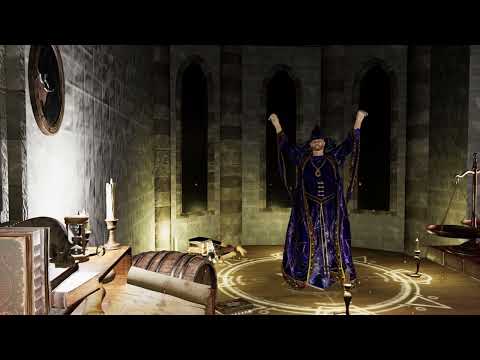 Pay it Forward Daz3d Style
TheMysteryIsThePoint said:
WendyLuvsCatz said:
running one of my previous Filament rendered videos through it now with 200 iterations a frame, it's staying around 60C and under 30secs a frame
Just out of curiosity, Wendy, what was the render time before? And if you're under 60C, you're not even trying... gotta through some volumetrics in there because reasons :)
I have no idea TBH maybe 30mins to an hour, Filament , didn't watch, am doing this one slomo (100fps will be 30fps) iray now 10 hours for 1500 frames which is excellent (animations take time)
original I used EbSynth and Deepdream Generator in post

iray is pretty slow for animation
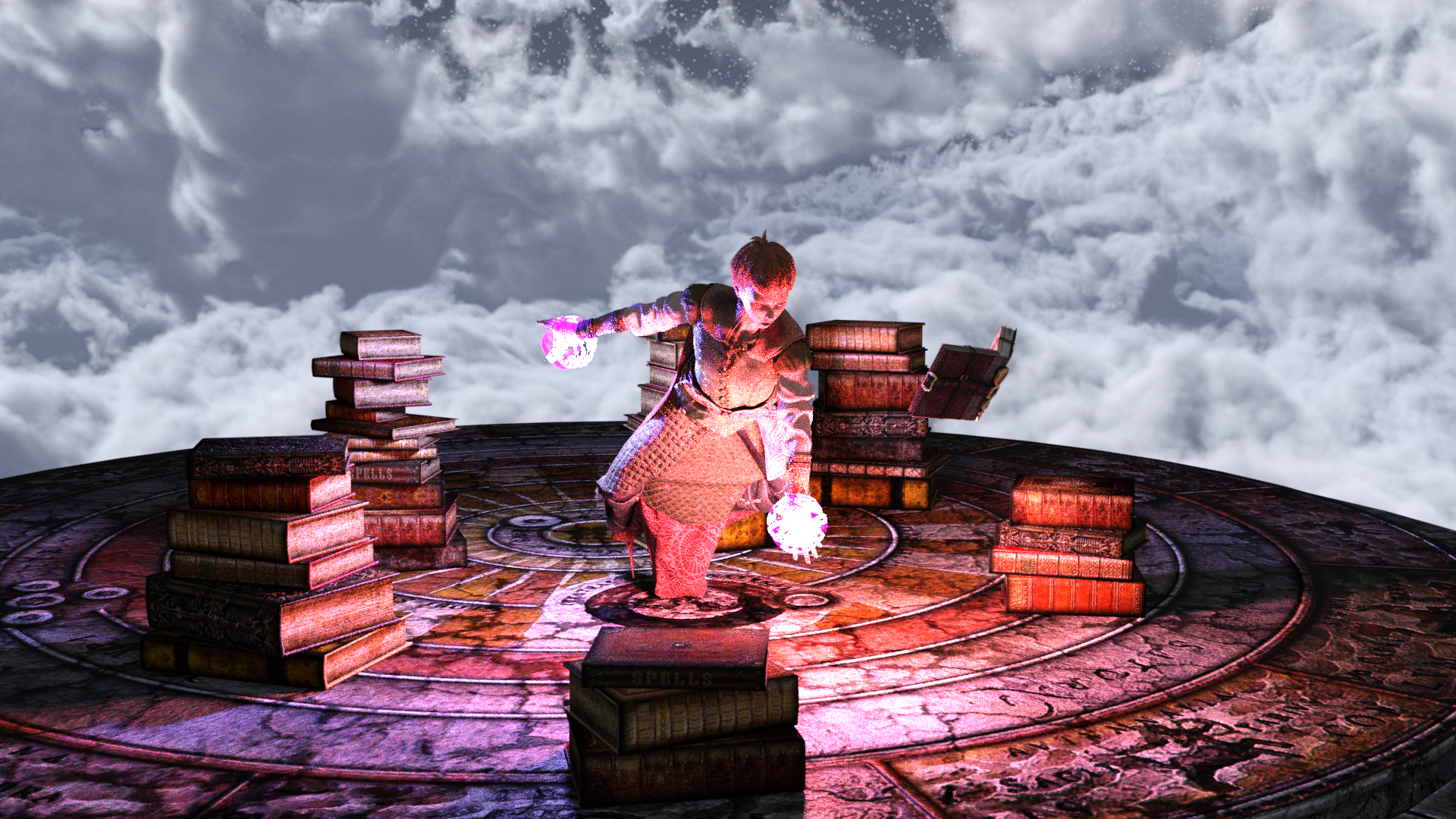
the elf walking in this one took well over 15 hours denoised 20 iterations on my 980Ti

oh but I did stuff up and rendered it 8K!
downscaled in video
Pay it Forward Daz3d StyleWendyLuvsCatz said:
running one of my previous Filament rendered videos through it now with 200 iterations a frame, it's staying around 60C and under 30secs a frame
Just out of curiosity, Wendy, what was the render time before? And if you're under 60C, you're not even trying... gotta through some volumetrics in there because reasons :)
Daz 3D is part of

Connect
DAZ Productions, Inc.
7533 S Center View Ct #4664
West Jordan, UT 84084Licensing Agreement | Terms of Service | Privacy Policy | EULA
© 2026 Daz Productions Inc. All Rights Reserved.