-
Freebie Challenge AUGUST 2023 - Fabulous Pink - Entries Thread Only
3D Art Freebie Challenge August 2023 "Fabulous Pink"
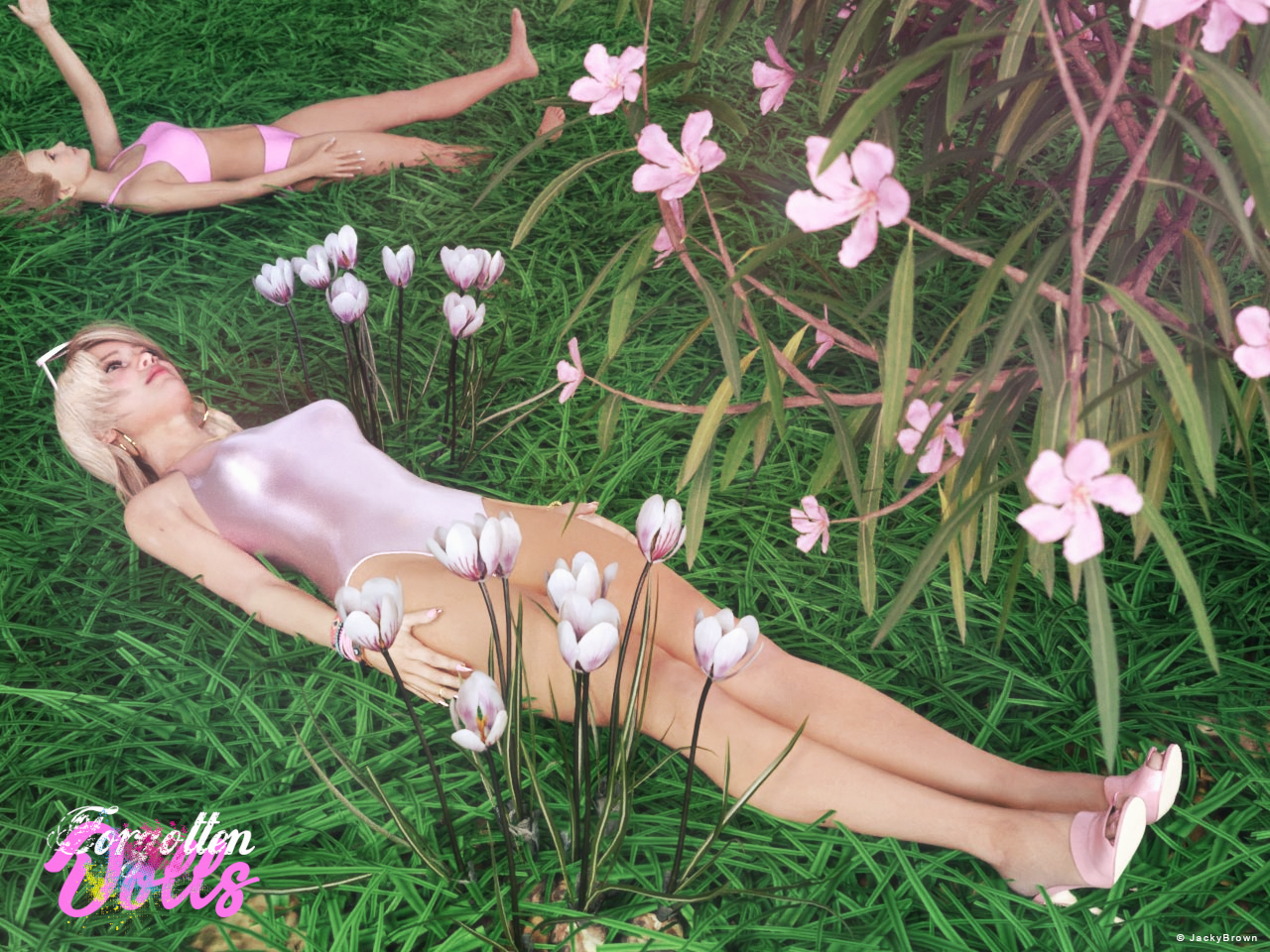
A bit inspired by my second entry and because it is a full moon (supermoon) I just had to do a third one. :)[Best watched at full size for details.]
"Forgotten Dolls"
Starring: Ella and G8F Basic MATThe tale: (Entirely fictional)
After playing nicely outside in the sun with her Barbie® dolls, Victoria forgot to bring them back in when her mother called her...
Non-motion Picture Soundtrack:
Melanie Martinez - Tunnel Vision (© 2022) https://www.youtube.com/watch?v=P7_4BIzNuJo
"Forgotten Dolls"
Has Studio changed the way it imports old Poser content?From time to time I'll wipe the drive my content directories are on, and start over with a fresh install, that is what I've just done, but in this case I've just installed everything I have in DIM for V4.
I'm still using 4.20, I don't like G9 so see no point in upgrading, I also don't use Powerloader (don't even have the plugin installed) as it's been "broken" since the launch of DS4.
2023-08-31 18:03:04.114 [INFO] :: Attempted to create a circular link: hip:PBMGluteus <==> Victoria 4.2:PBMGluteus while importing Poser File
2023-08-31 18:03:04.119 [INFO] :: Attempted to create a circular link: hip:PBMRectusFemorus <==> Victoria 4.2:PBMRectusFemorus while importing Poser File
2023-08-31 18:03:04.124 [INFO] :: Attempted to create a circular link: hip:PBMSartorius <==> Victoria 4.2:PBMSartorius while importing Poser File
2023-08-31 18:03:04.128 [INFO] :: Attempted to create a circular link: abdomen:PBMExternalOblique <==> Victoria 4.2:PBMExternalOblique while importing Poser File
2023-08-31 18:03:04.135 [INFO] :: Attempted to create a circular link: abdomen:PBMRectusAbdominus <==> Victoria 4.2:PBMRectusAbdominus while importing Poser File
2023-08-31 18:03:04.140 [INFO] :: Attempted to create a circular link: abdomen:PBMSerratus <==> Victoria 4.2:PBMSerratus while importing Poser File
2023-08-31 18:03:04.145 [INFO] :: Attempted to create a circular link: abdomen:PBMErectorSpinae <==> Victoria 4.2:PBMErectorSpinae while importing Poser File
2023-08-31 18:03:04.154 [INFO] :: Attempted to create a circular link: chest:PBMTrapezius <==> Victoria 4.2:PBMTrapezius while importing Poser File
2023-08-31 18:03:04.158 [INFO] :: Attempted to create a circular link: chest:PBMDeltoid <==> Victoria 4.2:PBMDeltoid while importing Poser File
2023-08-31 18:03:04.162 [INFO] :: Attempted to create a circular link: chest:PBMPectoral <==> Victoria 4.2:PBMPectoral while importing Poser File
2023-08-31 18:03:04.169 [INFO] :: Attempted to create a circular link: chest:PBMTeres <==> Victoria 4.2:PBMTeres while importing Poser File
2023-08-31 18:03:04.173 [INFO] :: Attempted to create a circular link: chest:PBMTeresMajor <==> Victoria 4.2:PBMTeresMajor while importing Poser File
2023-08-31 18:03:04.179 [INFO] :: Attempted to create a circular link: chest:PBMLatissimus <==> Victoria 4.2:PBMLatissimus while importing Poser FileThat is what I get in the log, uninstall the muscle morphs and those go away, reinstall them and they come back, I can uninstall everything except V4 and the muscle morphs and I still get them.
Fired up Poser 6, loaded V4 and saved back to the library to get a non EXP CR2 with all the channels in the file, it loads into 4.20 without any issues.
That tells me there is a conflict between the way the EXP files in this product are set up, and the way the converter butchers morphs as it redesigns them for use in DS4.
Freebie Challenge August 2023 - Fabulous Pink - Main ThreadJackyBrown said:
3D Art Freebie Challenge August 2023 "Fabulous Pink"
A bit inspired by my second entry and because it is a full moon (supermoon) I just had to do a third one. :)[Best watched at full size for details.]
"Forgotten Dolls"
Starring: Ella and G8F Basic MATThe tale: (Entirely fictional)
After playing nicely outside in the sun with her Barbie® dolls, Victoria forgot to bring them back in when her mother called her...
Non-motion Picture Soundtrack:
Melanie Martinez - Tunnel Vision (© 2022) https://www.youtube.com/watch?v=P7_4BIzNuJo
COUNTABLE FREEBIES: (Alphabetic order)#01! Barbie High Heel Sandals for Genesis 8/8.1 Female by Tiboza
https://www.renderosity.com/freestuff/items/95810/barbie-high-heel-sandals-for-genesis-881-female **#02! Beach Volleyball Bikini for Genesis 8 Female by amyaimei
https://www.deviantart.com/amyaimei/art/Beach-Volleyball-Bikini-for-Genesis-8-Female-704816788 **#03! Bracelet for genesis 8 female by Valmont59
https://www.renderosity.com/freestuff/items/86004/bracelet-for-genesis-8-female **#04! Chameleon ROse2 for Genesis 8 Female by zoro_d
https://www.renderosity.com/freestuff/items/85859/chameleon-rose2-for-genesis-8-female **
[Head and eyelashes morph]#05! Crocus by Xfrog inc.
https://www.cgtrader.com/free-3d-models/plant/other/xfrogplants-crocus **#06! Ella for Genesis 8 Female by tottallou
https://www.renderosity.com/freestuff/items/77844/ella-for-genesis-8female **#07! Flo Makeup For Genesis 8 Females by AprilYSH
https://shop.aprilsvanity.com/flo-makeup-for-genesis-8-females.html#08! Glitzy Catrim Eyeglasses G9 by LaurieA
https://www.renderosity.com/freestuff/items/93850/glitzy-catrim-eyeglasses-g9 **#09! Green lawn Free 3D model (OBJ) by javadyavari
https://www.cgtrader.com/free-3d-models/plant/grass/green-lawn-8d4341d7-6281-40e9-8872-d429512a3b3b **#10! Iray car related shader presets 'megapack' by Tom2099
https://www.deviantart.com/tom2099/art/Iray-car-related-shader-presets-megapack-539622361 **#11! Iray Jewelry Shaders by AllenArt
https://sharecg.com/v/95893/gallery/21/DAZ-Studio/Iray-Jewelry-Shaders **#12! Kiara Interior HDRI by Poly Haven
https://polyhaven.com/a/kiara_interior#13! Lunafreya for G8F by Shinteo
https://www.patreon.com/posts/lunafreya-for-40600356#14! Lunafreya Summoner Outfit For Daz by Shinteo
https://www.patreon.com/posts/lunafreya-outfit-67676433
[Hair, Add-on to the previous pack]#15! My Heart Necklace for Genesis 8 Female by Amy Aimei
https://www.deviantart.com/amyaimei/art/My-Heart-Necklace-for-Genesis-8-Female-729010047 **#16! Nail Art for Genesis 8 and 8.1 Female(s) by zoro_d
https://www.renderosity.com/freestuff/items/92918/nail-art-for-genesis-8-and-81-females **#17! Nerium Oleander Free 3D model (OBJ) by XfrogPlants
https://www.cgtrader.com/free-3d-models/plant/flower/2021-pbr-oleander-collection-nerium-oleander **#18! OnFleek for Genesis 3 & 8 Female(s) by AprilYSH
https://aprilsvanity.com/shop/onfleek-for-genesis-3-8-female-s.html#19! Oracle for G8F by Shinteo
https://www.patreon.com/posts/oracle-for-g8f-39112022
[Bracelet]#20! Sport Swimsuit Set C1 for Genesis 8 Female by amyaimei
https://www.deviantart.com/amyaimei/art/Sport-Swimsuit-Set-C1-for-Genesis-8-Female-899552820 **#21! SY 200 Morphs for Genesis 8 Head and Body by SickleYield
https://sharecg.com/v/91888/view/21/DAZ-Studio/SY-200-Morphs-for-Genesis-8-Head-and-Body **#22! TLOU2 Ellie for G8F by Shinteo
https://www.patreon.com/posts/tlou2-ellie-for-42575735
[Bracelet]
NO-COUNT ITEMS:--- Casual Outfit 2 for G3M by Tab [Bracelet]
--- Eyes Dilate for Genesis 8 Female by felldude
--- Hoop Earrings for G8F by Lully
--- Iray Fabric shaders by AllenArt
--- Scene Lights for Iray by Lali Kamala (Holiday Loyalty Sale 2021 Free Item)
--- Underwater Hair for G2F by MEC4D
PURCHASED/PAID FOR ITEMS: None 100% Freebies
*1 E-mail address required
** Registration required
#x! Countable Items (Bold ones are used by me for the first time I think.)
--- No longer available freebies
++ Free with DAZ Studio (or the Essentials)
$x. Purchased/Paid For Item
Rendered with DAZ Studio 4.10.0.123 (nVidia Iray®)Other free software used: GIMP v2.10.34 and Irfanview 4.62
Postwork: Used some filters that come with GIMP. Also used mcjDenoise (https://sites.google.com/site/mcasualsdazscripts9/mcjdenoise) and mcjLut by mcasual (https://sites.google.com/site/mcasualsdazscripts9/mcjlut) with the free FilterGrade Cinematic LUTs Pack (https://filtergrade.com/free-cinematic-luts-video-editing/) and the Vintage-Look Photoshop Effects Pack/Light Leaks Effect Pack by Michael Jarrott (https://creativecloud.adobe.com/discover/article/vintage-look-photoshop-effects-pack).
"Forgotten Dolls"
https://www.daz3d.com/gallery/user/6398906262880256#gallery=album8846472&image=1306731 (Post and RAW version)
All freebies checked, hurry up to move into Entries
Thank you PA'sYes, thanks. I've not bought more than I've bought today at a great price since the initial release of Genesis 9 base morphs & addons, along with Victoria 9 / Micheal 9. A special thanks to PedroFurtadoArts & Zev0. @PedroFurtadoArts? Are you doing a Babify again (although The Age product combined with Cartoonized may do the trick)?
Freebie Challenge August 2023 - Fabulous Pink - Main Thread3D Art Freebie Challenge August 2023 "Fabulous Pink"
A bit inspired by my second entry and because it is a full moon (supermoon) I just had to do a third one. :)[Best watched at full size for details.]
"Forgotten Dolls"
Starring: Ella and G8F Basic MATThe tale: (Entirely fictional)
After playing nicely outside in the sun with her Barbie® dolls, Victoria forgot to bring them back in when her mother called her...
Non-motion Picture Soundtrack:
Melanie Martinez - Tunnel Vision (© 2022) https://www.youtube.com/watch?v=P7_4BIzNuJo
COUNTABLE FREEBIES: (Alphabetic order)#01! Barbie High Heel Sandals for Genesis 8/8.1 Female by Tiboza
https://www.renderosity.com/freestuff/items/95810/barbie-high-heel-sandals-for-genesis-881-female **#02! Beach Volleyball Bikini for Genesis 8 Female by amyaimei
https://www.deviantart.com/amyaimei/art/Beach-Volleyball-Bikini-for-Genesis-8-Female-704816788 **#03! Bracelet for genesis 8 female by Valmont59
https://www.renderosity.com/freestuff/items/86004/bracelet-for-genesis-8-female **#04! Chameleon ROse2 for Genesis 8 Female by zoro_d
https://www.renderosity.com/freestuff/items/85859/chameleon-rose2-for-genesis-8-female **
[Head and eyelashes morph]#05! Crocus by Xfrog inc.
https://www.cgtrader.com/free-3d-models/plant/other/xfrogplants-crocus **#06! Ella for Genesis 8 Female by tottallou
https://www.renderosity.com/freestuff/items/77844/ella-for-genesis-8female **#07! Flo Makeup For Genesis 8 Females by AprilYSH
https://shop.aprilsvanity.com/flo-makeup-for-genesis-8-females.html#08! Glitzy Catrim Eyeglasses G9 by LaurieA
https://www.renderosity.com/freestuff/items/93850/glitzy-catrim-eyeglasses-g9 **#09! Green lawn Free 3D model (OBJ) by javadyavari
https://www.cgtrader.com/free-3d-models/plant/grass/green-lawn-8d4341d7-6281-40e9-8872-d429512a3b3b **#10! Iray car related shader presets 'megapack' by Tom2099
https://www.deviantart.com/tom2099/art/Iray-car-related-shader-presets-megapack-539622361 **#11! Iray Jewelry Shaders by AllenArt
https://sharecg.com/v/95893/gallery/21/DAZ-Studio/Iray-Jewelry-Shaders **#12! Kiara Interior HDRI by Poly Haven
https://polyhaven.com/a/kiara_interior#13! Lunafreya for G8F by Shinteo
https://www.patreon.com/posts/lunafreya-for-40600356#14! Lunafreya Summoner Outfit For Daz by Shinteo
https://www.patreon.com/posts/lunafreya-outfit-67676433
[Hair, Add-on to the previous pack]#15! My Heart Necklace for Genesis 8 Female by Amy Aimei
https://www.deviantart.com/amyaimei/art/My-Heart-Necklace-for-Genesis-8-Female-729010047 **#16! Nail Art for Genesis 8 and 8.1 Female(s) by zoro_d
https://www.renderosity.com/freestuff/items/92918/nail-art-for-genesis-8-and-81-females **#17! Nerium Oleander Free 3D model (OBJ) by XfrogPlants
https://www.cgtrader.com/free-3d-models/plant/flower/2021-pbr-oleander-collection-nerium-oleander **#18! OnFleek for Genesis 3 & 8 Female(s) by AprilYSH
https://aprilsvanity.com/shop/onfleek-for-genesis-3-8-female-s.html#19! Oracle for G8F by Shinteo
https://www.patreon.com/posts/oracle-for-g8f-39112022
[Bracelet]#20! Sport Swimsuit Set C1 for Genesis 8 Female by amyaimei
https://www.deviantart.com/amyaimei/art/Sport-Swimsuit-Set-C1-for-Genesis-8-Female-899552820 **#21! SY 200 Morphs for Genesis 8 Head and Body by SickleYield
https://sharecg.com/v/91888/view/21/DAZ-Studio/SY-200-Morphs-for-Genesis-8-Head-and-Body **#22! TLOU2 Ellie for G8F by Shinteo
https://www.patreon.com/posts/tlou2-ellie-for-42575735
[Bracelet]
NO-COUNT ITEMS:--- Casual Outfit 2 for G3M by Tab [Bracelet]
--- Eyes Dilate for Genesis 8 Female by felldude
--- Hoop Earrings for G8F by Lully
--- Iray Fabric shaders by AllenArt
--- Scene Lights for Iray by Lali Kamala (Holiday Loyalty Sale 2021 Free Item)
--- Underwater Hair for G2F by MEC4D
PURCHASED/PAID FOR ITEMS: None 100% Freebies
*1 E-mail address required
** Registration required
#x! Countable Items (Bold ones are used by me for the first time I think.)
--- No longer available freebies
++ Free with DAZ Studio (or the Essentials)
$x. Purchased/Paid For Item
Rendered with DAZ Studio 4.10.0.123 (nVidia Iray®)Other free software used: GIMP v2.10.34 and Irfanview 4.62
Postwork: Used some filters that come with GIMP. Also used mcjDenoise (https://sites.google.com/site/mcasualsdazscripts9/mcjdenoise) and mcjLut by mcasual (https://sites.google.com/site/mcasualsdazscripts9/mcjlut) with the free FilterGrade Cinematic LUTs Pack (https://filtergrade.com/free-cinematic-luts-video-editing/) and the Vintage-Look Photoshop Effects Pack/Light Leaks Effect Pack by Michael Jarrott (https://creativecloud.adobe.com/discover/article/vintage-look-photoshop-effects-pack).
"Forgotten Dolls"
https://www.daz3d.com/gallery/user/6398906262880256#gallery=album8846472&image=1306731 (Post and RAW version)
Hawaiian or Polynesian Characters?Genesis 3 to 8 is the easiest because they are basically identical. At least the bases are. G8 thankfully ended the silly practice where 'core' characters often had their own unique UV map. That frustrated people to no end. But many G3 textures are indeed the base UV, and will work on G8 without any issue. The eyes changed a little bit, but you probably have plenty of eye textures for G8 as it is. You can often just copy the surfaces from G3 and paste them to G8 and that works fine. Just look at the product page. Every G3 character should list the UV map it uses in its details. If it says it uses the G3 base, then grab it, because these will work the easiest.
There is a product that allows G8 to use all the different unique UVs from G3. Wear Them All, I believe. So that would be the simplest way to get any G3 regardless of its UV map to work on G8.
You can also do this the hard way by "baking" textures of the unique UVs to match the G3 base. Victoria 7 has her own UV map that is just a little different from Genesis 3 base. This is a sort of tedious process at first, but once you do a couple times it isn't nearly as bad as it might sound. I personally like this method, because once you match the base UV, that opens all kinds of doors to play with textures. You can mix and match textures to your heart's content. You can make G3 people look more like your favorite G8 people. Like some characters are just too shiny, or the way their skin looks stands out too much with other characters in a render.
For example, take a Bluejaunte character. These characters are often very nice, but stand out from others with how light reflects off them. They kind of clash. You can fix this by swapping some of the glossy maps that the bluejaunte characters have into other characters. This can tie the characters in a scene together much better. You can do this with pretty much anybody. You can do the same with a Mousso character, whatever suits you. This can work true magic with older characters that people have forgotten or thought were outdated. So you can take Kalea 7 and give her gloss maps from Macy and Chani, match the gloss settings, and Kalea will have a glossiness that matches Macy and Chani.
But again, for this to work, the textures all need to be the same UV map, and you'd need to bake Kalea 7 textures to G3 base UV first to do that. On the flip side, P3D Aluna uses the G3 base UV (even though she comes in the Kalea bundle!) So you could simply drop Maci and Chani's gloss maps onto Aluna.
Sadly bluejaunte never made any male characters. But I fixed that, too. I used the baking process to bake my favorite Bluejaunte gloss maps to match the G8 male base, yes, you can do that, too. So now I can apply these bluejaunte style gloss maps to any of my male G8 characters.
Perhaps I am weird, but I kind of enjoy doing this sort of thing. I find it quite satisfying to take a character like Kalea and make her fresh again with something like this.
G9 is a different story. The UV maps are too different for a simple method to wear past gen skins. The one we have does some tricks to accomplish this, like creating new UV spots on the model to pop the texture on. This does work, but IMO is not really ideal, because many of the things I just described above go out the window. However this could work for you if you have no plans on doing things like that, and just want to get the skins on G9 models.
Looking for Lady JusticeBuilding on @Linton's idea, look at Jepe's Art Deco Statues, SickleYield's Roman Togas, and then a sword and scales.
https://www.daz3d.com/jepes-art-deco-statuettes-for-victoria-8
https://www.daz3d.com/jepes-art-deco-statuettes-ii-for-victoria-8
https://www.daz3d.com/jepes-art-deco-statuettes-iii-for-victoria-8
https://www.daz3d.com/sy-dforce-roman-clothing-pack-genesis-8-female or https://www.daz3d.com/sy-dforce-roman-clothing-collection-for-genesis-9
The [Disco Chives] Misplaced Parrot Complaint ThreadSfariah D said:
I am trying to reinstall my content to my computer. I put it in the wrong folder, so I had to uninstall it and reinstall it in the right area.
I want to make sure I have Victoria stuff downloaded. Talking about Victoria, what is the difference between Victoria 1 and Victoria 2?
Victoria 2 has the same geometry as Victoria 1 but Victoria 2 has more morphs.
The [Disco Chives] Misplaced Parrot Complaint ThreadI am trying to reinstall my content to my computer. I put it in the wrong folder, so I had to uninstall it and reinstall it in the right area.
I want to make sure I have Victoria stuff downloaded. Talking about Victoria, what is the difference between Victoria 1 and Victoria 2?
Using old figures including .DAZ formatbikdingle said:
V4/M4 are found in the Poser Formats section of your Library
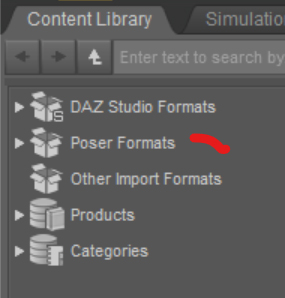
They and all their stuff should be in the Runtime which is where Studio is looking for them as Poser format files
Thanks! Once you said that I realised where I was getting it wrong. I changed the location to "runtime" and it appeared in "PoserFormat" in the program in Content Libray.
I also realised that Victoria is a .cr2 and not a .Daz as I put it earlier. Just a case of forgetting what I learned a while ago!
I am finding it interesting to learn the new Daz and now I am trying to work out why my Victoria 4 expressions ( .fc2) appear not to work ( new format for expressions? )
Thanks again
The [Disco Chives] Misplaced Parrot Complaint ThreadI just remembered the night shirt I have on right now is from Victoria. I don't know which Victoria. It is a secret.
Llola Lane’s RENDER A MONTH Challenge 2023 (ALL are welcome to join)Elor said:
Hello,
I was supposed to post this one yesterday, but I had another scene that required some attention and one thing leading to another, I decided that the flag didn’t look that great (it was a photo of one on a primitive plane before, it's still doesn't look that great, but it's better), so I had to find a replacement, and of course, I modified other things too. And as a citizen of the CPU rendering country, each render takes a loooong time (between 1h30 and 2h for this one, which isn’t that fancy to begin with…)

A bit about the scene itself. The US flag is a bit on the nose, but as someone who never visited Washington, DC, I’m sure there is at least one such flag here, and I didn’t have anything else that could scream 'It’s in America'
(I tried with the Washington Monument on the horizon, but while the photo I found was nice, it didn’t really look all that great as part of a render).To be honest, this scene didn’t start as a project for this challenge: I only wanted to test the European Bike, which looked and still look a bit too big for a bike (how someone as tall as Victoria can sit on it with her legs correctly extended when the pedals are at their lowest with the saddle so low?), but, like I said, the character’s legs look as they should once the pose is applied. As the bike looked like it could support two persons, I added another one and then I needed a set and before I knew it, I had a travel scene.
With a US flag, it’s in the US, and a small coincidence, but I learned that there is a bike-share services with red bikes in Washington (after setting the colour of the bike)
 .
.I hope that image will put a smile on your face, maybe not as big as the one on Victoria’s. Afterall, she is living her best life!
She’s going to a local community pool and the most beautiful woman she knows is going out with her, sitting on the back of her bike. She’s very liberal in her use of the bell, as shown by the position of her thumb. Because Victoria is a meticulous person, she has everything they will need (towels, food, etc.) in the front basket, with two bottles of water visible (but that’s because it’s all I have to show among my props for an afternoon at a pool).
Without further ado, because the temperature is still too hot to read my long rambles, I invite you to the pool, well, at least on the road to the pool
(the basket is so big, I'm sure we can all hide in it):All the DAZ products used for the render should be linked at the bottom of the gallery page, here. I only used one product bought on another store, the bikini top of Lacey. The gallery page also has more information about the creation of the scene (it’s nothing fancy, I only started using Daz two months ago, but if it can help people who started even more recently than me
).I did a bit of postwork to add clouds in the sky and motion blur on the fences and the trees between the fences and the bike. A version of the render without the motion blur is available on the gallery.
Welcome Elor... I'm sooo happy you added your art to this challenge... It is wonderful! Hope to see you in the coming months... Keep up the great artworks!
Asian morph for Victoria 9?Hello,
I have Victoria 9 HD Intro Bundle, and that morph is not included with Victoria 9. I doubt it's in any of the other three bundles which are heavily leaning toward a medieval Europe setting.
Asian morph for Victoria 9?Hi everyone!
I'm looking to reproduce the model used on https://www.daz3d.com/cyber-edge-hair-for-genesis-8-81-and-9.
It is clear to me that the skin is from Victoria 9 but the face looks like it has an asian morph added to it. Does anyone knows if Victoria 9 comes with this morph?
Victoria 9 is kinda pricey so I don't wanna end up buying her for nothing.
Thanks in advance.
Llola Lane’s RENDER A MONTH Challenge 2023 (ALL are welcome to join)Hello,
I was supposed to post this one yesterday, but I had another scene that required some attention and one thing leading to another, I decided that the flag didn’t look that great (it was a photo of one on a primitive plane before, it's still doesn't look that great, but it's better), so I had to find a replacement, and of course, I modified other things too. And as a citizen of the CPU rendering country, each render takes a loooong time (between 1h30 and 2h for this one, which isn’t that fancy to begin with…)
A bit about the scene itself. The US flag is a bit on the nose, but as someone who never visited Washington, DC, I’m sure there is at least one such flag here, and I didn’t have anything else that could scream 'It’s in America'
(I tried with the Washington Monument on the horizon, but while the photo I found was nice, it didn’t really look all that great as part of a render).To be honest, this scene didn’t start as a project for this challenge: I only wanted to test the European Bike, which looked and still look a bit too big for a bike (how someone as tall as Victoria can sit on it with her legs correctly extended when the pedals are at their lowest with the saddle so low?), but, like I said, the character’s legs look as they should once the pose is applied. As the bike looked like it could support two persons, I added another one and then I needed a set and before I knew it, I had a travel scene.
With a US flag, it’s in the US, and a small coincidence, but I learned that there is a bike-share services with red bikes in Washington (after setting the colour of the bike)
.I hope that image will put a smile on your face, maybe not as big as the one on Victoria’s. Afterall, she is living her best life!
She’s going to a local community pool and the most beautiful woman she knows is going out with her, sitting on the back of her bike. She’s very liberal in her use of the bell, as shown by the position of her thumb. Because Victoria is a meticulous person, she has everything they will need (towels, food, etc.) in the front basket, with two bottles of water visible (but that’s because it’s all I have to show among my props for an afternoon at a pool).
Without further ado, because the temperature is still too hot to read my long rambles, I invite you to the pool, well, at least on the road to the pool
(the basket is so big, I'm sure we can all hide in it):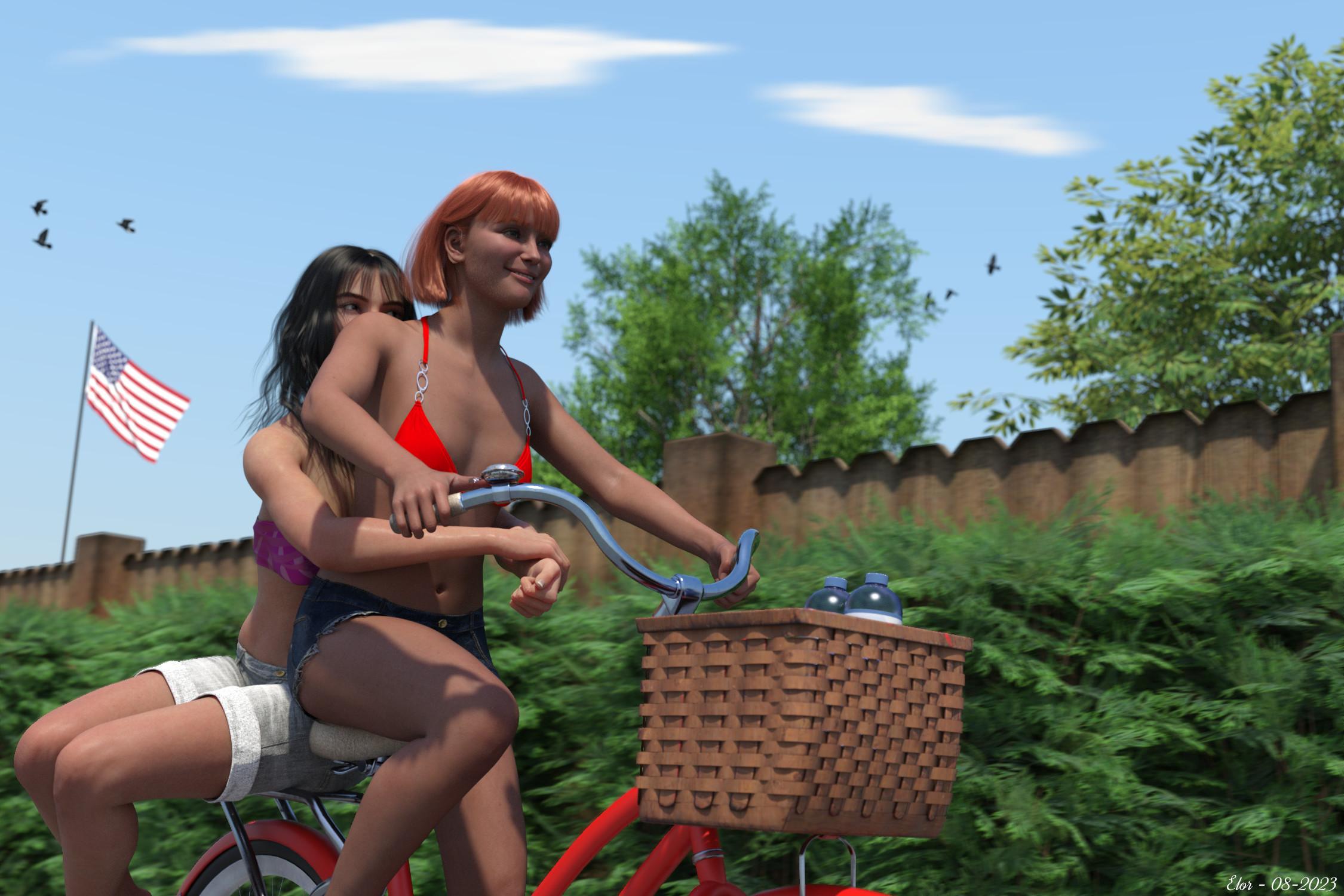
All the DAZ products used for the render should be linked at the bottom of the gallery page, here. I only used one product bought on another store, the bikini top of Lacey. The gallery page also has more information about the creation of the scene (it’s nothing fancy, I only started using Daz two months ago, but if it can help people who started even more recently than me
).I did a bit of postwork to add clouds in the sky and motion blur on the fences and the trees between the fences and the bike. A version of the render without the motion blur is available on the gallery.
August 2023 - Daz 3D New User Challenge - Open Render ChallengeHello,
It's a render for this month Beginner Challenge, called 'An afternoon at the park', which hopefully respect all the contest rules.
I hosted it on the gallery provided by DAZ because attaching a file doesn't work for me (as it was my first picture hosted here, it was also a way to check if the picture was in line with DAZ general rules regarding user content).
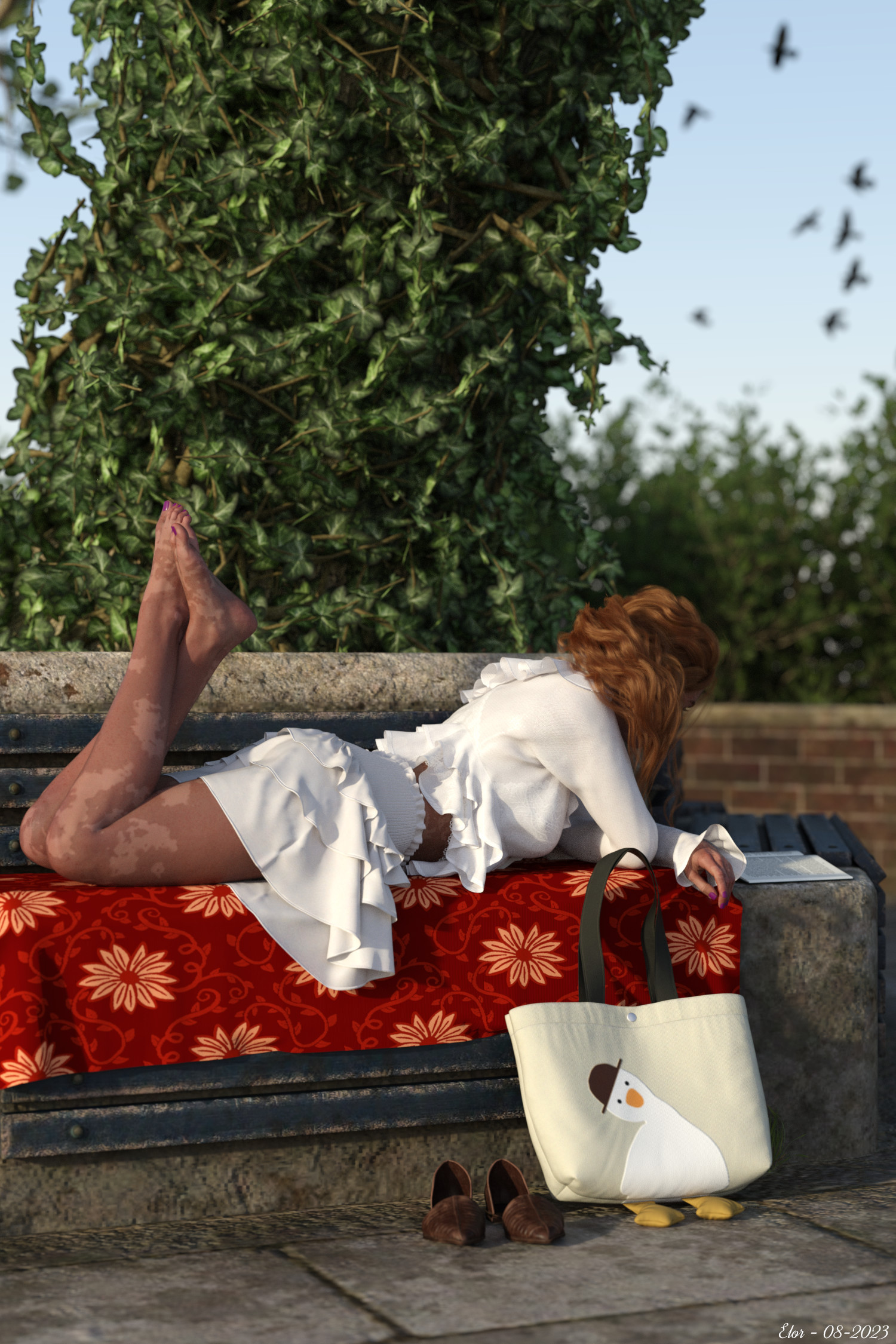
I listed all ressources used and part of the creation process here.
Before writing about what skills I used the most, let's start with the one I use the less: lightning. It's still a subject I'm not confortable with: I am by no mean an expert with the other skills I'll write about later, but with them, I feel like I understand the principles governing them. With lightning, well, it could be magic for all I know and to date, among my renders, those I liked the most were done outdoor, using the good old sun as the sole light source. So for this project, I did the same.
I played a bit with the date and time system, but the default setting got me what I wanted: a source of light behind Victoria, not blinding her while she's enjoying her book. It's of course not without downside, but more on that later too.
To build the scene, I spend some time in simulation, in part because I had to learn to be really really thorough in checking that simulation freeze was ON on pieces of clothes I didn't want to simulate anymore
 (and saving before launching a simulation). I also built a fake bench with primitives, to make the simulation of the blanket easier: before using a primitive, I was kit bashing, using a duvet to have some volume, but the final result wasn’t worst the headache … a primitive still gets the idea of Victoria using something to make the bench more comfortable without all the clippings induced by the duvet.
On posing, I didn’t do that much on Victoria herself: like I wrote in the gallery page, I’m using a G8F base pose, and I modified that pose here and there. I moved Victoria’s arms then her head to make sure she was looking at her book (it’s not visible, but her eyes are pointing at the book
). I spent some time posing her hairs, because they were clipping with the back of her top and I don’t have the skill set to solve that clipping in a different manner (I checked if the part that clipped with the hairs was on its own surface setting, to make that part disappear, but it was not the case). Not totally related to Victoria, but when I thought about using an invisible dev G9 with Victoria’s Body and Proportion, to pose the shoes on the floor, well, I know it’s not much, but I was happy! (I now know that there is a solution to use shoes as props).I jokingly wrote that I may have spent more time posing the bag (I do love that bag), but the truth is most of the time spent posing for that project is not visible on the final result because it’s time I spent posing other people or props due to the difficulty I had in composing the picture: due to my lightning choice (not helped by the posing of the hairs), Victoria’s face is not very well lighted, which mean hiding it, but which also mean that if I choose a landscape orientation for my camera, I had a lot of empty space, space I was trying to file with characters and props. In a way, the fact that Victoria was laying also played a role, because I thought landscape orientation was the more convenient way to render the scene. At one point, I had dinosaurs forgotten by a child in the bench near Victoria’s leg, a couple chatting in the bench opposite to her, a tree, and so on.
What saved me and helped me send the whole circus of dinosaurs and props and characters back to their homes was adding the birds in the sky (with a primitive plane and how to only keep the birds and not the rest of the photo used), because suddenly, I could fill the sky with something in a cheap and fast way: almost no posing, not much impact on the performance of my computer (I’m rendering on CPU only) or my wallet
. It’s opened a space I didn’t think I could use, and, as an important bonus, in a way allowing me to keep the lovely bag fully visible (some ways of framing the picture were not so bad, but the bag’s legs were hidden  ).
).I have already written too much (and it’s a bit late too), so I’ll stop here: I hope you’ll like the render and I’m open to suggestions and advice.
Using old figures including .DAZ formatHello
I am new to DAZ 4 although I used DAZ 2.3 for many years.
I have a large amount of figures largely Victoria 4.2 and Michael 4. These are in the .DAZ format. I appreciate that the file format has changed in the interim. Is there a way to load these into DAZ 4?
I tried putting the folder into "My DAZ 3D Library" and it appears in content but the program does not seem to recognise them.
Anyway it is nice to be back into DAZ after a long time and I look forward to any help the community can give.
Genesis eyes in CarraraJonstark said:
On the other hand, you could use something like PhilW's Bright Eyes to simply put a glow map in the glow channel, that gives very crisp fake specular effect. The drawback is that the glowing 'glint' is part of the eye texture, and moves with the eye, so it doesn't work as great in animations. But for still images it looks pretty good. Bright Eyes for Carrara | Daz 3D
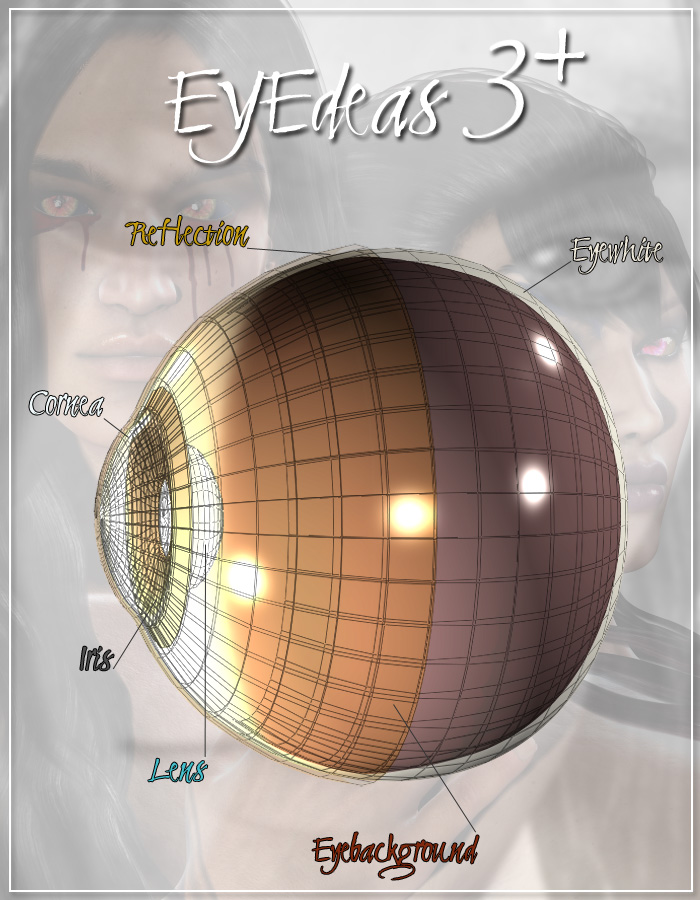
Eye Surface for Genesis includes Bright Eyes for Carrara and the main Bright Eyes productr for free. Before finding this, I was using EYEdeas 3+ by Arki (as props parented to the hidden Genesis eyes)
Genesis is the only generation of Daz figure which lacks that additional layer - a layer that makes all the difference in the world, so Daz corrected that for every generation since.
Here's a quote from Eye Surface store page
When Genesis was launched, it offered untold flexibility in many areas, but one area that was missing from previous generation figures was the Eye Surface, which allowed special effects to be applied across the whole eye, especially to provide reflections and reflection maps.
It was so useful that it was re-introduced on the Genesis 2 figures, now called EyeReflection. Which left Genesis as the only figure without this useful extra eye surface.
Enter "Eye Surface for Genesis" which adds this feature in the same way as adding clothing, but fitted to the eye! And it follows Genesis shape morphs incredibly well, even for large eyed characters such as Aiko 3. I have included an Offset parameter in case an extreme morph produces any poke through with the underlying eye model.
As a bonus, I have included my Bright Eyes Bundle so that you can add 55 preset eye reflections in DAZ Studio, Poser and Carrara! But you are not restricted to this, you can add your own surfaces and shaders to use the Eye Surface for real reflections or use the EyeSurface shaders from Victoria 4 or Michael 4 products, etc.
Get Eye Surface for Genesis - and add a twinkle to Genesis's eyes!
Here's the figure of EYEdeas 3+
 OT Hurricane Hilary
Yikes. Have an earthquake with a side order of rain water? No thanks. When I left Newfoundland, Canada for Ontario, in December of 1984 I thought I was saying goodbye to the friendliest place on earth with the worst weather ever. The footage is old (1983). Now, I question what worse weather is. a tornado, a hurricane, a flood, a blizzard, a fire (lightning regions), sinkholes (rainy climates), or an earthquake. I honestly don't know which is worse. Sometimes inland is not always safer than coastal living. It seems no matter where you live the weather will always get you, one way or another, so you may as well live in the environment you love. Of all the places I have lived or travelled, Hawaii yanked on my heart strings but it is prone to so many natural disasters . . . The rain today is fairly heavy, but I have seen heavier torrents in Victoria BC. The winds don't seem as bad as I thought they would be by now, and as mentioned earlier, the Santa Ana winds at this point, seem far worse than this. Our roof has 26 solar (electric) panels and the other side has six or so solar (water) panels for pool and I'm not hearing those tunnel noises from the roof yet. Hopefully it stays that way. The plywood is still staring at me as if to say, "Do you plan to leave us here?" I'm thinking yes, because the house has too many vulnerable windows. But, I did go out in the rain and get the Kolbalt, in case I change my mind.
Edit: Yikes! Yikes! Yikes! Giving the wood a third-thought.
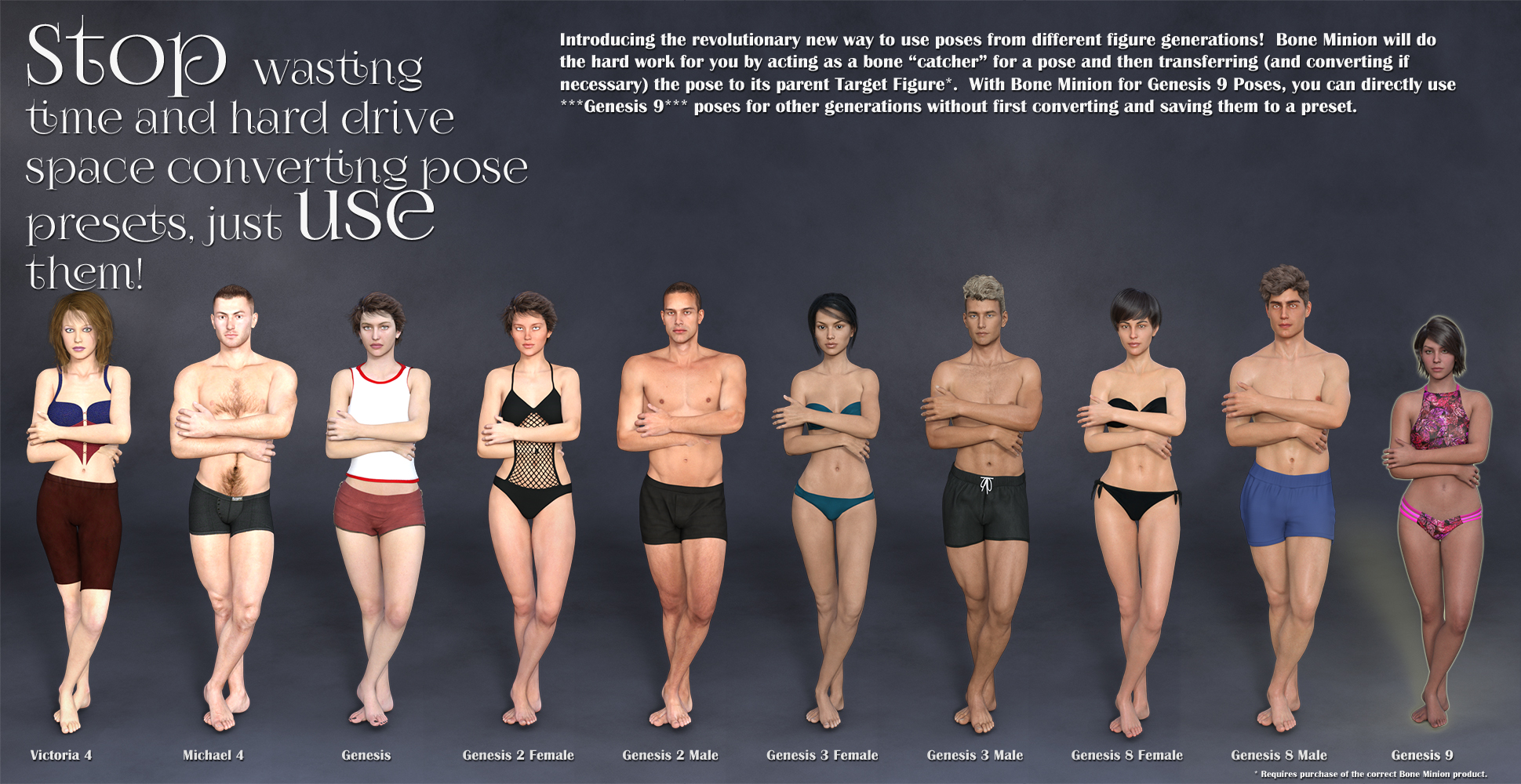
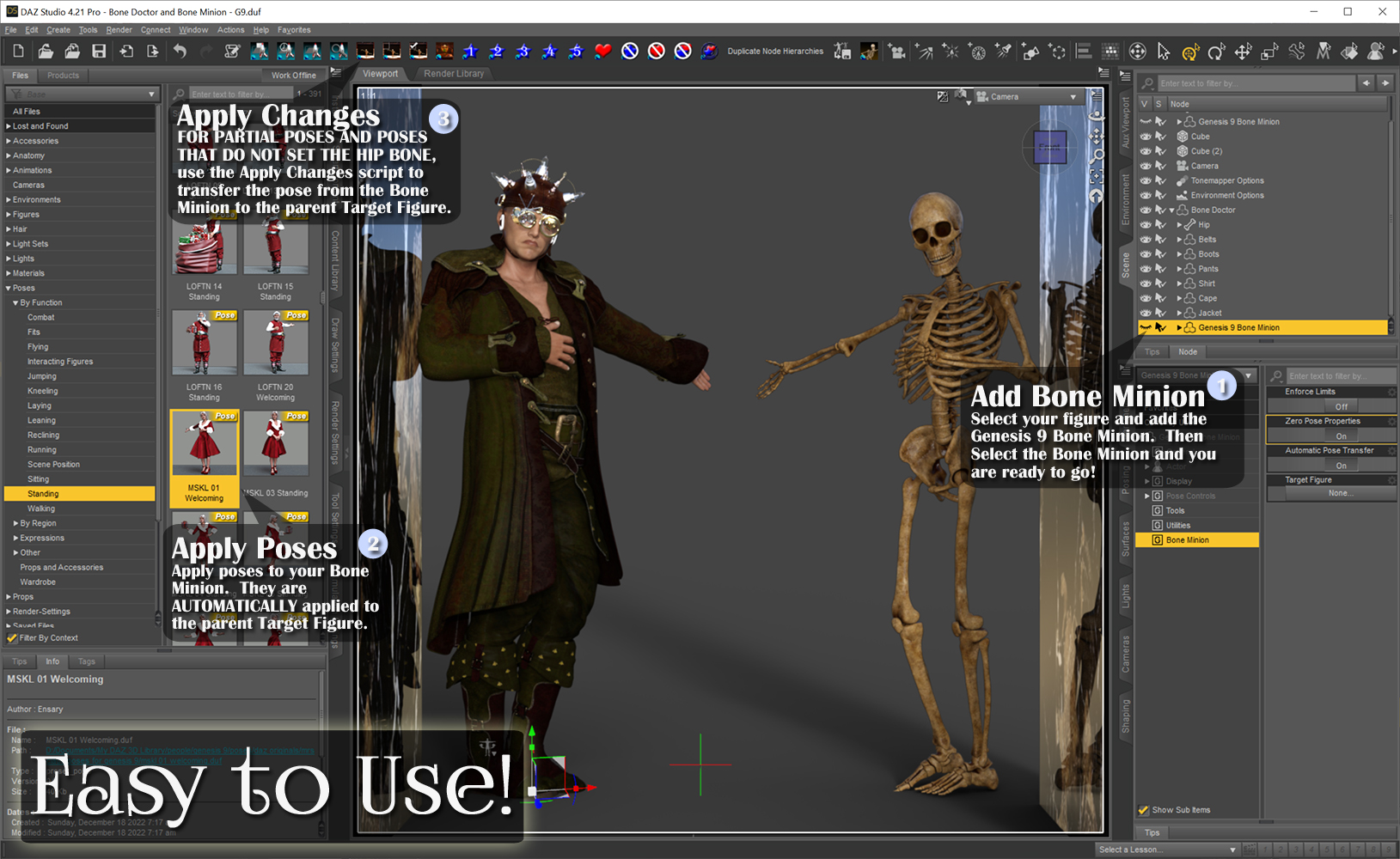
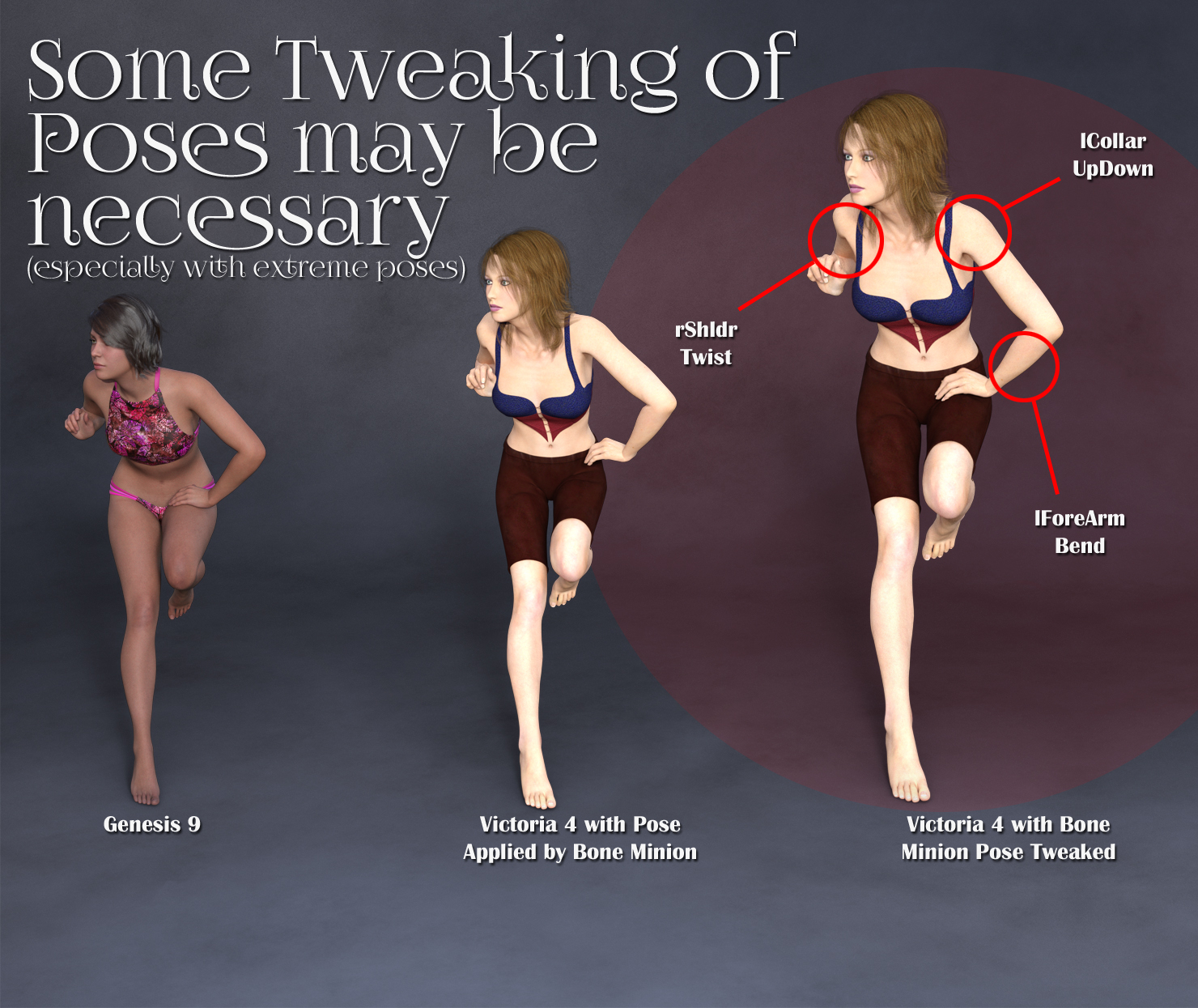
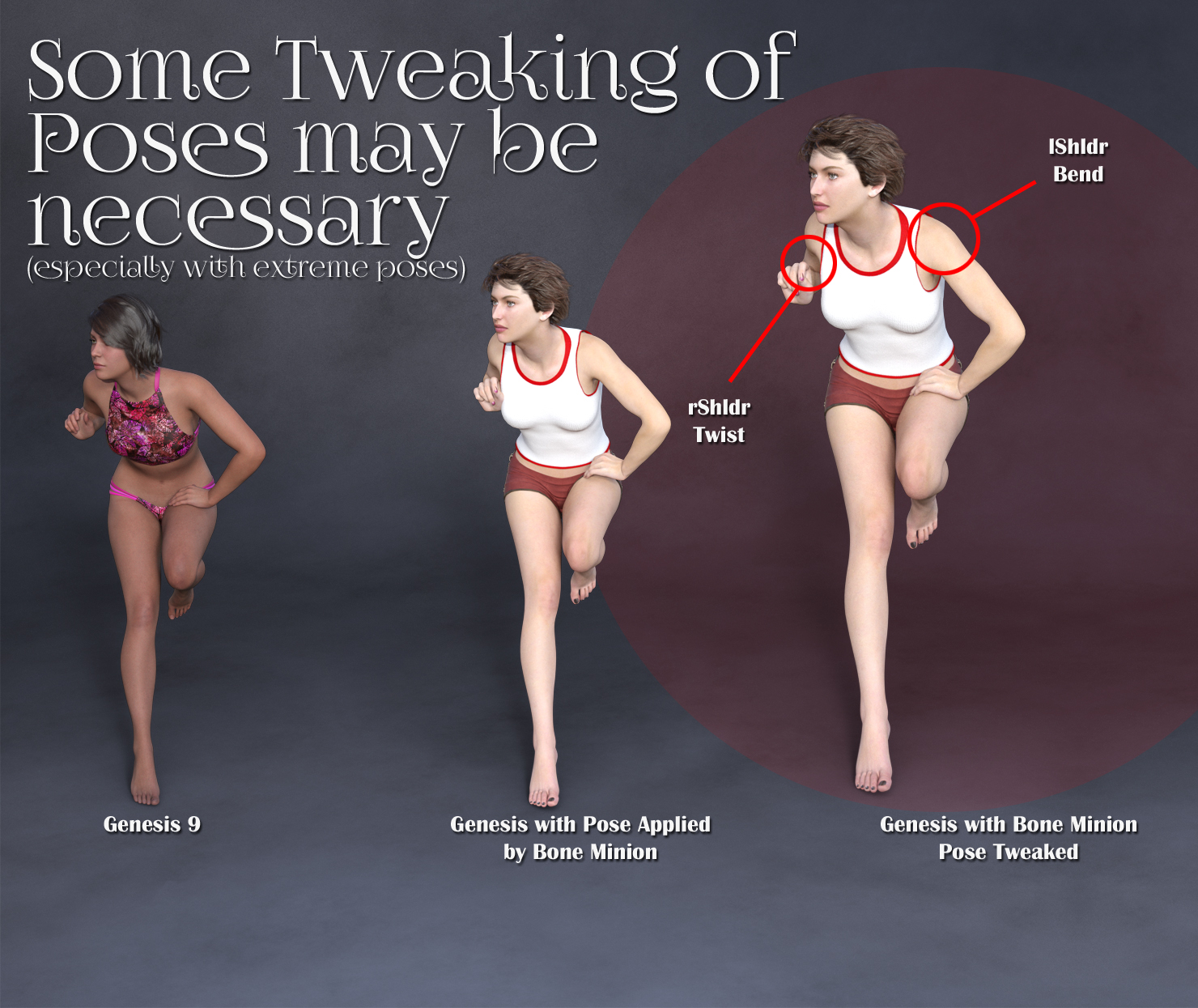
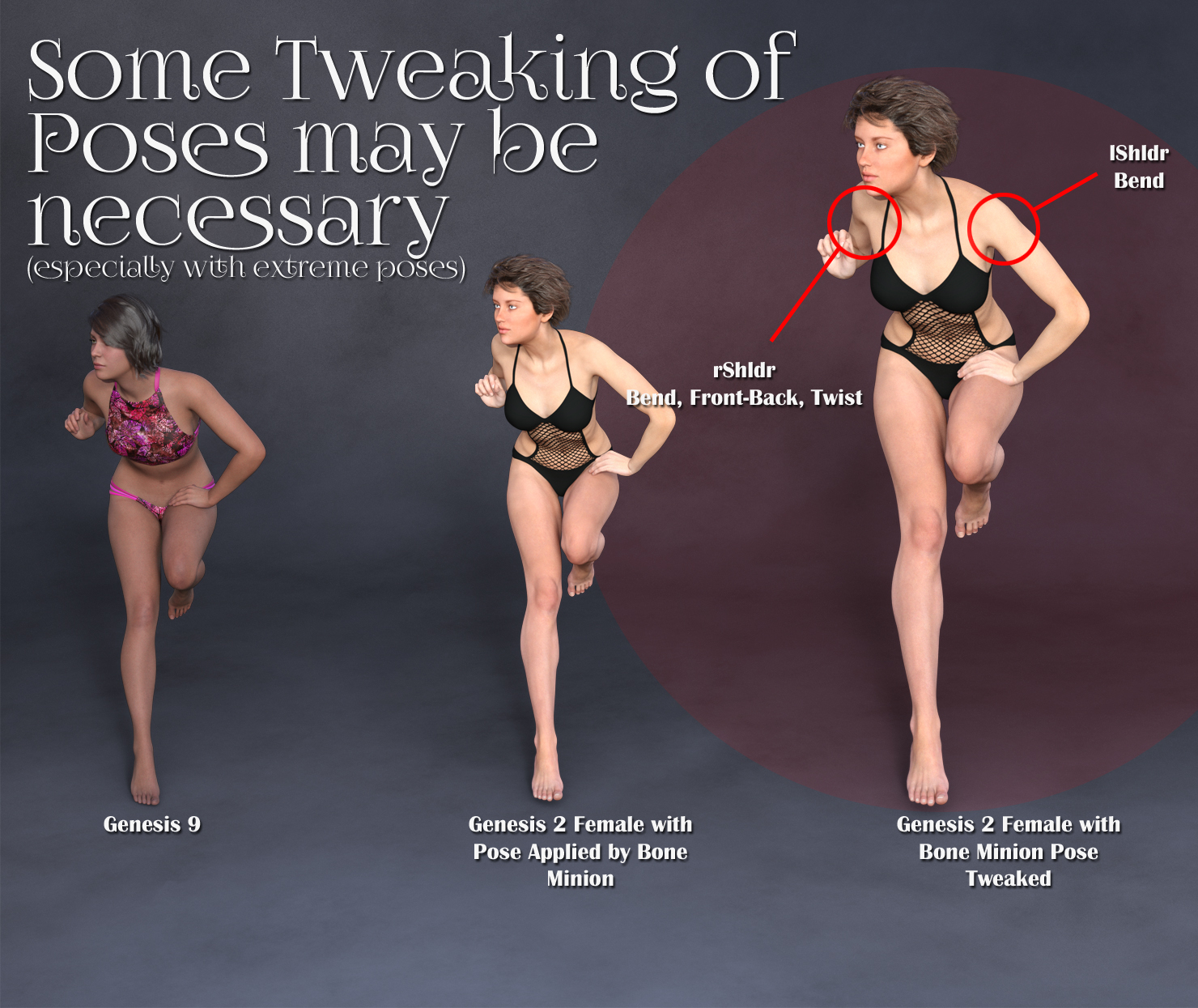
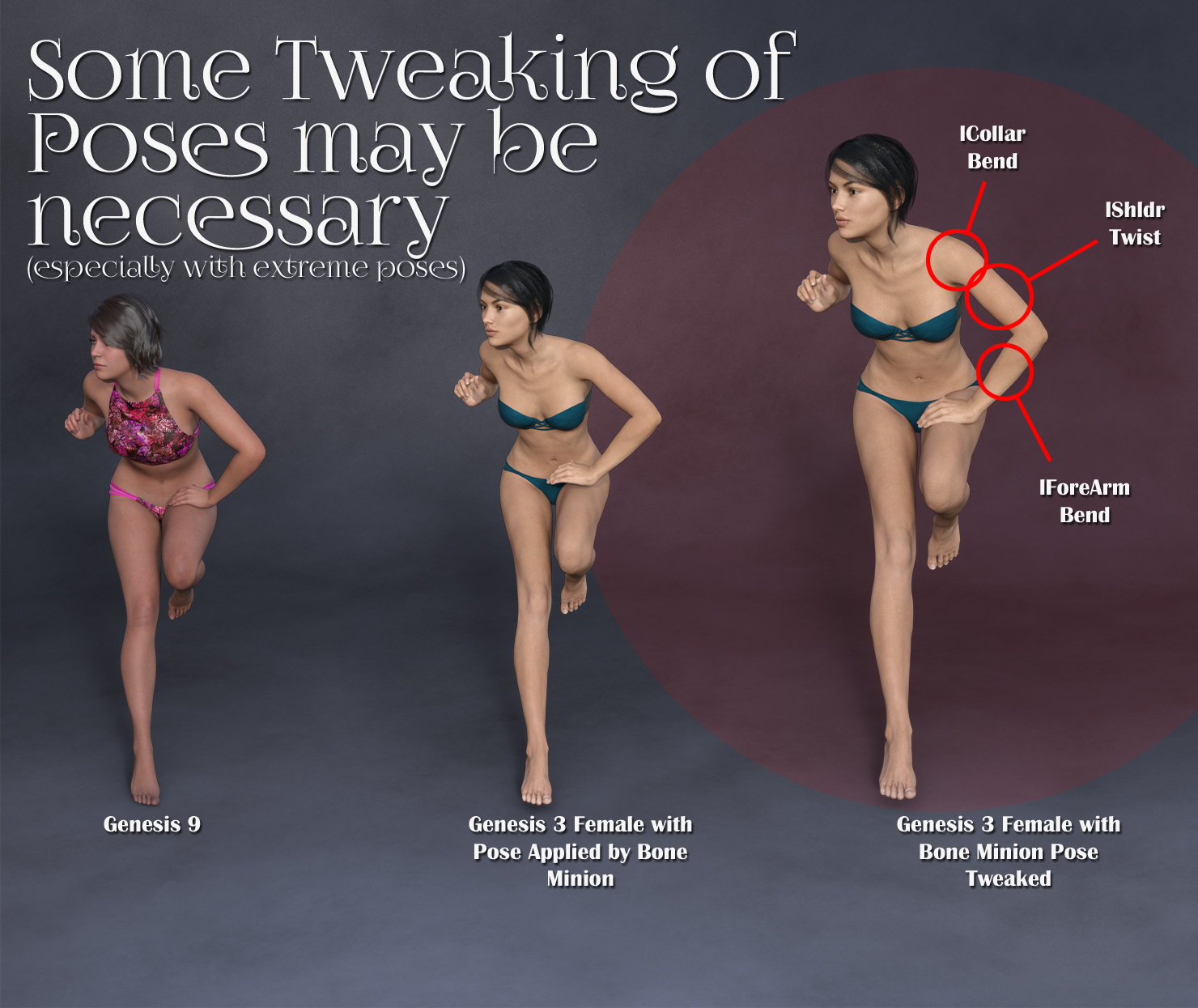
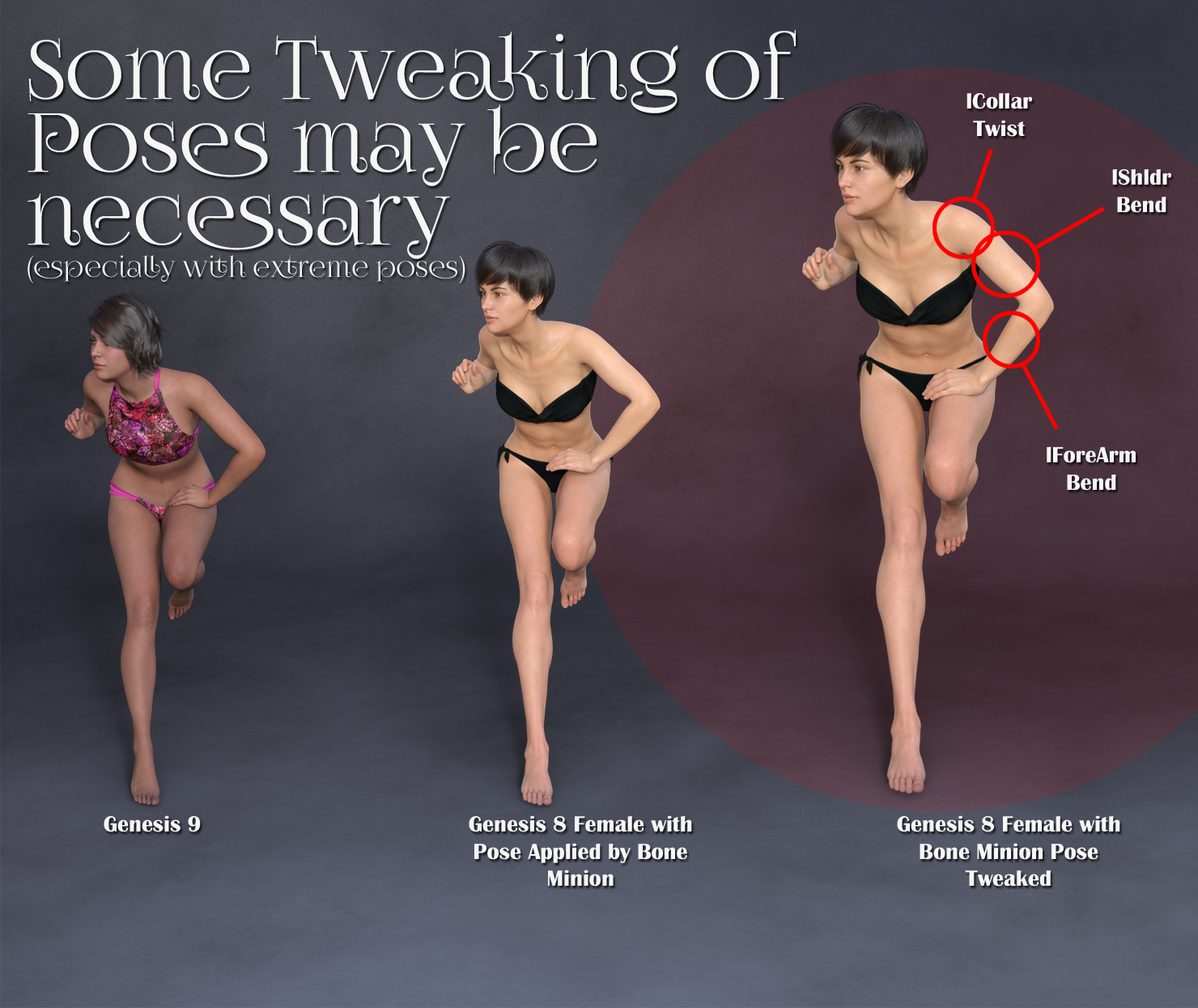
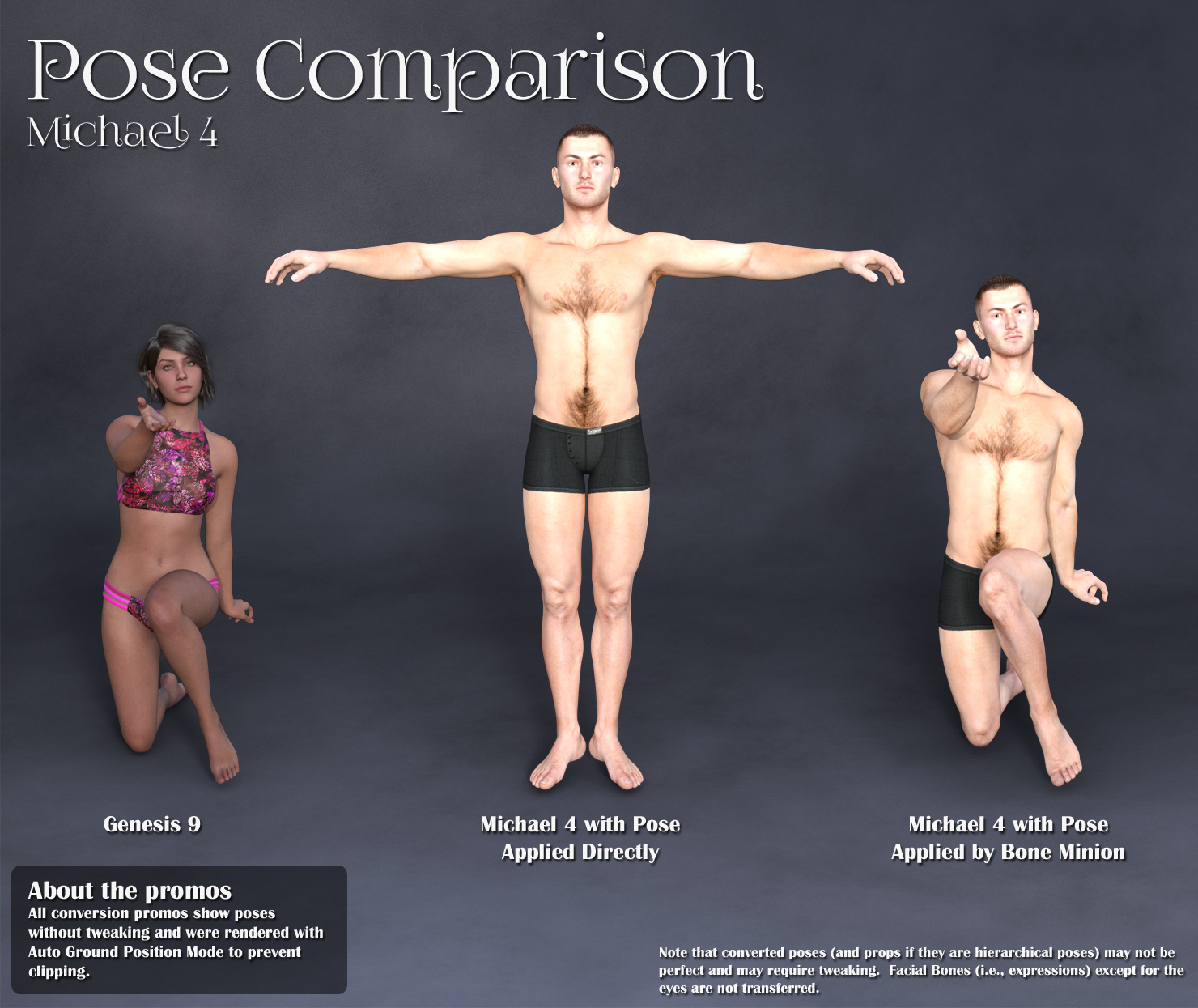
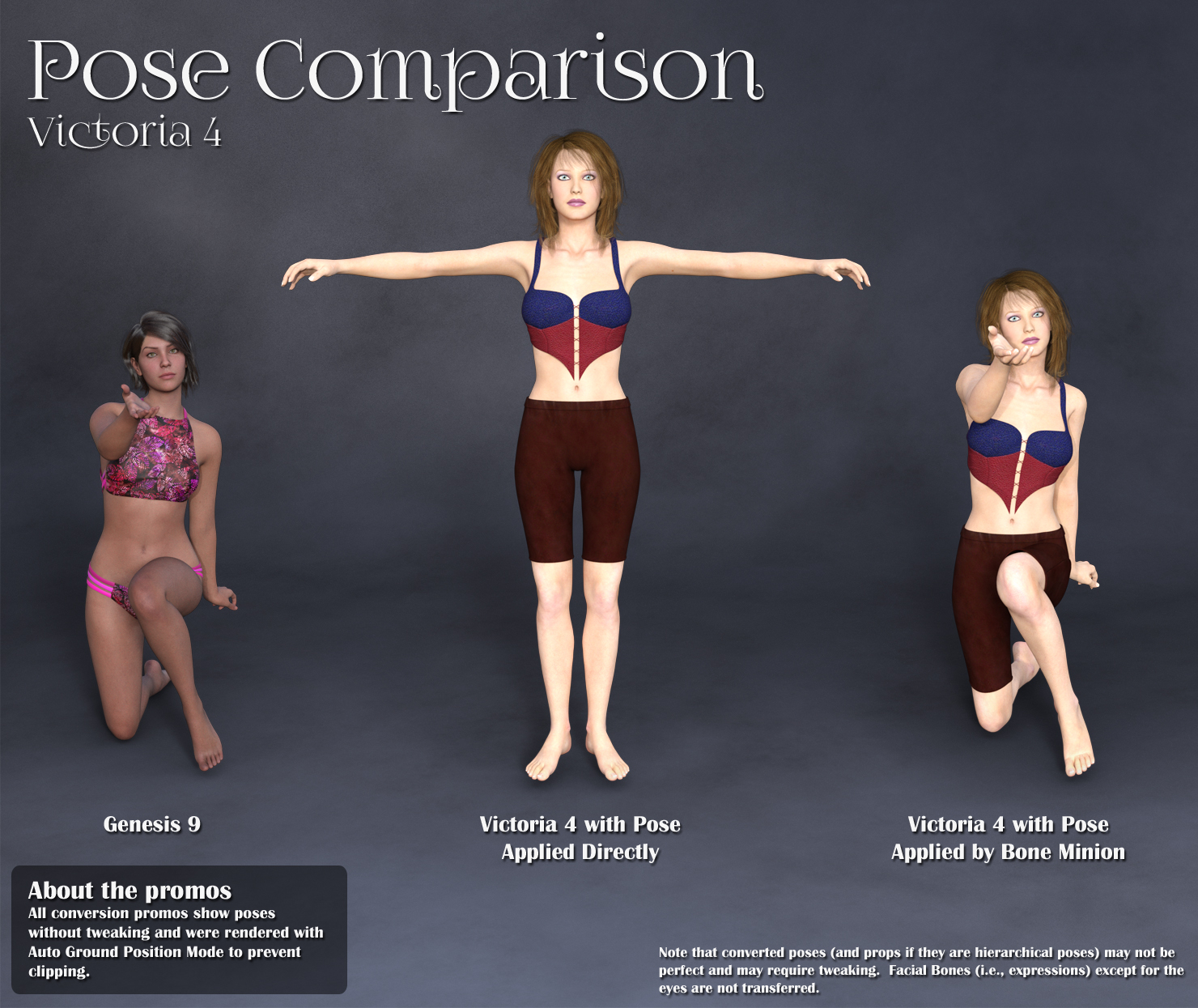
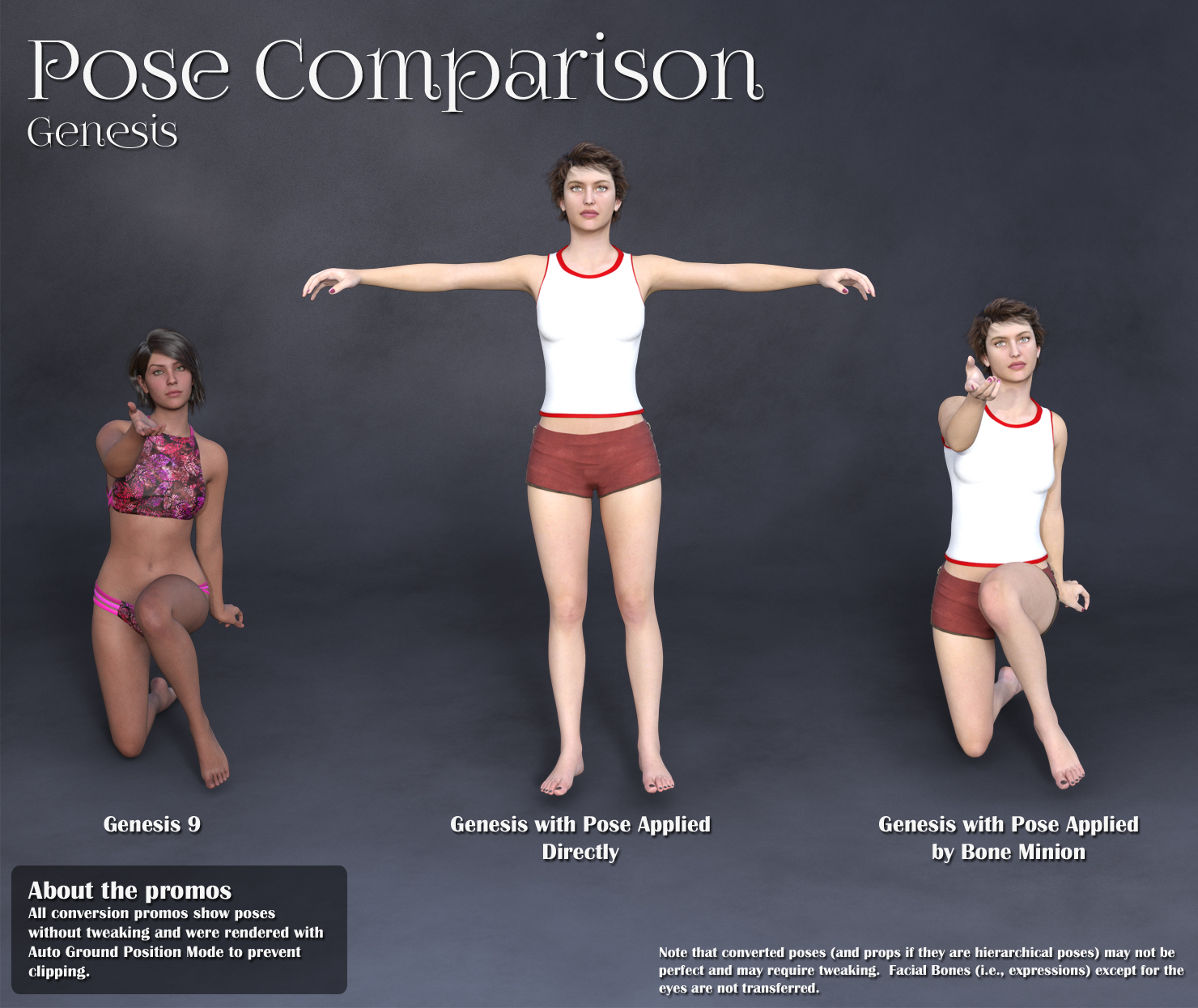
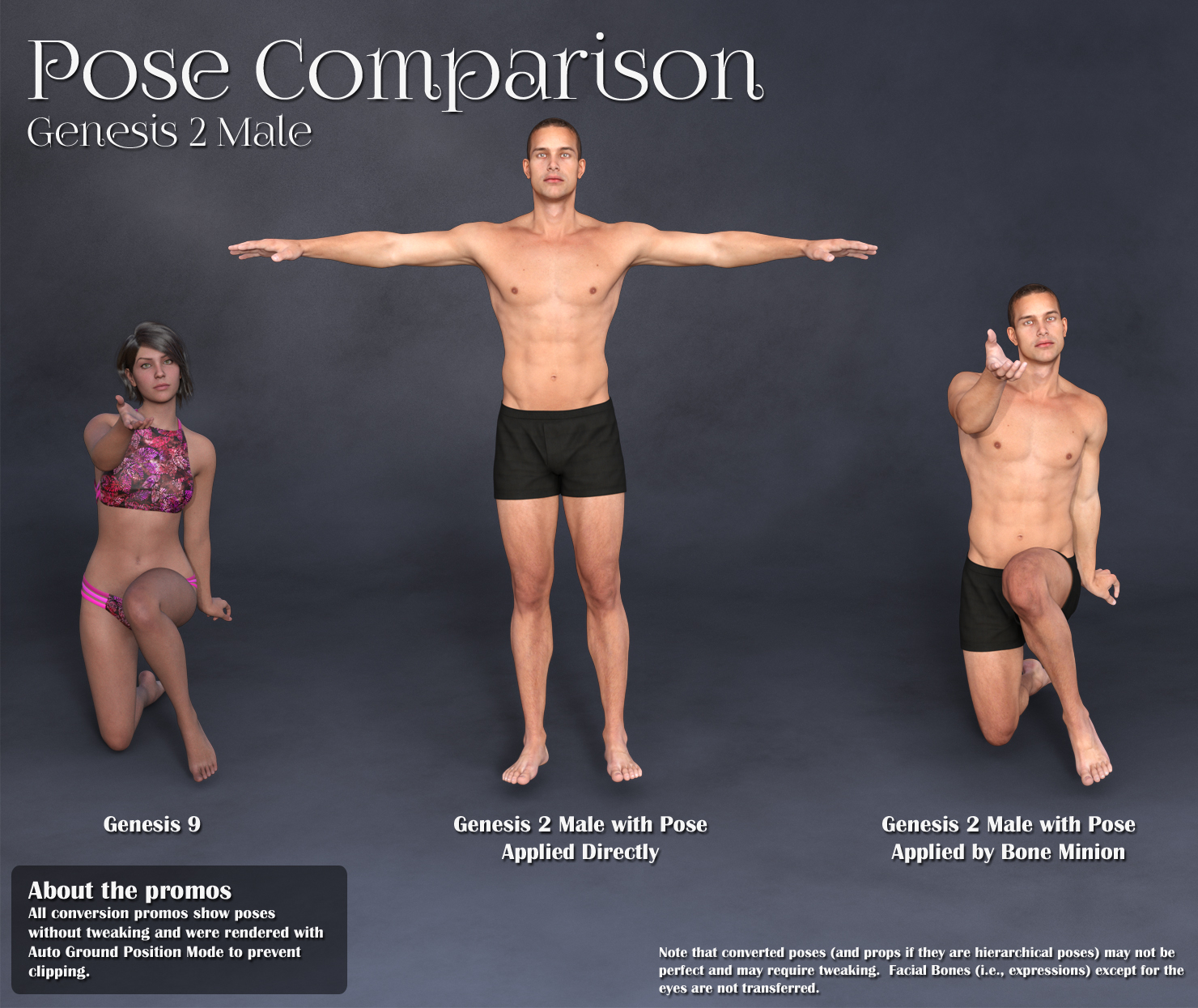
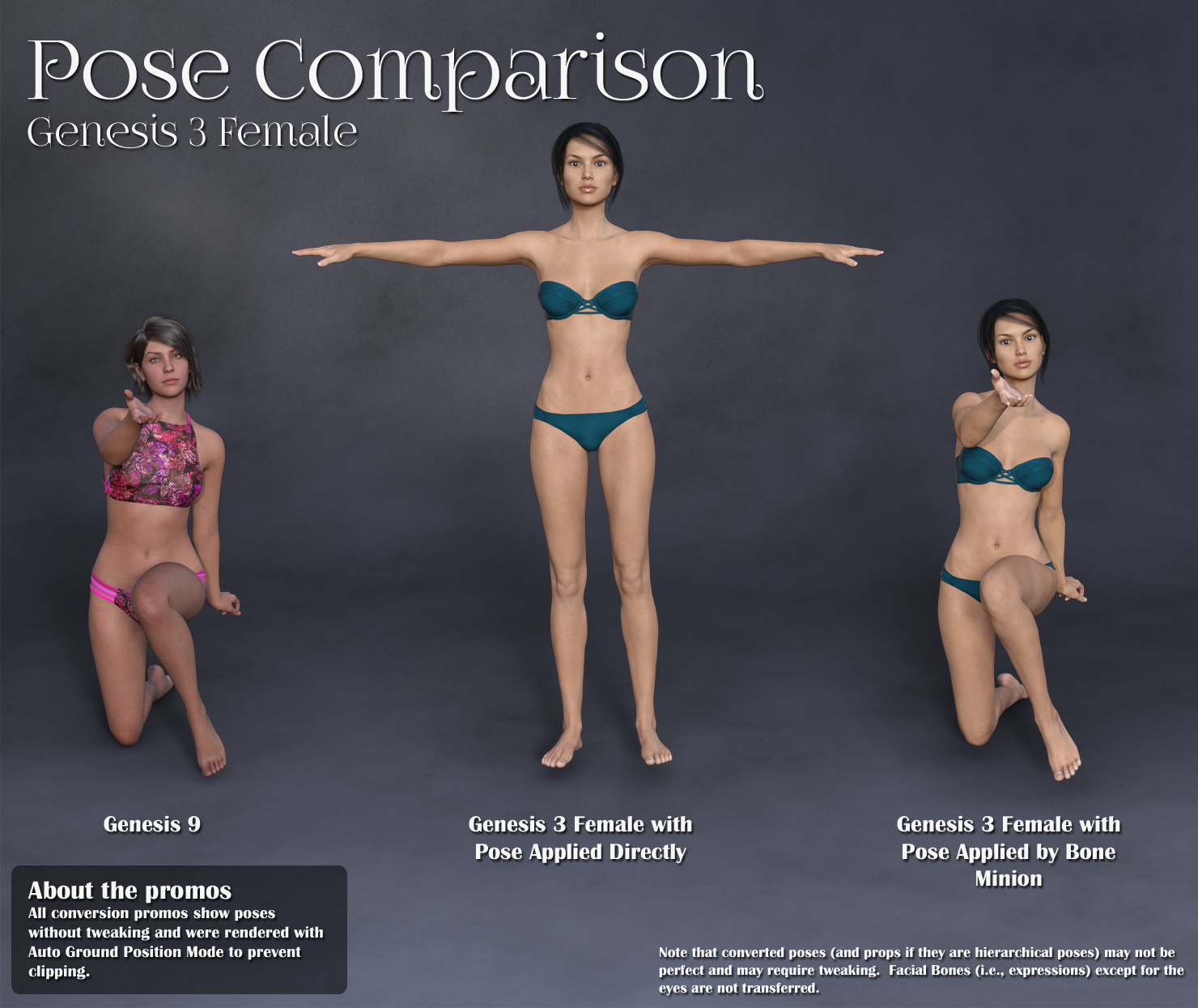
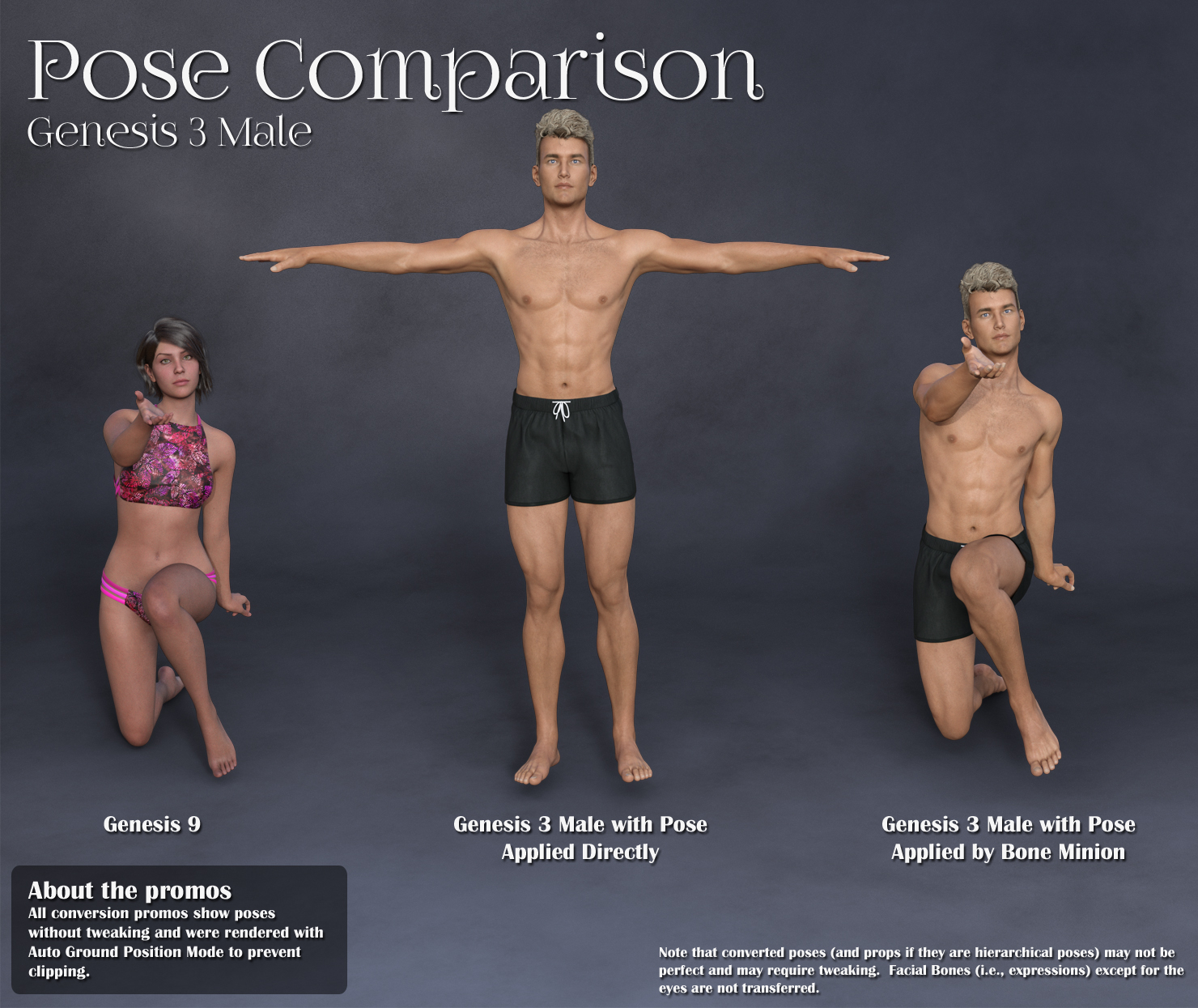
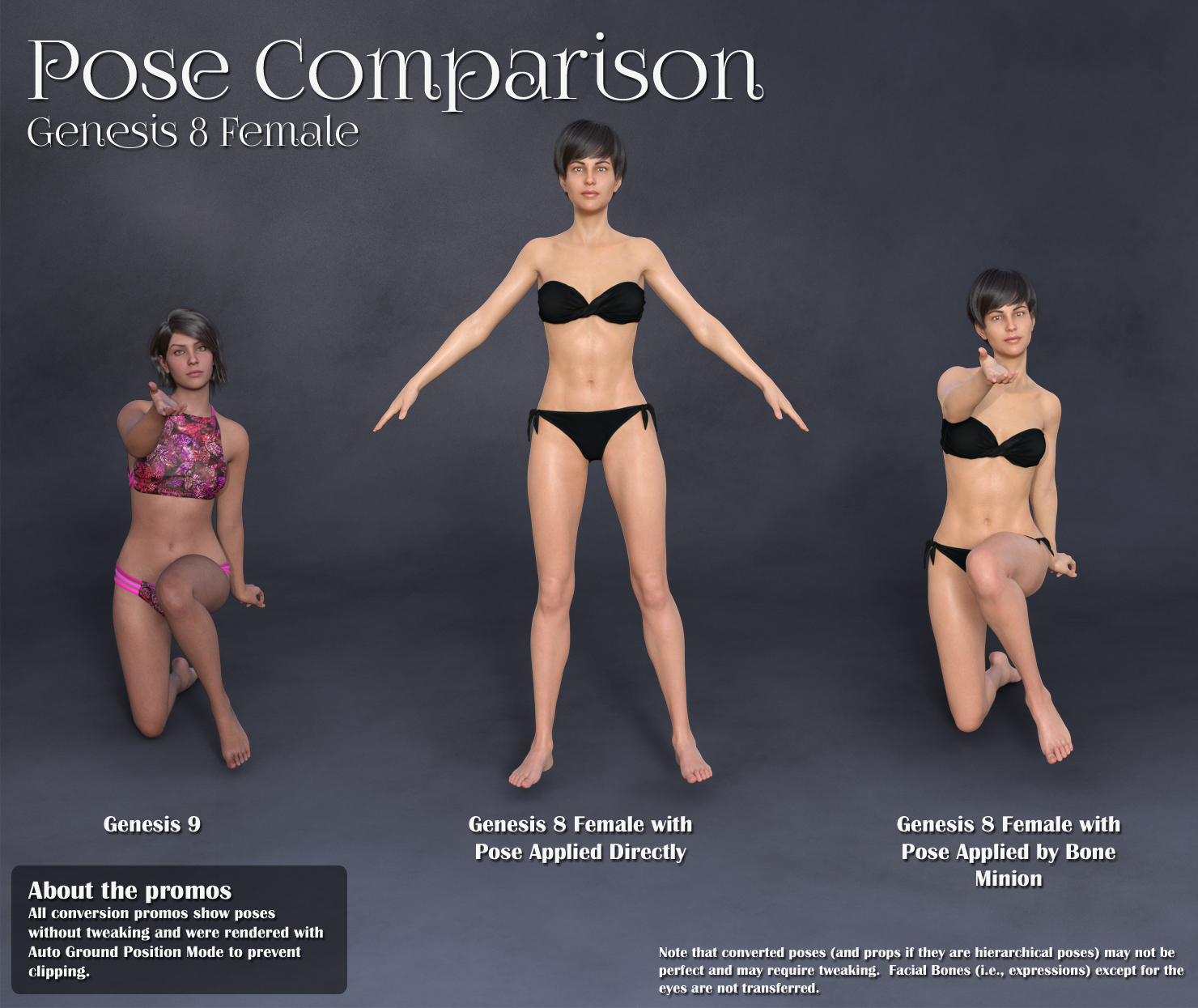
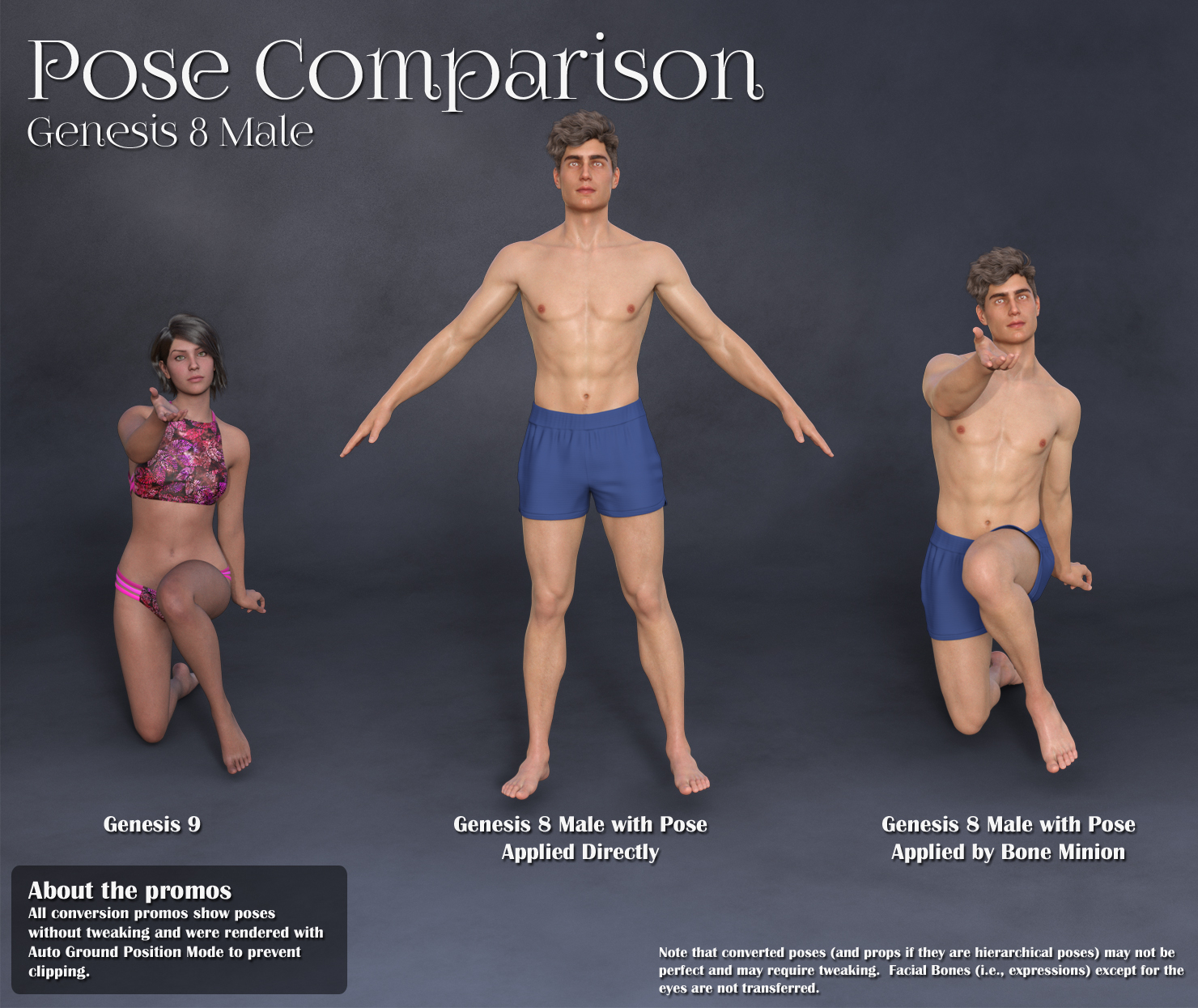
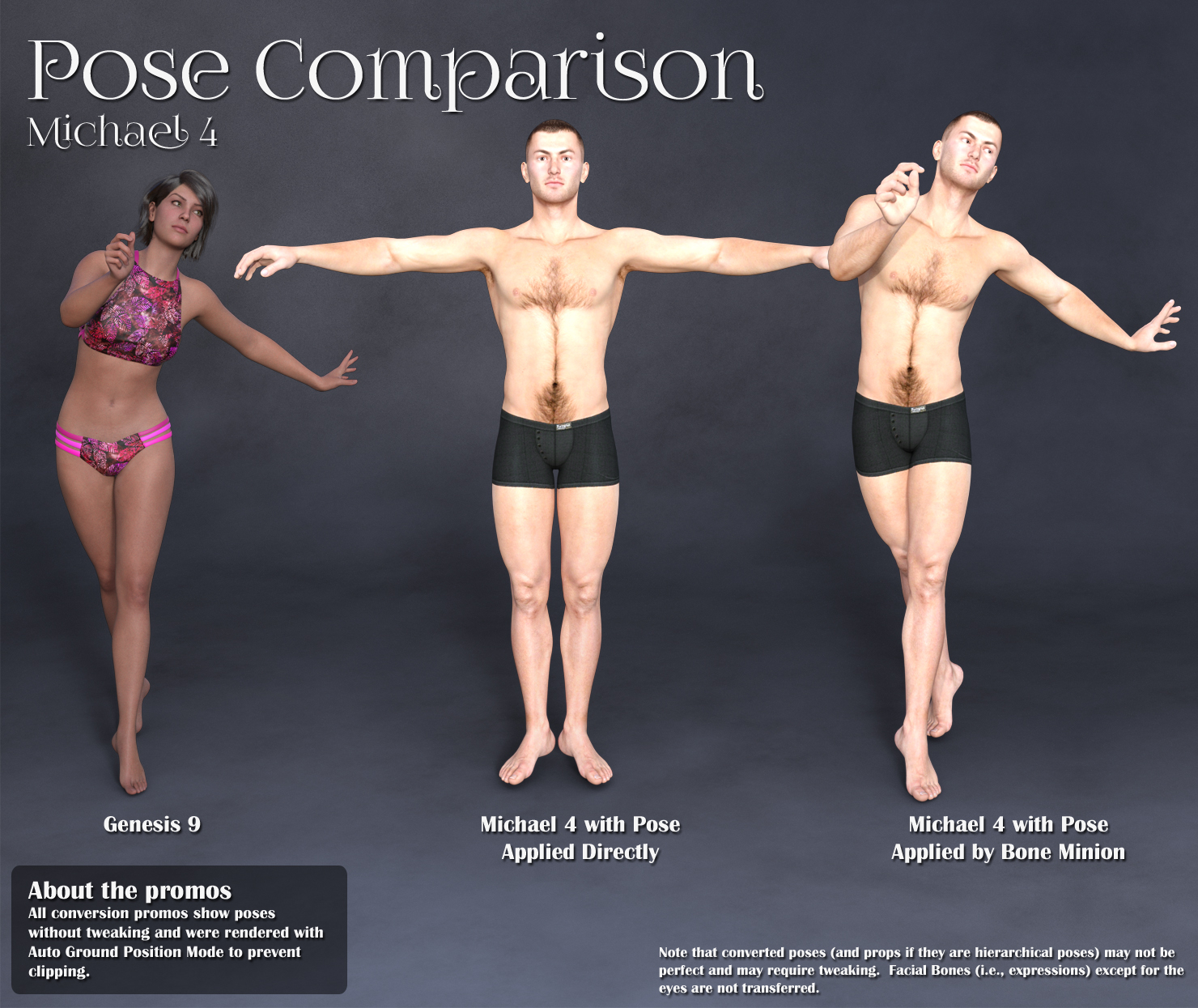
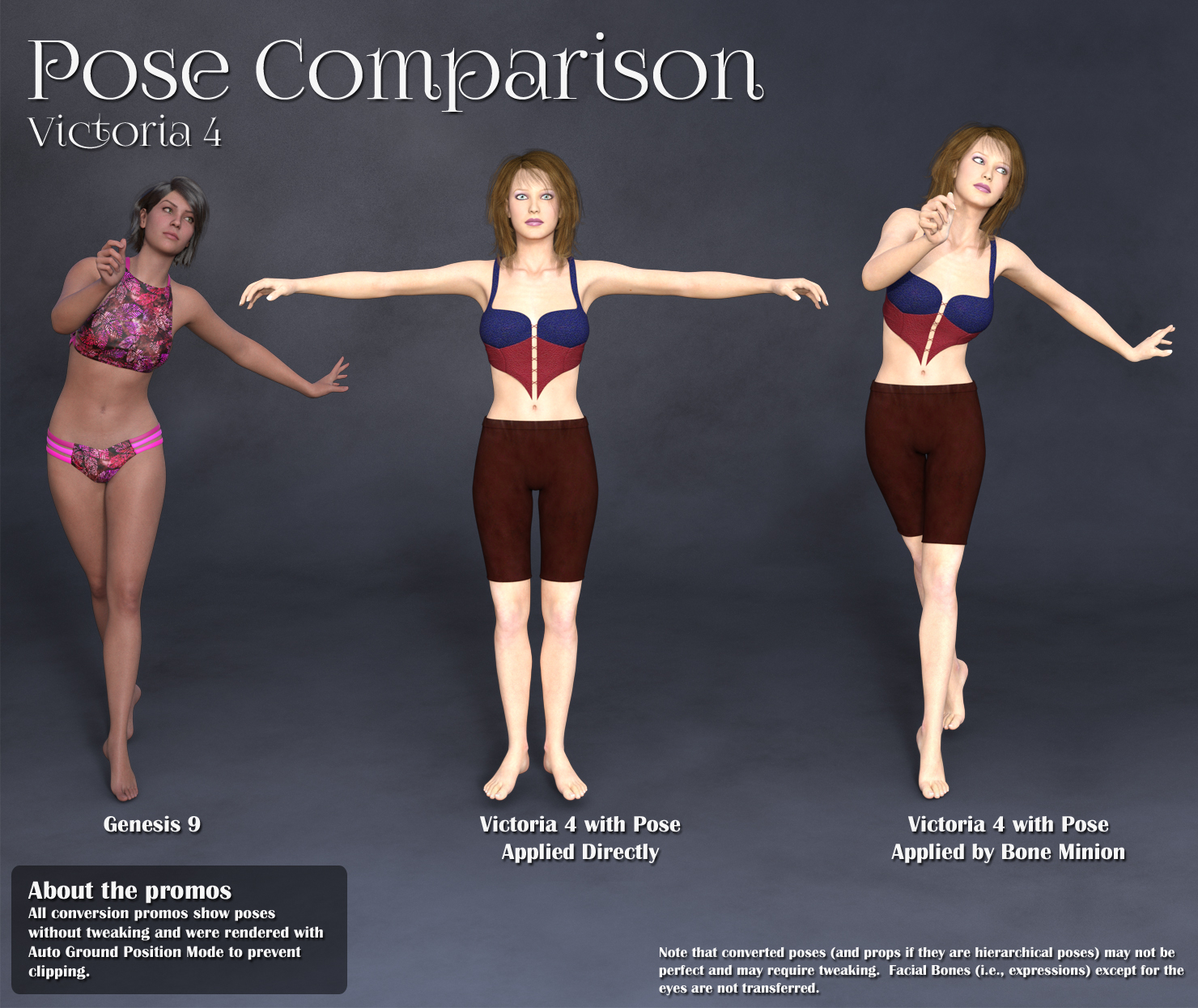
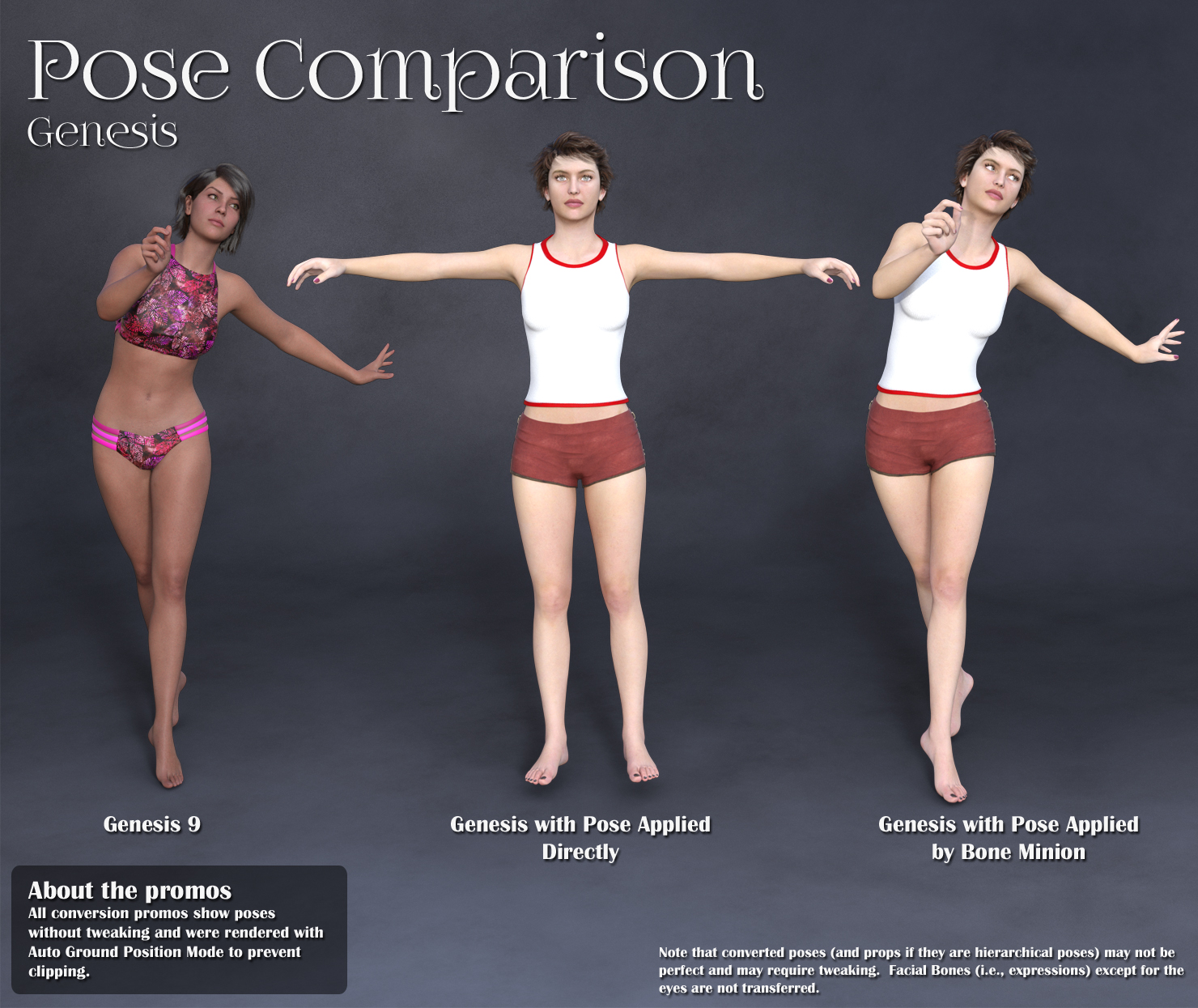
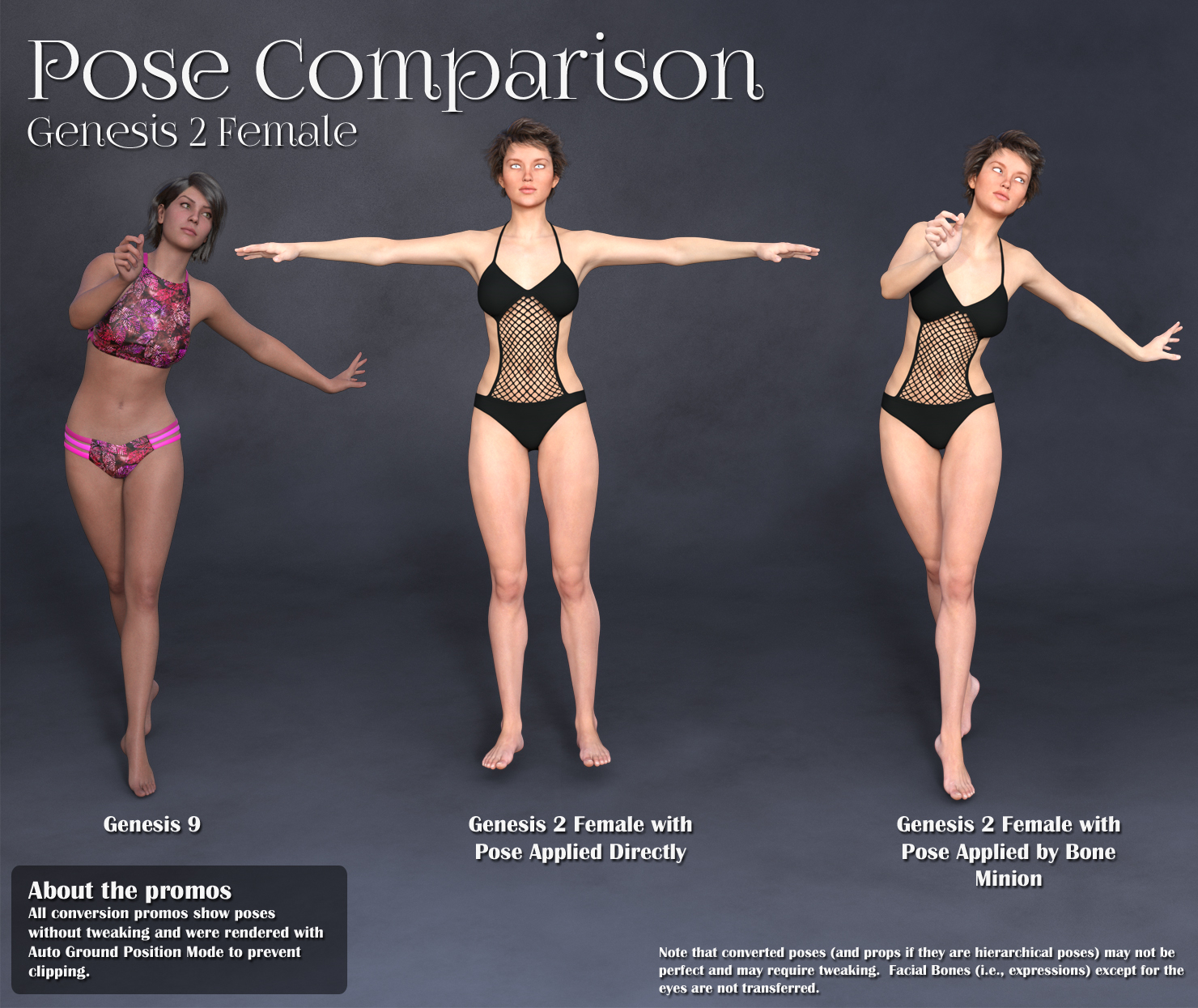
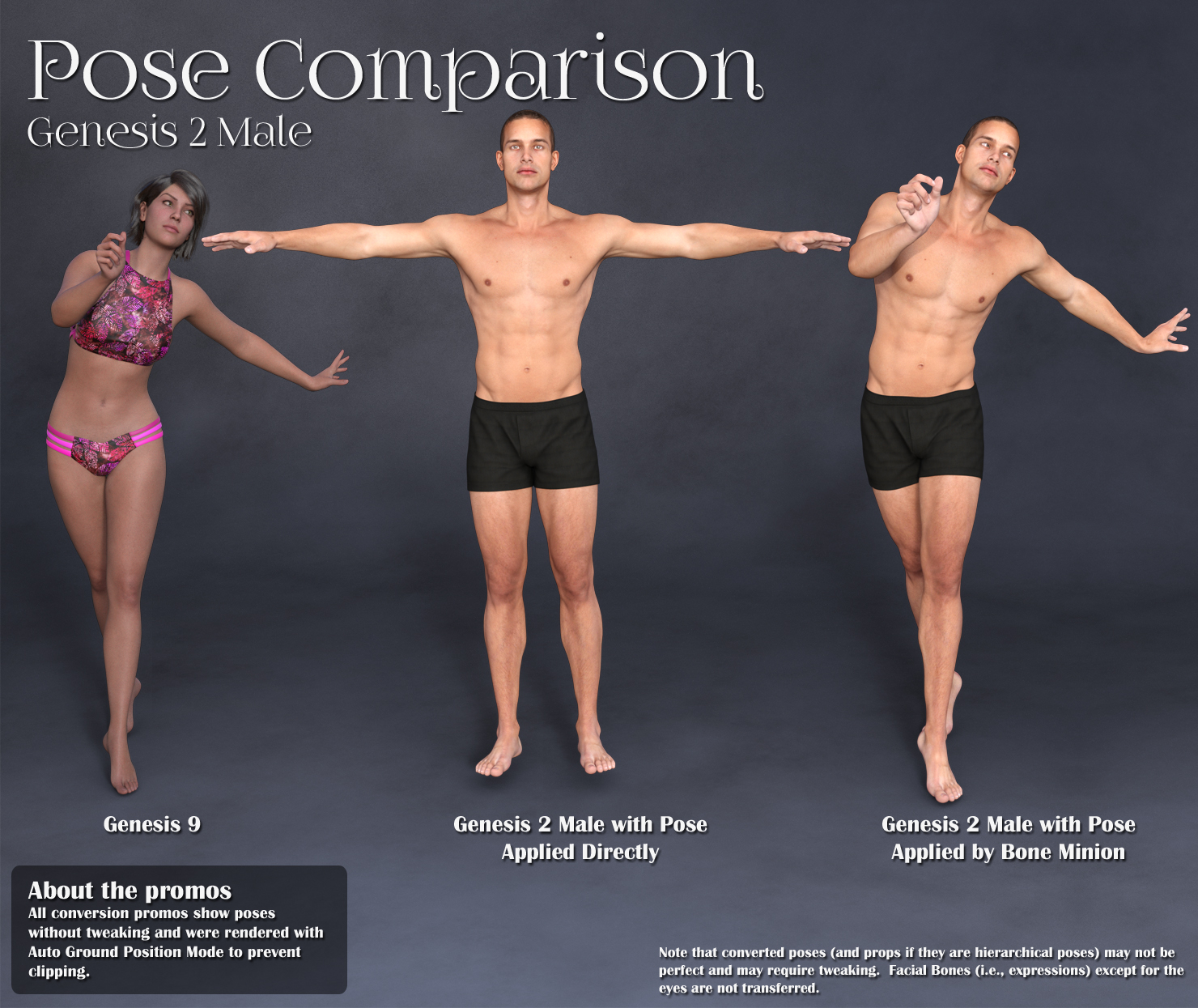
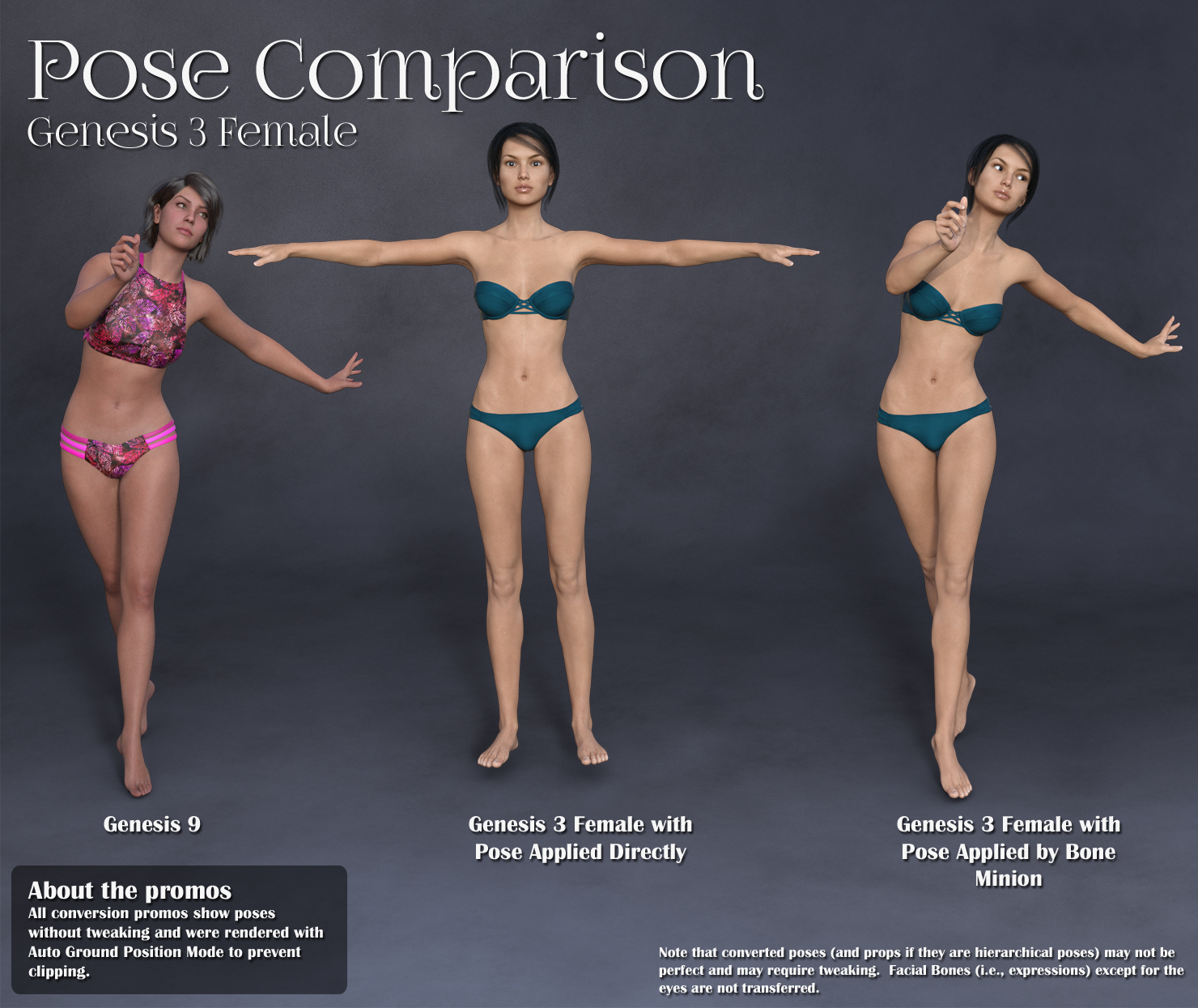
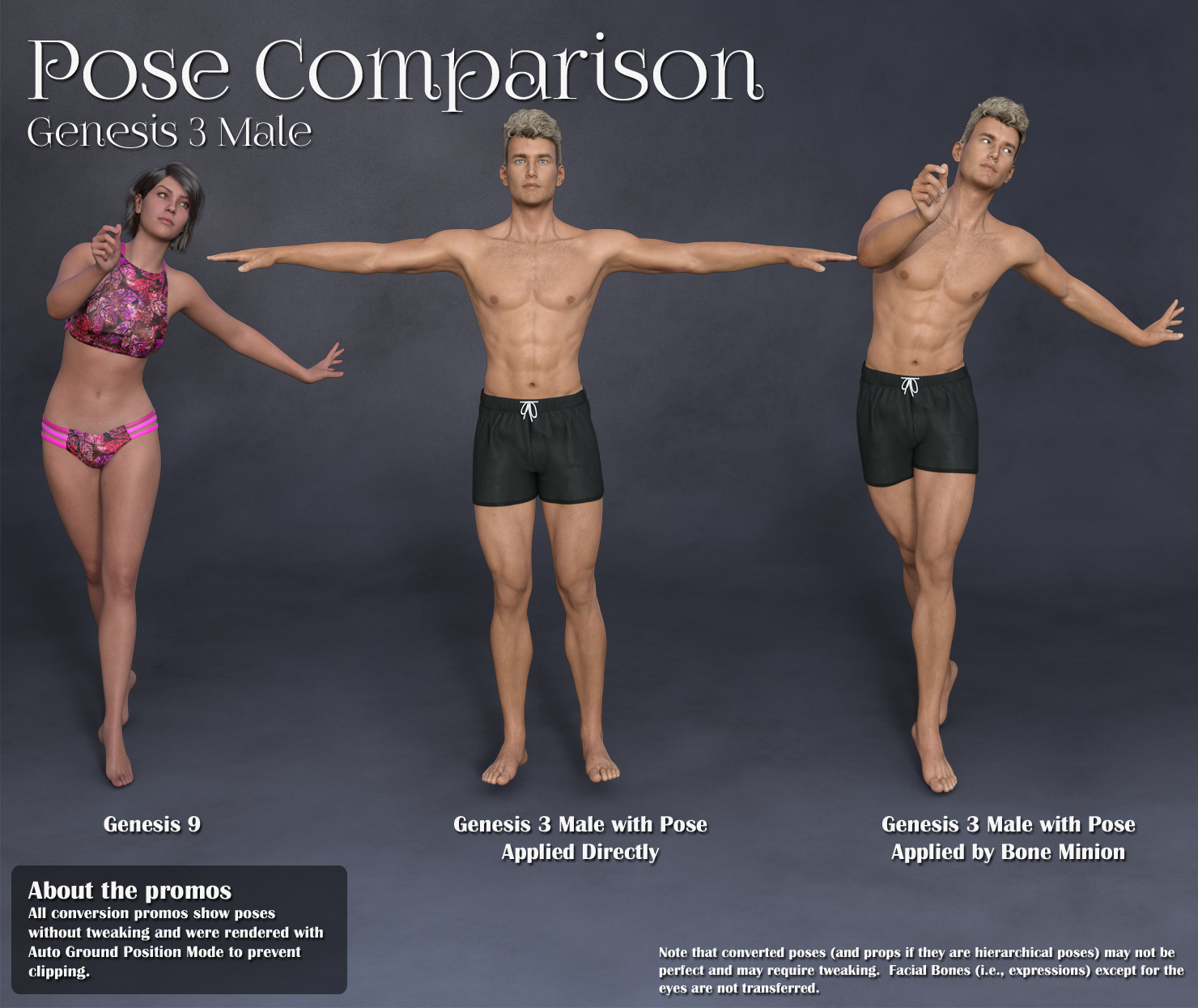
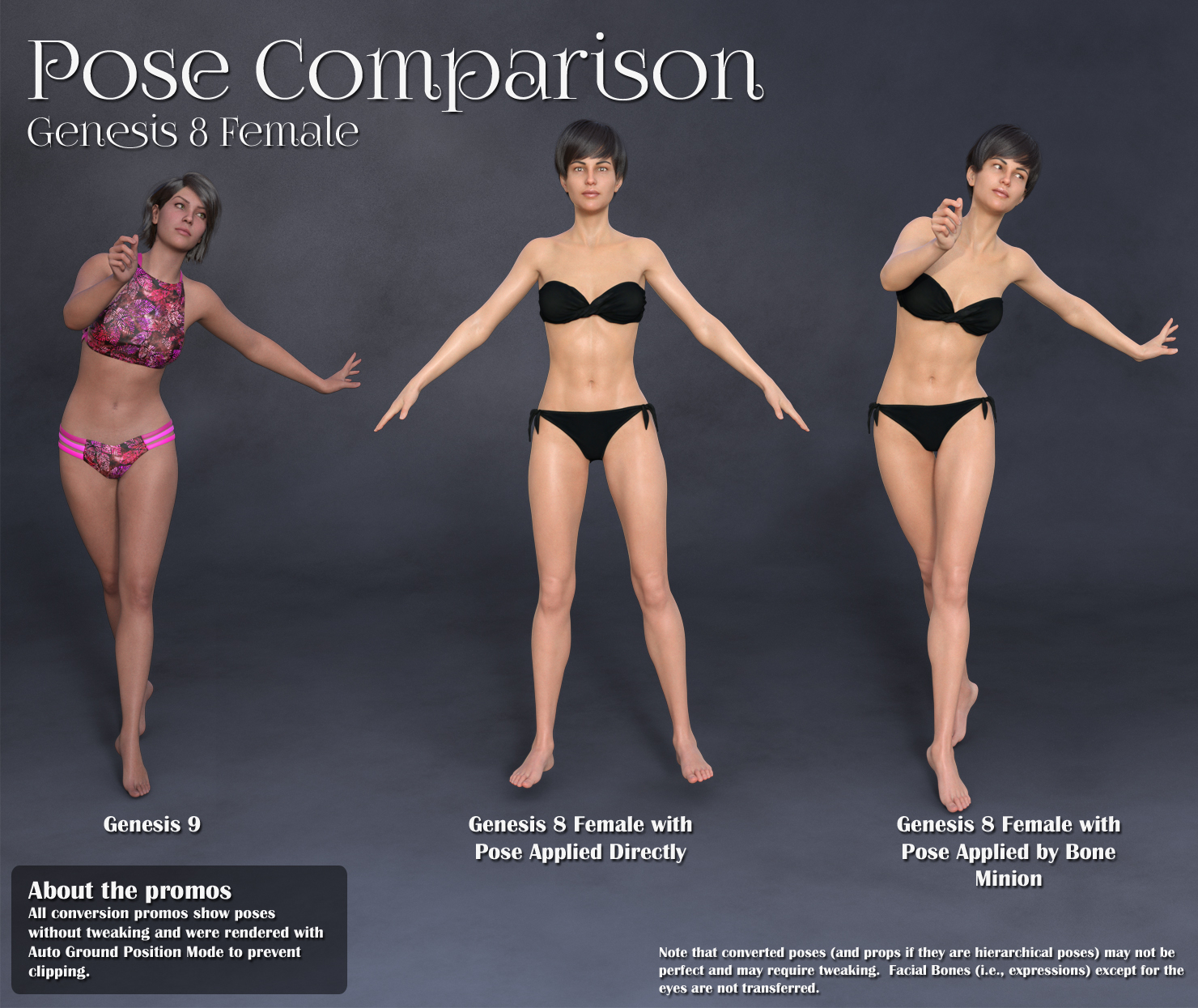
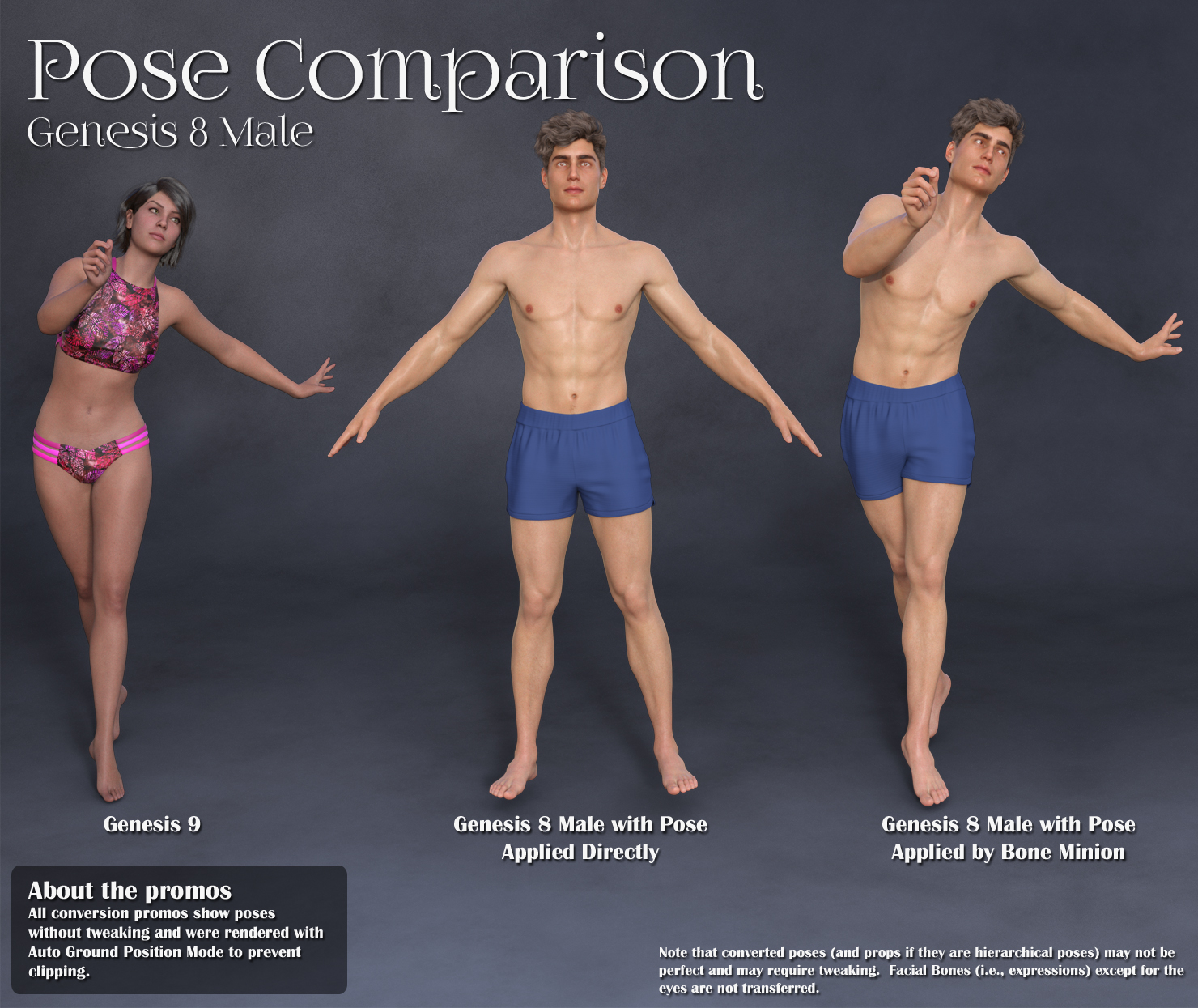
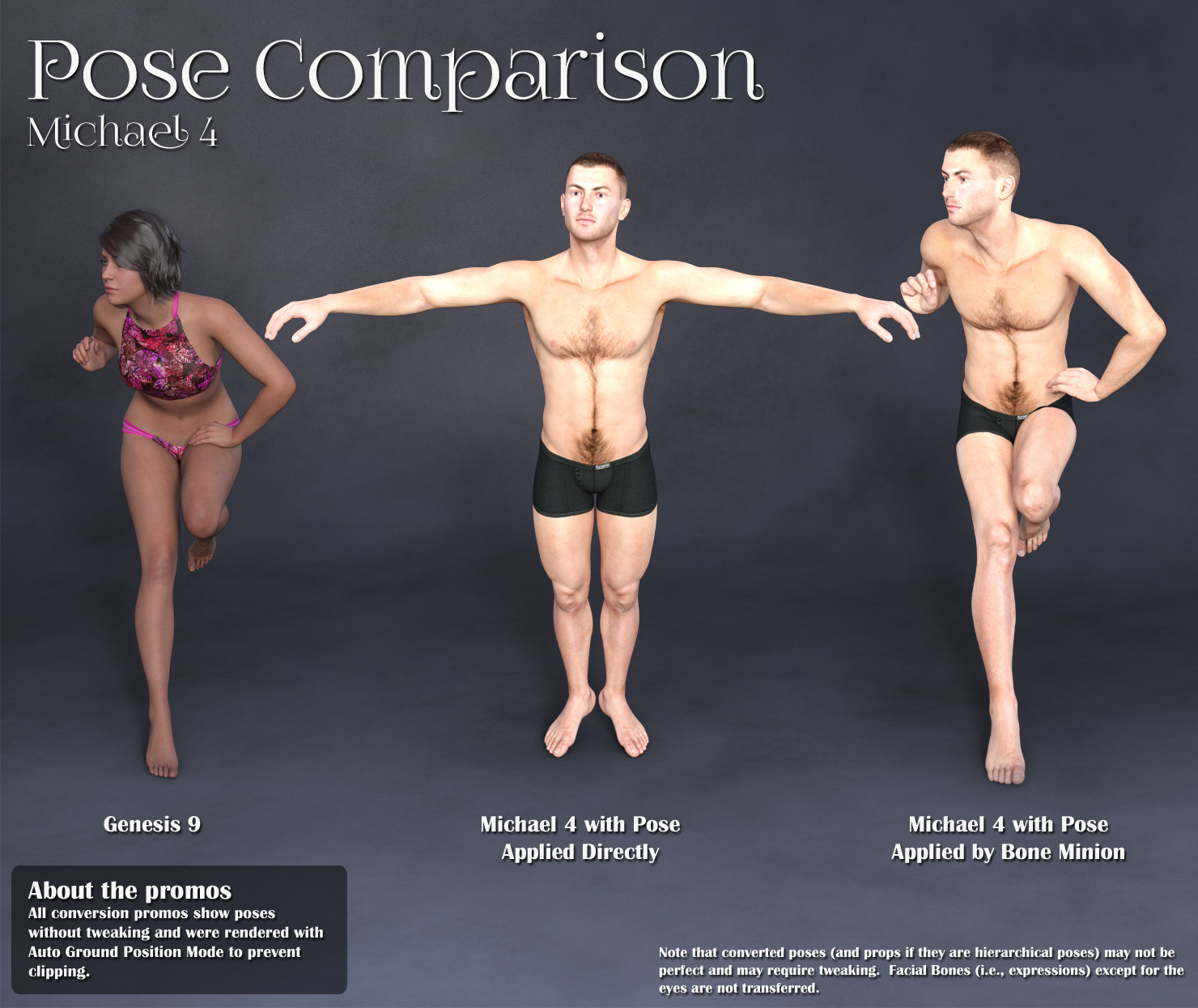
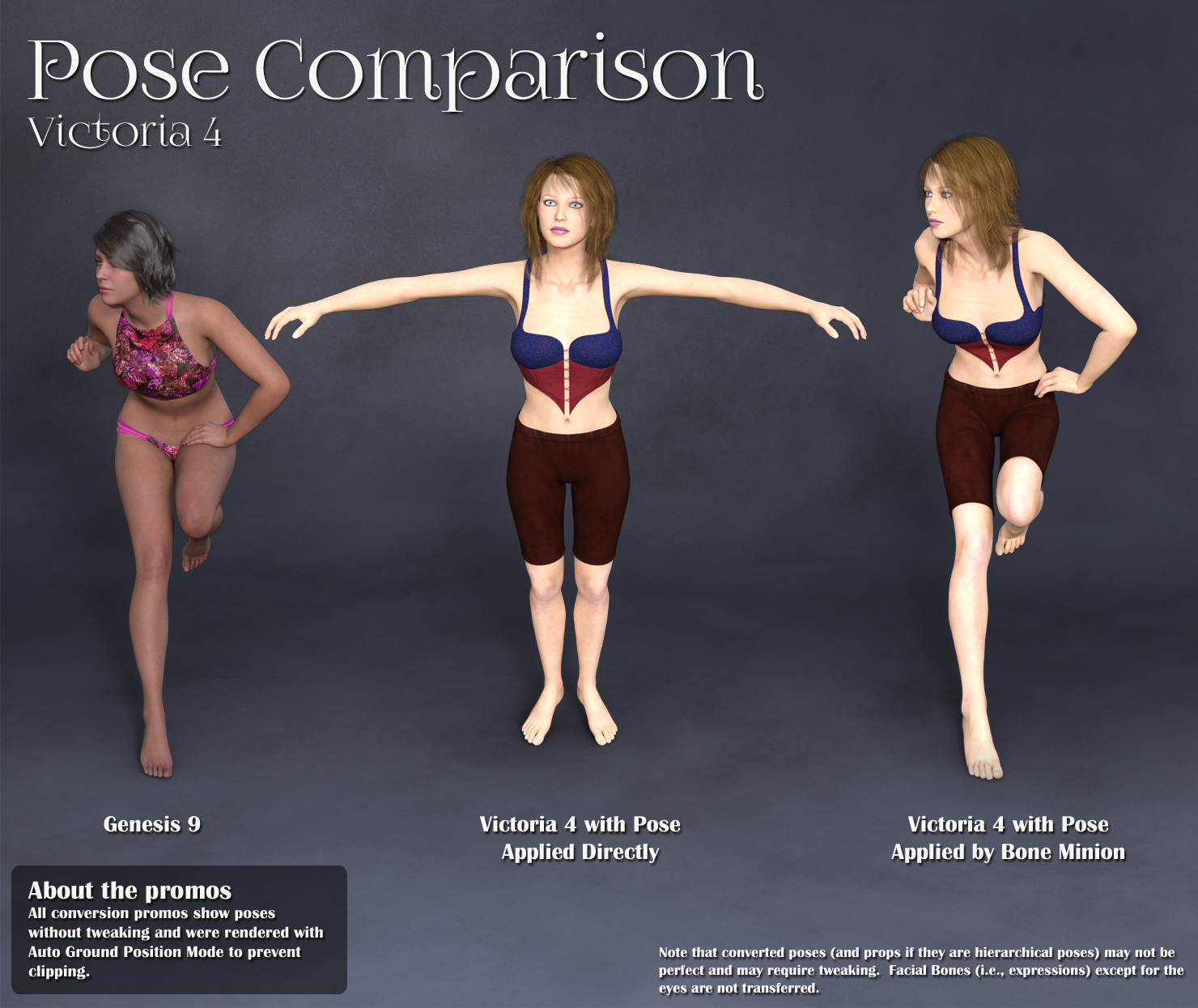
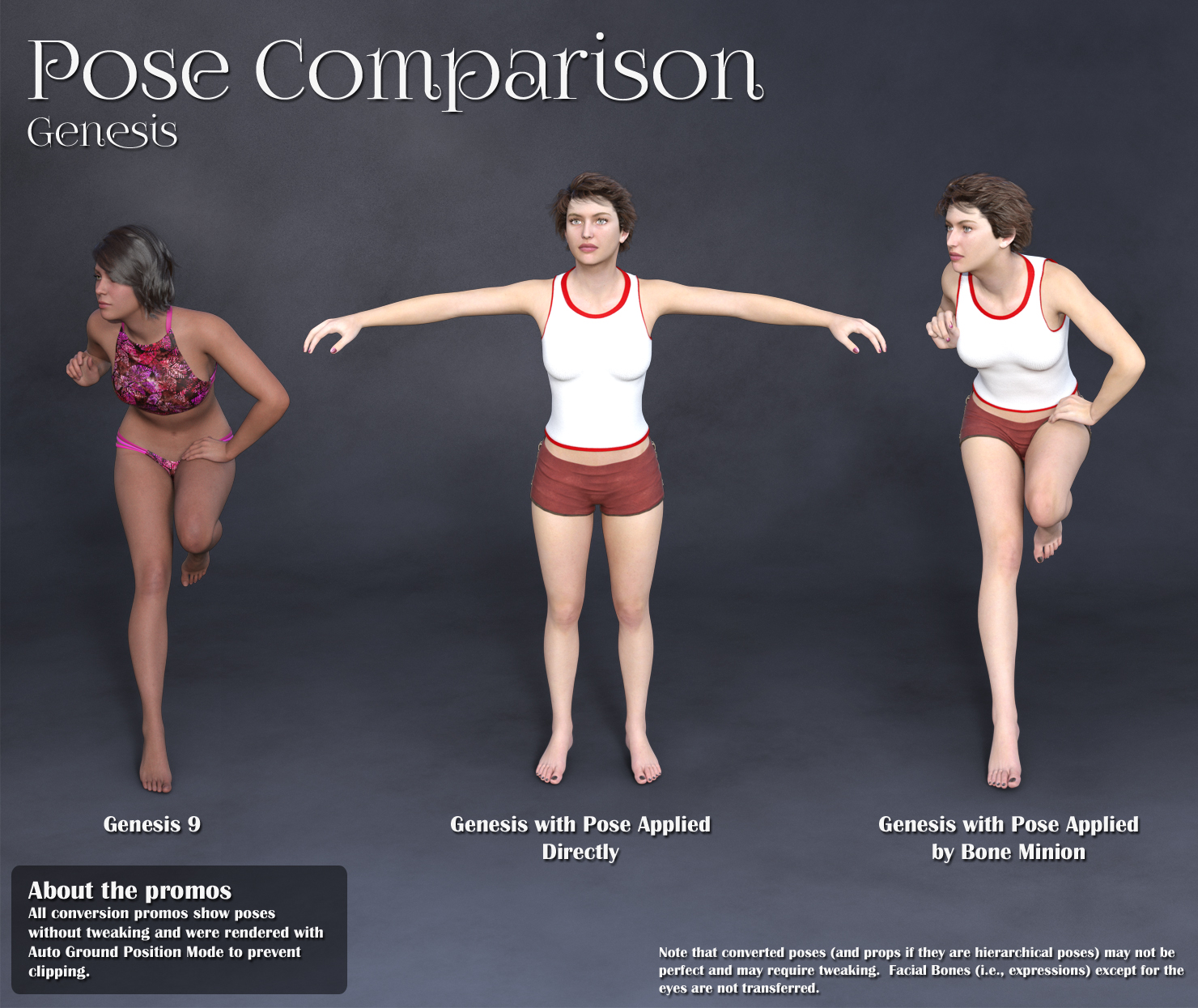
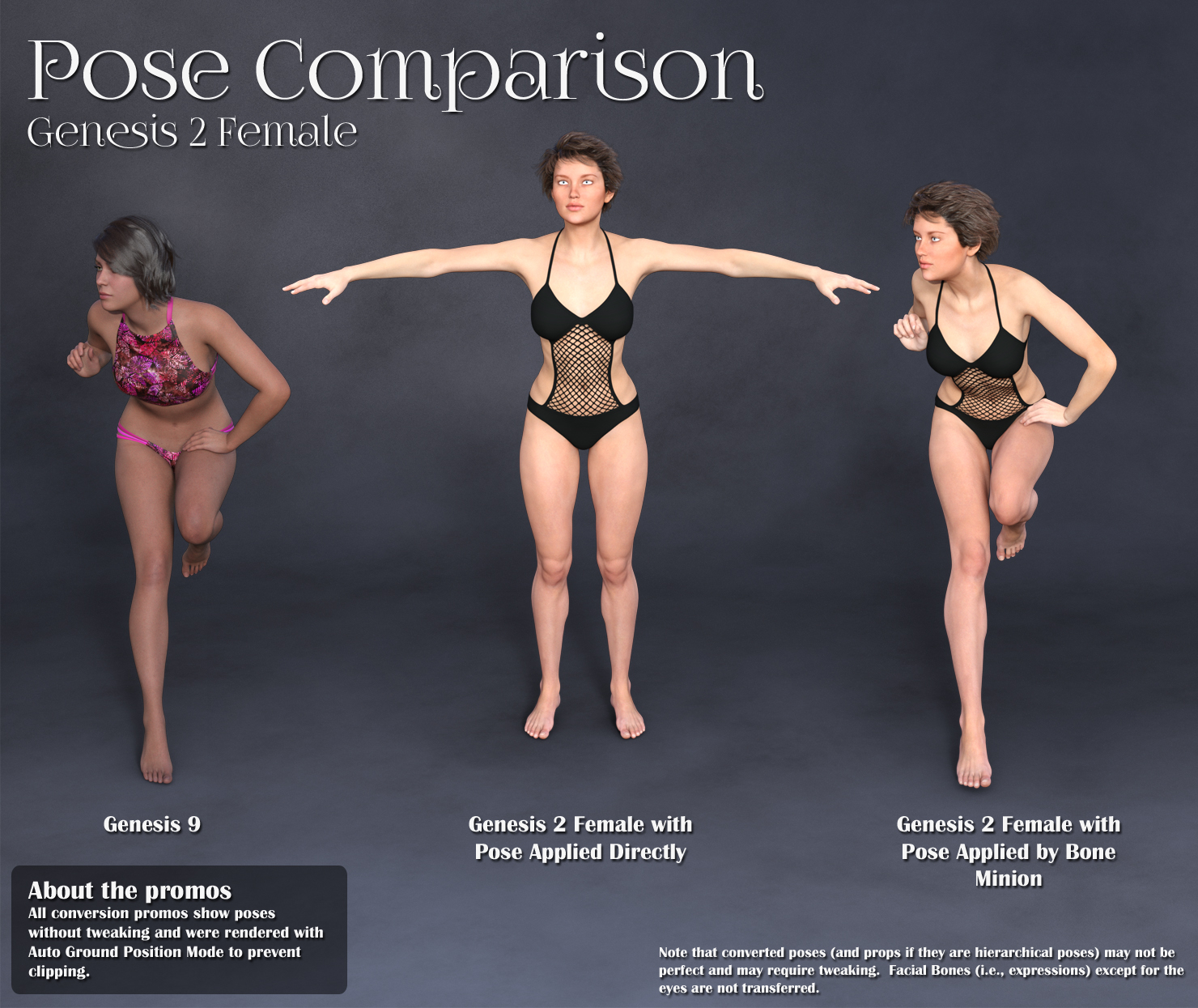
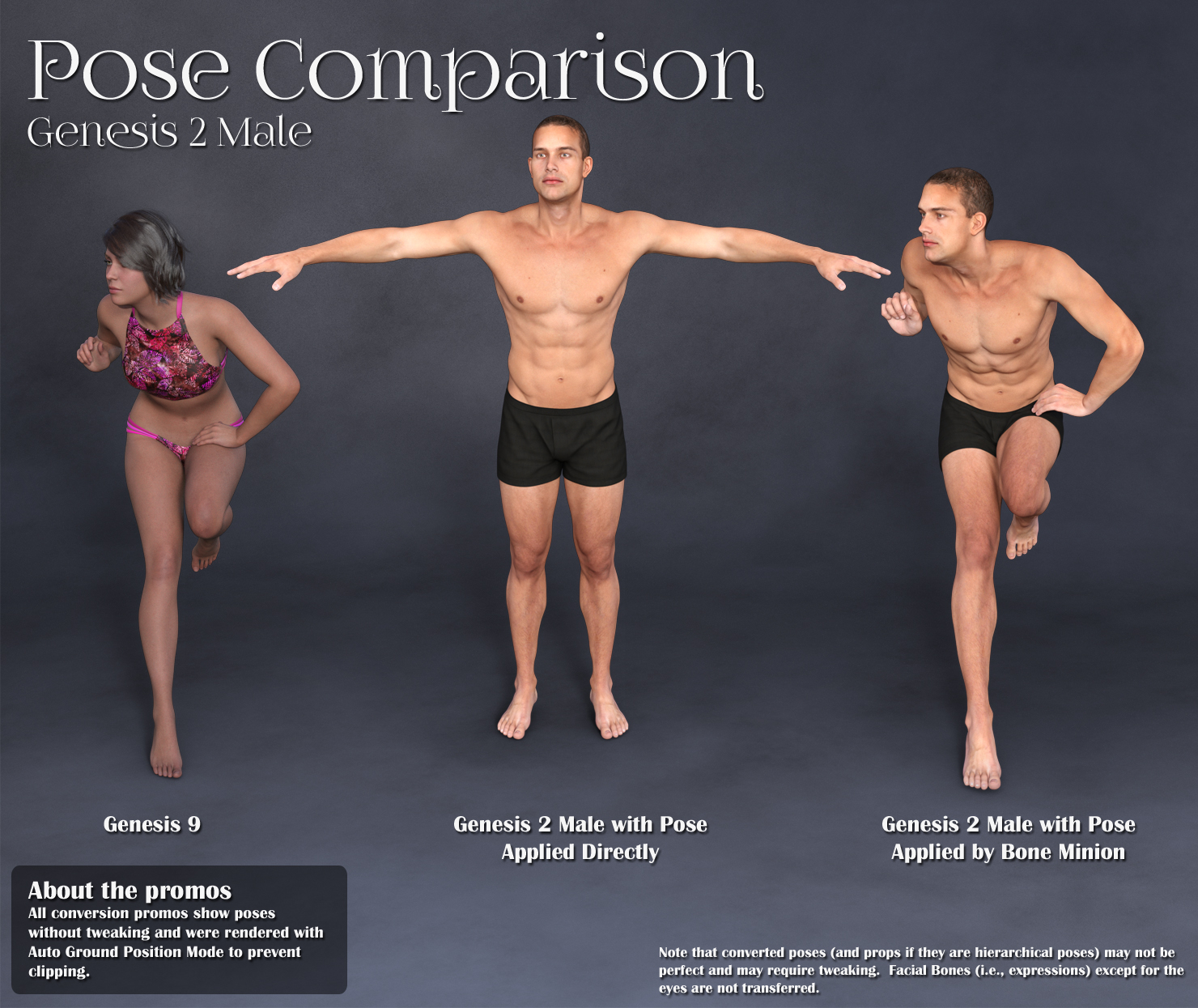
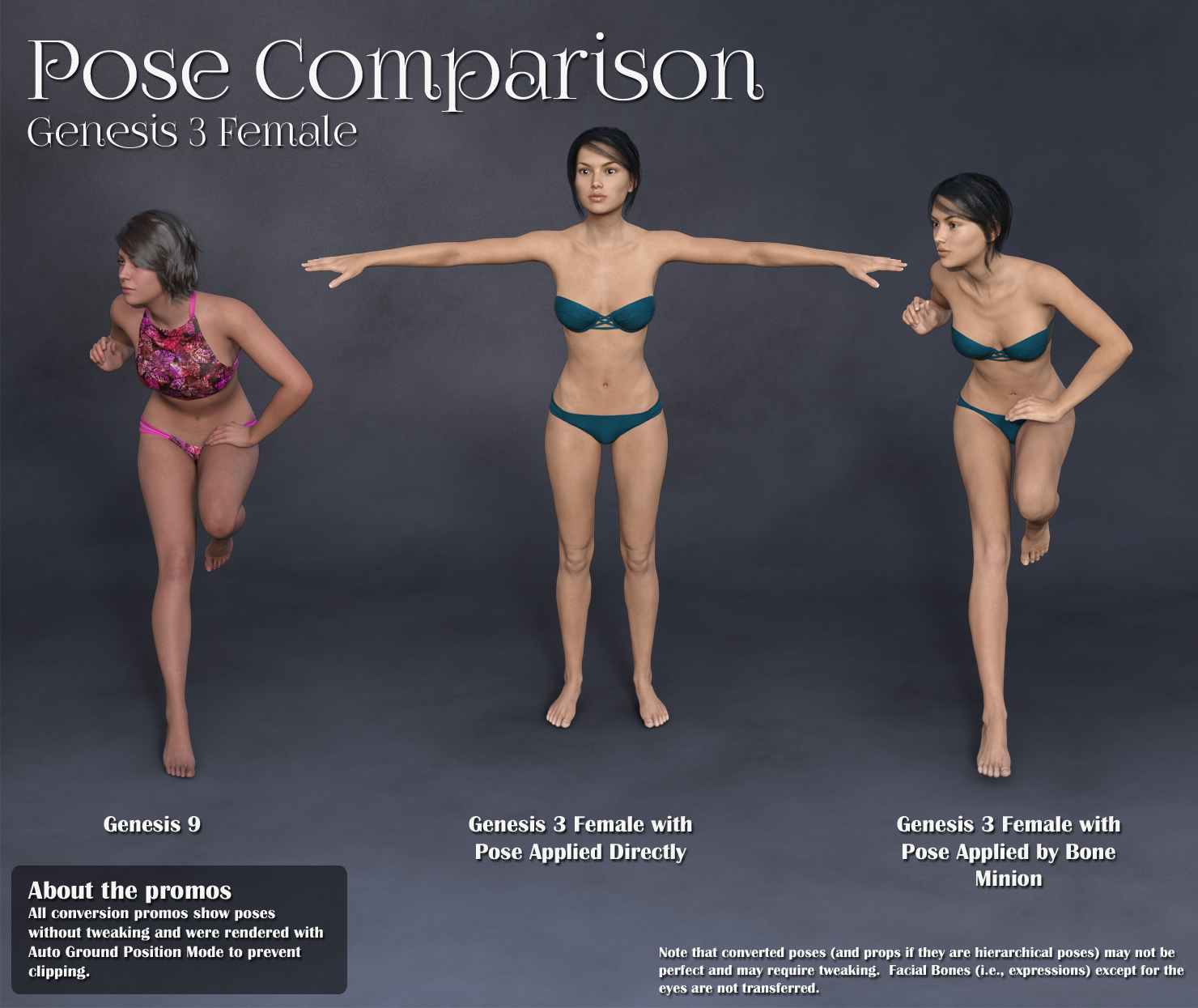
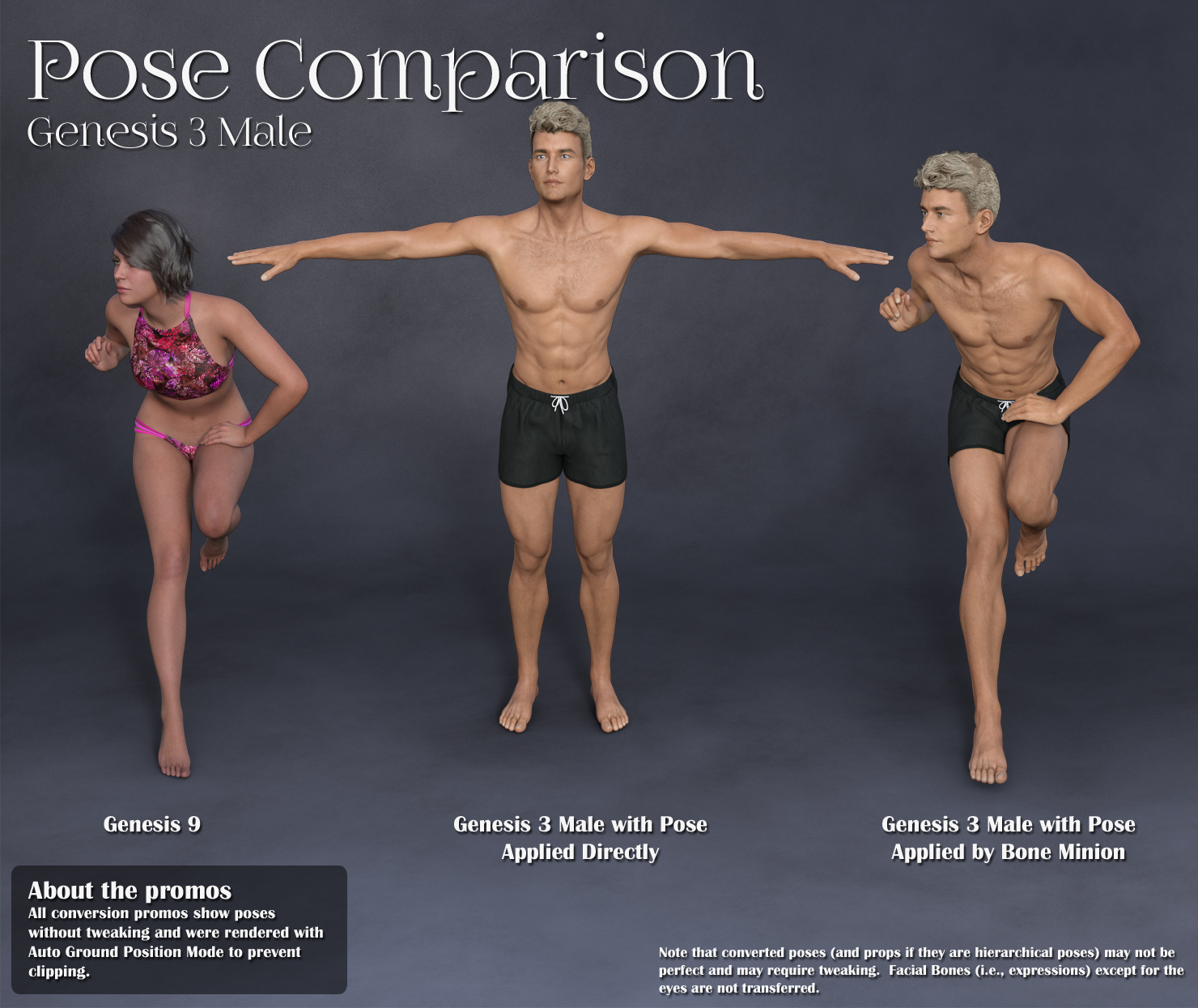
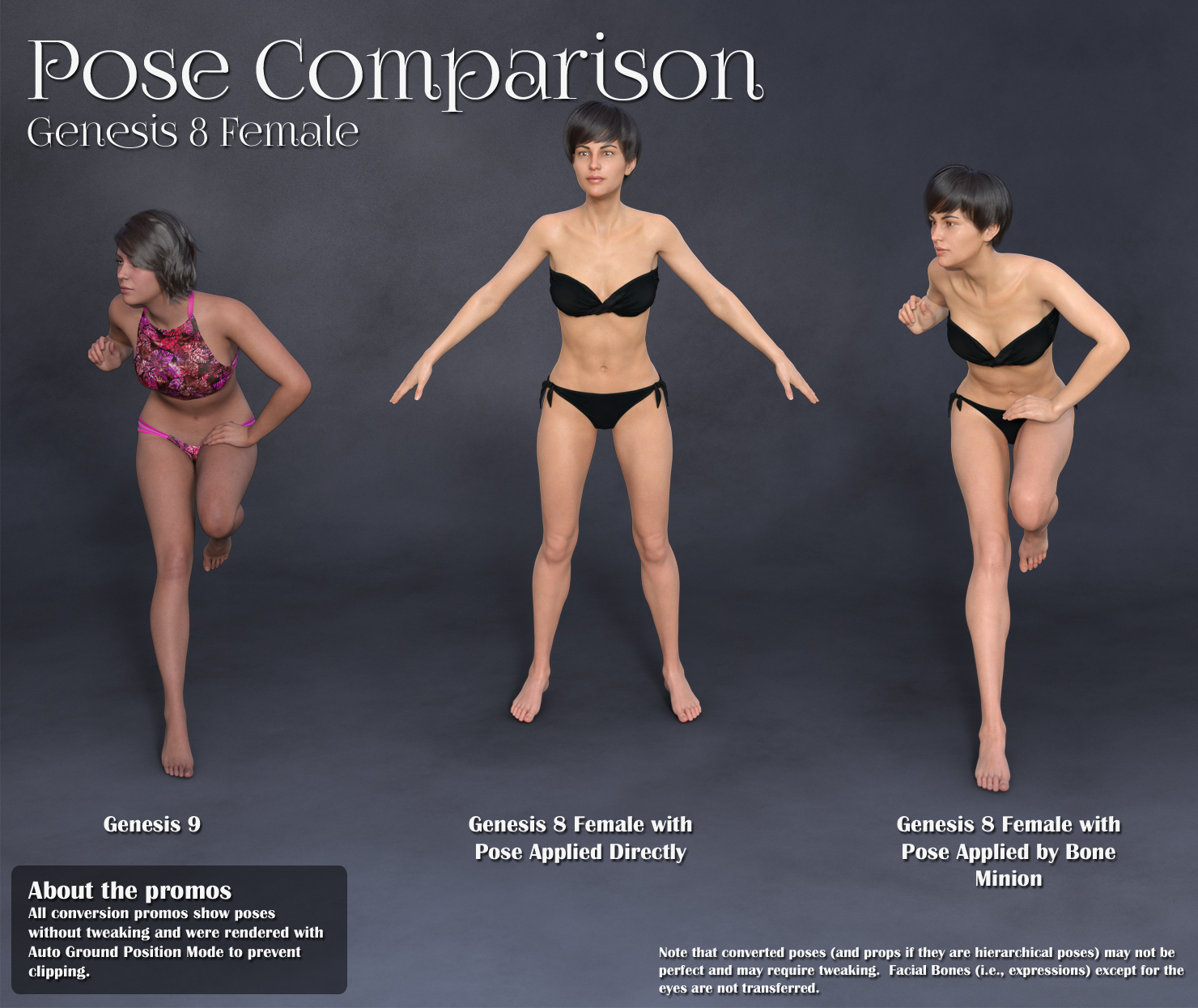
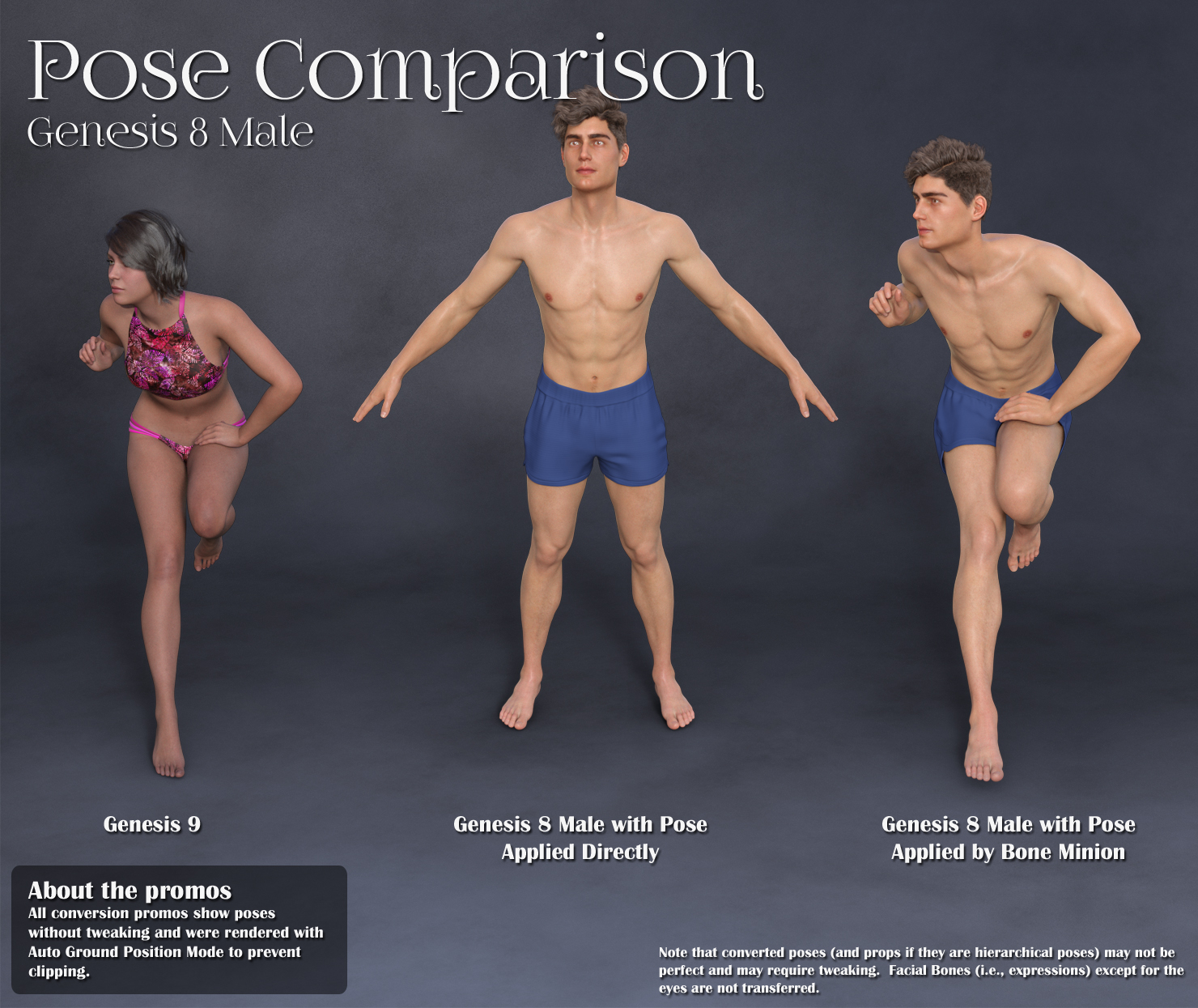
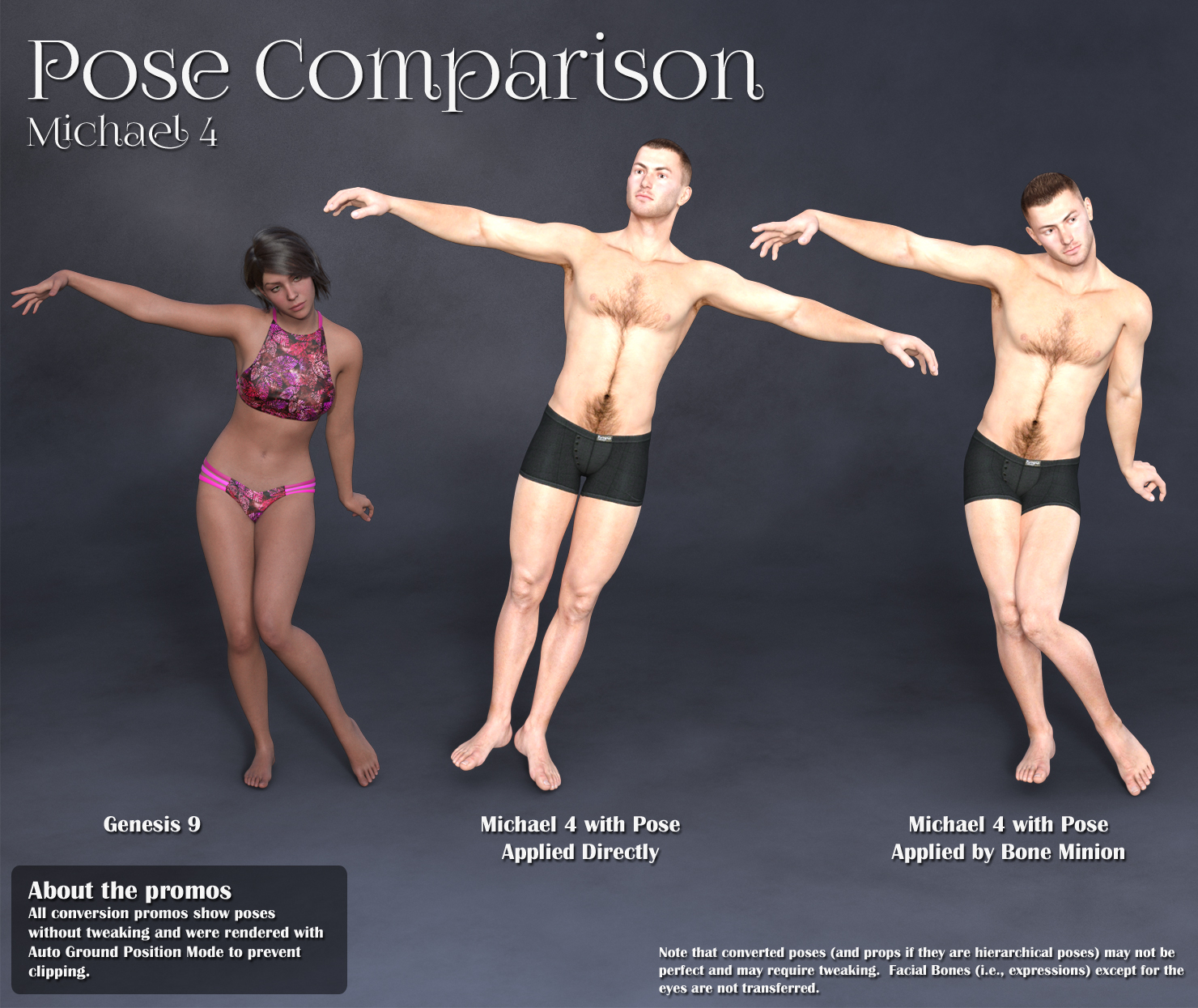
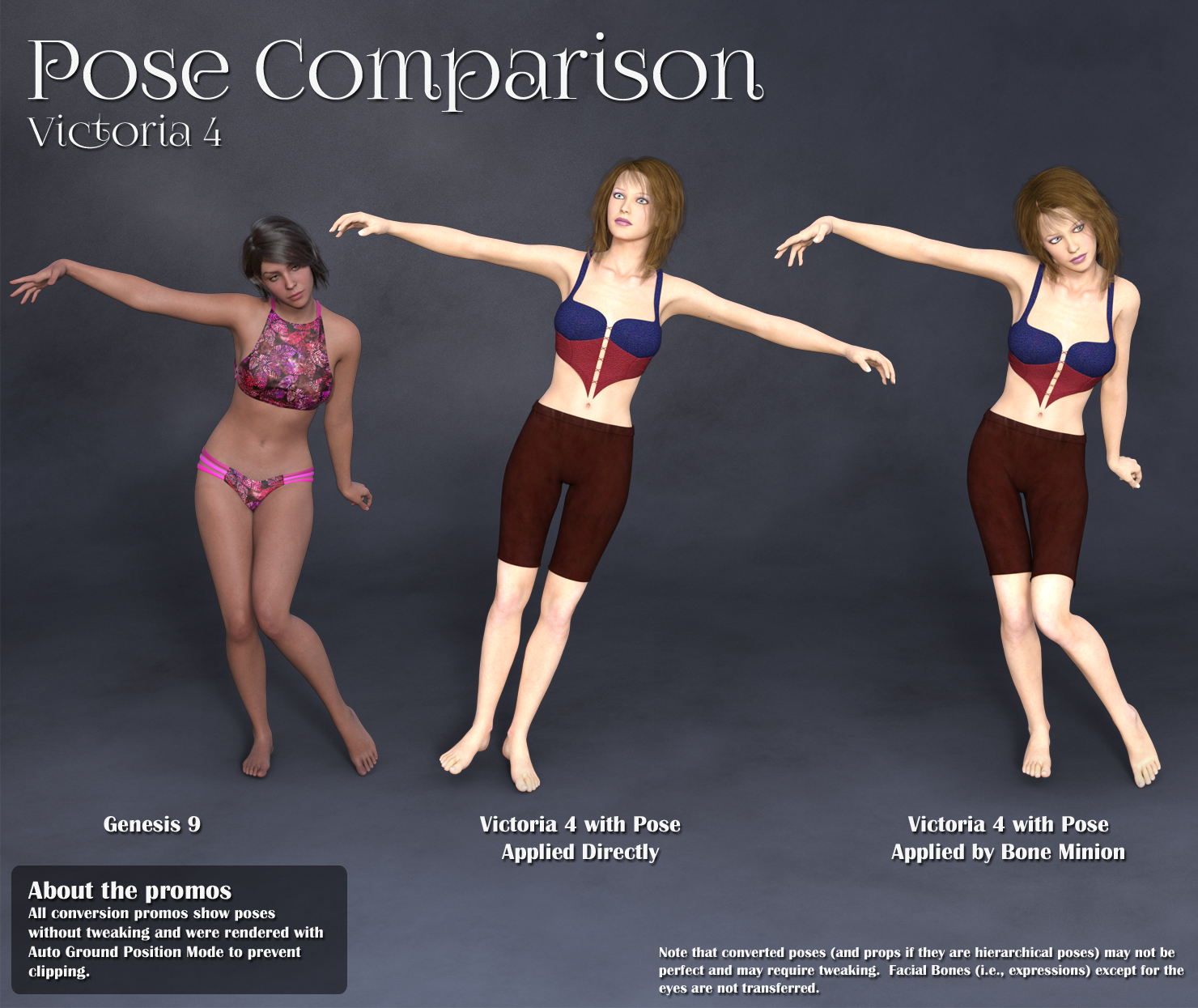
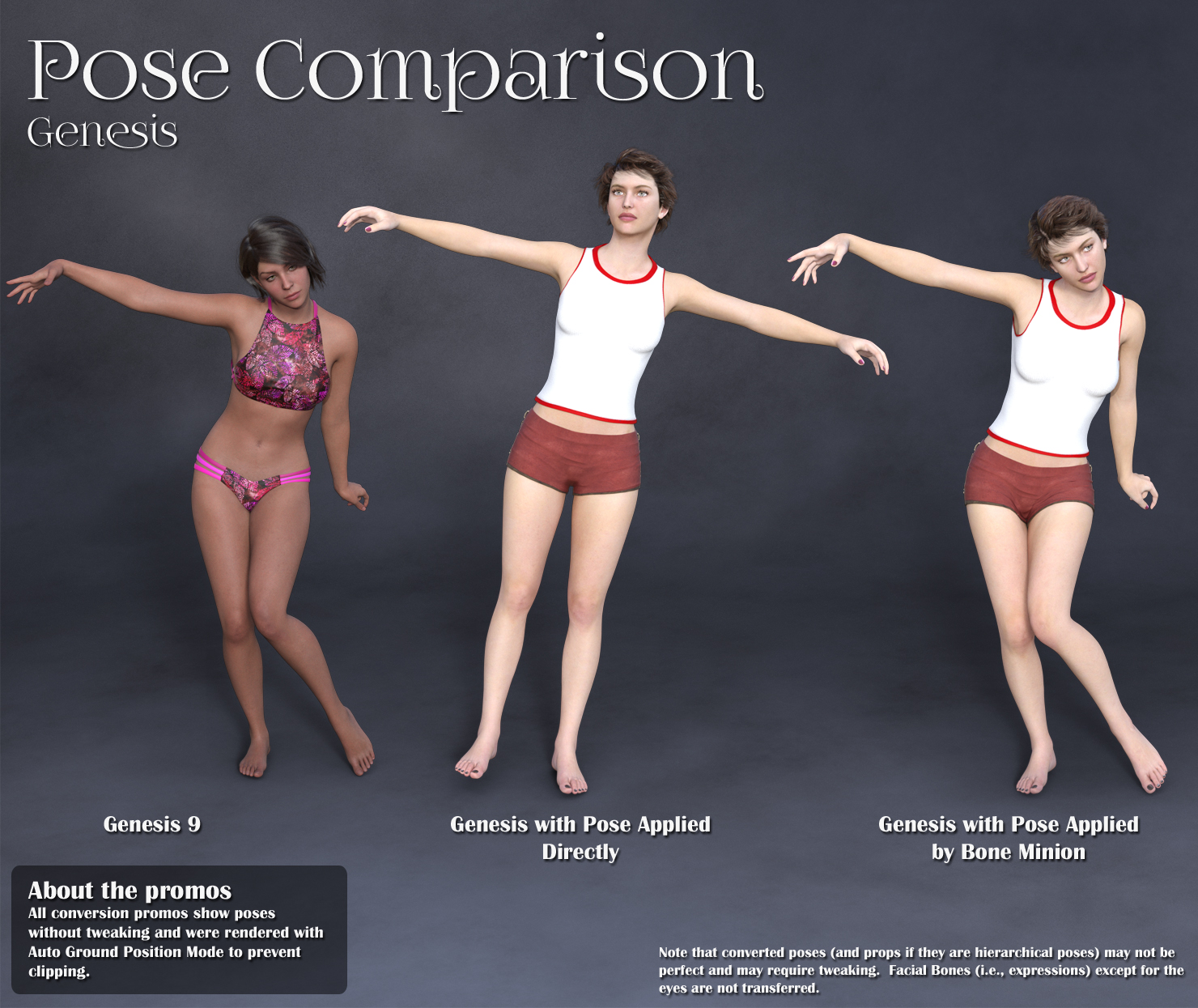
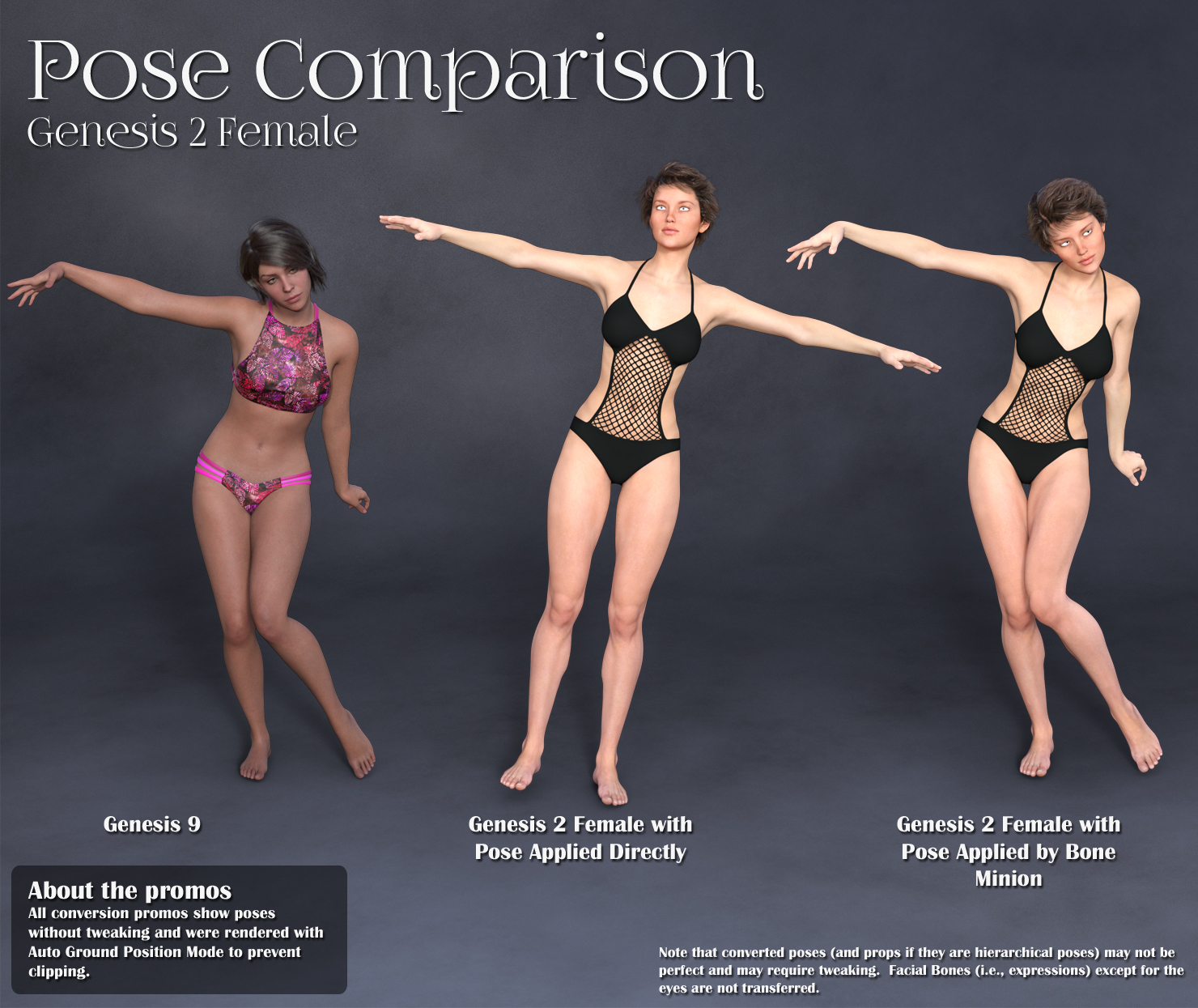
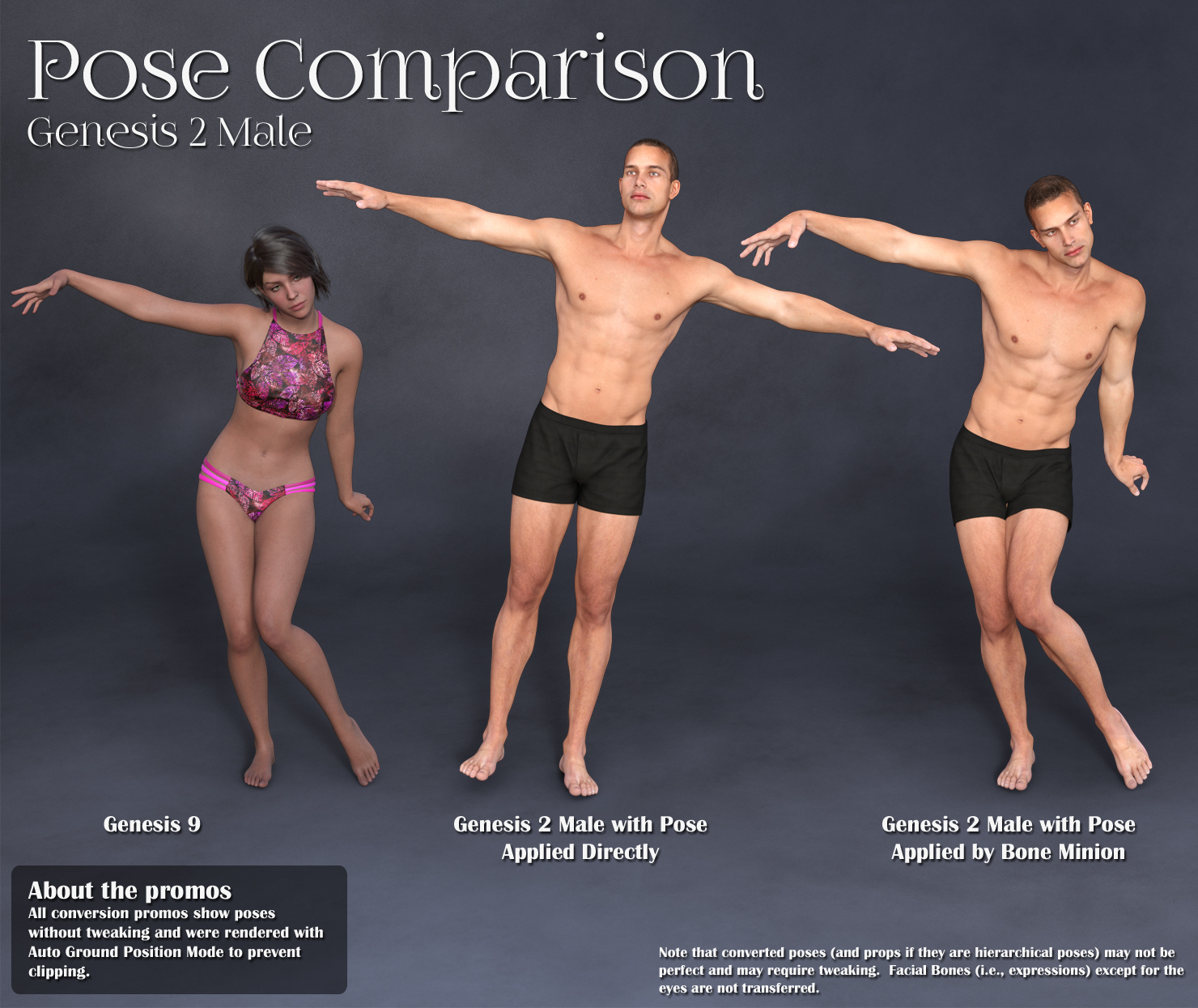
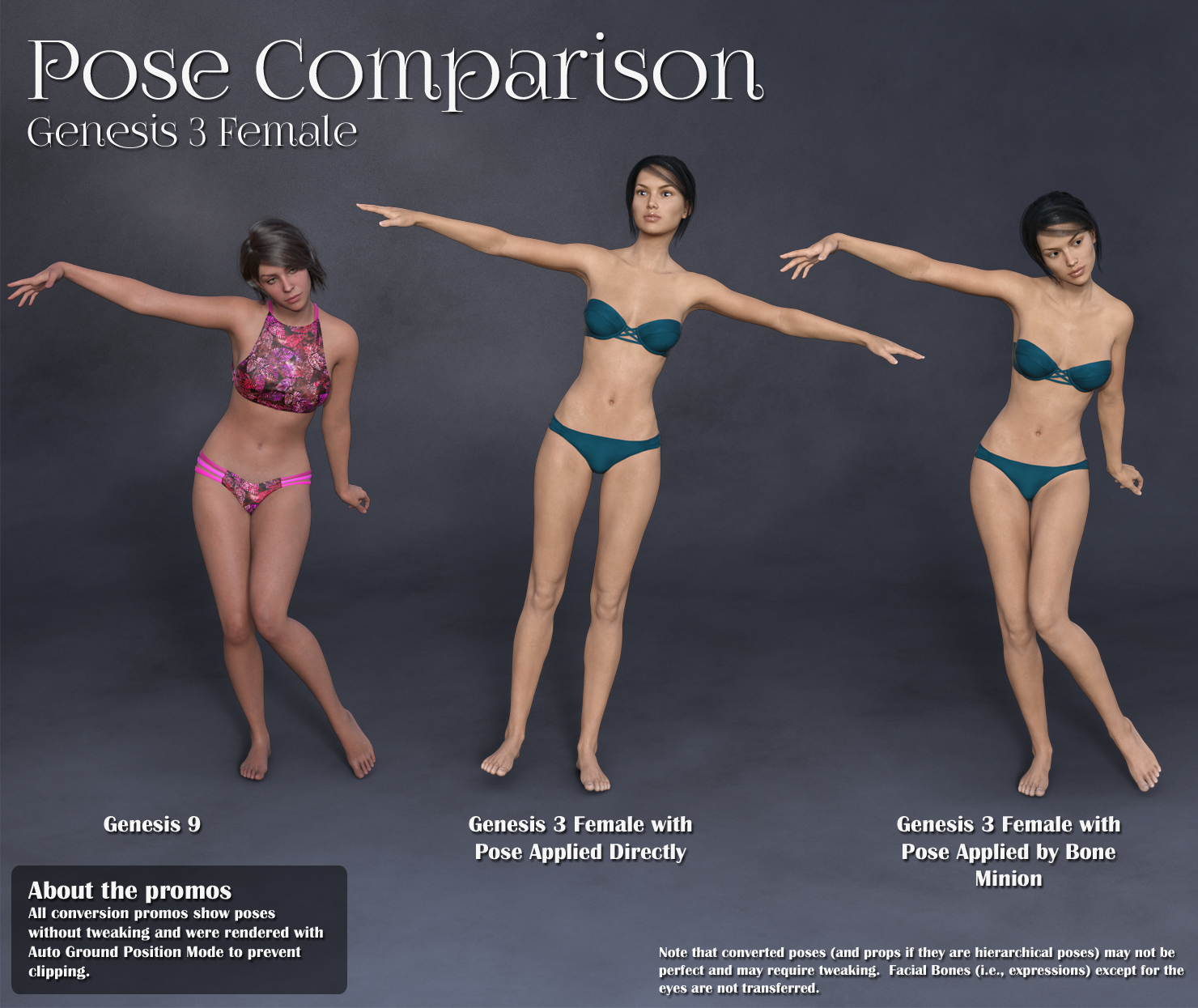
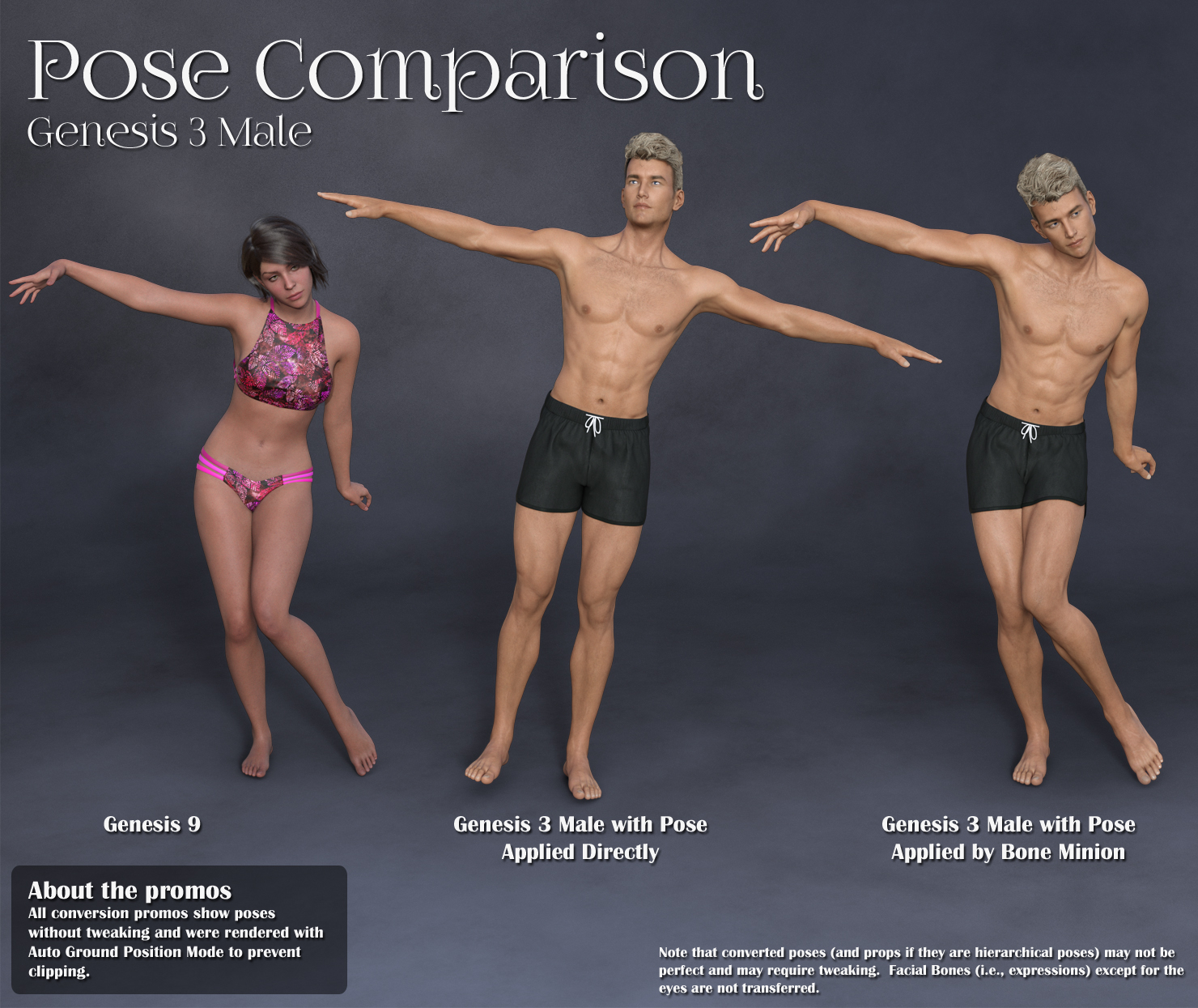
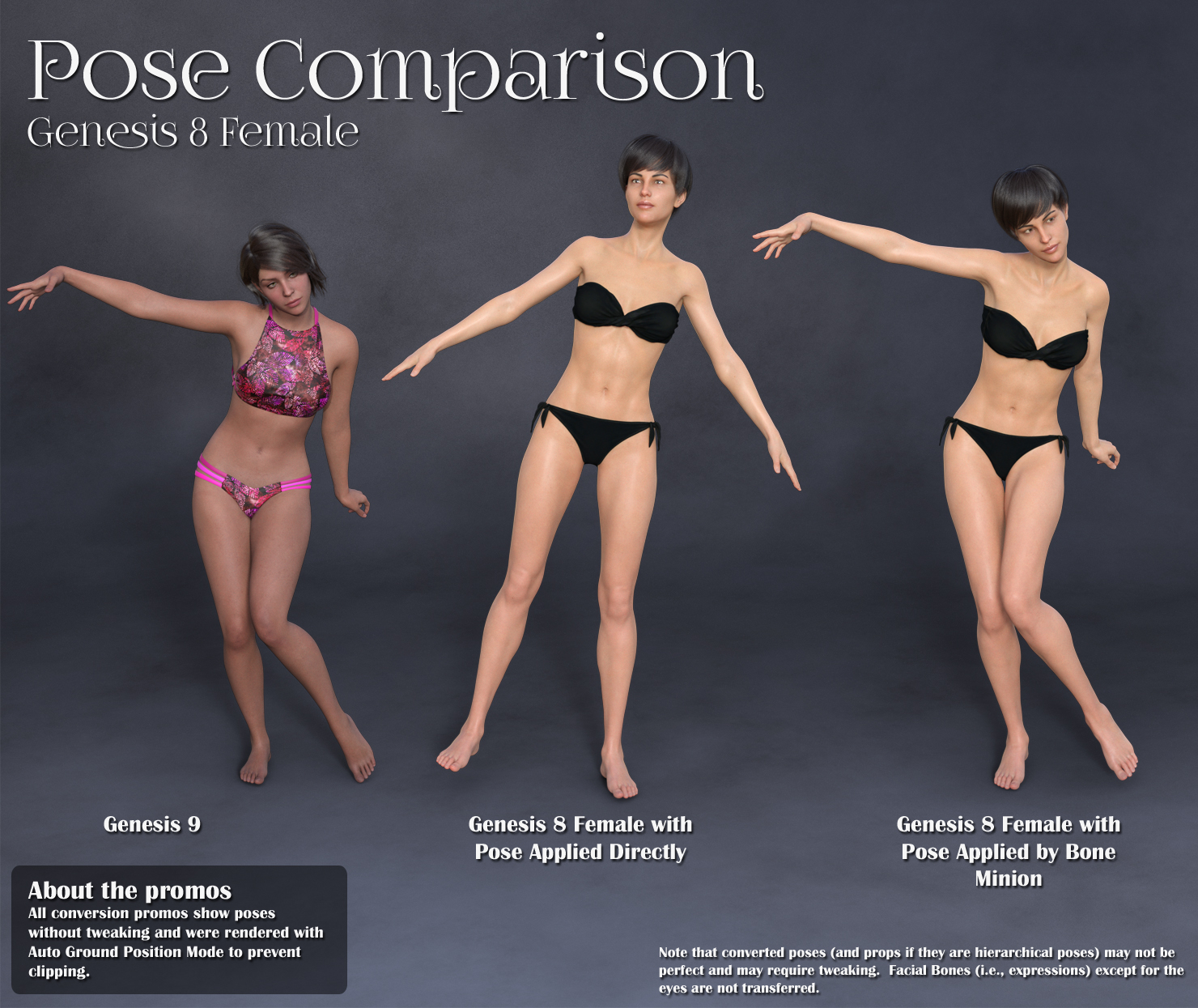
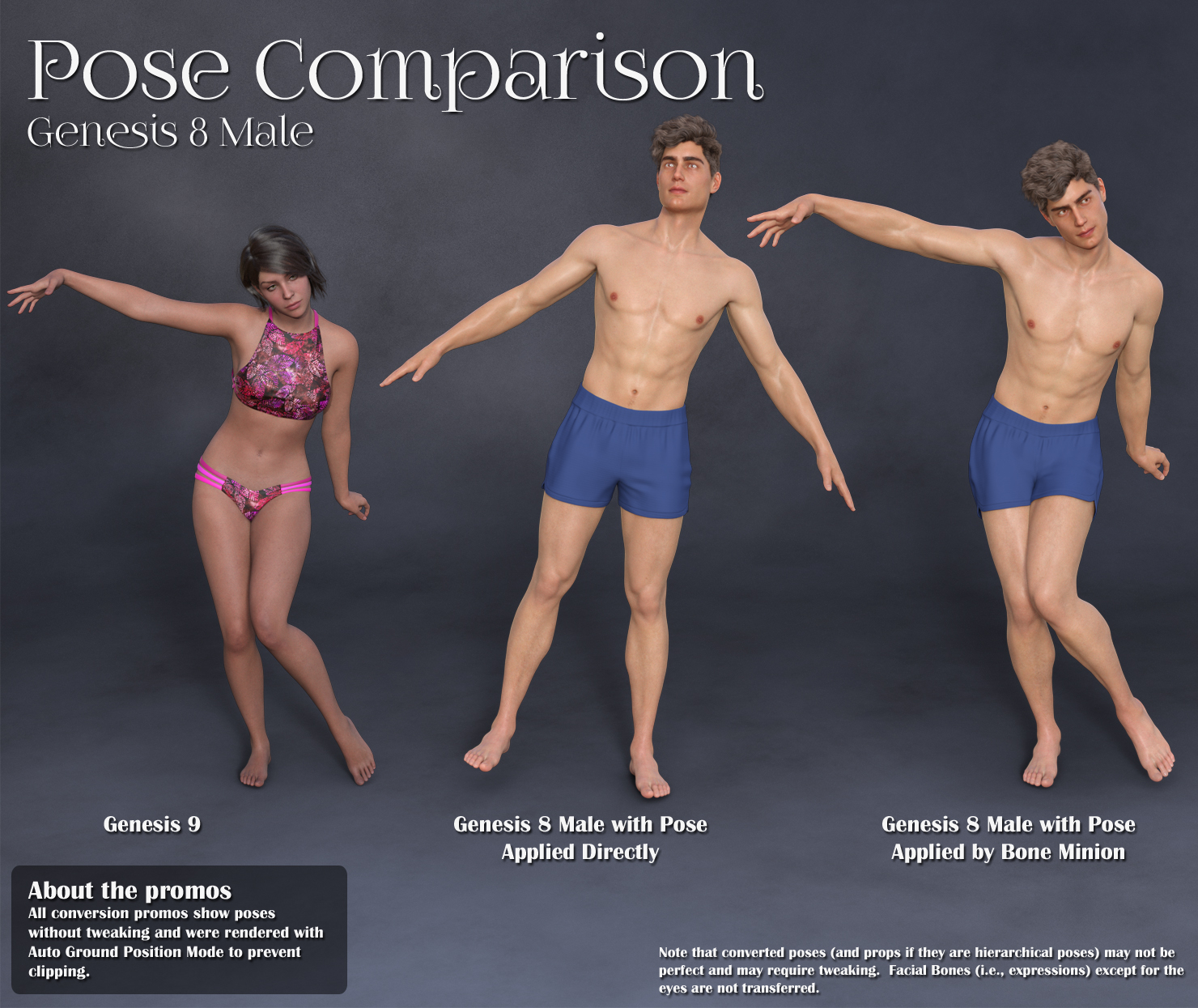
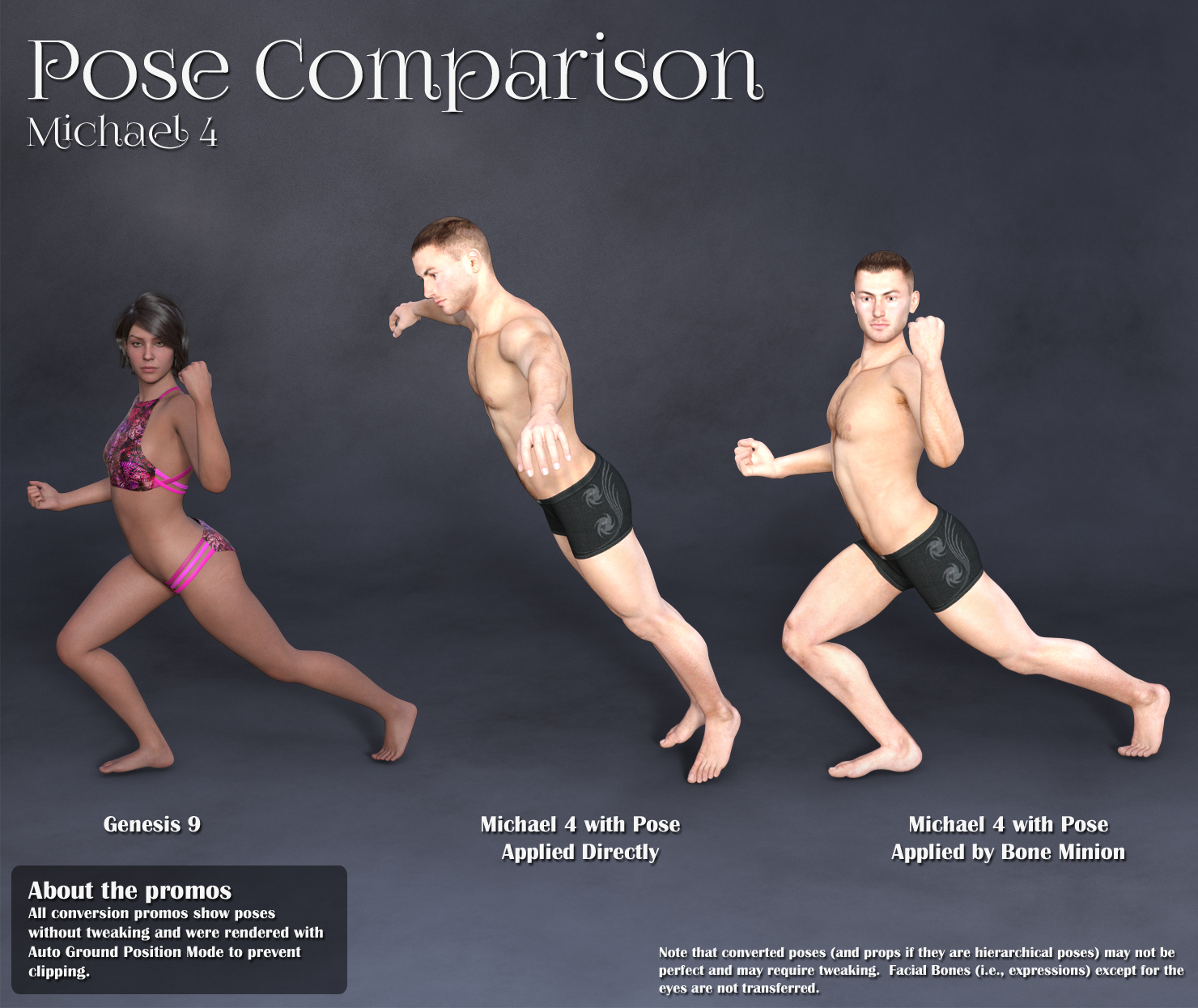
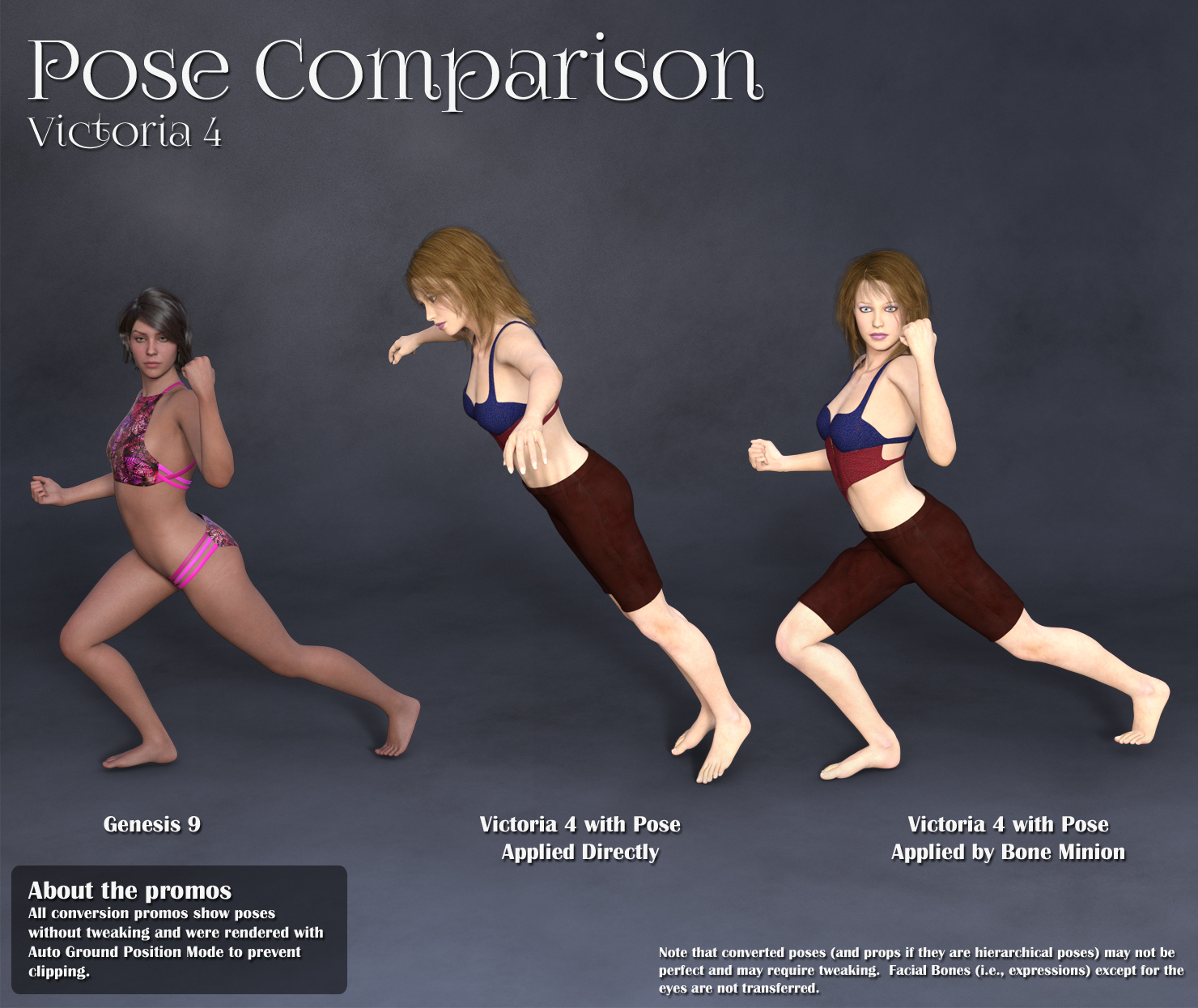
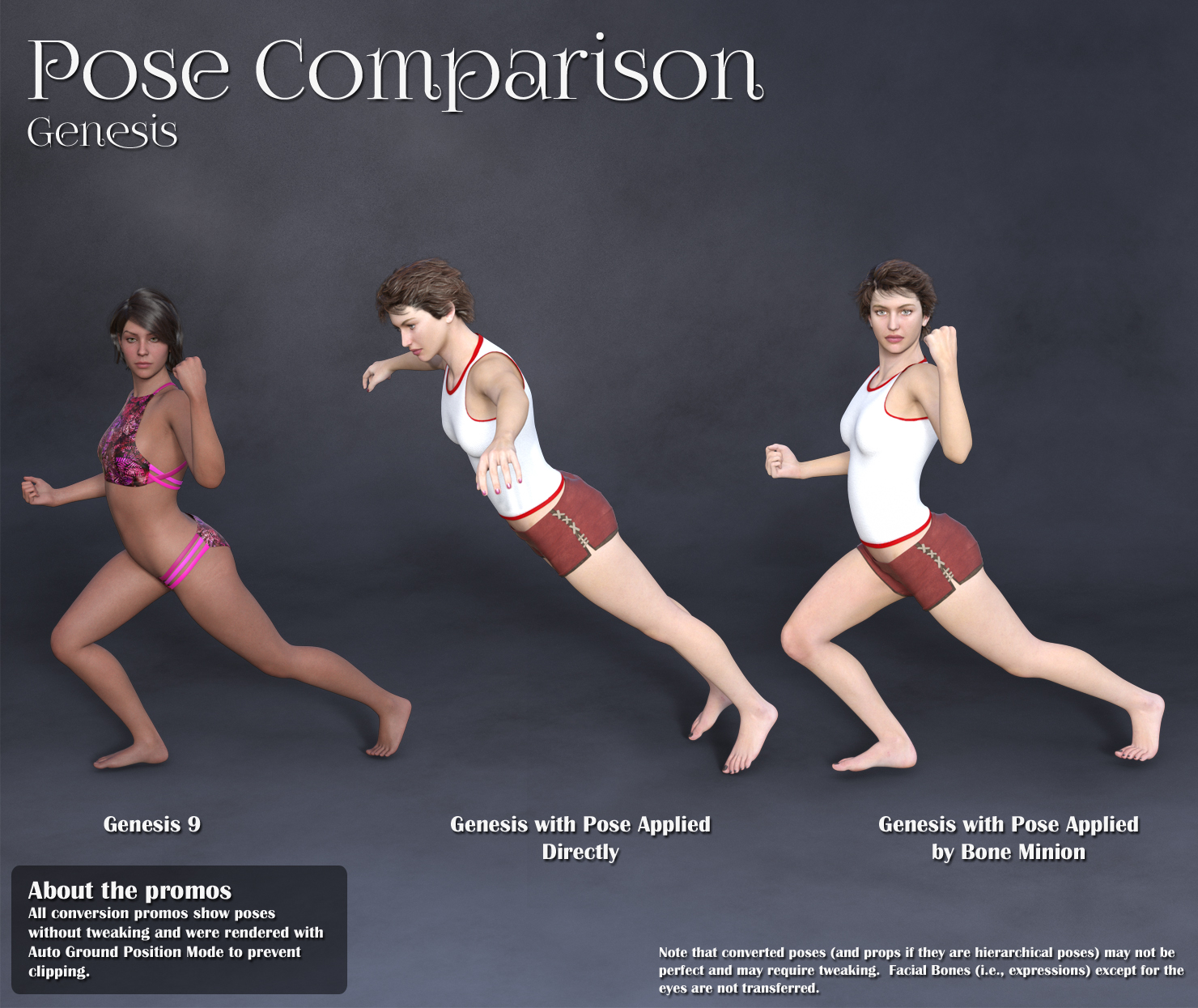
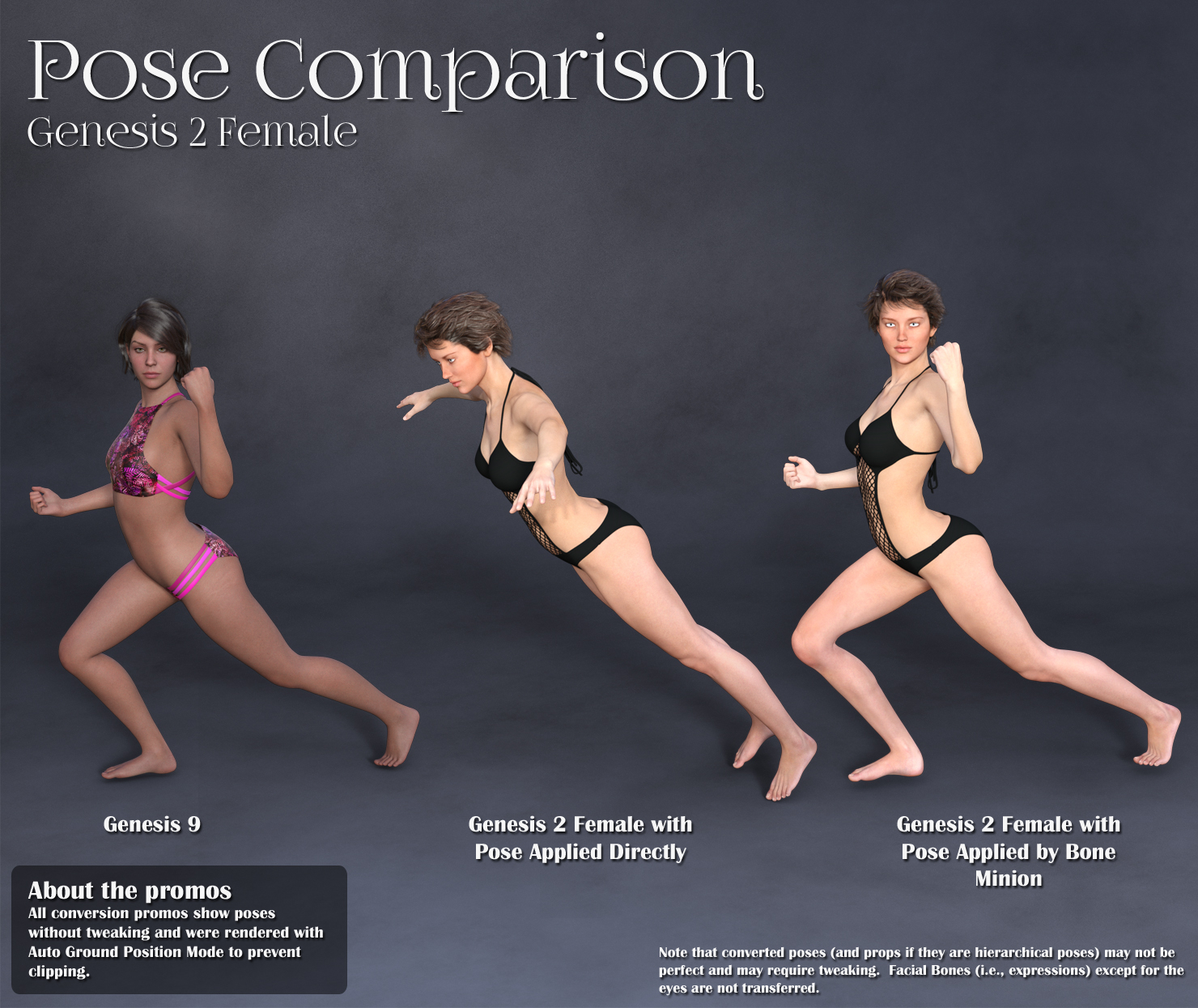
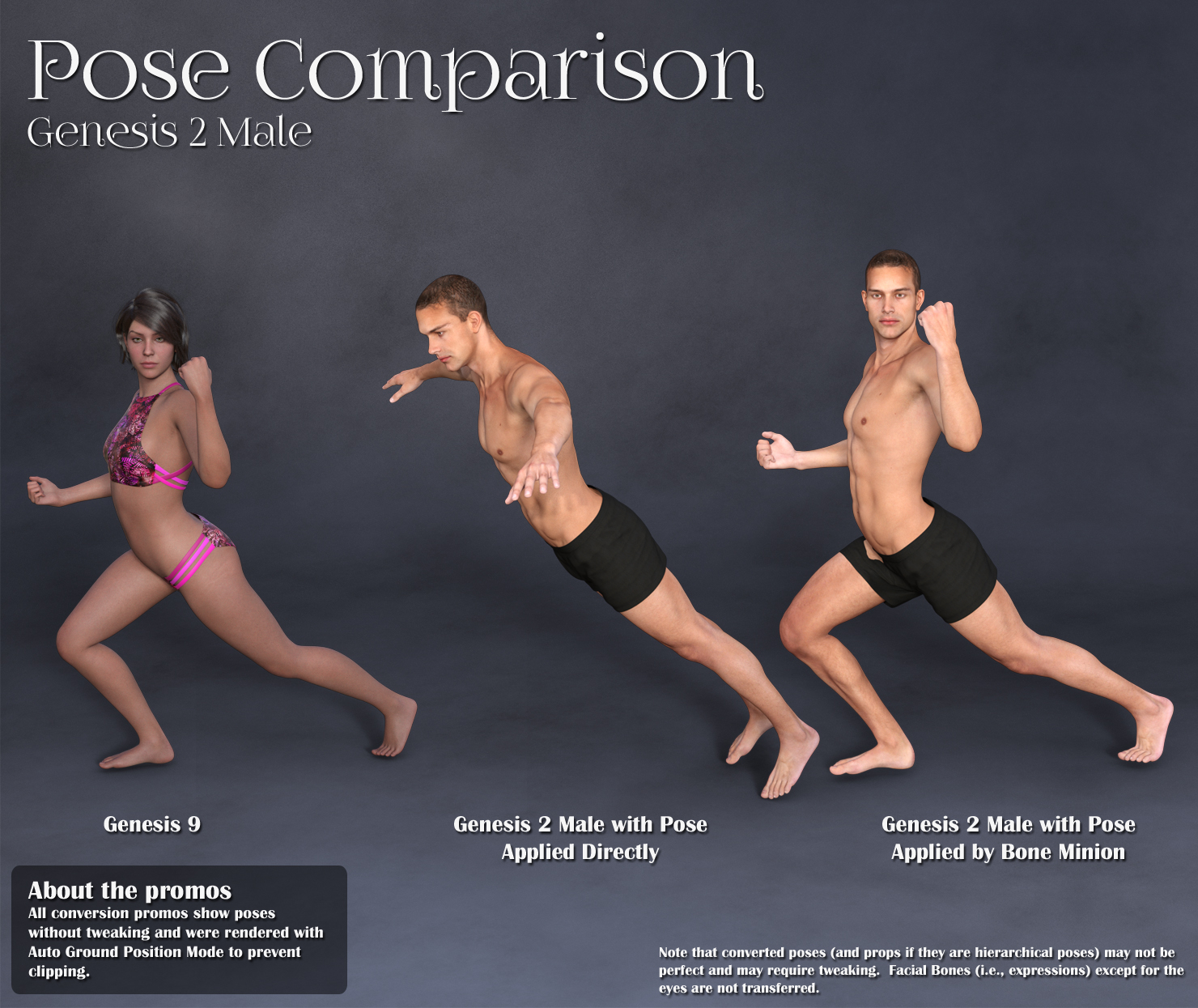
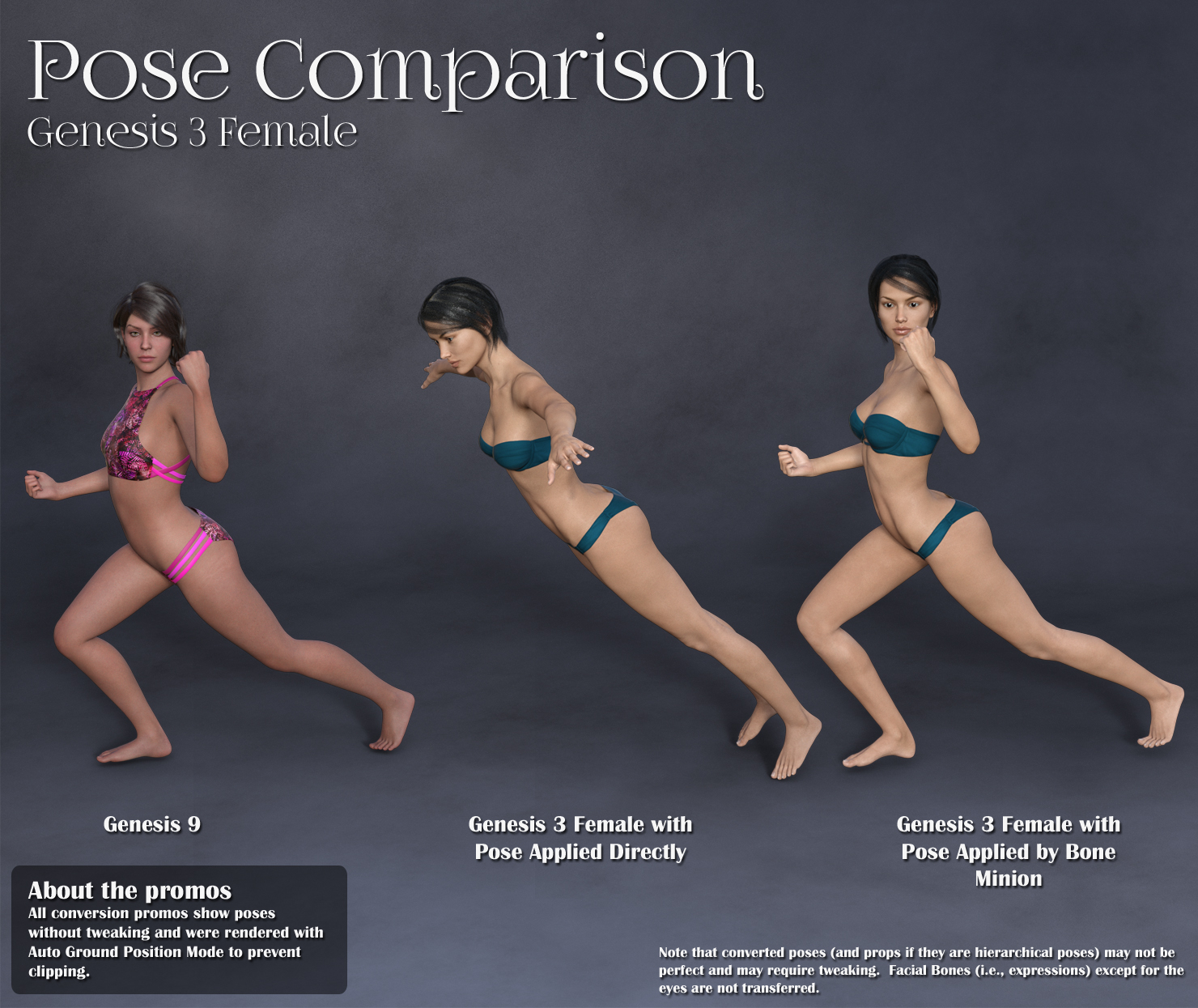
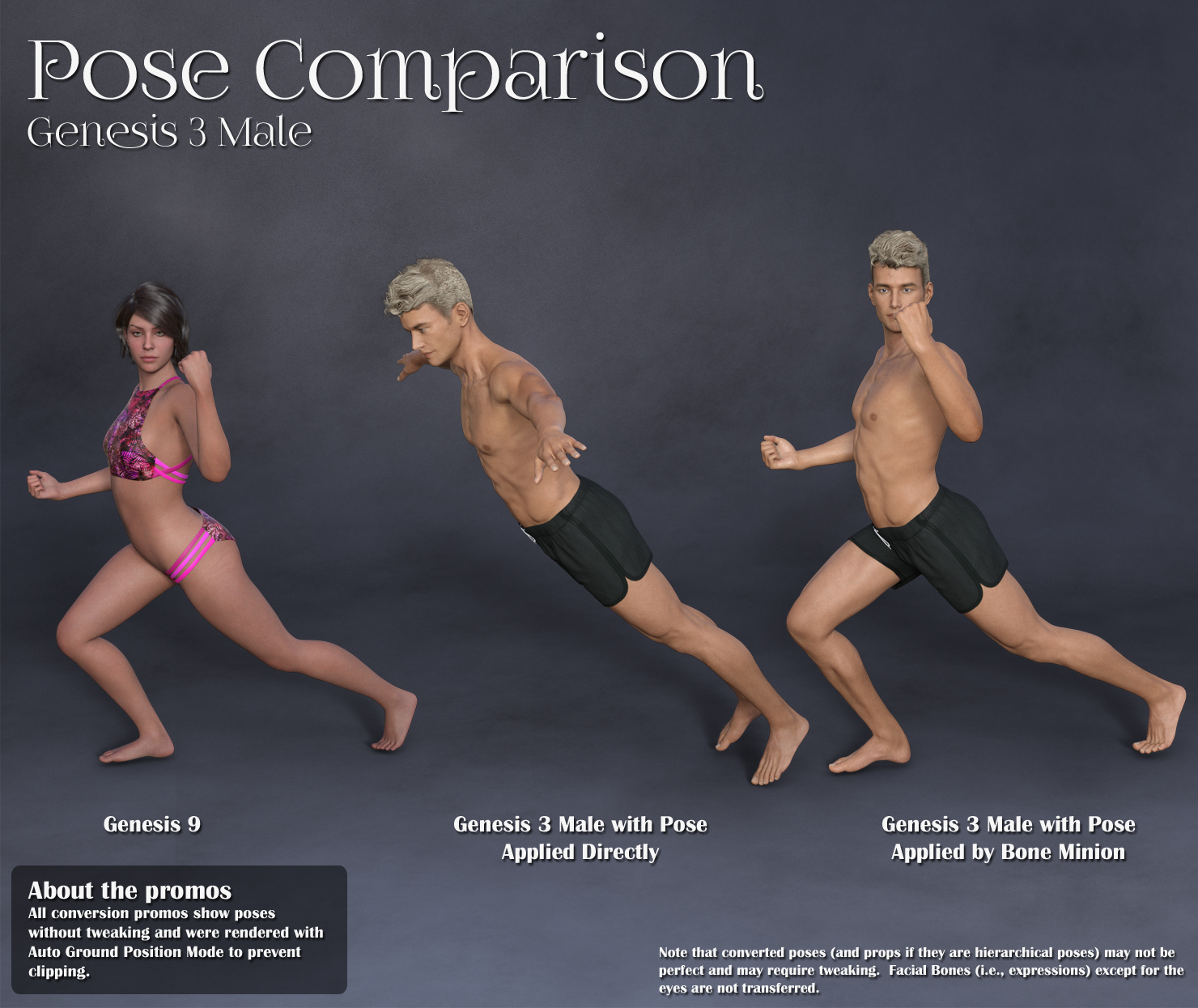
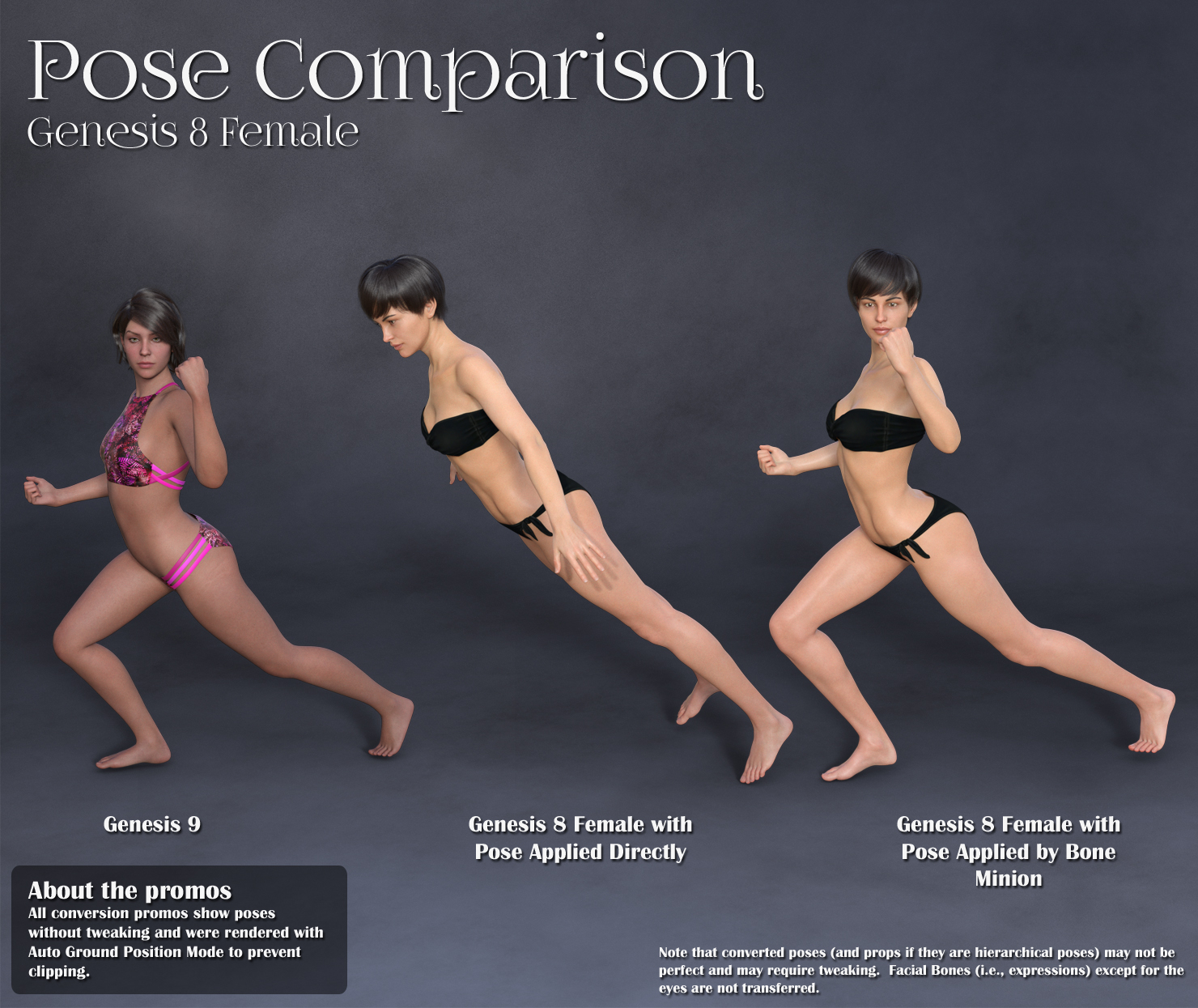
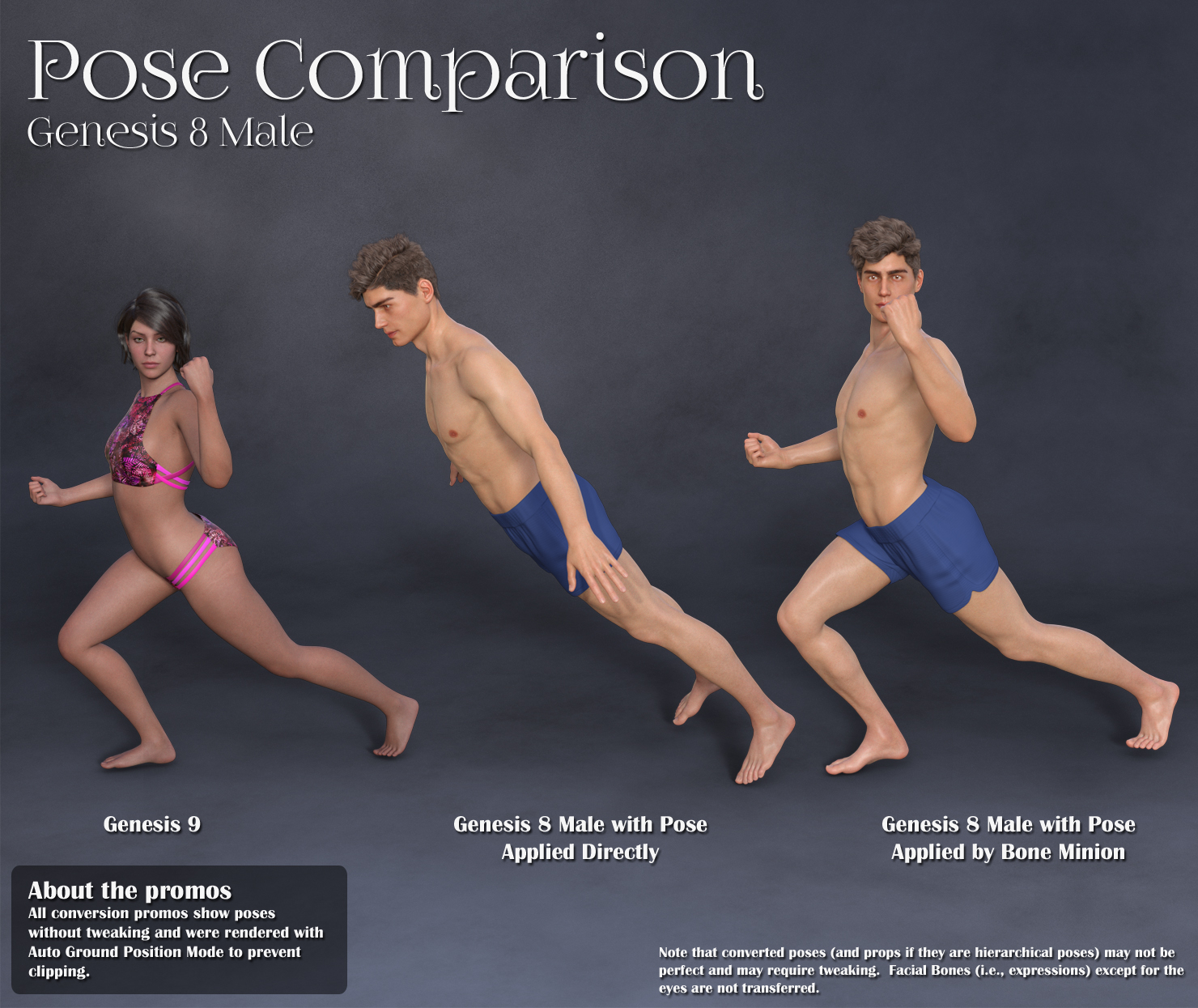
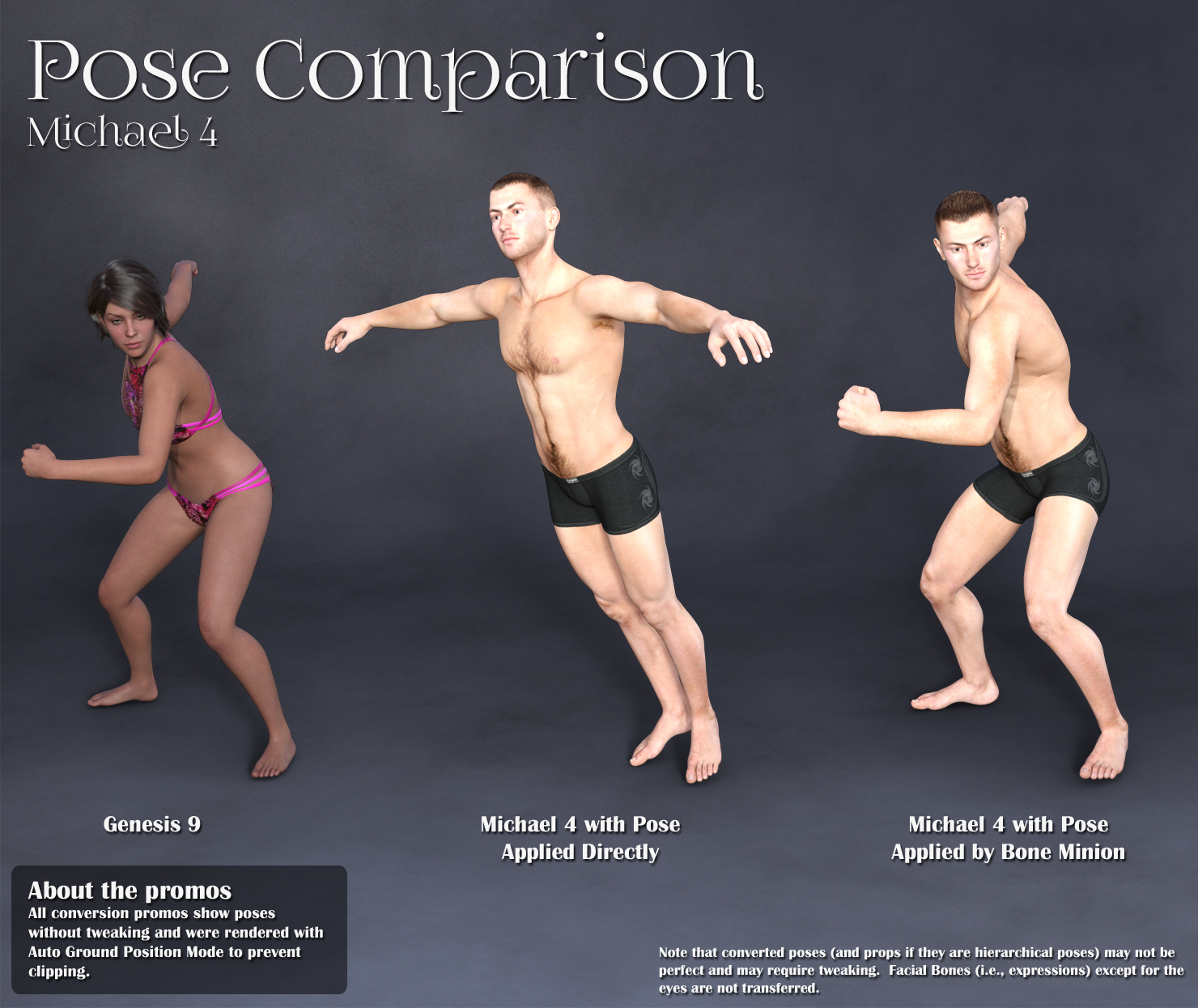
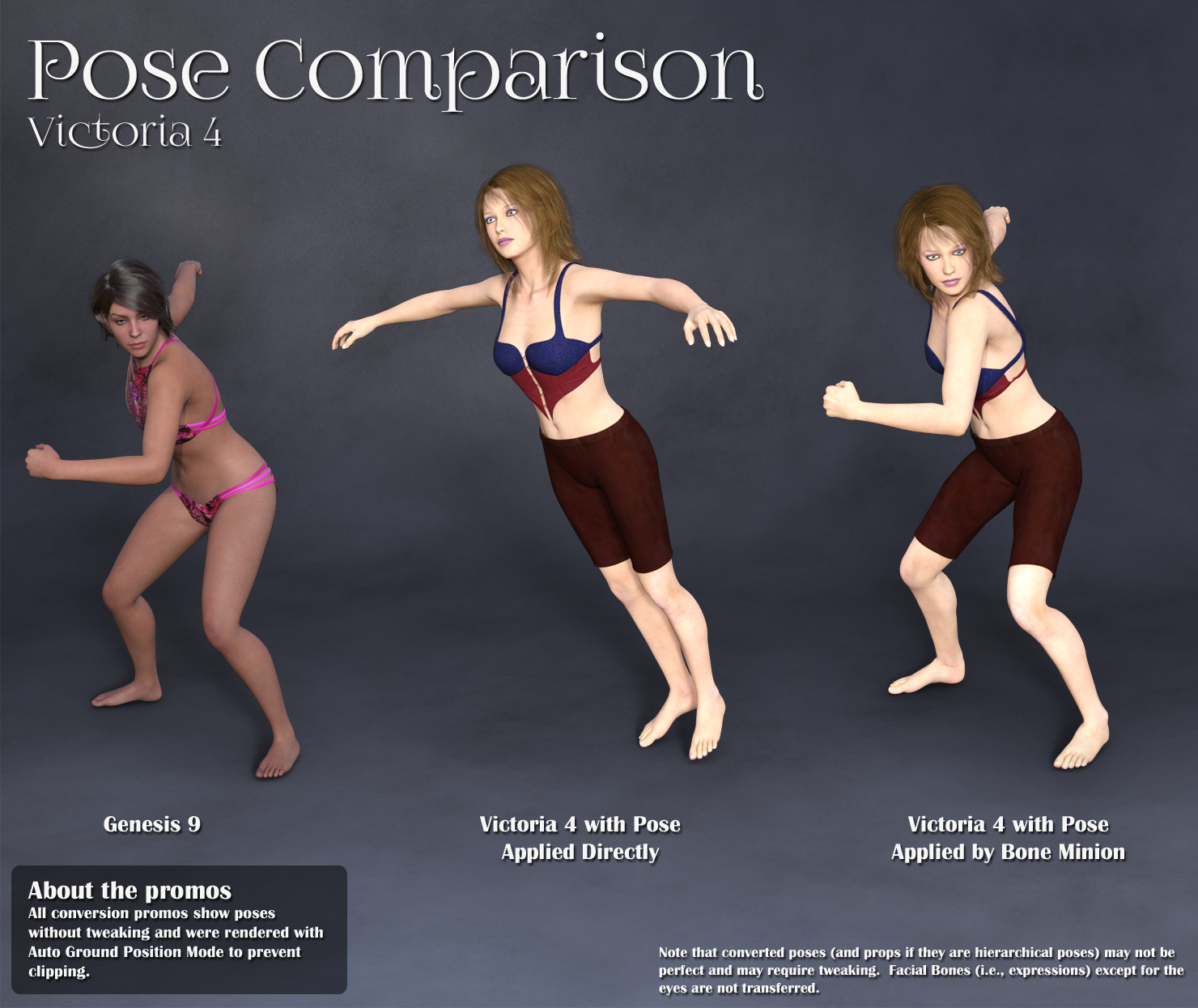
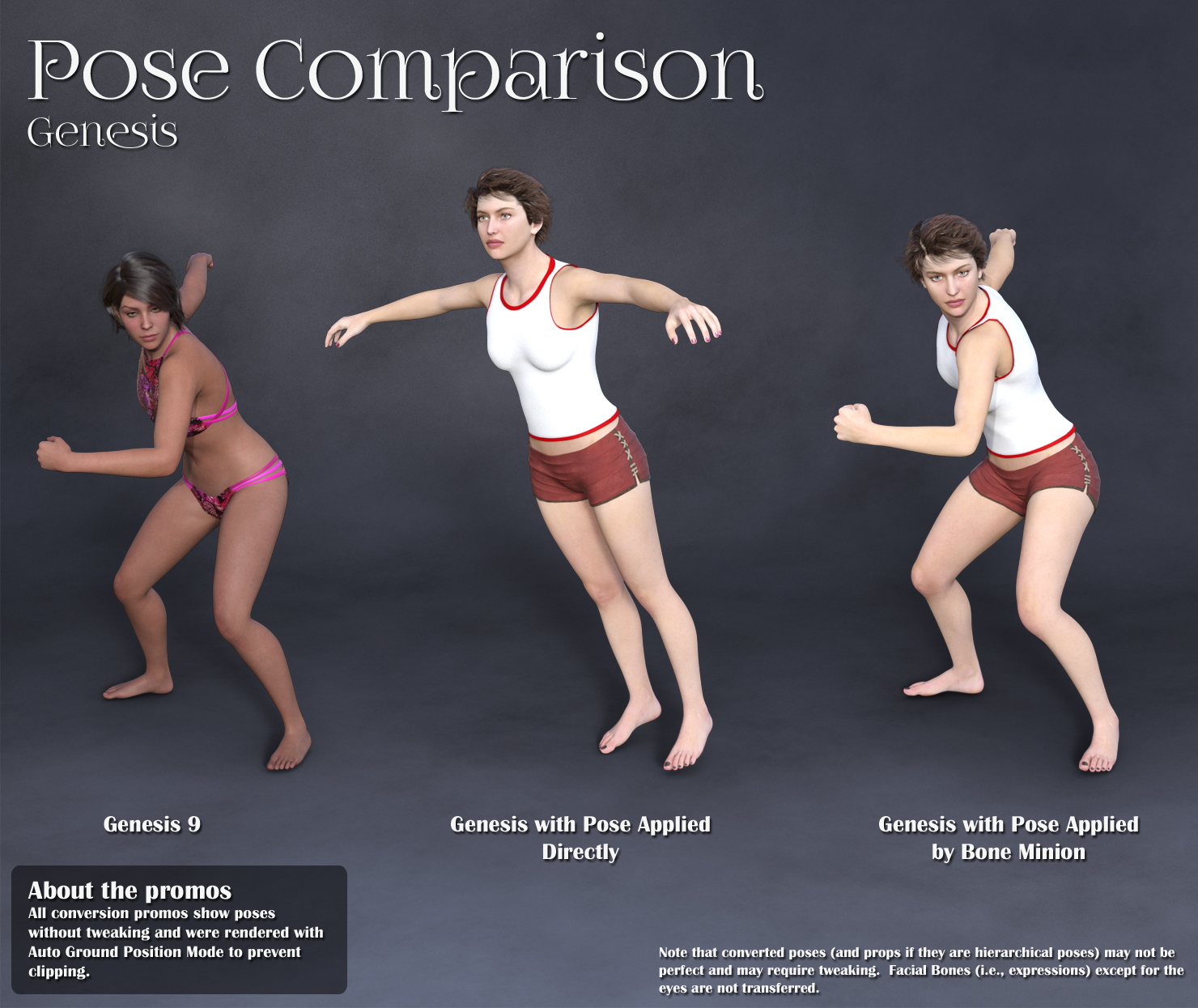
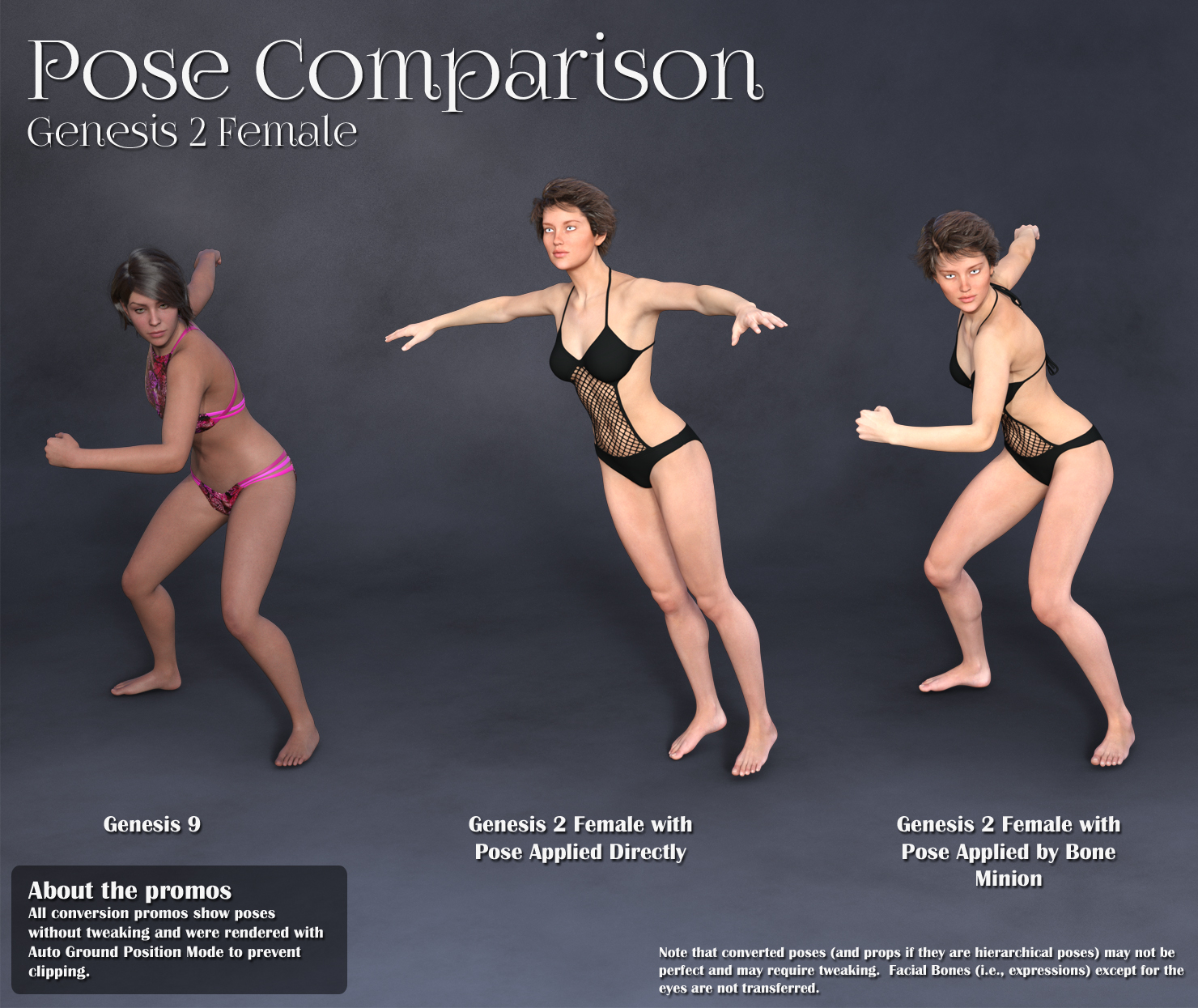
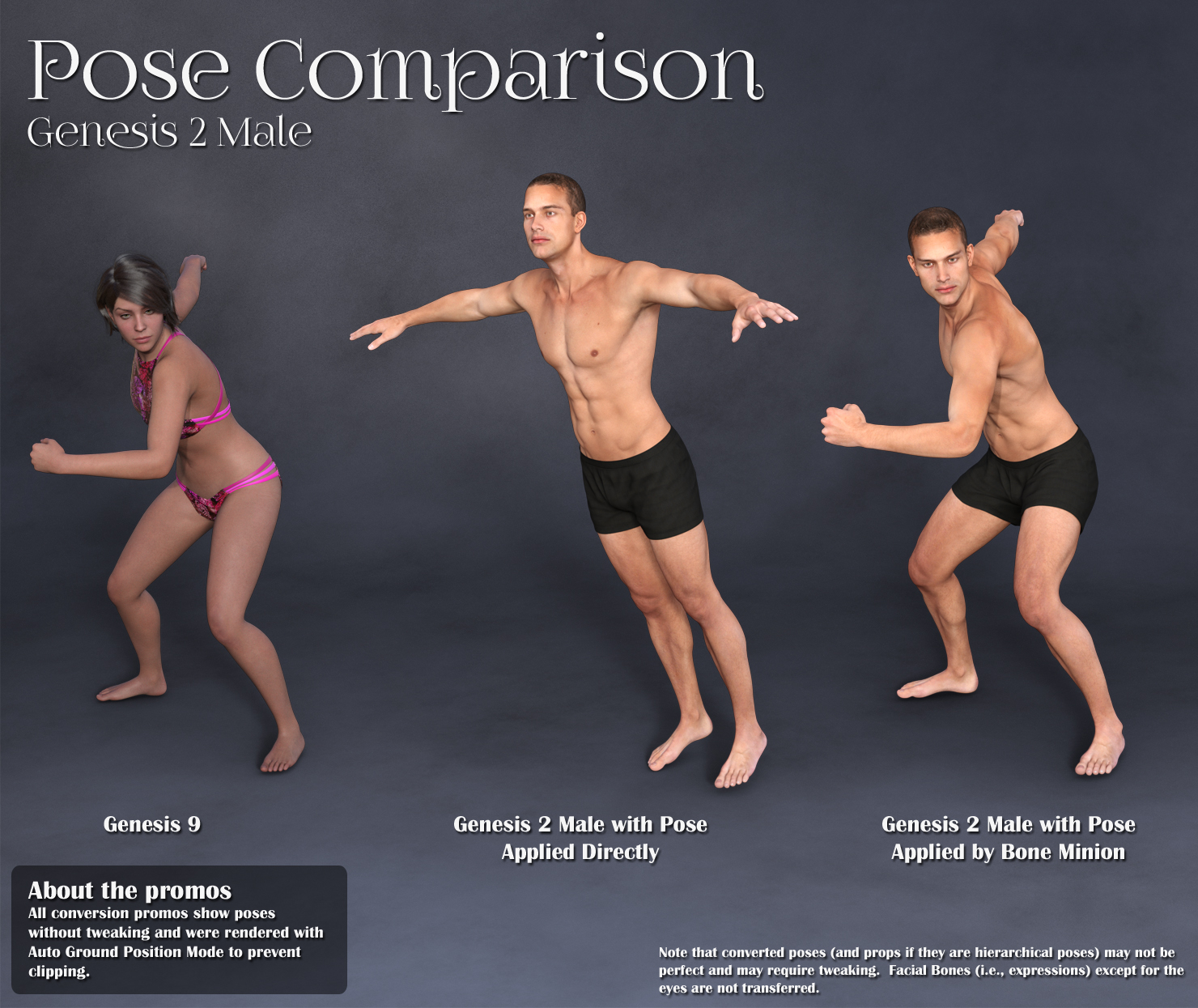
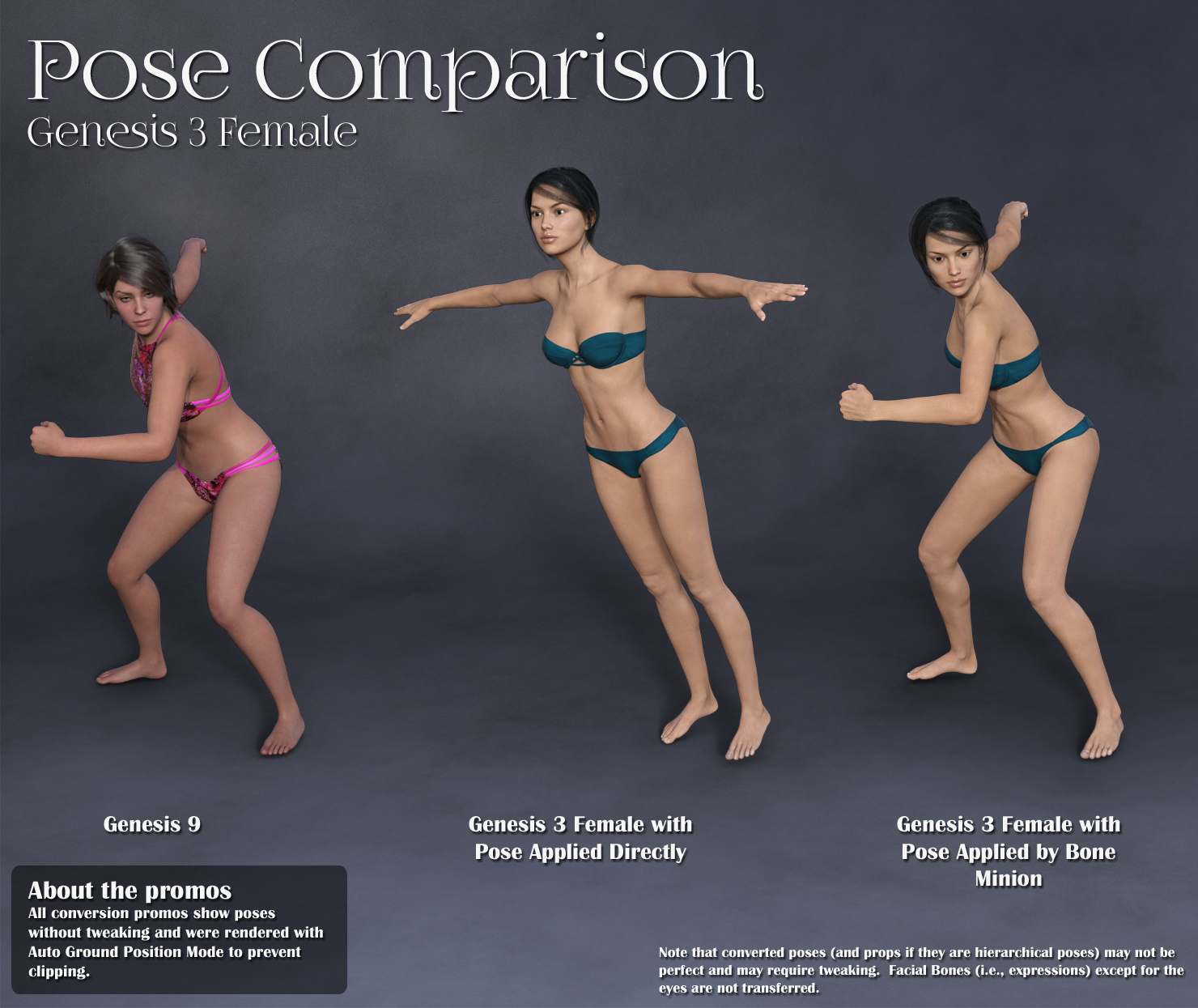
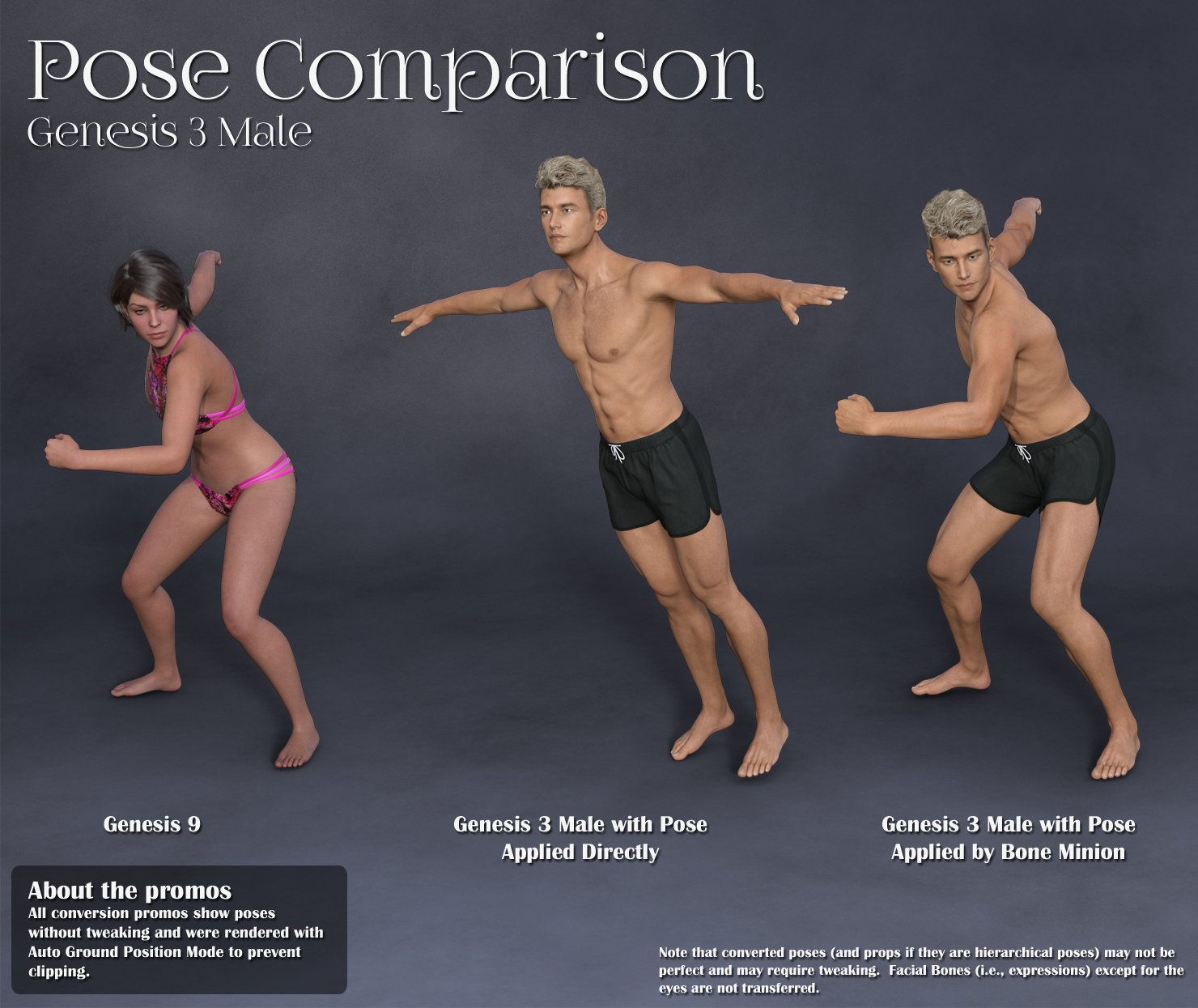
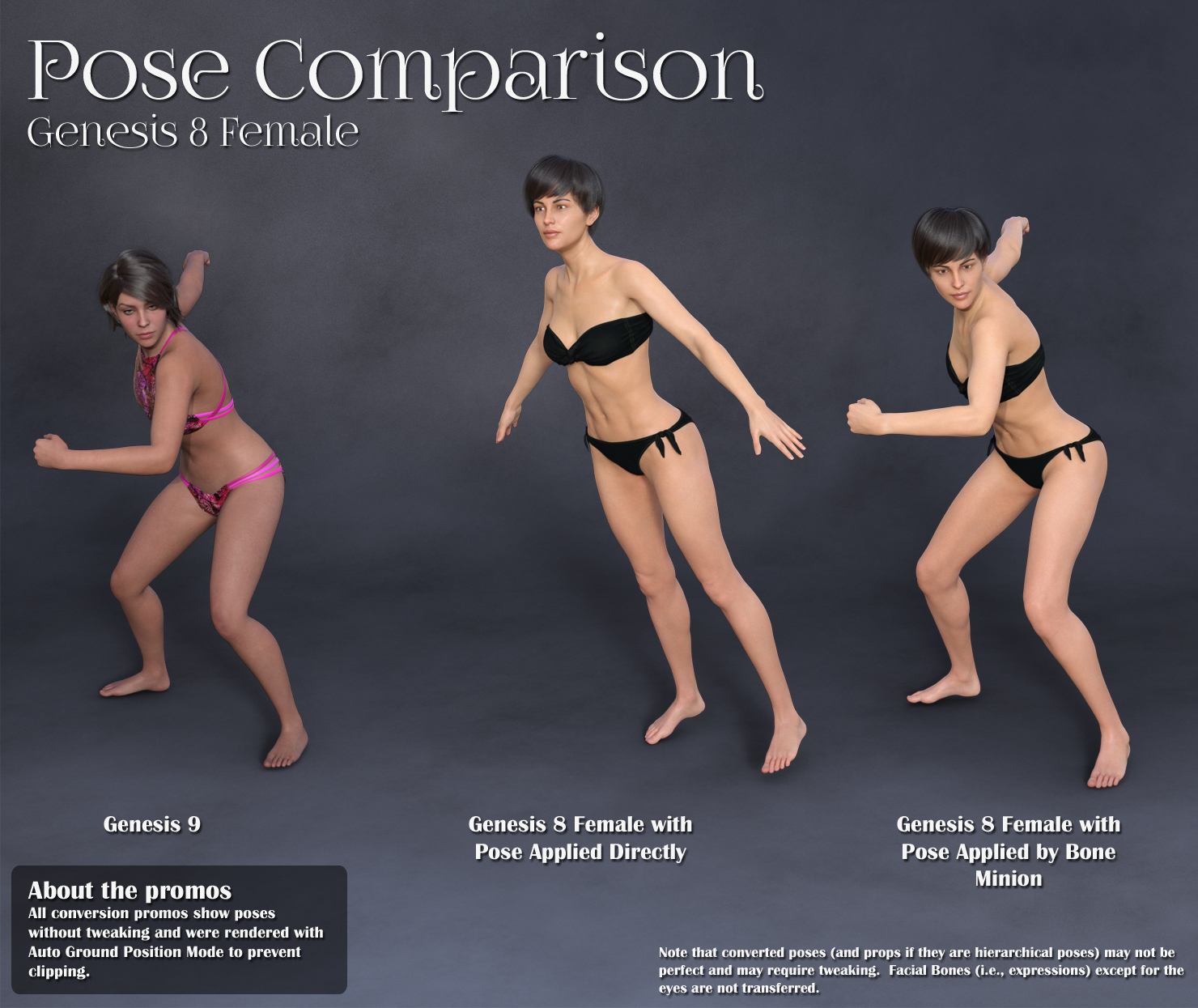
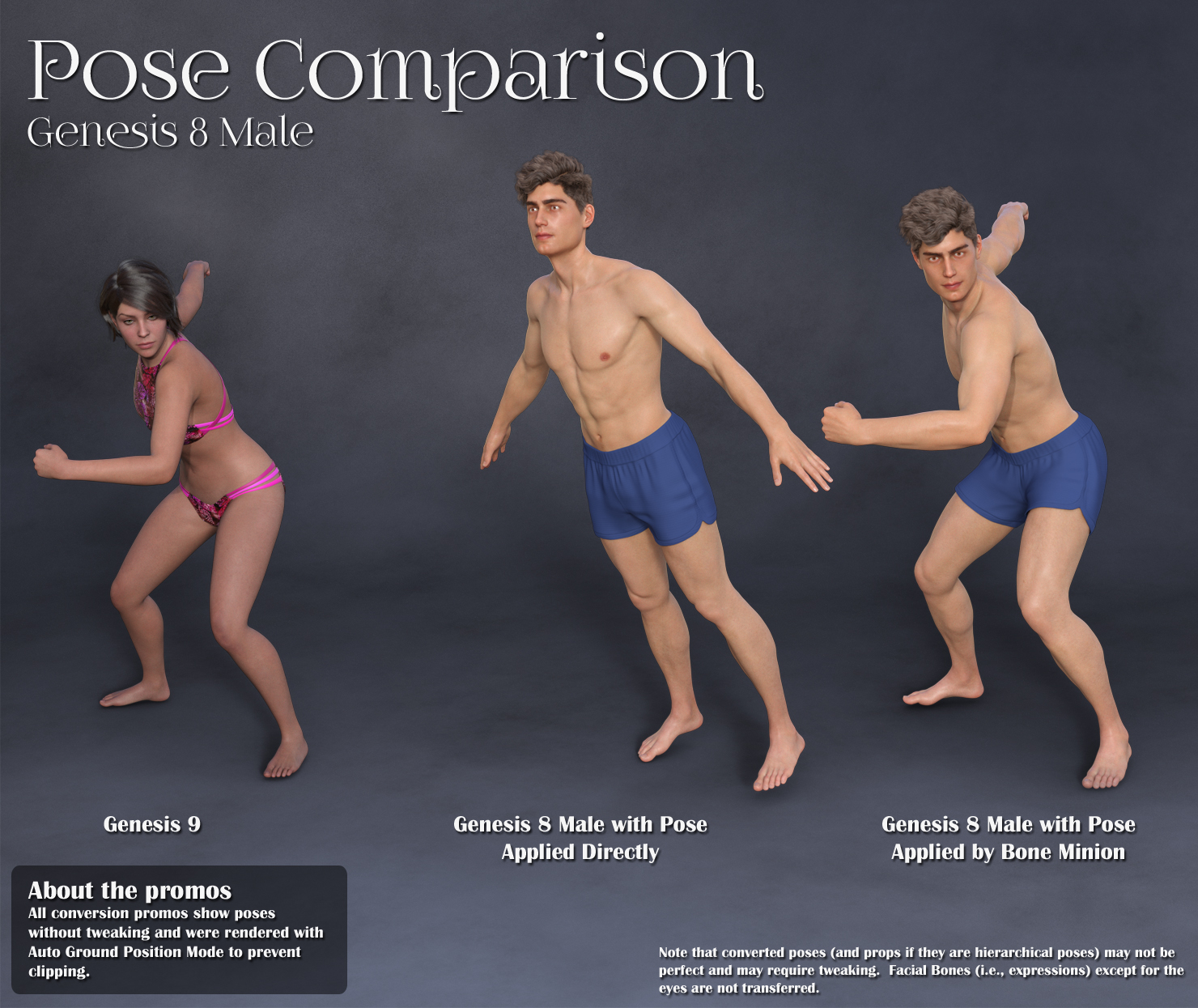
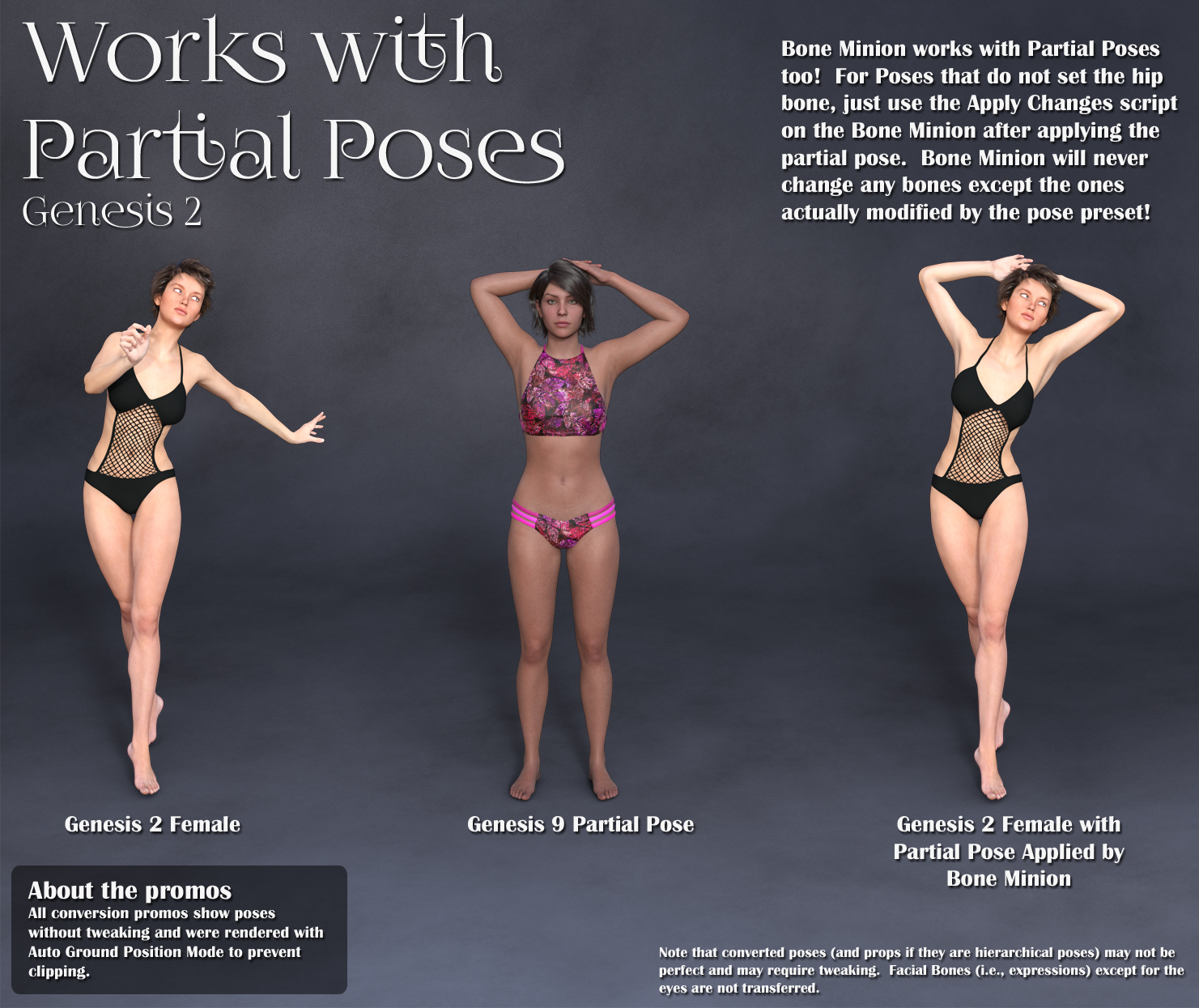
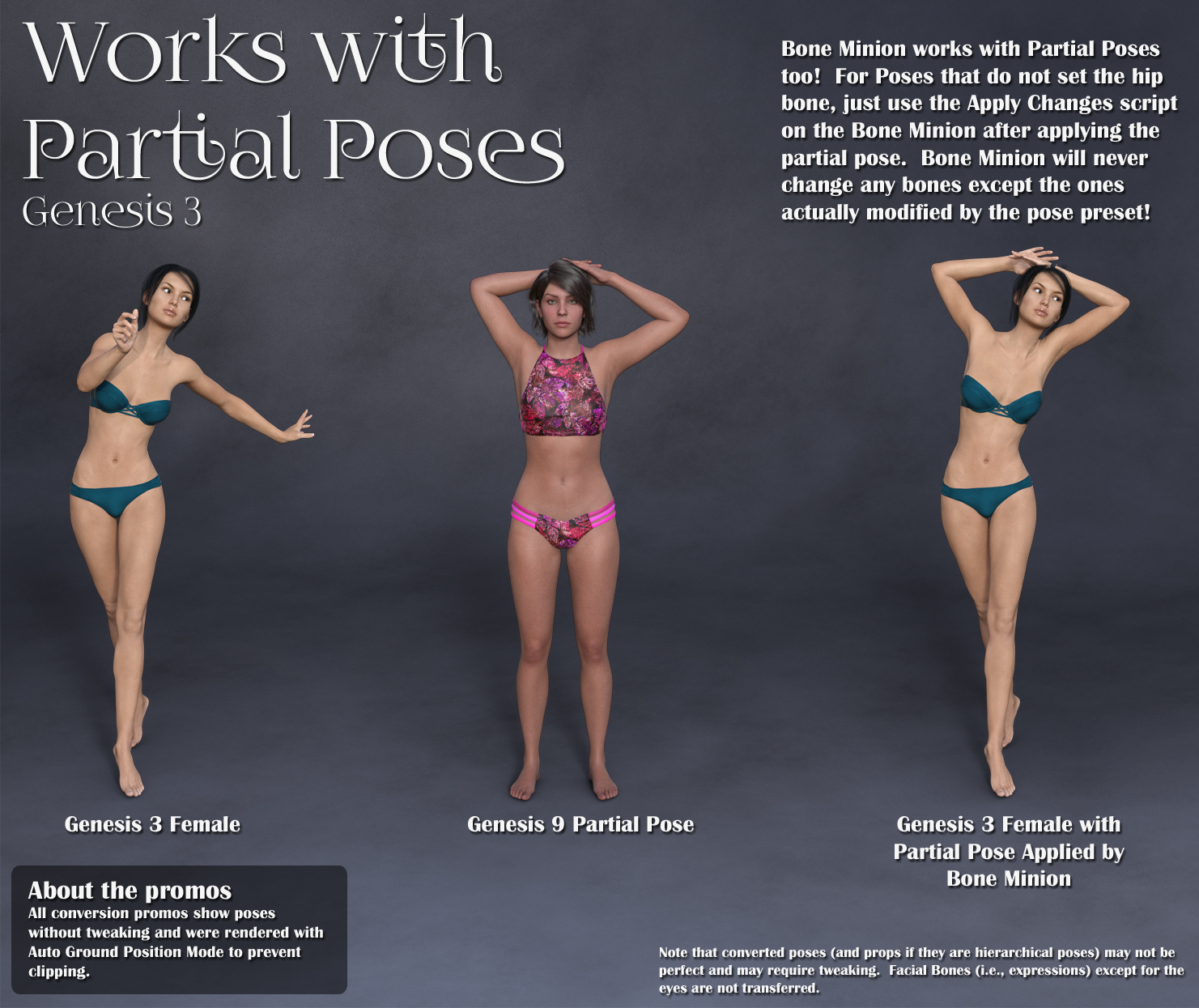
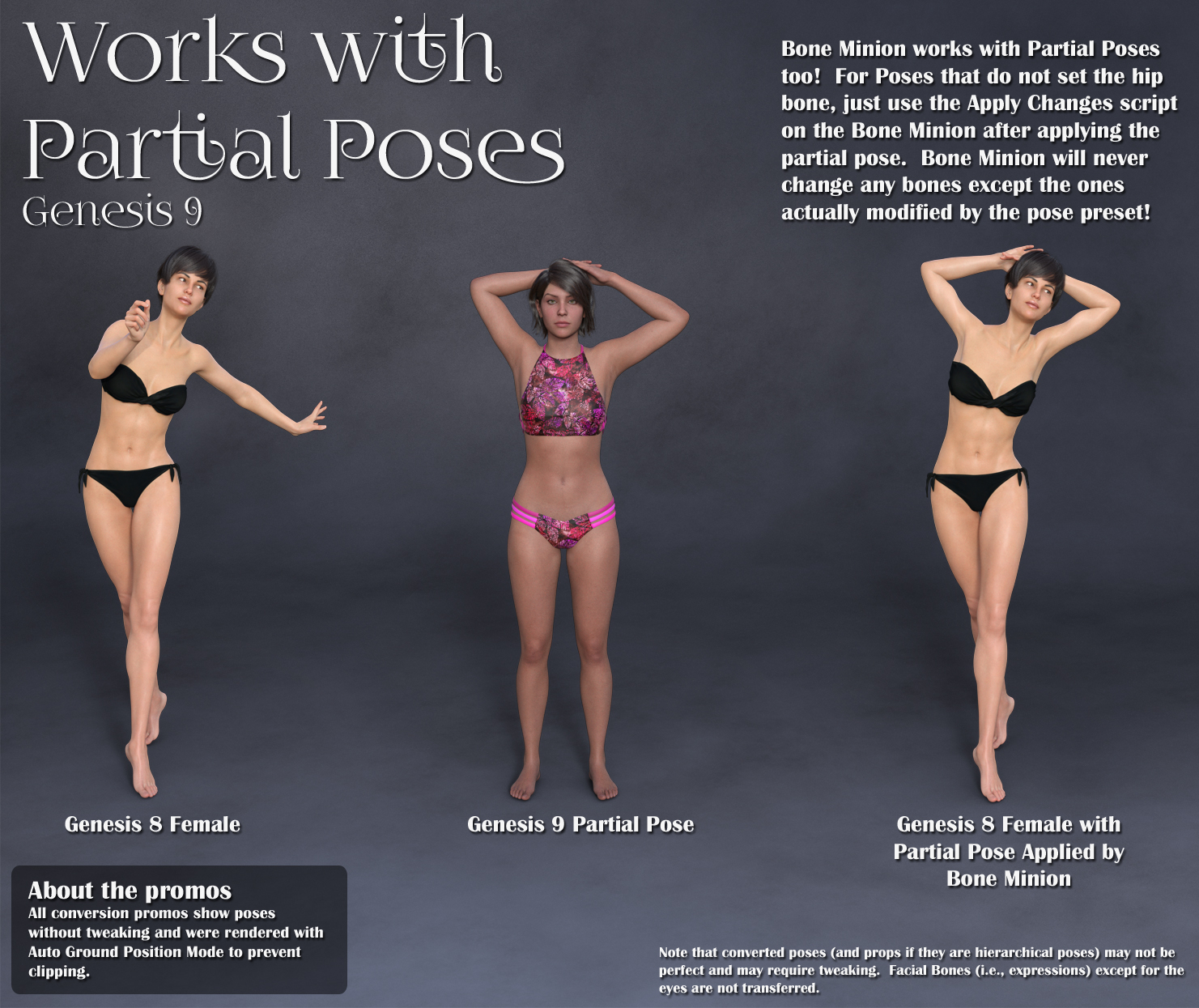
[Released] Bone Minion for Genesis 9 Poses Bundle [Commercial]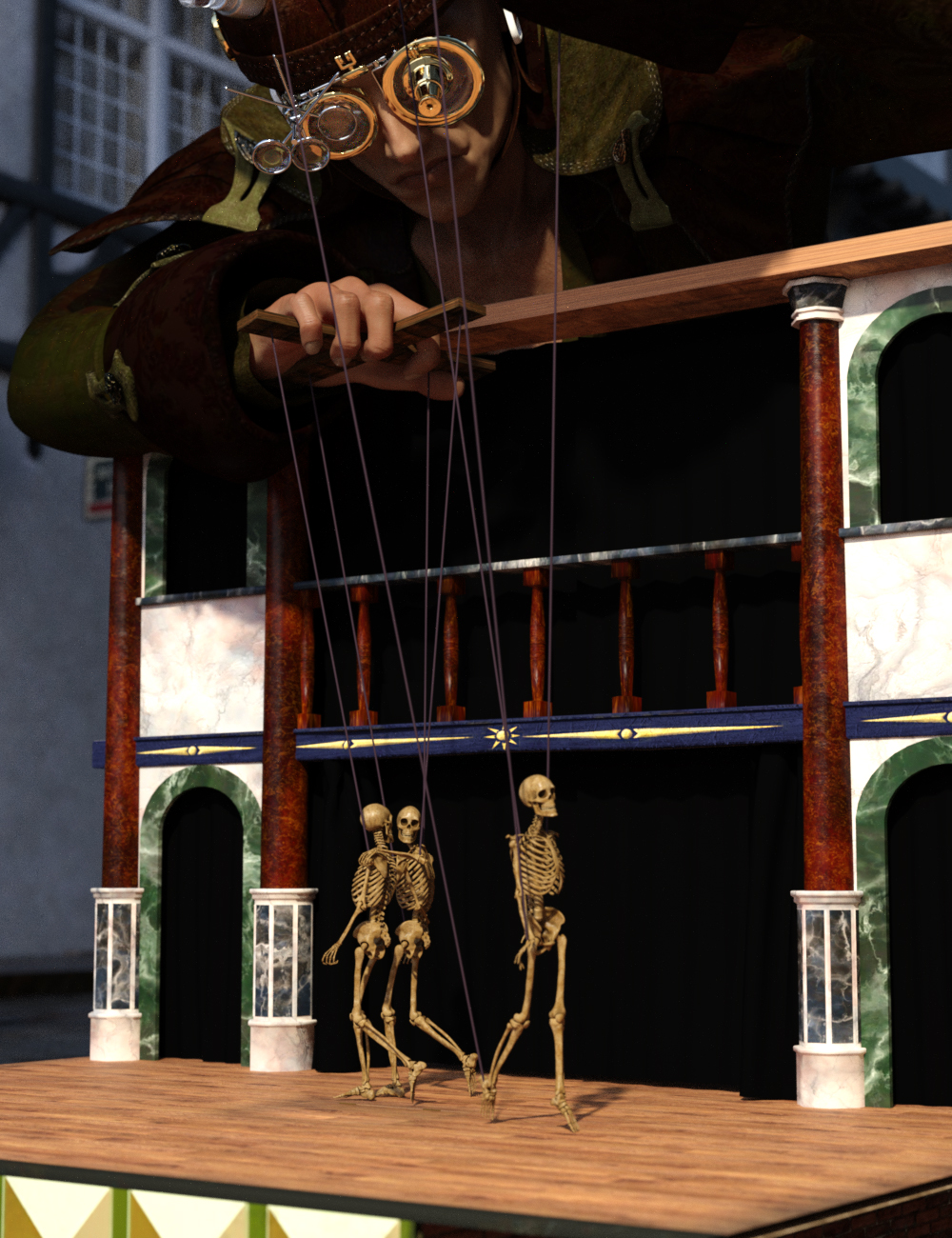 Stop wasting time and hard drive space converting pose presets, just use them! With Bone Minion, you can directly use poses for Genesis 9 for other generations without first converting and saving them to a preset. Your Bone Minion will do the hard work for you by acting as a bone "catcher" for a pose and then transferring (and converting if necessary) the pose to its parent Target figure.* Simply load the desired Bone Minion (i.e., Genesis 9 Bone Minion for Genesis 9 poses) on your Target figure (e.g., Genesis 8 Male or Victoria 4), select the Bone Minion, and start applying poses!
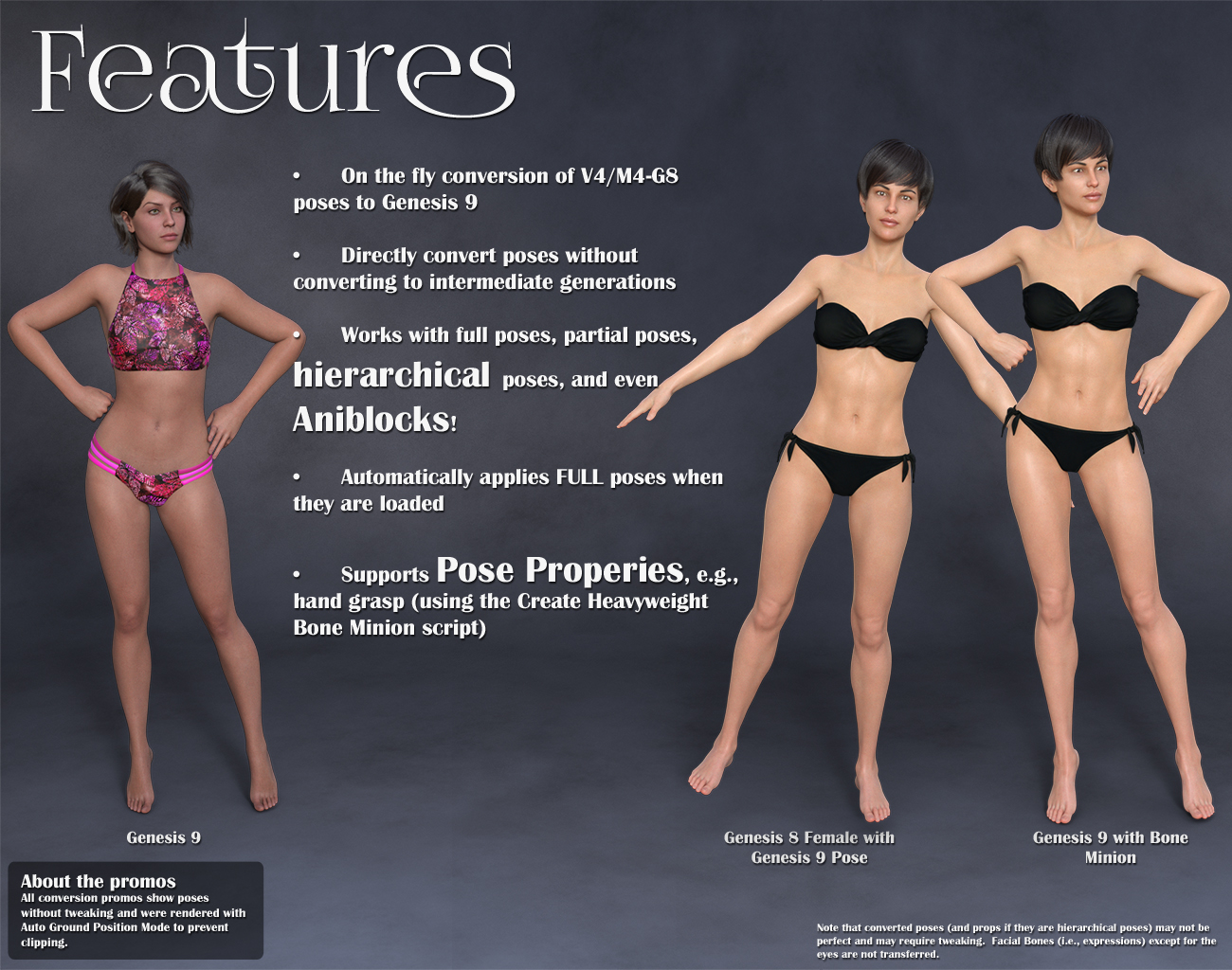
- On the fly conversion of Genesis 9 poses to your Target figure
- Directly convert from the Source generation to the Target generation without converting to intermediate generations
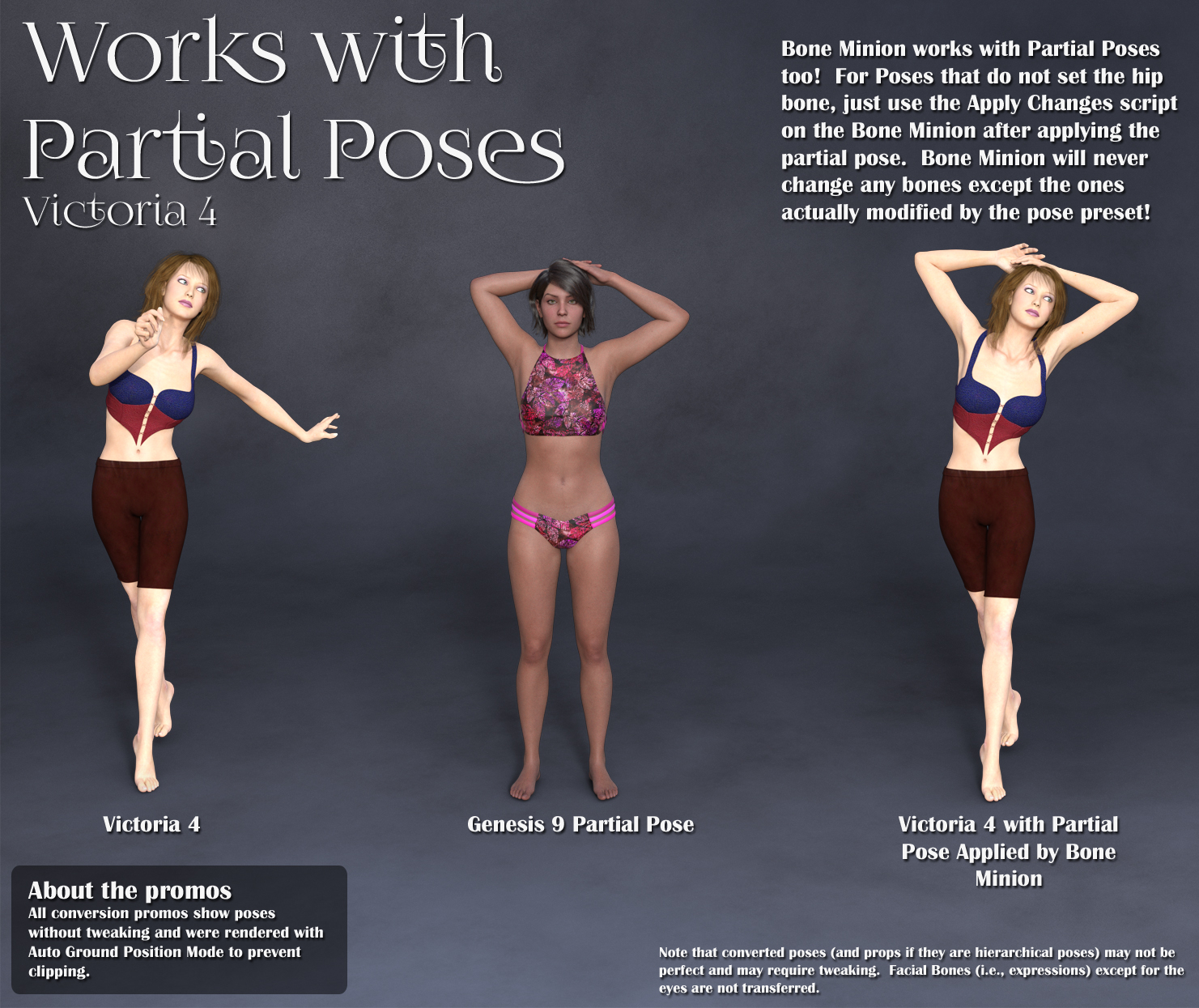
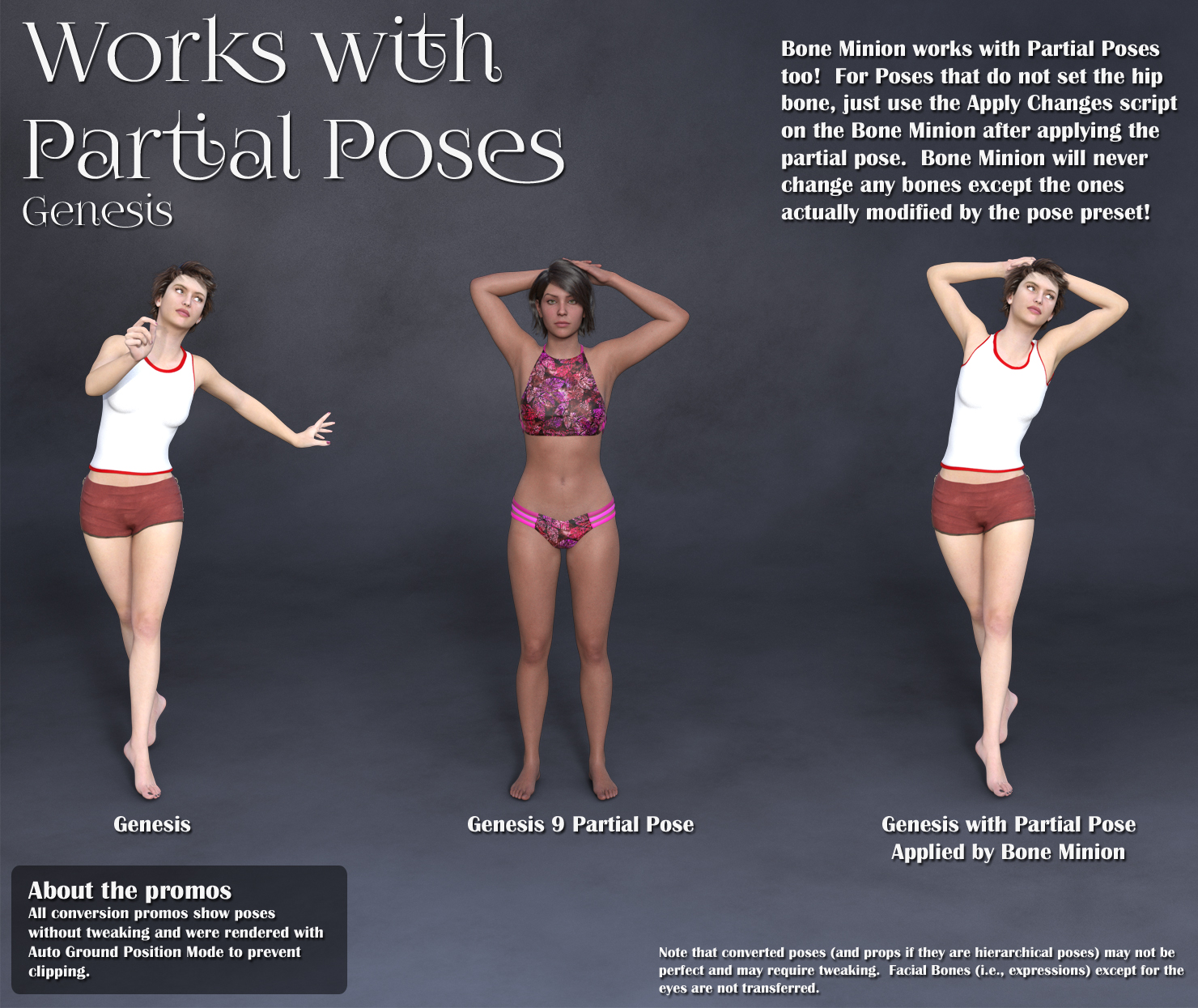
- Works with Genesis 9 full poses, partial poses**, hierarchical poses***, and even AniBlocks!
- Automatically applies full poses when they are loaded**
- Supports pose properties (using the Create Heavyweight Bone Minion script)
Note that converted poses (and especially props if they are hierarchical poses) may not be perfect and may require tweaking. Facial Bones (i.e., expressions) except for the eyes are not transferred.
* Requires purchase of the correct Bone Minion product.
** Any pose that sets the hip of the Bone Minion will be automatically converted on the fly and applied to the target figure. The Apply Changes script can be used to transfer any pose (including partial poses) on the Bone Minion to its target figure.
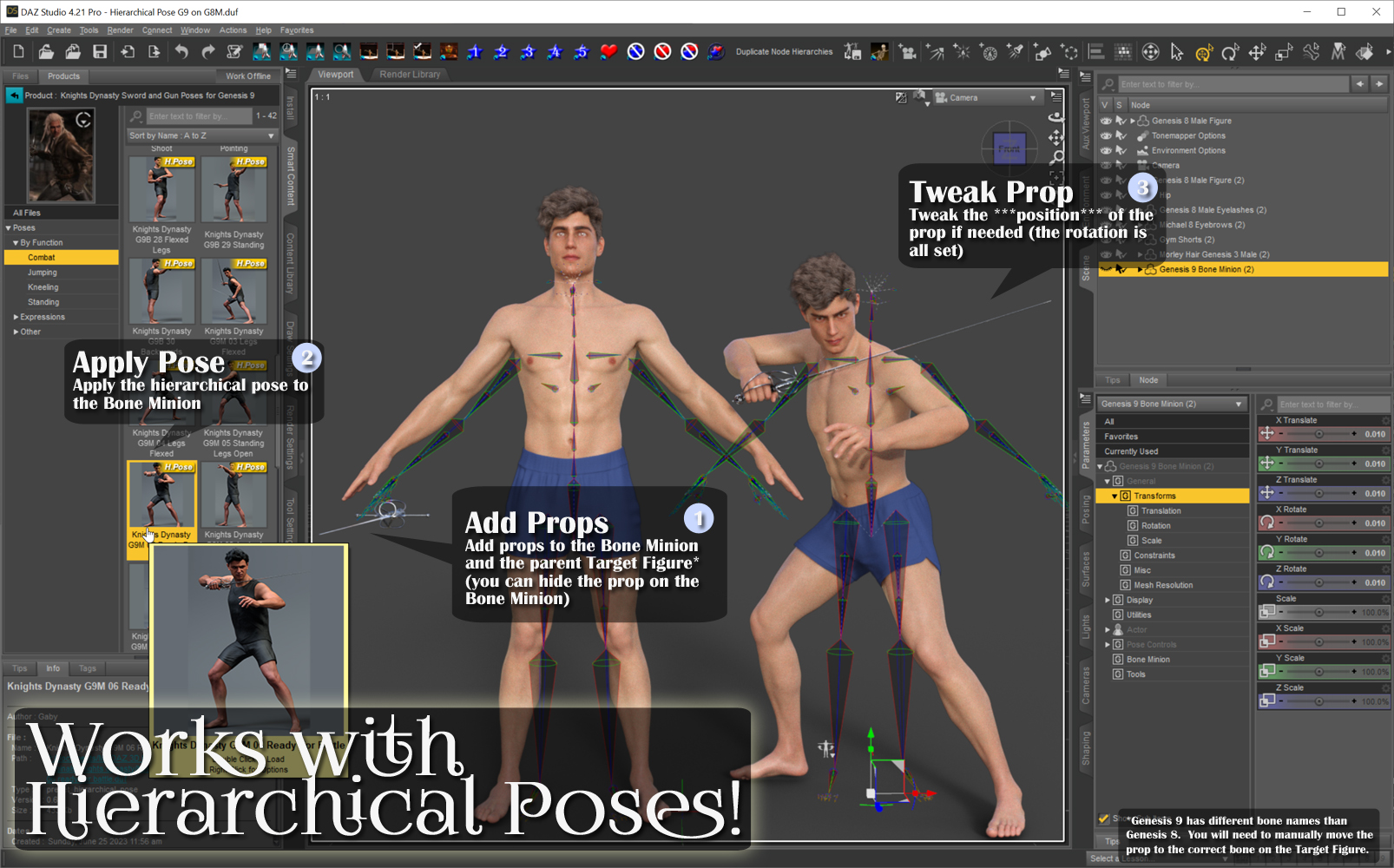
*** Hierarchical poses require the props loaded on both the Bone Minion and the target figure. The prop will be properly rotated for the pose but may need to be manually translated to the correct location. Genesis 9 has different bone names than previous generations. You will need to manually move the prop to the correct bone on the Target Figure.
Daz 3D is part of

Connect
DAZ Productions, Inc.
7533 S Center View Ct #4664
West Jordan, UT 84084Licensing Agreement | Terms of Service | Privacy Policy | EULA
© 2026 Daz Productions Inc. All Rights Reserved.