-
general question, how do you keep DAZ workable ?
william VV said:
as said earlier to Perttia, a new graphicscard is within budgetrange :) ... however, on the other hand, .. can items that require iray be rendered in 3delight as well ? (e.g. lights, shaders, character textures etc ... (same question for Dforce ... can anything that requires Dforce be posed without the Dforce animation as well ? like a conforming clothing or hair ? (yes, poserhabit again :D )
thanks for the tip on online rendering, but not so keen on doing things online... i'm an oldskool, , so I like to arrange things myself.. that's why i'm not very fond of smartcontent as well... I have even never used things like onedrive etc .. :D ... yes call me prehistoric .. approaching my midsixties .. (damn how did they get here suddenly so fast ??
 You can use 3DLight or Filament, but it's not just a matter of selecting an other renderer. DS can convert the textures on the fly and does a pretty decent job at it except for transparent and mirror surfaces, but for example the lights work differently and probably need to be changed.
At one year shy of sixty, I have considered myself a youngster here as there are people here that have been working with computers for a living in the 60's and 70's
general question, how do you keep DAZ workable ?Probably the only problems I have using Daz are due to VRAM and render speed of iray preview. I have 2080TI with ~12GB and I always go over VRAM and then have to split up render into chunks, even without multiple characters in scene. Optimisation is an option, but that too takes time. Im thinking of getting a 3090TI or 4090 for 24GB VRAM, but those are very expensive and not sure it's worth it for me.
I dont think I would have the patience to use Daz (or Blender etc) if I was stuck rendering on a CPU. I was doing that when i started Daz in 2017 and it was too restrictive. Having a card that can render Iray Preview and complete a render to decent iteration count within an hour or so made things so much more palatable.
Filament or porting to Blender and using Eevee may be options for people who cant use Iray.
general question, how do you keep DAZ workable ?First of all, thank you all for so much informative feedback and very useful information !!
@crosswind :
I knew I forgot to mention something
Win10
HP workstation Z23O 32GB ram
NVIDIA Quadro K2200 4GB
(not much, i know, but it runs poser smooth as silk (yes, still making that mistake of comparing DAZ to poser :D )@Sofacitizen :
indeed that is perhaps the case that it drops back to CPU .. my scenes are not that complex (at least not in build) it's just 1 or 2 character, clothes, hair and a very basic room setting with only some very basic furniture (e.g 2 chairs, table, simple obj cupboard closet and perhaps a picture on the wall.) . I still keep it as simple as possible just to tryout DAZ and experimenting with lighting etc.
Very good to know about spot render. will surely make a big time difference :)
it is not my intention to do other things while rendering. that I have never done in poser as well.. it's perhaps my luxury habit that i could continue work in poser's scene while it was rendering both in background and in Queu manager. In DAZ i can twiddle thumbs or leave it running at night.
I have a second pc indeed, but that one is even lighter than the workstation and still on w8.1. it runs poser, but has difficulties with complexer scenes like outdoors or 5+ MV/V4 characters etc... so i'm not even gonna bother installing daz on that one :D
@ Shelluser :
I render in lray but i switch to 3delight occasionally just to see if it makes difference in time. (also not fully understanding lighting as well.. as for instance, some require dome or are HDRI lights but regardless DOME is activated or not, these lights never load (at least , there's no visible change in the viewport.. but that's perhaps another topic :) )
I've only seen filament as a viewportpreview, .. Do i have to select that for filament rendering ? or where can i find it ? sure is something to try out. And I would be more than happy with 40minute renders :D
the few clothing sets I have are mostly Dforce, as well as the hair. it seems to me Dforce clothing can't be posed (or is very limited to be adjusted by sliders to the figure's pose). Do you have only non Dforce cloth sets or how do you do it to 'avoid'/workaround Dforce? (as that would be a major timesaver ofcourse )
Sorry about the confusion of 'workflow' .. I only intended it as comparison of DAZ to poser. for the rendering ... my system runs easy and smooth working in poser scene while it's rendering in background and simultaneously in queue manager . I tought something similar would be possible in DAZ as well ... that is what i meant with 'workflow' . Ofcourse, what you understood under 'workflow' is for DAZ vs poser indeed apples-oranges :D
i'm totally not in complex scenes, just basic try-and-error 'get to know daz' minimalistic scenes
@ FSMCDesigns :
totally agree on that one .. allthough i achieve very realistic character/portrait rendering in poser, they're still stuck on V4 and M4 for decades now. only newer figure there was LaFemme. I tried and tried to get genesis to poser but it always gave somewhere bugs, flaws mesh/posing/clothing issues, so I finally gave up and continued with good ole V4
so my next step would be getting V4 into DAZ and somehow copy my custom characters to genesis8-9 (I did already some research but it seems a steep long path...)
I switch to lray preview often.. i've been able to reduce previewrendertime drastically, but it's sadly not continuously usable while working. Or are you perhaps able to work on the scene while in lray preview?
that 30minute rendering including Dforce sim would be very welcome for me as well :D but I guess only solution is to upgrade my system :D
@Padone
thanks for the tip on scene optimizer, will check it out and consider it ...
never used blender, but since i'm learning daz, i might take blender on as well :D
Sorry all for replying this way, but this was the fastest easiest way as the server disconnects often
Fisheye Lens Camerairay now has options under the camera's lens parameters added since this old thread
they only show using iray though not flat, textured or Filament view etc
general question, how do you keep DAZ workable ?william VV said:
rendertime : I've been able to 'reduce' rendertime to approx 1.5-2hrs. (i've seen discussions here where rendertimes of 12-15 hours, even days are mentionned)
still, one to two hours is too long for me (e.g. in poser12 takes a firefly/superfly render at an acceptable decent quality setting (for me) 15-60minutes (depending on the complexity of the scene)So what render engine do you use? I'm kinda missing that in your post: there's quite a difference between Iray and 3Delight for example. And in addition I'd also like to mention Filament which, though less detailed than Iray, can still be a very useful engine for creating "quick" renders. Maybe not as detailed, but you can definitely build some solid renders with it.
with renders in an average of 20-30minutes i can live , because if something needs to be fixed, it can quickly be adjusted en rerendered. In DAZ, waiting for an hourandahalf only to find out rerendering is needed is too much timeloss. Also because while DAZ is rendering , work can't continue in the scene. (in poser you can continue working while rendering)
That can also be done in Daz Studio: you can change the viewport's render engine to either Filament or Iray. While this doesn't necessarily help to reduce render time you could use it that way by telling Daz Studio to merely use your viewport as render output. Still, my rendering time heavily depends on the scene at hand. That and the render settings, these can make quite a difference as well. Generally speaking my rendertime is approx. 40 minutes using Iray which is IMO not too shabby.
Can't comment on dForce because I seldomly use it, not much of a fan of that.
I know my system isn't state of the art, but if I can achieve decent quality renders in about 30minutes in poser and continue working meanwhile, I would expect something more or less similar in DAZ but atm you can see that DAZ doesn't lend itself to a fluid workflow at all ...
Apples and oranges IMO: workflow doesn't necessarily have much to do with the rendering process because that's mostly dependand on your engine and its settings. Workflow, to me, would be the way you set up your scenes, how you bring your assets together and the time you take to actually pose and model them. That's the part that confuses me here because generally speaking (again) it takes me waay more time to set up my scene than to render the whole thing.
Which, once again, is where workflow comes into place IMO: being able to quickly center a figure to check my pose from multiple angles, being able to quickly (un)hide other parts of my scene to make this checking easier, being able to quickly move assets around without necessarily havving to drag 'm, being able to quickly pose parts of a figure or, in extension: being able to group items together.
That is what I'd consider workflow, not the rendering process.
so my question is , is everyone experiencing DAZ this way ? any tricks tips, to speed up things, to continue work while rendering at least ?
Not for me, no. Like I said: the process to build my scenes using my own poses and sub-sets which I then bring together in my main project takes way more time (and effort) than the rendering process. As for speeding up... well, Filament comes to mind but maybe also making less complex sceneries?
Of course I have to guess but the more assets you add to a scene the more work this is going to be for the render engine. Do you really need all of that to make it work?
Jaderail is looking down on the STUPID THREAD XI stopped it after 640 frames
the result will need to be watched on YouTube signed in as age restricted by me because it's a Filament render and her top disappeared first camera cut, Filament does some odd things sometimes.
She is by a pool so not implausible she'd be topless about to disrobe for a plunge.
Will do iray renders another day.
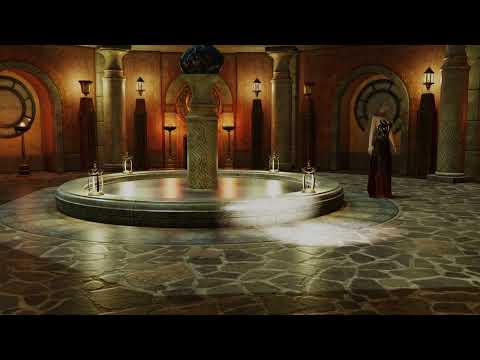 Working in Daz studio but without a 'GPU'
Only for iray, not for filament. That is, iray works both with the cpu (without denoiser) and nvidia gpus, while filament works with any modern gpu. Apparently intel has issues, but I can use my ryzen apu just fine for example.
[Released] Turbo Loader for Genesis 8 and 8.1 [Commercial]diogenese19348 said:
I moved my libraries to a network drive also, and had the same issue with it not finding sincludefileedit. The fix is that you need to map the network drive, and use the mapping in your content library path. Scripts will not find that data folder from an unmapped network drive. It probably isn't just Turbo Loader, and there may be some DAZ program functions themselves that don't work right if that isn't fixed. In particular it also cleared up an issue I was having with Filament where adding an HDRI map turned the scene black and didn't add any lights.
Bottom line is if you use a network drive for a library, it needs to be mapped to a drive letter and you need to set that mapping in the content manager.
Thanks for sharing your tip!
[Released] Turbo Loader for Genesis 8 and 8.1 [Commercial]I moved my libraries to a network drive also, and had the same issue with it not finding sincludefileedit. The fix is that you need to map the network drive, and use the mapping in your content library path. Scripts will not find that data folder from an unmapped network drive. It probably isn't just Turbo Loader, and there may be some DAZ program functions themselves that don't work right if that isn't fixed. In particular it also cleared up an issue I was having with Filament where adding an HDRI map turned the scene black and didn't add any lights.
Bottom line is if you use a network drive for a library, it needs to be mapped to a drive letter and you need to set that mapping in the content manager.
Working in Daz studio but without a 'GPU'Padone said:
From your picture it seems the UHD 770 doesn't have an option for dedicated gpu memory and it only has shared memory. A quick search on google didn't provide any useful information. I never used intel graphics so I can't tell, usually you can change the dedicated memory for apus in the bios.
May be Wendy can help better since she has intel.
not really

mine just works
it's also a Win7 machine
the graphics are not great iClone 6 struggles on it for example so I think it might be another factor involved
the also is a limit as to how much you can have in your scene, big ones have crashed my intel driver as has dforce sims if they explode
Ultrascatter will crash it if too many instances
Ultrascenery always will crash it as incompatible
collapsed instances crash filament
even on my Win10 with the 2080Ti
sometimes strandbased hair vanishes during animations
Filament - HDRI's are not working, recent problem 4/2023test it by moving one back
it could be Filament reads files differently as it certainly takes up to a minute to load a different HDR for me if it's not on my C drive (depending on which of my 5 it's on)
also has to be 2:1 WH ratio
Filament - HDRI's are not working, recent problem 4/2023Tried changing the draw settings, no help. Also tried using perspective view.
If I put one figure in the scene it is completely dark and renders complately dark. If I add lights the background stays black but I can see the figure.
If I switch over to IRAY the HDRI shows up and lights the scene even with the drawstyle of Filament (PBR).
The only change I made was to move all the libraries to the network drive for all three machines so they could share the same libraries. There may be something to do with that but if IRAY can see the HDRI I don't know why Filament can't, particularly when it used to.
If I remove the HDRI and go with DAZ delault "None" map it works correctly, the HDRI lights up the Filament scene.
Something has to have changed, I just can't figure out what, and I almost always use HDRI with Filament, it's loads easier than setting up a bunch of point lights and since I am doing comics with it it makes it really quick to make pictures for them.
Filament - HDRI's are not working, recent problem 4/2023Are you using a cam? Sometimes I have to go to the Perspective view when using a cam or lights in the scene filament would be so dark you can't see anything.
Filament - HDRI's are not working, recent problem 4/2023If anybody is using Filament and didn't just run into this problem could you let me know"? I'm trying to figure out if it is something I did or a bug. If I switch over to IRAY, the HDRI works. In Filament it doesn't. Up until about a week ago it did.
The only HDRI that works is the default one, as soon as a map is loaded the scene goes dark. Any HDRI, including loading sets bought here.
Working in Daz studio but without a 'GPU'Padone said:
@Richard I believe you are confused, we're talking about the filament viewport here not iray. The default shadow type is none so you need to change it to something to get shadows.
I was thinking Filament was being used as a semi-preview for Iray rendering.
@Soreata From your specs I see the apu ram is 128 MB that can't possibly work. You need to change it to at least 1 GB, I don't know if you have options in the driver settings or you need to go to bios. My ryzen apu gets 2 GB from the system memory, but I guess intel is more limited.
 Working in Daz studio but without a 'GPU'
@Richard I believe you are confused, we're talking about the filament viewport here not iray. The default shadow type is none so you need to change it to something to get shadows.
@Soreata From your specs I see the apu ram is 128 MB that can't possibly work. You need to change it to at least 1 GB, I don't know if you have options in the driver settings or you need to go to bios. My ryzen apu gets 2 GB from the system memory, but I guess intel is more limited.
Working in Daz studio but without a 'GPU'Richard Haseltine said:
Intel GPUs can be less than super, so this may just be a limitation. But as I said, you should not be using the shadow type options with Filament or Iray anyway - do please report your issues, but then leave the control alone.
I have always needed to
there is the 8 light shadow limitation too
Working in Daz studio but without a 'GPU'Richard Haseltine said:
Intel GPUs can be less than super, so this may just be a limitation. But as I said, you should not be using the shadow type options with Filament or Iray anyway - do please report your issues, but then leave the control alone.
Yes, I did so! I need shadows for my renders to make them more realistic, you know...
I don't know why I'm having this problem.
Working in Daz studio but without a 'GPU'Intel GPUs can be less than super, so this may just be a limitation. But as I said, you should not be using the shadow type options with Filament or Iray anyway - do please report your issues, but then leave the control alone.
Working in Daz studio but without a 'GPU'Here are some pics with my specs, guys!
So, all good until I set a shadow type for my spotlight when the viewport is on filament...
What's even stranger, if there is no object in the scene to calculate the shadows, there will be no problem with the light having a shadow type.
Daz 3D is part of

Connect
DAZ Productions, Inc.
7533 S Center View Ct #4664
West Jordan, UT 84084Licensing Agreement | Terms of Service | Privacy Policy | EULA
© 2026 Daz Productions Inc. All Rights Reserved.