-
In Home "Motion Capture" Plug-in for DAZ Studio?
I've passed along this product suggestion to Topher ( -who promised me it would be forwarded onto DAZ's Development Team ). Here's my suggestion: "Why doesn't DAZ develop a plug-in or utility that would allow DAZ Studio users to record "motion capture" sequences ( i.e: walk cycles, body movements, facial expressions, etc. ) right at home using their own Digital Cameras or Camcorders? The plug-in/ utility would allow DAZ Studio users to then "import" their motion-capture sequences into DAZ Studio ( -for use in animating their Genesis and Victoria/ Michael figures )? Can you imagine the boost to productivity such a utility would afford DAZ Studio users? No more tedious and time-consuming posing and "aniblocking" -just large chunks of complex "mo-cap" ready to use for animating your DAZ characters. No more purchasing pre-packaged "mo-cap" sequences with movements that someone else thinks you need! I can't be the ONLY DAZ user out here who sees what a "no-brainer" such a utility would be! WHY should IClone 6 users be the only ones having all the fun? Shouldn't DAZ have it's own low-cost "in-home" motion capture product? I think so. Even if it would require DAZ to produce a low-cost ( hardware ) camera interface -similar to IClone's it would be worth it. So, if you too would like to see DAZ introduce a low-cost "in home" motion-capture product ( -similar to IClone's ), be sure to let the good people at DAZ know! If enough of you do this -perhaps us DAZ users can also join in on the fun of low-cost "in-home" mo cap!" P.S: I understand that IClone's system allows DAZ figures to be "imported" and used with IClone 6's mo-cap feature but what's the point of that if you have to reduce your res/ poly count down to IClone's almost "cartoonish" low-res look?"
Eva 7 - just what we needed...I just hope they fix the problems that were obvious with M6. Mainly the torso and face. I liked Genesis's face because of it's versatility. Gen 2 male seemed to have some features that were tough to scrub out and alter which made him so hard to work with.
I have a different view about Michael and Victoria I think of them as not being a specific character, but an improved basic character. So you should be able to dial in a figure that looks like anyone, as long as you have the morphs.
I found with M6, he was too distinct of a character facially to be useful as a base like Michael 5 was, And his body often added the weird pecs.
I hope those problem areas are fixed.
Realistic Renders.... NOT! 14: A new frontier.....And another iray render of http://www.daz3d.com/fwsa-adaline-hd-for-victoria-7
with OutOfTouch light setup.
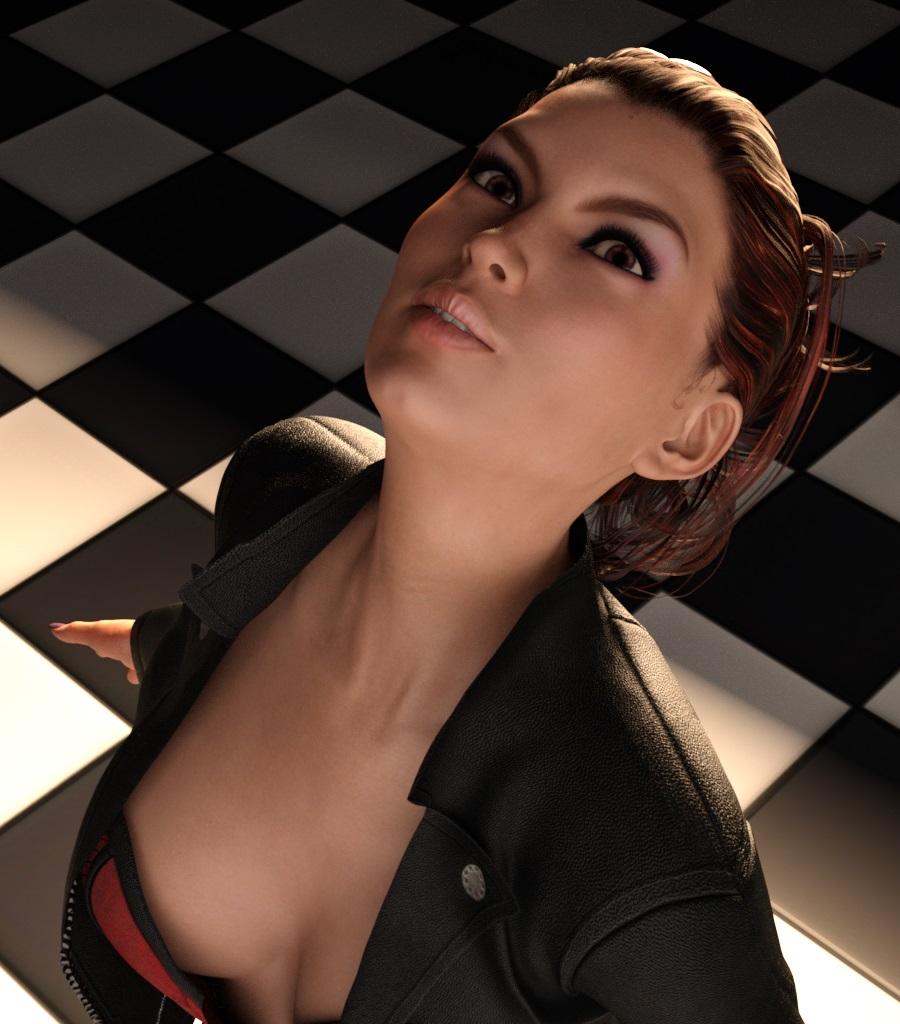 Realistic Renders.... NOT! 14: A new frontier.....
My further experiments with iray renders.
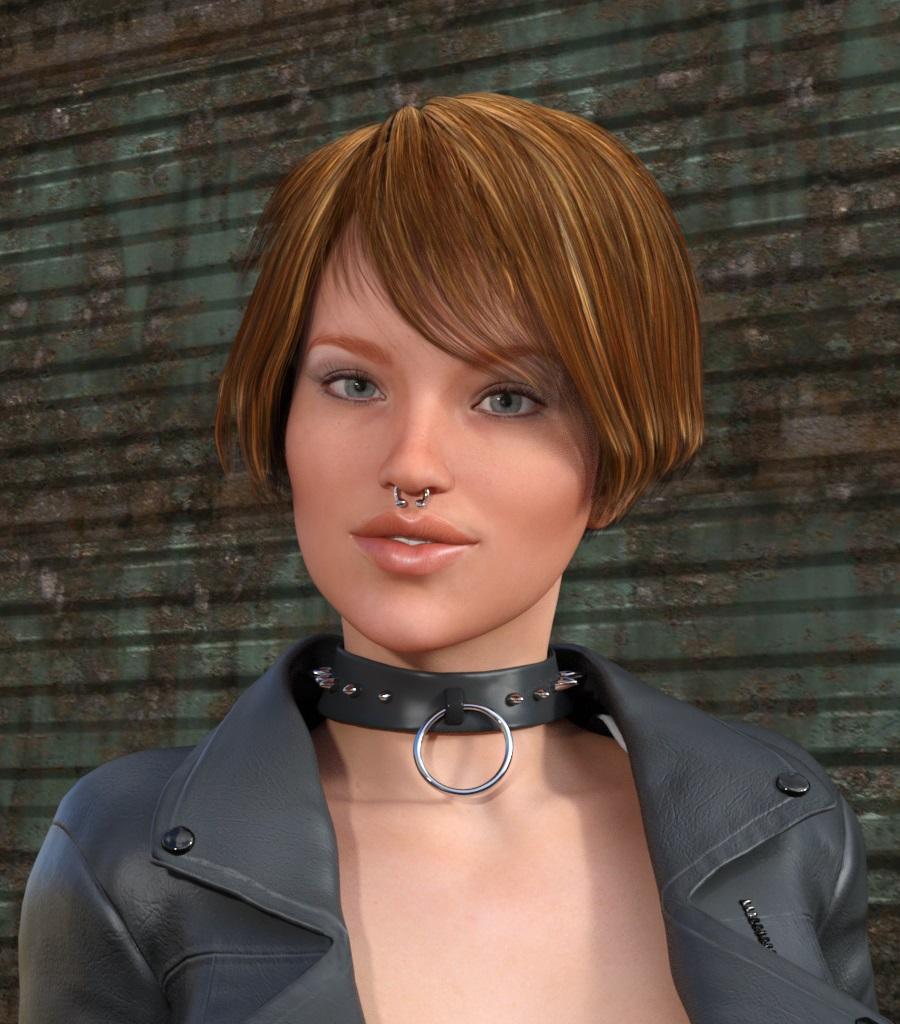
Below is a render of V6 with materials from http://www.daz3d.com/ig-iray-essentials-victoria-6-michael-6
with hair from http://www.daz3d.com/yu-hair-for-genesis-2-female-s-and-victoria-4
and wearing clothes from http://www.daz3d.com/anarchy-for-genesis-2-female-s
Rendering Time: 11 minutes 28 seconds
 Custom bones in figures?
Genesis does not need any additional features to use Victoria 4 textures and clothes (via AutoFit). The V4 and M4 Shapes are needed for GenX 2, and to make the figure the V4/M4 shape. The Gen 3 Iconic Shapes are used by Gen X 2 (I think) and allow AutoFitting of clothes, but they don't make textures usable (as with the new Genesis 3, the problem is that the model is broken up into surfaces in a different way - Gene4, Genesis and Genesis 2 used different maps but broke the model up into Surraces in the same way).
Custom bones in figures?Hi there
I want to make renders in Daz Studio of superheroes with stretchy powers like Mr. Fantastic or Elastigirl and yet I have not found a (convenient) way to do this.
Now, I was able to do this successfully in Carrara, example one and two with Victoria 4 and a model rip of Elastigirl from the Playstation 2 game, by giving them custom rigging consisting of lots and lots of bones. It was fairly easy, minus the head morphs, of which I just made the body invisible in a T stance and meshed it with the stretchy body to compensate with V4.
Now, I could do the same double-model, one head another body thing by assembling in Carrara and exporting as OBJ to Studio, but as you can see in the V4 pic above, this is not perfect... or my animation sucks, whichever. :p
So, I did some googling before I came here, and I came across a rigging tutorial with a missing part one and instructions on how to rig a dragon. This is the one here. Due to part one needing a password for whatever reason, I did not follow. Plus the hierarchy explanation did not match my model (the Elastigirl game rip) and I got lost. I think that there were some naming and category situations that I was missing. Anyway, I went to look for another tutorial, and came across this one. It was a little hard to follow, but it led me to the same place. More googling, and I still got stuck, so that leads me here.
I ask of you now, what is the best and most convenient way to create, or modify for many extra bones, a custom rig for stretchy superhoes using V4? Or A3 as well, whoever?
I will be happy to provide clarification for what I want, or what my process was if needed.
Thanks!
In D/S, "be nice to yourself" ... there are the basic shapes for the legacy figures FOR Genesis available in the store. They do go on sale from time to time and sometimes even land in Fastgrab.
http://www.daz3d.com/v4-and-m4-shapes-for-genesis
http://www.daz3d.com/gen-3-iconic-shapes-for-genesis
Genesis is easy to morph using a modeler such as Hexagon to have stretch arms, etc. Then one can adjust the rigging to fit etc.
What do those do? Do those allow V4 maps and clothes to work with Genisis?
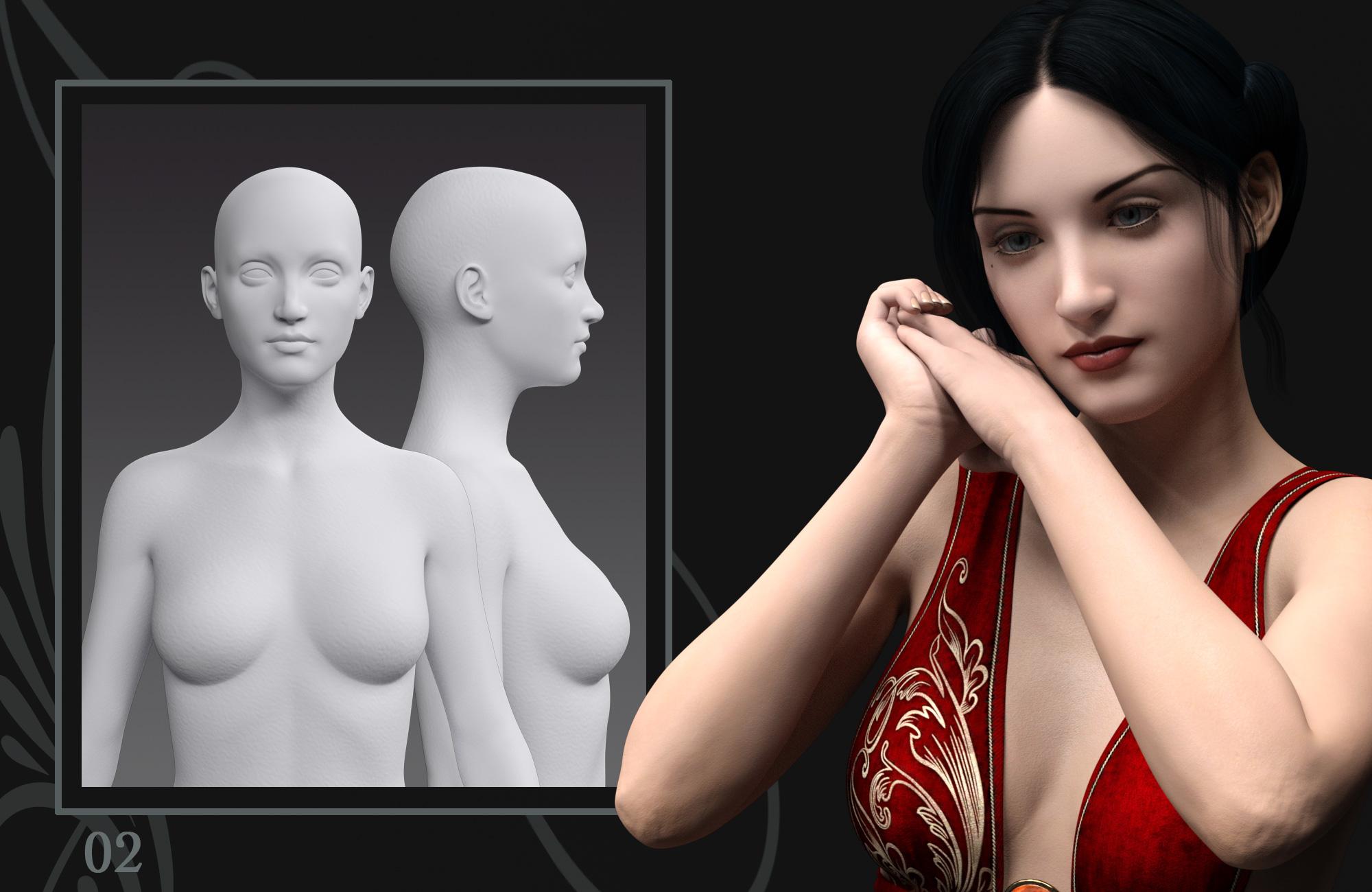
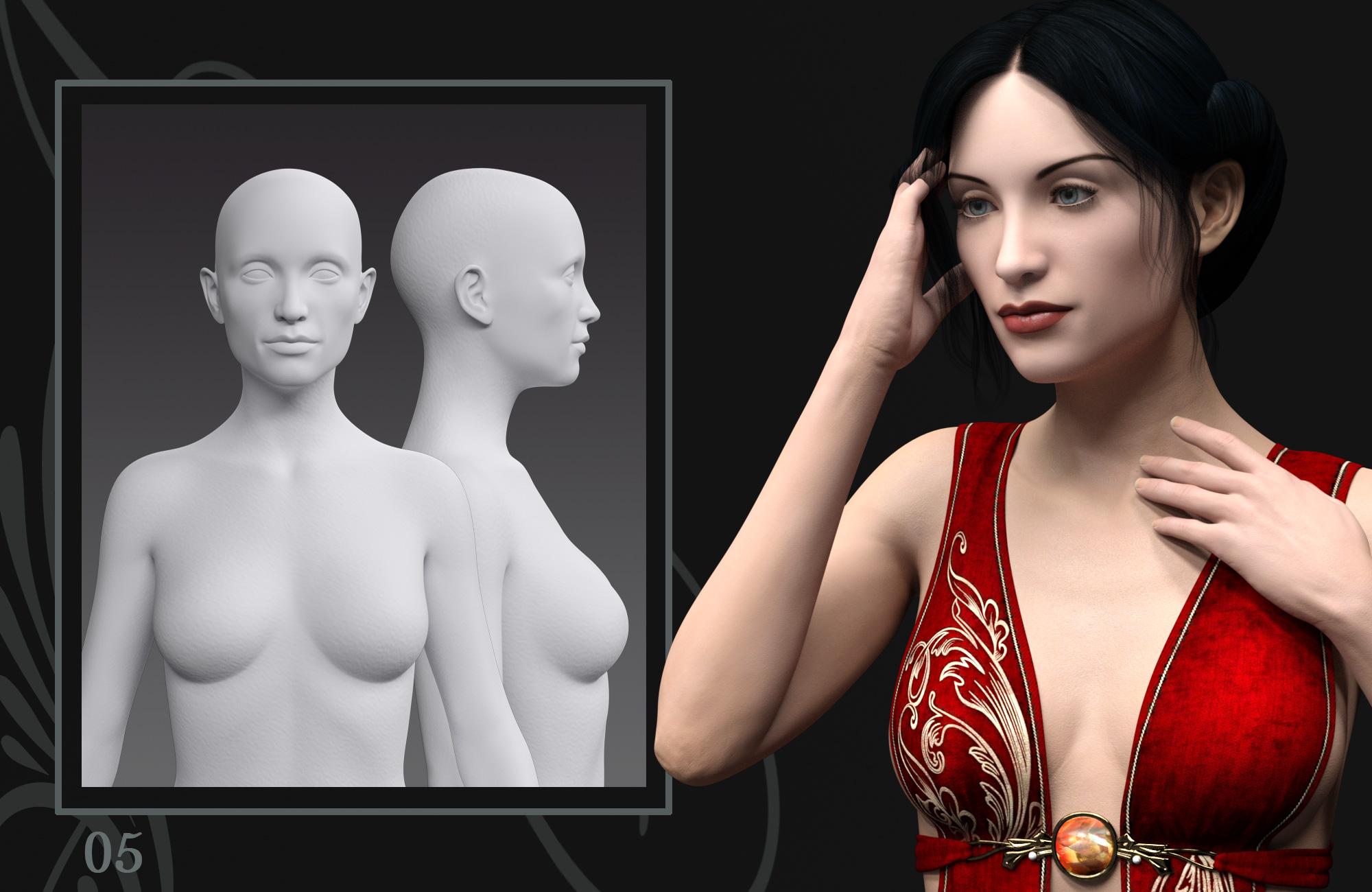
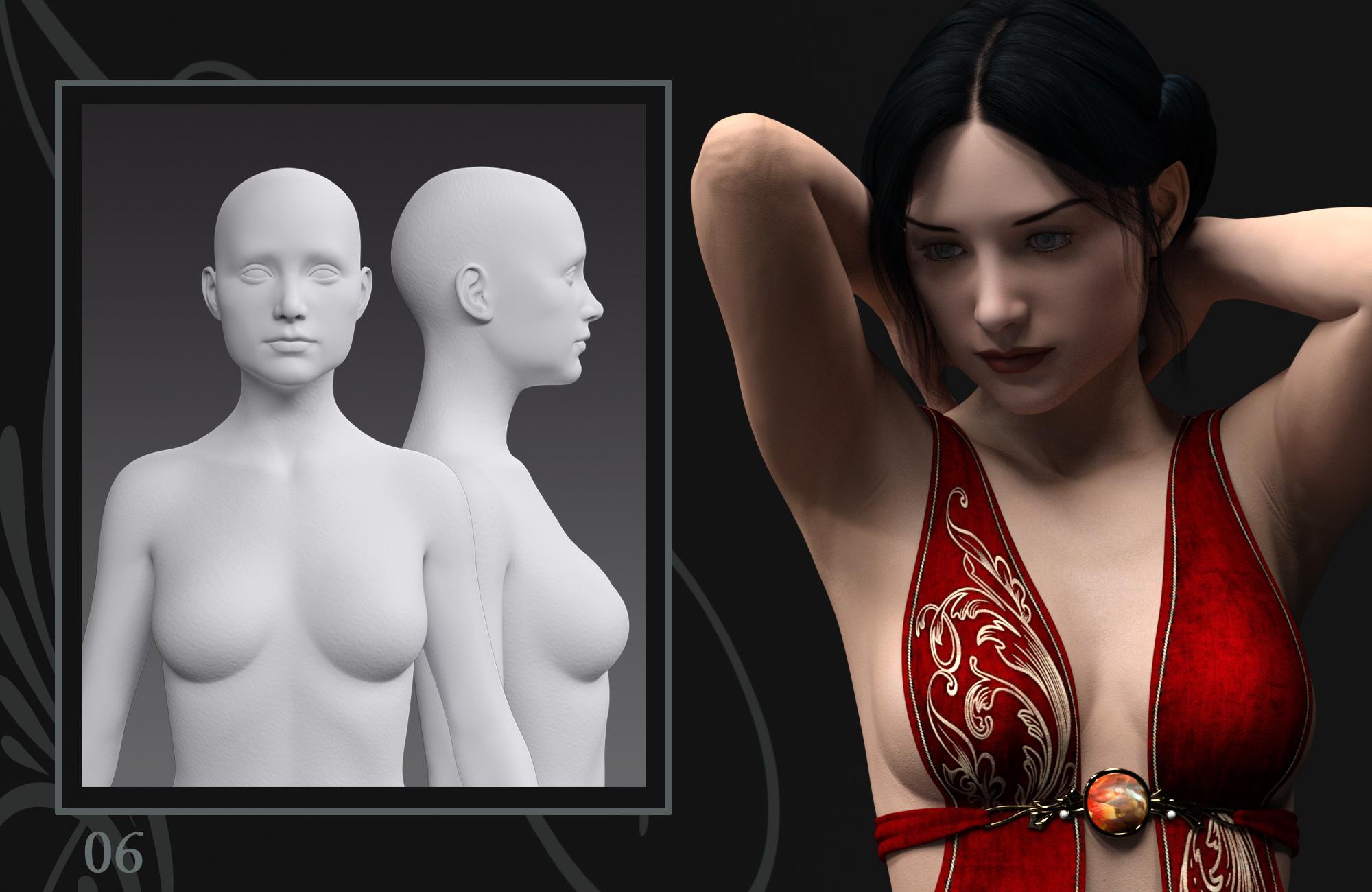
Metamorphosis, head/body morphs for Genesis 3 Female [Commercial]METAMORPHOSIS
Shape your Muse with Mix'n'Match Head and Body Morphs

http://www.daz3d.com/metamorphosis-for-genesis-3-female-s
Hearken back to the days of the Old Masters when they painted women with soft curves. These women have gentle countenances and their bodies are petite to ample.
The six head morphs and six body morphs give you the ability to mix and match them. The presets will apply each morph at 100%, with an additional head and body preset to remove the morphs. When using the presets, it is recommended that you use the remove preset before applying another morph preset.I made these morphs with much influence from the Pre-Raphaelite paintings and photographs from the late 1800s. I wanted to try and give some flexilibilty by separating the head and body morphs. This allows you to use the head morphs with Victoria or Eva 7's body or vice versa. The morphs were created on the Genesis 3 Female. They will mix with the Victoria and Eva 7 morphs, but since these are morphs of the Genesis 3 Female, you would need to do lower mixtures rather than use at full percentage. Mixing full head or body morphs should always be attempted with the sliders in percentages lower than 100 as more than one part of the body or head is in use with the morphs, whether the morphs within the Metamorphosis set or other DAZ characters. You can also modify by trying out percentages of the morphs in DAZ's head and body morph sets.
I utilized Khory's lovely pose set, Lend Her Grace, http://www.daz3d.com/lend-her-grace-poses-for-genesis-3-female-s , in the making of the promos. Cameras were set with a focal distance of 120. I tried to list all products used in the promos; you can see this on the product page.
I hope you find the morphs to your liking and get lots of usage from them. I welcome all comments, suggestions and questions and would love to see your renders.


 Victoria 7 HD add-on. Worth it?
Hi there.
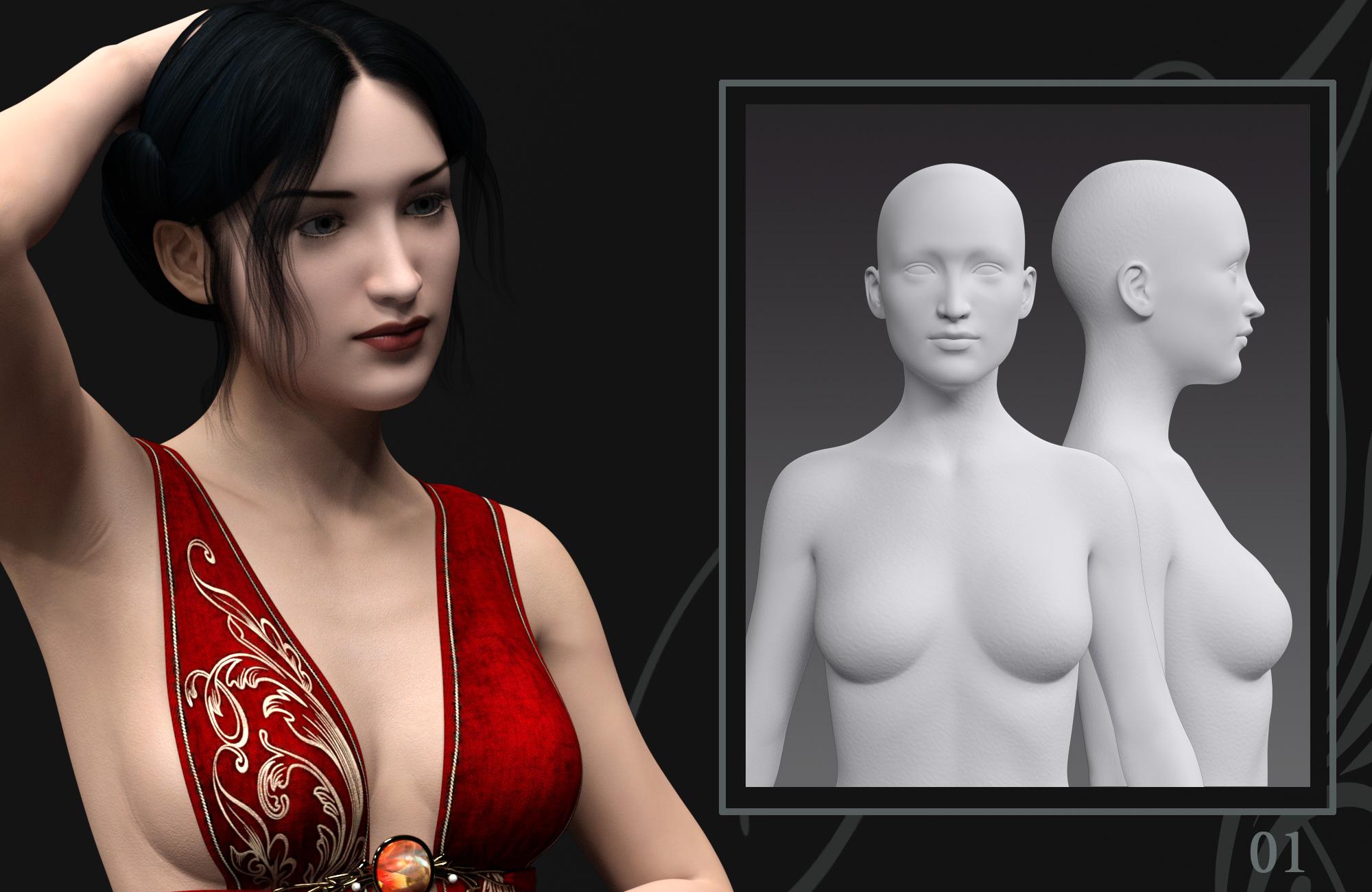
I just downloaded the Daz3D program the other day and am looking at purchasing the Victoria 7 Pro set as well as the head and body morph packages. I notice that V7 Pro comes with FWSA Adaline HD and was wondering what the difference was between it and the seperate V7 HD add-on. Does the add-on do more than the Adaline HD package, and even if it does, has anyone found the add-on package to be worth it?
Also, does anyone know when the sale on these items ends? Gonna be pretty irritated if the price has gone back up by the time I can scrape the money together.
Metamorphosis, head/body morphs for Genesis 3 Female [Commercial]METAMORPHOSIS
Shape your Muse with Mix'n'Match Head and Body Morphs
http://www.daz3d.com/metamorphosis-for-genesis-3-female-s
Hearken back to the days of the Old Masters when they painted women with soft curves. These women have gentle countenances and their bodies are petite to ample.
The six head morphs and six body morphs give you the ability to mix and match them. The presets will apply each morph at 100%, with an additional head and body preset to remove the morphs. When using the presets, it is recommended that you use the remove preset before applying another morph preset.I made these morphs with much influence from the Pre-Raphaelite paintings and photographs from the late 1800s. I wanted to try and give some flexilibilty by separating the head and body morphs. This allows you to use the head morphs with Victoria or Eva 7's body or vice versa. The morphs were created on the Genesis 3 Female. They will mix with the Victoria and Eva 7 morphs, but since these are morphs of the Genesis 3 Female, you would need to do lower mixtures rather than use at full percentage. Mixing full head or body morphs should always be attempted with the sliders in percentages lower than 100 as more than one part of the body or head is in use with the morphs, whether the morphs within the Metamorphosis set or other DAZ characters. You can also modify by trying out percentages of the morphs in DAZ's head and body morph sets.
I utilized Khory's lovely pose set, Lend Her Grace, http://www.daz3d.com/lend-her-grace-poses-for-genesis-3-female-s , in the making of the promos. Cameras were set with a focal distance of 120. I tried to list all products used in the promos; you can see this on the product page.
I hope you find the morphs to your liking and get lots of usage from them. I welcome all comments, suggestions and questions and would love to see your renders.
Favorite 5 - What are your favorite 5?My top 5 PA items that I use could be:
Rolling plains - First Bastion
Easy Environments - Flip Mode
English Village - Phil W
Environ Kits - Dartanbeck
Light Domes - Tim Payne
Top 5 Daz Originals might be:
Michael 4
Victoria 4
Genesis
Genesis2
Top 5 non 3d items sold at Daz are:
Ron's Brushes x 5
Top 5 items from other 3D sites would be:
Mortem Vetus stuff
Nursoda stuff
ADH3d stuff
Vanishing Point stuff
Mr Sparky stuff
Top 5 Free stuff
Mr Sparky's stuff
Neil Wilson's planes
ShareCG
Pedro Caparros planes
Daz's Free Stuff board
Top 5 3D Software
Carrara 8
Carrara 8.5
Hexagon
Bryce
Poser
Top 5 Plugins used
Fenric's stuff
SparrowHawke's stuff
Fenric's stuff
Fenric's stuff
Daz Studio
that's all I can think of from the top of my head... it's lunchtime now
 NEW! Novica & Invited Guest Contributors Tips & Product Reviews Pt 6
Invited Guest Contributor
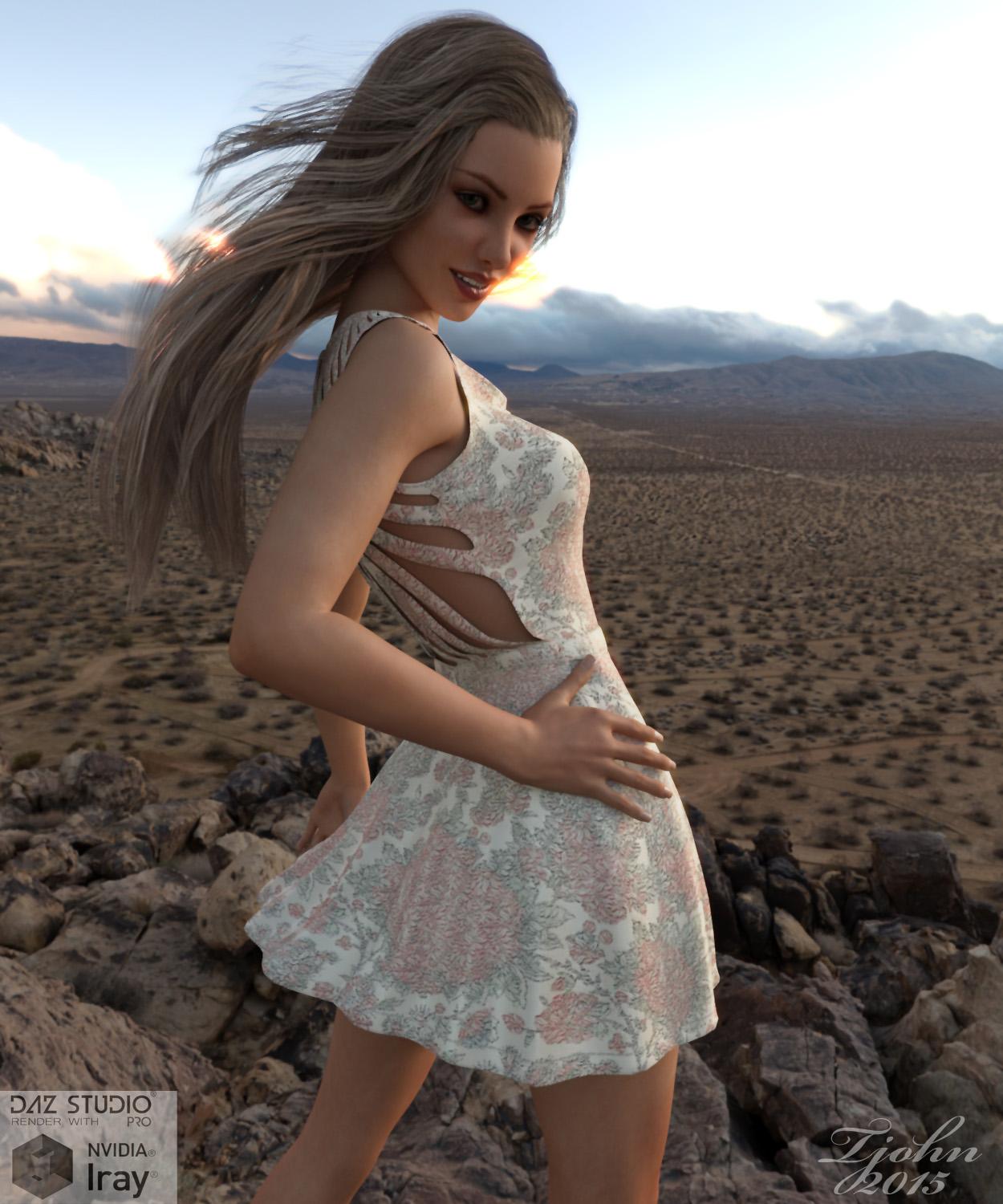
"Desert Sunset"
Products used:
FWSA Bonnie HD for Victoria 7
http://www.daz3d.com/fwsa-bonnie-hd-for-victoria-7
Summer Kiss for Genesis 3 Female(s)
http://www.daz3d.com/summer-kiss-for-genesis-3-female-s
Leyton Hair for Genesis 3 Female(s) and Genesis 2 Female(s)
http://www.daz3d.com/leyton-hair-for-genesis-3-female-s-and-genesis-2-female-s
DAZ Studio Iray HDR Outdoor Environments
http://www.daz3d.com/daz-studio-iray-hdr-outdoor-environments
Both the hair and the dress have nice movement morphs.
 advice please about "LIE Wound Makeup Artist" and "wet Body"
I'm having problems as well with Wound Makeup Artist on Daz3d 4.8; it used to work with 4.6 and 4.7 but now it not working for 4. Could someone please tell me how to apply these effects on Genesis, Victoria 4.2 and Michael 4?
In Home "Motion Capture" Plug-in for DAZ Studio?I've just passed along this idea to Topher ( -who's promised to pass it on to DAZ's development team for their consideration ). Here's the idea: A software/ plug-in/ utility that would finally allow DAZ Studio users to utilize their own Digital Camera's or Camcorders to record "in home" motion capture sequences ( i.e: walk cycles, body movements, facial expressions, etc. ) and "import" them into DAZ Studio ( -for animating DAZ's Genesis, Michael and Victoria characters, etc. ). Instead of being forced to "make do" with hit and miss "ani-block" motion packages ( -that rarely if ever give you what you what you need ), this ( new ) utility would allow DAZ users to record EXACTLY what they need WHEN they need it -right from the comfort of their own homes. How cool is that? I'm actually stunned that this product isn't already available from DAZ's "Shopping" section! Am I the ONLY DAZ Studio user who sees the time and frustration-saving advantages of this proposed product? But this idea will go absolutely nowhere if I'm the ONLY person wanting it. If you agree with me that "IClone 6" users shouldn't be the only ones cashing in on this low cost "in home" mo-cap revolution then let the DAZ people know! If enough people do this maybe ( -within 6-months or a year ) we can join in on the low cost "in home" mo-cap revolution ( -using a DAZ software/ plug-in and our own Digital Cameras or Camcorders! ). Even if this product would require a low cost DAZ manufactured hardware interface -like the one IClone has developed -it would still be worth it! Imagine the "time-saving aspect" alone of recording a complex body movement sequence and NOT having to wrestle with all the time-consuming posing/ aniblocking. Your productivity level would skyrocket! -Tomm.
Star Trek Builders Unite 7: The Continuing MissionTemporary "Christmas 2015" items available at R.
Of possible interest for the ST crew would be the free HAIR!!! [can never have too many hairs lol ...]Prae CrewCut Hair for for V4, with fits for Michael 4, Hiro 4, Aiko 4, Genesis 1 and 2 as well as Victoria 6 and Michael 6.
The Page, just click on the pictures ;-)
[Contest] RRRR - Unlikely Occupations - with prizesbarbult said:
Shouldn't we be allowed to purge our runtimes of whatever we don't want to use anymore? I'm talking about BEFORE we draw our items. For example, if I don't want to use generation 4 anymore, can't I uninstall it and remove it from my RRRR list, too? Is Luci not allowed to remove products that she doesn't want to use anymore? I need a rule clarification, please.
Purging I think we must allow, as "you just don't have to add them in the first place", but repulling once pulled not in this race, so yes, Luci can purge the list before the pull. After this current pull I think I need to remove Gen 2 & 3 stuff that I never use, lol
For some reason, the forum software "unquoted" the paragraph above from Totte. It still appears "quoted" in my edit window...
I haven't yet competed due to time constraints, but I do look at these threads, and I do maintain a spreadsheet of my products for pulling. I keep every library item in my spreadsheet (along with some other criteria, such as purchased/last installed; all nicely available via DIM export function), but only assign a "pull number" for those that I want to be eligible for pulling. "N/A" items are present, but by the magic of Excel's "conditional formatting" feature, they don't have a pull number, so they'll never get selected.
Maybe I am breaking the rules, but about a year ago I created these conditional formatting criteria to avoid pulling things that are not applicable (for example, all Millennia people and/or named as Gen1/Gen2 stuff where a more current version exists in my library (example: Michael Millennum Man 1, Victoria 2/3, and Stephanie (Wait; I may have kept Stephanie 3)), and some other things that are just plain obsolete. I also removed all morphs, shaders (not just those of one type), and I removed all things that don't apply to DAZ Studio (for example, since Carrara and Bryce are pretty much dead-software walking, I exclude on any product with those words in the name). I also exclude any products, plugins, or tools that require a version of DS that is not current.
My feeling is that I don't have a lot of time to do this stuff (and probably won't until the day I retire from my current job). If I ever DO join an RRRR competition, I'd be doing it to help me improve my art and especially my creativity. I feel that forcing myself to use obsolete products would not further me in those goals. At over 2000 items (when breaking down from bundles), my library is fairly big. Even with an aggressive culling of aforementioned "N/A" items, that still leaves me something like 1700-1800 products in my library that COULD get pulled.
Sorry to take this thread off-track. Rule discussions are good, though so maybe this will be a good spin-off conversation someday.
Custom bones in figures?Hi there
I want to make renders in Daz Studio of superheroes with stretchy powers like Mr. Fantastic or Elastigirl and yet I have not found a (convenient) way to do this.
Now, I was able to do this successfully in Carrara, example one and two with Victoria 4 and a model rip of Elastigirl from the Playstation 2 game, by giving them custom rigging consisting of lots and lots of bones. It was fairly easy, minus the head morphs, of which I just made the body invisible in a T stance and meshed it with the stretchy body to compensate with V4.
Now, I could do the same double-model, one head another body thing by assembling in Carrara and exporting as OBJ to Studio, but as you can see in the V4 pic above, this is not perfect... or my animation sucks, whichever. :p
So, I did some googling before I came here, and I came across a rigging tutorial with a missing part one and instructions on how to rig a dragon. This is the one here. Due to part one needing a password for whatever reason, I did not follow. Plus the hierarchy explanation did not match my model (the Elastigirl game rip) and I got lost. I think that there were some naming and category situations that I was missing. Anyway, I went to look for another tutorial, and came across this one. It was a little hard to follow, but it led me to the same place. More googling, and I still got stuck, so that leads me here.
I ask of you now, what is the best and most convenient way to create, or modify for many extra bones, a custom rig for stretchy superhoes using V4? Or A3 as well, whoever?
I will be happy to provide clarification for what I want, or what my process was if needed.
Thanks!
In D/S, "be nice to yourself" ... there are the basic shapes for the legacy figures FOR Genesis available in the store. They do go on sale from time to time and sometimes even land in Fastgrab.
http://www.daz3d.com/v4-and-m4-shapes-for-genesis
http://www.daz3d.com/gen-3-iconic-shapes-for-genesis
Genesis is easy to morph using a modeler such as Hexagon to have stretch arms, etc. Then one can adjust the rigging to fit etc.
July 2015 New User Contest - Portrait Rendering [Entries Thread]Title: Hello Dragonfly!
Victoria 6 with dialed morph, rendered with 3Delight, no postwork
G3M G3F, Q and A. V7 welcome as well.Wait, if that's the case, why would there be any cloth with V7's or Eva 7's name tagged on it? If All of V7's stuff work with G3F and G3F derivatives, then every thing just need to be tagged with G3F, right?
Say something like this, it says it require V7, but it's compatible with G3F, so technically having G3F is really the only requirement, isn't it?
That's not clothes -- the shape may require the V7 shape and the textures may require the V7 UV set.
I made the same mistake looking at the promos, and put her under Cloths in my notes (invintory).
FWSA Adaline on the left, and R.S. Summer on the right. Basic G3F underwear, and Krayon Hair for G3F.
The outfit came with G3F essentials. The figures and hair were in the V7 Pro Pack. Hmmm.
I have a lot of hair styles from "goldtassel" for G2F, and this has never happened on G2F. I have many G2F figures from Fred, Sabby, Raziel, and Silver, and none of them have ever had problem remotely this bad. These are five PA's that I'm really sure know this 3D stuff far better then I ever will, so I'm sure it has got to be something else.
P.S. oh, how did I get the bra to not have such horrid poke threw, by using the 'AdjustFit' dial to put it in mid air around a few inches away from the figure. Clearly the figure shape is not being transferred to the cloths and hair (skull-cap).
Morphs for Victoria 7?I installed them with the Manager. in the "Products" tab their title shows up, but nothing else.I've unsintalled and reinstalled them. But when I start DAZ 4.8 and load Genesis 3 or Victoria 7, nothing but the "Victoria 7" "Navel" and "Mouth Realism HD" dials show up.
When I check in the Install Manager, it shows up in "Studio3/Content/data/DAZ 3D/Genesis 3/Female Morphs/DAZ 3D/Head" and "Body" respectively.
G3M G3F, Q and A. V7 welcome as well.Wait, if that's the case, why would there be any cloth with V7's or Eva 7's name tagged on it? If All of V7's stuff work with G3F and G3F derivatives, then every thing just need to be tagged with G3F, right?
Say something like this, it says it require V7, but it's compatible with G3F, so technically having G3F is really the only requirement, isn't it?
http://www.daz3d.com/summer-for-victoria-7
That's not clothes -- the shape may require the V7 shape and the textures may require the V7 UV set.
Daz 3D is part of

Connect
DAZ Productions, Inc.
7533 S Center View Ct #4664
West Jordan, UT 84084Licensing Agreement | Terms of Service | Privacy Policy | EULA
© 2026 Daz Productions Inc. All Rights Reserved.