-
Bug in DS v4.24.0.3 Beta: DzSIReloadAction sets getScriptFileName() == ""
*** UPDATE 2026-Sep-04 ***
The problem happens only if the .dsa file uses CRLF (0x13 0x10) as End-Of-Line characters.If the .dsa uses only LF characters as EOL then the problem disappears.
How bizzare.
I have reported this in Support Ticket # 504845
You can convert from CRLF to LF-only by loading the .dsa file into the Script IDE Pane and saving it back to disk.
The problem has nothing to do with any special Comment at the start of the file
This probably explains the wierd behaviour discussed in this forum thread:
https://www.daz3d.com/forums/discussion/508496/getscriptfilename-alternativeLet's appreciate/discuss today's new releases - ongoinger still further threadrichardandtracy said:
I am both pleased & disappointed in turns by https://www.daz3d.com/z-pen-writing-and-holding-prop-and-poses-for-genesis-9-and-8-female.
It's good to see people considering writing equipment, and some of the non-writing poses are OK and a bit amusing.
On the other hand, as an ex-moderator on the FountainPenNetwork.com forum, I am deeply disappointed by the fact the pen used is a ball-point and that the writing poses largely show a grip between the thumb & forefinger only. A much better grip includes support for the pen with the middle finger. This leads to a much less tiring experience, and with a well adjusted fountain pen (which writes under the weight of the pen and the hand only guides where the line goes) you can write for 8 hours a day without your hand cramping.
A couple of the writing poses hold the pen at 45 degrees to the paper, an angle at which is quite hard for a ball point to lay down a consistent line - due to the burr around the ball that keeps it in being the thing that contacts the paper instead of the ball, consequently the ball doesn't rotate consistently and the tip can intermittently run out of ink. ball point pens should ideally be keps within 30 degrees of vertical, though recent gel pens are more forgiving due to the less viscous ink.
So, good in parts.
Regards,
Richard
I also wished that it included poses for other writing implements with a stylus for an iPad or palette, or a brush when writing classic Asian characters. I also agree with @Lorraine on the emphasis of the sexy body poses. If there was less of that, this set could be used for both sexes without too much trouble.
This is from a kid in high school who use a metal tipped pen, ink bottle, and my own combination of English, French and secretaries shorthand to take notes just to drive teachers in Oregon nuts.
Let's appreciate/discuss today's new releases - ongoinger still further threadI am both pleased & disappointed in turns by https://www.daz3d.com/z-pen-writing-and-holding-prop-and-poses-for-genesis-9-and-8-female.
It's good to see people considering writing equipment, and some of the non-writing poses are OK and a bit amusing.
On the other hand, as an ex-moderator on the FountainPenNetwork.com forum, I am deeply disappointed by the fact the pen used is a ball-point and that the writing poses largely show a grip between the thumb & forefinger only. A much better grip includes support for the pen with the middle finger. This leads to a much less tiring experience, and with a well adjusted fountain pen (which writes under the weight of the pen and the hand only guides where the line goes) you can write for 8 hours a day without your hand cramping.
A couple of the writing poses hold the pen at 45 degrees to the paper, an angle at which is quite hard for a ball point to lay down a consistent line - due to the burr around the ball that keeps it in being the thing that contacts the paper instead of the ball, consequently the ball doesn't rotate consistently and the tip can intermittently run out of ink. ball point pens should ideally be keps within 30 degrees of vertical, though recent gel pens are more forgiving due to the less viscous ink.
So, good in parts.
Regards,
Richard
Freebie Challenge September 2026 - The Tarot Challenge - Main Thread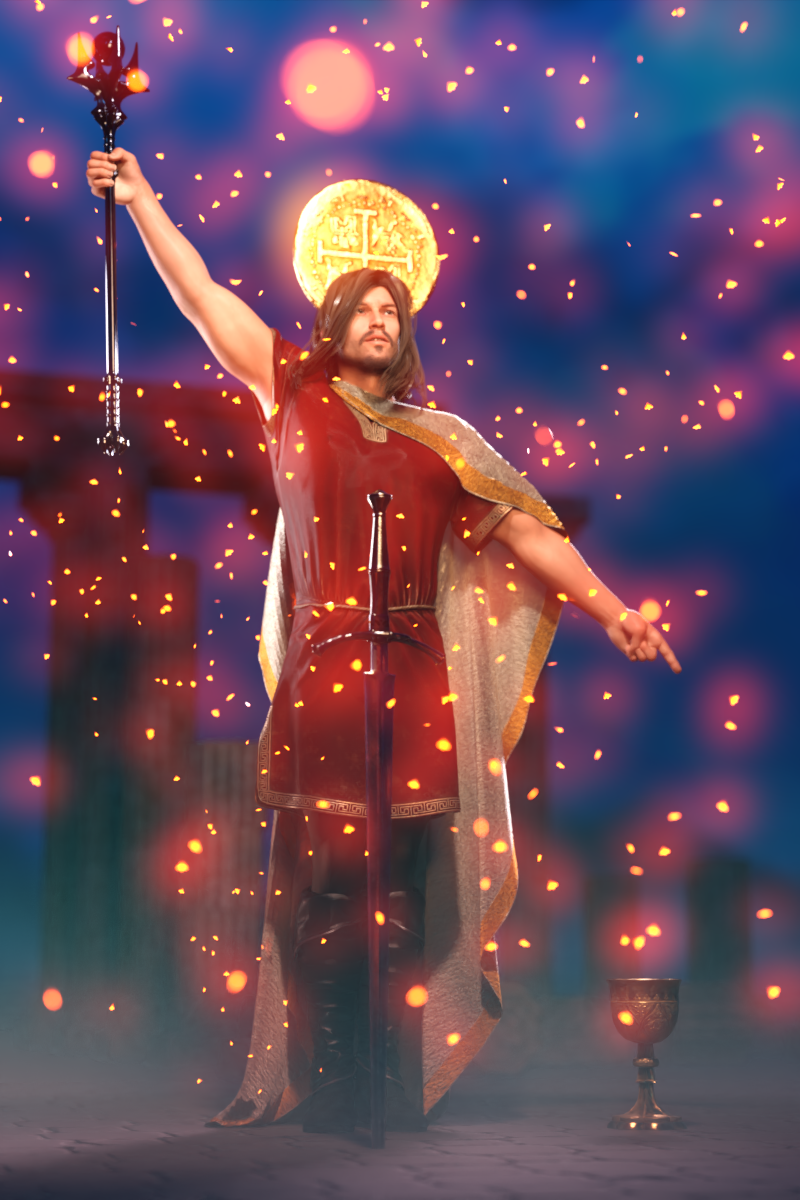
Tarot cards are an ancient deck of cards that can be used for divination. They are beautifully illustrated and have intriguing titles full of meaning. The Magician, Death, The Lovers, The Hanged Man, and The Fool are only some of the most iconic Tarot cards.
The most well known Tarot deck is the Rider-Waite deck, first published in 1909 and illustrated by Pamela Colman Smith. Click here to see all the cards of this Tarot deck: https://en.wikipedia.org/wiki/Rider–Waite_Tarot
But beyond the Rider-Waite deck there are so many more Tarot decks, both ancient and brand new. There's no reason why we in the DAZ community can't render up our own Tarot deck!
For the September 2026 Freebie Challenge, pick a Tarot card that you feel drawn to, then render your own interpretation of that card. Your version can hew close to the original, or it can be a completely different interpretation of the same theme.
I think it would be neat if the format of your render is vertical, like a real Tarot card! But I won't be a stickler about it.
I foresee great riches (bestowed, as always, by Kindred Arts) for those who render the most beautiful entries! I can't wait to see what everybody comes up with!
Some useful links for the Contest
The KindredArts Free Resource Repo Here are the KindredsArt freebies and a rich list of sites that host freebies
Free 3D Models Link to DAZ's bi-weekly freebies
Limited Time Freebies Discussion Thread A thread under the Commons section of the forum, where DAZ's biweekly freebies are announced and, recently, even listed. It's useful for remembering which freebies were added and when.
The rules of the contest are:
-
Your entry must be a new render, especially made for this challenge.
-
Your entry must follow the DAZ TOS.
-
You may enter a maximum of 4 entries.
-
A minimum of five (5) Freebies must be included in your image
-
All Daz Bi-Weekly Freebies are allowed throughout the entire month in which they are free, as well as the following month (for a total of 2 months).
-
You may use a maximum of 5 paid items.
-
Base figures (Genesis 9, Genesis 8, etc.) as well as their basic morph packs may be used as needed. They do not count as either paid items or freebies.
-
DAZ Studio, Poser, Bryce, Carrara, Hexagon, and Blender are allowed.
-
DAZ AI Studio is not allowed. The use of image generating AI technology (midjourney, stable diffusion, etc.) is not allowed in any form.
-
Postwork is allowed. You must also include the raw render (before postwork) of your entry.
-
For a more detailed version of the rules see the PDF attached to this post; or ask your question in this thread, we're always happy to clarify!
-
Let's have fun and be creative with all the amazing resources that are available for free!
This contest ends on September 30st 2026.
Post your images and freebie links in this thread for link verification.
Once the links are verified, you can post your image and links in Entries Thread for judging.First Place: $15 store credit from KindredArts
Second Place: $10 store credit from KindredArts
Third Place: $5 store credit from KindredArtsPast Freebie Contests:
January 2022 - Around and around and around...
February 2022 - Mysteries of the heart
March 2022- Luck Of The Draw
April 2022 - New Beginnings
May 2022 - Cozy Corner
June/July 2022 - The Secret Life Of...
August 2022- Sniff, sniff... what's that smell?
September 2022-Cars Cars and More Cars
October 2022 - Horror Movies
November 2022 - Thieves, Robbers, and Fraudsters all around!
December 2022 - The Night is Darkest...
January 2023 Speed Demons and Slowpokes
February 2023- I See Red
March / April 2023 Magical
May 2023 - Sweet Music
June/July 2023 Holes, Gaps, Caves, Tunnels
August 2023 Fabulous Pink
September 2023 Gardening
October 2023 Hallowed Night
November 2023 Wobble, jiggle, sway, and shake
December 2023 / January 2024 Driving Home For...
February 2024 The Glow Up
March 2024 Power Source
April/Mai 2024 Soft as Plush, Smooth as Silk
June 2024 An Octopus' Garden
July/August 2024 Take A Break
September 2024 Fake Smiles and Real Joy
October 2024 "Monster Mash '24!"
November 2024 - Dreams
December 2024 - A Curious Christmas
January 2025 - Thank you, Saphirewild!
February 2025 - My Hallowed Valentine
March 2025 - Pride, Prejudice and other Shenanigans
April 2025 - The Little Ball of Calm
May 2025 - To Be Beautiful
June 2025 - Summer and Piracy
July 2025 - Design a Book Cover
August 2025 - Pure Cinema
September 2025 - Holiday Memories
October 2025 - Monster Mash!
November 2025 - The Winter Witch
December 2025 - Christmas!
January 2026 - When One Door Closes, Another Opens
February 2026 - Stronger Than You Think
March 2026 - The big blue
April 2026 - Free for All
May 2026 - Lies and Truth
June 2026 - Invasion
July 2026 - Summer Holidays
August 2026 - Plastique Fantastique
Let's appreciate/discuss today's new releases - ongoinger still further threadsuspicion was expressed in the past in this forum over a different product by Polish which I bought
and showed properly UV mapped textures and to me, evidence of polypainting in Zbrush
just because something is crudely modeled, doesn't mean it's AI
this is how the mesh in that case appeared to me, crudely modeled
I have used AI mesh generation and it did not appear consistent with that, it had a Zremeshing after sculpting look and manual painting after unwrapping appearance
I don't own this lattest one so cannot speak for it
oh and how would I know?
I am a lousy sculptor in Zbrush who makes and polypaints terrible models that are far more inferior Digital Art Live & Drew Spence + Daz Store [Commercial]
Thanks, Richard. Surely I can't be the only one.Richard Haseltine said:Cybersox said:
johnbuckeridge said:
Hi there. I bought Art Official Intelligence: DAZ Studio-Centered Workflows with AI Tools by Digital Art Live and Griffin Avid yesterday - went to download it via DIM but nothing comes up when you search for it - DIM doesn't know what it is. Daz Connnect recognises it, but downloading it that way didn't work at all. Can you shed any light?
I don't have that item, but I believe you usually have to have DIM set up with a folder dedicated to that kind of content, which can be problematic with some tutorial files as the zips may enclude DS products, objs, photoshop elements, etc. Doesn't really matter, though, as you can just go to your Content Library in your account and download the folders manually.
It's videos, as far as I can see, no content, so it shouldn't have anything but a general installer (which DIM should be able to handle). However, from the filelist on the readme page it looks as if the packaging is seriously messed up, so we will report it to Daz.
To all pose and expression creatorsI would love more Zeus poses. Thank you @richardandtracy for the ones you linked. I picked those up a while ago.
While we're asking for poses, I could use some badass vampire slayer poses for G9, and some stakes. I couldn't fnd any poses that amounted to more than a handgrip for the stakes I found in the store.
edit: OK, I did finally find some slayer poses by doing a Google search instead of a store search. But they don't come with the stake, and the one used in the promos is not smart propped and doesn't have heirarchical poses AFAICT. Shame. I'll probably buy them anyway, but I would buy more if they appeared. Especially if they reqiured less fiddling on my part.
Let's appreciate/discuss today's new releases - ongoinger still further threadWell if you go with Hollywood's Caribbean piracy, fair enough. But off of the East Coast of Africa there is modern day piracy and it is really going strong due to current events we can't get into. Actually I think there are reports pretty much all over the world, just not glamorized by Hollywood.
I was given a book similar to the one without the skull and crossbones, and other than a leather strap tie thingie that wrapped around it, it was unsecured once you untied it the first time. It sits in a mess on a shelf now.
The other details, I didn't blow up any promos to look at them, but I still enjoy the craftsmanship that appears to have gone into them. Especially the glass that didn't have the perfectly manufactured look of today, but rather had ripples and bubbles. When I worked with stained glass I would search for sheets that had that affect to use. Total pain to cut but so wonderful in the finished product.
As far as AI goes, I didn't see any blurry images (but I have issues with my eyesight also) or 'tells' that might lead me to think someone is using AI. Not like a background that looks airbrushed and smeared or items bleeding into one another, but also no grayscale images of the items. But I also don't use my renders in a commercial form and for me it is just my own joy that matters. I can appreciate another's concern over AI or violating a license. I would be worried about those too.
Is there a way to get the shop to show all the items you have purchased?Hi, Do you know if there is a way to get the Shop to show all the items you have purchased? Would be a nice quick way to search for something.
Dual v4_v6 Script Example: Inheritance, ModulesSummary:
The Main script file together with its associated modules demonstrates one way to implement Inheritance and Modules in DAZ Script so that the same files can be used in both v4 and v6.
It demonstrates a simple Personnel App with an Inheritance hierarchy like this:
BaseObject : Provides className() and inherits() functions (like a QObject)
Person : A BaseObject with FirstName, LastName properties
Employee : A Person with ID property
Manager : An Employee with Department property
This mechanism is intended only for non-trivial applications that would be simplified by using inheritance and/or modules - i.e. it would be overkill for many simple utilities.Files (attached to this post):
Test_v4_v6_Main.dsa : Top-level script, containing the Main Routine of the Application:
Open it in the Script IDE Pane and Execute it from there.
zzzOBJ_lib.dsa : Module: App-generic BASE Object class
zzzUTY_lib.dsa : Module: App-generic Library of Utility facilities
zzzPER_lib.dsa : Module: App-specific: Simple Personnel facilitiesInheritance:
Inheritance between Object Classes is implemented via the ECMAScript 'Object.create( <prototypeObj> )'
mechanism, and involves no version-specific code: https://docs.daz3d.com/public/software/dazstudio/4/referenceguide/scripting/api_reference/object_index/object
Note that v4 does not recognize v6 stuff like: class, extends, constructor(), super()Modules:
In v4: Modules are simply external script files 'included' into the Main script in its Global scope, i.e. before any anonymous function that serves as the Main Routine.
The 'include()' commands execute only within v4-specific code that is activated by testing: if( (App.versionString < '6.') ) { ...v4-specific code.
All facilities in the Global scopes of the Main script, and of all modules already 'included', automatically become visible to the code in the 'included' module.
All facilities in the Global scope of a module automatically becomes visible to all code following the 'include()' command that loaded that module.In v6: Modules are implemented via the CommonJS facilities provided by DSv6, i.e:
Modules Export their facilities by adding them as properties to their 'module.exports' Object provided by the v6 script context.
Scripts Import facilities from a module via the 'require(<module>)' function provided by the v6 script context, which returns the 'module.exports' Object from the <module>.
The 'module.exports' and 'require()' commands execute only within v6-specific code that is activated by testing: if( (App.versionString >= '6.') ) { ...v6-specific code.
NO facilities in the Global scopes of the Main script, or of any modules already 'required', automatically become visible to the code in the 'required' module.
BUT: You can 'inject' visibility of any existing facilities into any module:
Immediately after the 'require()' call,
by passing the relevant context data to an Exported function of the module,
which saves references to that context into its local scope,
all of which must occur before the module refers to such Context in its body.
In this demo that is done by passing Object g_zzzAPP_Context to a LoadAppContext() function that is provided by each relevant module.
ONLY facilities explicitly Exported by the 'module.exports' command are visible outside the module.I found it simplest to develop the code in v4, which automatically excludes any v6-specific commands, and only once that is working add the version-specific IMPORTS and EXPORTS sections to handle the differences in module scope.
I am NOT expert in any of DAZScript, QtScript, ECMAScript, or JavaScript. If you can suggest better ways to do this, please post them to this forum topic.
Hope you find this useful.
P
How do I Save a Render in 10-Bit or Higher?Sorry, I accidentally prepared a file with more experimental levels, I thought it looked a bit odd on the forum! Fixed now (much better levels), and it has me thinking that when I do finally get a HDR monitor, I'll have to keep the current one around as well, side-by-side, at least until I get a feel for the differences.
AIUTO...CHI CONOSCE L’ITALIANO? PARTE QUATTORDICIvangelrise said:
Grazie a tutti dei consigli, purtroppo non sono venuto a capo di niente.
Non ho trovato neanche col search le "Disco effect light". Ho comunque cambiato lo shader sulle altre superfici che mi avete indicato, ma non è cambiato nulla.
Credo che il problema sia dovuto agli effetti volumetrici, non ho il prodotto che stai usando ma da quello che vedo nelle immagini promo tutta la scena ne dovrebbe fare uso.
Renderizzare quella roba richiede un sacco di risorse di calcolo e nell'anteprima l'effetto è proprio quello che descrivi
AIUTO...CHI CONOSCE L’ITALIANO? PARTE QUATTORDICIGrazie a tutti dei consigli, purtroppo non sono venuto a capo di niente.
Non ho trovato neanche col search le "Disco effect light". Ho comunque cambiato lo shader sulle altre superfici che mi avete indicato, ma non è cambiato nulla.
AIUTO...CHI CONOSCE L’ITALIANO? PARTE QUATTORDICIeman said:
Esatto. Se devi riggare un modello da zero ti renderai conto di quanto sono importanti.
Qualcuno sa come cacchio si fa ad inserire l'immagine sotto al testo?
DALLA AI DI GOOGLE
Per allegare e mostrare le immagini all'interno dei post del Forum ufficiale di Daz 3D ci sono due metodi principali: puoi caricarle come semplice allegato (che apparirà come miniatura) oppure inserirle direttamente nel testo (inline) per farle vedere subito a dimensione intera. [1, 2]
Ecco i passaggi dettagliati per entrambe le soluzioni.
Metodo 1: Allegare l'immagine come miniatura (Metodo base)
Questo è il sistema più rapido se vuoi semplicemente allegare un file in fondo al tuo messaggio: [3]
- Scrivi il testo del tuo commento nel box di digitazione.
- Subito sotto al box di testo, clicca sulla voce "Attach a file" (Allega un file).
- Clicca su "Sfoglia" (o Browse), seleziona l'immagine dal tuo computer e premi Apri.
- Attendi che il caricamento sia completato e poi clicca su "Save Comment" (Salva commento) o Post Comment. [1, 4, 5]
Metodo 2: Inserire l'immagine direttamente nel testo (Inline)
Il forum di Daz non permette di inserire direttamente un file dal PC all'interno del testo con un semplice copia-incolla, ma richiede una piccola deviazione molto usata dalla community: [6]
- Esegui prima il Metodo 1 caricando il file e pubblicando il post. [1]
- Una volta pubblicato il post, fai click con il tasto destro sulla miniatura della tua immagine appena caricata e seleziona "Apri link in una nuova scheda" (oppure fai click destro e scegli "Copia link immagine"). [1, 4]
- Torna sul tuo post, fai click sull'icona dell'ingranaggio in alto a destra del tuo messaggio e seleziona "Edit" (Modifica). [1]
- Posiziona il cursore nel punto esatto del testo in cui vuoi che appaia l'immagine. [4]
- Clicca sull'icona dell'immagine nella barra degli strumenti del forum. [1]
- Incolla l'URL copiato precedentemente nel campo richiesto. [1]
- Regola la larghezza (Width): Per evitare che la foto si deformi o sia troppo grande, imposta la larghezza a un valore massimo di 800 pixel (la dimensione standard del forum). [1]
- Salva le modifiche apportate al post. [5]
⚠️ Requisiti e Limiti importanti delle immagini
- Peso del file: Il file non deve superare i 2 MB (2000 KB) altrimenti il sistema fallirà il caricamento senza avvisarti.
- Larghezza massima: La larghezza ideale per la visualizzazione sul forum è di 800 pixel.
- Contenuto (ToS): Ricorda che il forum di Daz ha regole molto severe sulla nudità e sui contenuti espliciti relativi ai render artistici. [1, 7, 8, 9]
Nota alternativa: Se riscontri problemi di caricamento (bug temporanei del forum), puoi caricare l'immagine nella tua Daz Gallery personale e poi copiare il link diretto della foto per inserirlo nel forum. [10, 11]
Hai bisogno di aiuto per capire come ridimensionare il peso del file o vuoi sapere come fare a collegare direttamente un render dalla tua gallery personale di Daz?
How do I Save a Render in 10-Bit or Higher?3DIO said:
@Garrett and @Fishtales
Not sure if you're aware of it, but there's a member on here called Horo who takes a very professional approach to HDRI and has a website that covers it : Horo.ch
He has a whole section and very detailed PDF documentation about the creation of HDRI and Panoramas: HDRI & PanoramasYes, when I was using Bryce a lot I talked to him on the Bryce forum :) I have used Bryce to make HDRI's too.
Digital Art Live & Drew Spence + Daz Store [Commercial]Cybersox said:
johnbuckeridge said:
Hi there. I bought Art Official Intelligence: DAZ Studio-Centered Workflows with AI Tools by Digital Art Live and Griffin Avid yesterday - went to download it via DIM but nothing comes up when you search for it - DIM doesn't know what it is. Daz Connnect recognises it, but downloading it that way didn't work at all. Can you shed any light?
I don't have that item, but I believe you usually have to have DIM set up with a folder dedicated to that kind of content, which can be problematic with some tutorial files as the zips may enclude DS products, objs, photoshop elements, etc. Doesn't really matter, though, as you can just go to your Content Library in your account and download the folders manually.
It's videos, as far as I can see, no content, so it shouldn't have anything but a general installer (which DIM should be able to handle). However, from the filelist on the readme page it looks as if the packaging is seriously messed up, so we will report it to Daz.
Digital Art Live & Drew Spence + Daz Store [Commercial]johnbuckeridge said:
Hi there. I bought Art Official Intelligence: DAZ Studio-Centered Workflows with AI Tools by Digital Art Live and Griffin Avid yesterday - went to download it via DIM but nothing comes up when you search for it - DIM doesn't know what it is. Daz Connnect recognises it, but downloading it that way didn't work at all. Can you shed any light?
I don't have that item, but I believe you usually have to have DIM set up with a folder dedicated to that kind of content, which can be problematic with some tutorial files as the zips may enclude DS products, objs, photoshop elements, etc. Doesn't really matter, though, as you can just go to your Content Library in your account and download the folders manually.
The "The Weather Changes More Often than the Thread Title" Complaint Thread3DIO said:
@Torquinox
Apologies, seems I missed a whole post of yours and that you had already replied. It happens a lot and I've no idea why. I thought it must be an issue with the forum software, perhaps a side-effect of all that 'Bad Gateway' crap. but I've yet to see anyone complain about posts being missed due to not showing.Weird.
No worries! It's easy to miss a post or two in forum discussions.
Content Catalog - Windows/macOS (Commercial) - Out nowI agree with donniekeidic. There needs to be a “NOT” included in the search. I did a search for “People” and besides people, it bought up hats, clothes, etc. I guess the tag “People” was included with these since the clothes were for people - as opposed to clothes or armor for animals. But this really cluttered up the search results with unwanted content. - Just a suggestion.
Digital Art Live & Drew Spence + Daz Store [Commercial]Um, that's a good one. I would open up a ticket. Since it's video content, maybe it's not something you install and instead you search for it in your library of purchased items and access the files that way.
That's what I did just now. It shows a long list of Downloadable files.
P.S. Thank you for your support in picking this up.
Daz 3D is part of

Connect
DAZ Productions, Inc.
7533 S Center View Ct #4664
West Jordan, UT 84084Licensing Agreement | Terms of Service | Privacy Policy | EULA
© 2026 Daz Productions Inc. All Rights Reserved.