UNICORNS FAQ in progress :)
 DisparateDreamer
Posts: 2,520
DisparateDreamer
Posts: 2,520
Since there's been some confusion with the Unicorns transfer and what uses what, what works with what, and what are the base figures, etc (as for prices and such can only hope it smooths out and PTB handle that) I wrote up a list of links that will state what is what and little details. If you see something wrong or have a question please add to the end and I'll try to answer or someone else will. And I will try to update as i can. I'm a HUGE Unicorn (and Star) fan and it can be confusing since some items can work with multiple figures (Youth can wear adult textures, but baby can't, for example) so I wrote this up. Hope it can help a little :)
Base figures:
The Unicorn (aka the ADULT) http://www.daz3d.com/the-unicorn
The Unicorn Youth, which takes the same textures and UV map as the ADULT, but different rigging and morphs : http://www.daz3d.com/the-unicorn-youth
And the the Unicorn Baby, whose shape was different enough it needed a new UV map and therefore its own textures and cuteness: http://www.daz3d.com/the-unicorn-baby
All 3 base figures come with a poser version and DS version, and poser mats and DS mats 3delight. They come with conforming mane, tail, and small waves of hair near the hooves, again with poser and DS conforming versions. There are morphs that include letting you hide the horn or close the eyes, shape the ears, etc.
Hair and horns and wings figures:
long sweeping mane and tail: http://www.daz3d.com/the-unicorn-regal-mane-and-tail and ONLY for the ADULT figure.
new set of different kinds of horns and spikey manes and tail tufts- it is for the Adult, Youth, AND Baby unicorns and works in Poser and Daz Studio (NOTE that the page only lists requirements as Unicorn, but it DOES include the files for hair/horns for baby and youth as well!): http://www.daz3d.com/the-unicorn-bits-and-bobs
Wings for Unicorn ADULT, Poser and Daz: http://www.daz3d.com/wings-for-unicorn
Wings for Unicorn YOUTH, Poser and Daz: http://www.daz3d.com/wings-for-unicorn-youth
Wings for Unicorn BABY, Poser and Daz: http://www.daz3d.com/wings-for-baby-unicorn
FUR:
Fur is all done using the free Look at my hair Plugin, which means it is DAZ STUDIO ONLY and 3delight optimized. Each "fur" was set up individually for each body shape and proportion. You load the unicorn/youth/baby figure, add its texture, pose it, get most of the scene ready, save the scene... then select unicorn figure and apply the fur preset. then render.
LAMH free plugin: http://www.daz3d.com/look-at-my-hair-free-player
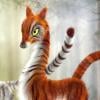
Fur for Unicorn adult + Legendary: Tigers texture (texture not included, required): http://www.daz3d.com/furious-tigers
Fur for Unicorn Yourth + Legendary: Tigers texture (texture not included, required):
http://www.daz3d.com/furious-tigers-youth
Fur for Unicorn Baby + Legendary: Tiger Babies texture (texture not included, required):
http://www.daz3d.com/furious-tigers-baby
Clothing for Unicorn:
Winter Cloak for Unicorn Adult, Poser and DS: http://www.daz3d.com/winter-cloak-for-the-unicorn
Winter Cloak for Unicorn Youth, poser and DS: http://www.daz3d.com/winter-cloak-for-the-unicorn-youth
Winter Cloak for Unicorn Baby, Poser and DS: http://www.daz3d.com/winter-cloak-for-the-baby-unicorn
Spring Cloak for the Unicorn Adult, Poser and DS: http://www.daz3d.com/spring-cloak-for-the-unicorn
Spring Cloak for the Unicorn Youth, Poser and DS: http://www.daz3d.com/spring-cloak-for-the-unicorn-youth
Spring Cloack for the Unicorn Baby, Poser and DS: http://www.daz3d.com/spring-cloak-for-the-baby-unicorn
HOOF shackles for Unicorn Adult, Poser and DS: http://www.daz3d.com/hoof-shackles-for-the-unicorn
BODY shackles for Unicorn Youth, Poser and DS: http://www.daz3d.com/body-shackles-for-the-unicorn-youth
HOOF shackles for Unicorn Baby, Poser and DS: http://www.daz3d.com/hoof-shackles-for-the-baby-unicorn
(no, I don't know why the Youth got the BODY shackles instead of the HOOF shackles first, but will try to update the list if it is added or swapped)
Hair and body textures:
Legendary: Tigers for Unicorn ADULT (and YOUTH), Daz Studio AND Poser: http://www.daz3d.com/legendary-tigers
Legendary: Tiger Babies for Unicorn BABY, Daz Studio AND Poser: http://www.daz3d.com/legendary-tiger-babies
Legendary: Kirin for Unicorn ADULT (and YOUTH), Daz Studio AND Poser: http://www.daz3d.com/legendary-kirin
Legendary: Kirin Babies for Unicorn BABY, Daz Studio AND Poser: http://www.daz3d.com/legendary-kirin-babies
Legendary: Deer for Unicorn ADULT (and YOUTH), Daz Studio AND Poser: http://www.daz3d.com/legendary-deer
Legendary: Deer Babies for Unicorn BABY, Daz Studio AND Poser: http://www.daz3d.com/legendary-deer-babies
Legendary: Leopards for Unicorn ADULT (and YOUTH), Daz Studio AND Poser: http://www.daz3d.com/legendary-leopards
Legendary Chestnut for Unicorn ADULT (and YOUTH), Daz Studio AND Poser: http://www.daz3d.com/legendary-chestnut
Legendary Palomino for Unicorn ADULT (and YOUTH), Daz Studio AND Poser: http://www.daz3d.com/legendary-palomino
Legendary Bay for Unicorn ADULT (and YOUTH), Daz Studio AND Poser: http://www.daz3d.com/legendary-bay
Legendary Equus (BUNDLE of Chestnut, Palomino, and bay) for Unicorn ADULT (and YOUTH), Daz Studio AND Poser: http://www.daz3d.com/legendary-equus
Legendary: Bits and Bobs textures- textures for Bits and Bobs (horns, mane, and tails for all the unicorn figures), Daz Studio AND Poser: http://www.daz3d.com/legendary-bits-and-bobs-textures
Legendary: Barnyard Babies for Unicorn BABY, AND The Unicorn Bits and Bobs, Daz Studio AND Poser: http://www.daz3d.com/legendary-barnyard-babies
Legendary: Regal for Regal Mane and Tail for Unicorn ADULT, Daz Studio AND Poser: http://www.daz3d.com/legendary-regal-textures
Fairytale Regal Mane and Tail , for Regal Mane and tail for ADULT unicorn, Daz only: http://www.daz3d.com/fairytale-regal-mane-and-tale-for-the-unicorn
Fairytale Regal Mane and Tail , for Regal Mane and tail for ADULT unicorn, POSER only: http://www.daz3d.com/fairytale-regal-mane-and-tail-for-the-unicorn-for-poser
Fairytale Regal Mane and Tail chapter 2, for Regal Mane and tail for ADULT unicorn, DAZ only: http://www.daz3d.com/fairytale-regal-mane-and-tail-chapter-2-for-the-unicorn-for-daz-studio
Fairytale Regal Mane and Tail chapter 2, for Regal Mane and tail for ADULT unicorn, POSER only: http://www.daz3d.com/fairytale-regal-mane-and-tail-chapter-2-for-the-unicorn-for-poser
Fairytale Regal Mane and Tail SWIRL , for Regal Mane and tail for ADULT unicorn, Daz only: http://www.daz3d.com/fairytale-regal-mane-and-tail-swirl-for-the-unicorn-for-daz-studio
Fairytale Regal Mane and Tail SWIRL , for Regal Mane and tail for ADULT unicorn, POSER only: http://www.daz3d.com/fairytale-regal-mane-and-tail-swirl-for-the-unicorn-for-poser
Fairytale Regal Mane and Tail SWIRL chapter 2, for Regal Mane and tail for ADULT unicorn, DAZ STUDIO only: http://www.daz3d.com/fairytale-regal-mane-and-tail-swirl-chapter-2-for-the-unicorn-for-daz-studio
Fairytale Regal Mane and Tail SWIRL chapter 2, for Regal Mane and tail for ADULT unicorn, POSER only: http://www.daz3d.com/fairytale-regal-mane-and-tail-swirl-chapter-2-for-the-unicorn-for-poser
Fairytale Bits and Bobs for ADULT, YOUTH, and BABY (horns, hair add on), Daz mats version: http://www.daz3d.com/fairytale-bits-and-bobs-for-the-unicorn-family
Fairytale Bits and Bobs for ADULT, YOUTH, and BABY (horns, hair add on), Poser mats version: http://www.daz3d.com/fairytale-bits-and-bobs-for-unicorn-family-for-poser
Fairytale Unicorn BABY, Daz version: http://www.daz3d.com/fairytale-unicorn-baby-for-daz-studio
Fairytale Unicorn BABY, Poser only: http://www.daz3d.com/fairytale-unicorn-baby-for-poser
Fairytale Unicorn ADULT (and YOUTH), Daz only: http://www.daz3d.com/fairytale-unicorn
Fairytale Unicorn ADULT (and YOUTH), Poser only: http://www.daz3d.com/fairytale-unicorn-for-poser
Fairytale Unicorn Chapter 2, Adult and Youth, Daz studio Version:
http://www.daz3d.com/fairytale-unicorn-chapter-2-for-daz-studio
Fairytale Unicorn Chapter 2, Adult and Youth, Poser Version:
http://www.daz3d.com/fairytale-unicorn-chapter-2-for-poser
Fairytale Unicorn Chapter 2, BABY only, Daz Studio version:
http://www.daz3d.com/fairytale-unicorn-baby-chapter-2-for-daz-studio
Fairytale Unicorn Chapter 2, BABY only, Poser only version:
http://www.daz3d.com/fairytale-unicorn-baby-chapter-2-for-poser
Fairytale Bits and Bobs chapter 2 for ADULT, YOUTH, and BABY, Poser only version:
http://www.daz3d.com/fairytale-bits-and-bobs-chapter-2-for-unicorn-family-for-poser
Fairytale Bits and Bobs chapter 2 for ADULT, YOUTH, and BABY, Daz only version:
http://www.daz3d.com/fairytale-bits-and-bobs-for-the-unicorn-family-chapter-2-for-daz-studio
Fairytale Unicorn Chapter 2 BUNDLE- includes ADULT, BABY, and YOUTH, and FairyTale Bits and bobs, DAZ STUDIO VERSION bundle only: http://www.daz3d.com/fairytale-unicorn-chapter-2-the-bundle
Fairytale wings for Unicorn ADULT wings, Daz only, requires the WINGS:
http://www.daz3d.com/fairytale-wings-for-the-unicorn
Fairy tale wings for Unicorn ADULT wings, poser only, requires the WINGS: http://www.daz3d.com/fairytale-wings-for-the-unicorn-for-poser
Fairytale wings Chapter 2 for Unicorn ADULT wings, poser only, requires the WINGS:
http://www.daz3d.com/fairytale-wings-chapter-2-for-the-unicorn-for-poser
Fairytale wings Chapter 2 for Unicorn ADULT wings, DAZ STUDIO only, requires the WINGS: http://www.daz3d.com/fairytale-wings-chapter-2-for-the-unicorn
Little Nitika, for Unicorn ADULT, YOUTH, and BABY, AND the Unicorn Bits and Bobs (horns and mane and tail set for all three unicorn figures), POSER ONLY: http://www.daz3d.com/little-nitika-for-the-unicorn-bits-and-bobs
Little Nitika for Regal Mane and Tail for ADULT Unicorn, Poser only: http://www.daz3d.com/little-nitika-for-regal-mane-and-tail
Spout, Poser only, Unicorn BABY texture only: http://www.daz3d.com/sprout
Starburst for Unicorn ADULT (and YOUTH), Poser only: http://www.daz3d.com/starburst-for-the-unicorn
Snowflake, Poser only, Unicorn ADULT (and YOUTH): http://www.daz3d.com/snowflake
Snowflake BUNDLE (includes Frozen poses-listed as Poser only work but should work on DS version as well) http://www.daz3d.com/snow-bundle
Poses:
NOTE about poses- many of these are listed as poser only, but I have several of them- while you have to go down into your basic poser runtime to use them, I have applied them to the Daz Unicorn figures and had the same results. So many if not not all are also daz compatible. FOr that reason i will not list them at Poser or Daz only. Poses can tentatively be mixed between figures but as shape changes affect rigging with various degress of success and tweaking.
Frozen poses for Unicorn ADULT: http://www.daz3d.com/frozen_21590
Whimsical Poses for Unicorn ADULT: http://www.daz3d.com/whimsical
Precious Poses for Unicorn BABY: http://www.daz3d.com/precious-poses

Daz 3D is part of 
Connect
DAZ Productions, Inc.
7533 S Center View Ct #4664
West Jordan, UT 84084
Licensing Agreement | Terms of Service | Privacy Policy | EULA
© 2026 Daz Productions Inc. All Rights Reserved.
Comments
Great work, thank you!
Aww I wish this had been posted when I was buying stuff this morning. Ah well another time.
Great work! Thanks for making this list :)
Thank you for this. There are so many groups of items that really should have this sort of thing by default in the store to help customers know what goes with what and how.
Waiiiit there are leopard unicorns? I didn't even notice that one in the sale ahhh okay those are #1 now.
yeah i know, it is a bit confusing that's why i did this as soon as i saw it :)
The Daz Studio versions of these two seem to be missing from your list (you have the Poser only versions but I can't find the DS versions listed)
http://www.daz3d.com/fairytale-unicorn
http://www.daz3d.com/fairytale-unicorn-baby-for-daz-studio
Thank you for the listings! But, someone needs to look at the files again. They install a mess using DIM..
Woops ! will add it right now thanks :)
ah double nested you mean? I am not sure how it was set up for DIM here, and i never use DIM i always manually install...
FYI... I get an insane number of "Vertex index for weight map out of range..." errors when I load in the hair props. They seem to load in anyway, but the errors are pretty alarming.
EDIT TO ADD:
The poses don't seem to work in DS4.9 either. At least not the ones associated with the Frozen / Snowflake product. I am not sure that I have any others to try, but using these results in the model being completely deformed.
We don't want to manually install, these should work for DIM.
Cute products though!
I should have come here first lol but I spent time going through them and loaded up my cart. I have been waiting on this one. Thanks for the list it will help when I buy more textures in the future :)
Here are screenshots of all the errors that I am encountering. If you can provide some guidance,I would appreciate it.
This is the error that DIM throws when I attempt to install the Unicorn Wings product.
This is before and after when I attempt to apply one of the poses included with Frozen. Unfortunately this happens with every pose I attempt to use.
This is my error log after attempt to add the Unicorn Feathers to a scene. They appear to work after this clears, but it takes quite some time to load in.
I am running DS 4.9 in Windows. I've tried these on two different computers and got the same results.
Going to take a shot in the dark here but this looks like you're loading the Poser version into DS. It would explain all the error messages as DS doesn't /really/ like Poser weight maps.
Check under the main folder (unless they restructued it) in your daz library for Littlefox / Unicorn.... (though again they may have re-foldered it...). there are specfic .duf files to load from that use weight maps DS understands.
The poser poses should work just fine on the DS version of the unicorn.
Thank you so much for this FAQ hon!!! *HUGS*
Thank you for the FAQ!
That is a lot of time you invested for us!
Which Hair props, please?
And thank you littlefox :)
Don't worry about it, my situation is irrelevent now.
Forgive me if this was already answered, I looked through this thread but wasn't sure, is the unicorn adult included with the unicorn youth or is it just a Daz mess up on both product pages?
Unicorn Adult is one figure. Unicorn Youth is another figure. Unicorn baby is a third figure. They are three separate products and not included together. I've told Daz about the mix up, Youth is NOT a bundle. EEP.
Well that explains some of the problems I was having.
Awesome thanks it will go back in my cart then, the fur tigers were one of the biggest selling points to me the baby unicorn is the cutest but they are all cute
Bundle issue is fixed, looks like :)
These products do not install correctly..I picked up all the products for baby unicorn and when I installed with DIM I end up with double entries of My Library/My Library/etc and get errors when trying to load the Mats such because runtime is becoming another subfolder under I think Little Ladyfox so when I try to load a texture I get cannot find runtime/xxx product. Shouldn't this have been checked before the release of these products? I buy here at DAZ because I love the convenience of using DIM and it doesn't work correctly with these products, I don't want to manually figure out where they need to go so they all work. Hopefully this will be fixed asap otherwise I will return the whole lot no matter how cute I think they are unfortunately
Greetings,
Thanks to this FAQ, I did go back and pick up the core unicorn and unicorn youth models, as well as the bits and bobs (which work for all of them!). The rest of it gets complicated, but if I do ever want to dig into it, this FAQ will be absolutely invaluable, so thank you HUGELY for creating it!
As for whether the items are functioning quite right, I admit I haven't tested them yet myself, but one of the things about the RDNA transition is that there's going to be a lot of products which aren't quite...right, by DAZ QA standards. Not that they're bad, or anything, just the files are placed weirdly, not quite right for DIM install, etc... There's simply no way that DAZ could QA the entire RDNA store products that are transitioning. It's not humanly possible. Most will work, but since they're made for download-and-manually-install, some that folks never 'noticed' were off might be problematic.
Filing a ticket is the way to let DAZ know they need to look a little closer at given items. Given the volume of stuff that's coming over, I believe that the best answer is to file tickets for anything which doesn't seem quite right, and let DAZ and the vendors figure it out. That way things get better for everyone.
-- Morgan
Kharma, yeah, they're installing into a nested folder, they didn't come set up like Daz DIM because they are originally from RDNA. Sorry for the trouble. If you use the downloaded zip instead of DIM you can just open the zip folder until you find the data and runtime folders, and then drag that into your daz library folder, where you have the data.
I have looked and looked... where am I supposed to find the LAMH for the Unicorn baby?
The LAMH presets have all been removed from the store... NOt sure why but Daz decided they should be culled. I can ask what the rules are about those being either reinstated or something. Sorry I didn't see this till now! I'd TOTALLY think about redoing these with dhair if I thought there was a chance at all that Daz would accept it. But as it was the LAMH stuff was considered pretty niche. I'll ask them about it.
Thank you for answering - I'd given up! Thank you also for offering to take the time to ask :-) I'd generally prefer LAMH, because I avoid D-force everything to preserve my poor computer.
OMG ... But ... I Don't like force hair .. all of my animals are LAMH. Looks like one more decision Daz has made to push me to buy from somewhere else.