-
FBM Expand does nothing
Easy to fix? I'll let someone fluent in morph answer that part. The PA should answer whether it is a design decision or not. Seeing as how the auto-follow feature works well, I don't see how you would need more than that. Even so, add a smoothing modifier, or get out your Mesh Grabber for spot fixes.
Note: In the image you provided, the shoes you have are not ones that come with the product. The socks are not full socks that cover the whole foot. The proper shoes (the HighTops) cover that part of the ankle/shin right up to the socks, so you would not see the pokethrough anyway.
Khemsit 8...YAY for getting the shaders!!!
 They are awesome! (I really love the "gold accent" and "silver accent" you can do). And I love this pic - so happy and natural looking!!
 Khemsit's texture/hd morphs are REALLY nice! I like her morph, too, but I also really like to do my own, so I slapped on Khemsit's texture and just went to town.
She's on the right of the image, Twosret is on the left - both have custom morphs. And thanks @jakiblue for making me buy the Egyptian Fabrics shaders (I don't regret it lol)
 FBM Expand does nothing
A conforming item might have built-in morphs that were prepared to match various morphs of the target figure. If an item's morph matches one on the target figure, it will follow the target figure morph control, and not respond to dial settings on the item itself, if they are even visible. The whole point of having conforming items is to follow the figure to which it is fit without having to adjust every morph on every face group to make it fit better. However, sometimes manual adjustment is needed in certain circumstances, or just to cover future requirements that are unknown to the artist at the time. The Socks and HighTops will follow any morphs to the foot and lower leg when they are dialed in on Genesis 8. If you look at the hidden morphs, every time you adjust a new morph that could affect the conforming items (refresh the view by moving away from the item then go back to it), those same morphs are added to the item. This is how auto-follow works.
In this case, for the Socks, the ExpandAll and FBMExpandAll actually do nothing because there is nothing in the morph file, just a definition of the parameter controller. Compare to the Male version, where the ExpandAll morph actually works on the socks, because there is data in the morph file. So, I would say it is an error in the product to have no ExpandAll adjustment possible for the female version of the Socks. The FBMExpandAll is redundant, probably intended to be used, but it wasn't.
Sienna HD Leg Corruption when KneelingThere's JCM flex morphs for the left and right leg. Assuming all things equal, why is only the left leg going crazy? Did somebody copy over the right morph file to the left, and forgot to edit the values?
It's Here! First Live Product! [Commercial]So, I tried Protozoon's technique. I loaded the outfit, set smoothing on pants and shirt to 10, set pants to collide with shirt. My results still had problems, maybe due to the HD or maybe due to the pose, or both. This is certainly NOT the only clothing product that has problems with HD morphs poke through! I really like that the collar and neck are not "paper thin", but I still have poke through in the neck and collarbone area, the shirt still pokes through the pants, and the belt is totally messed up. This is without dForce simulation and no morphs.
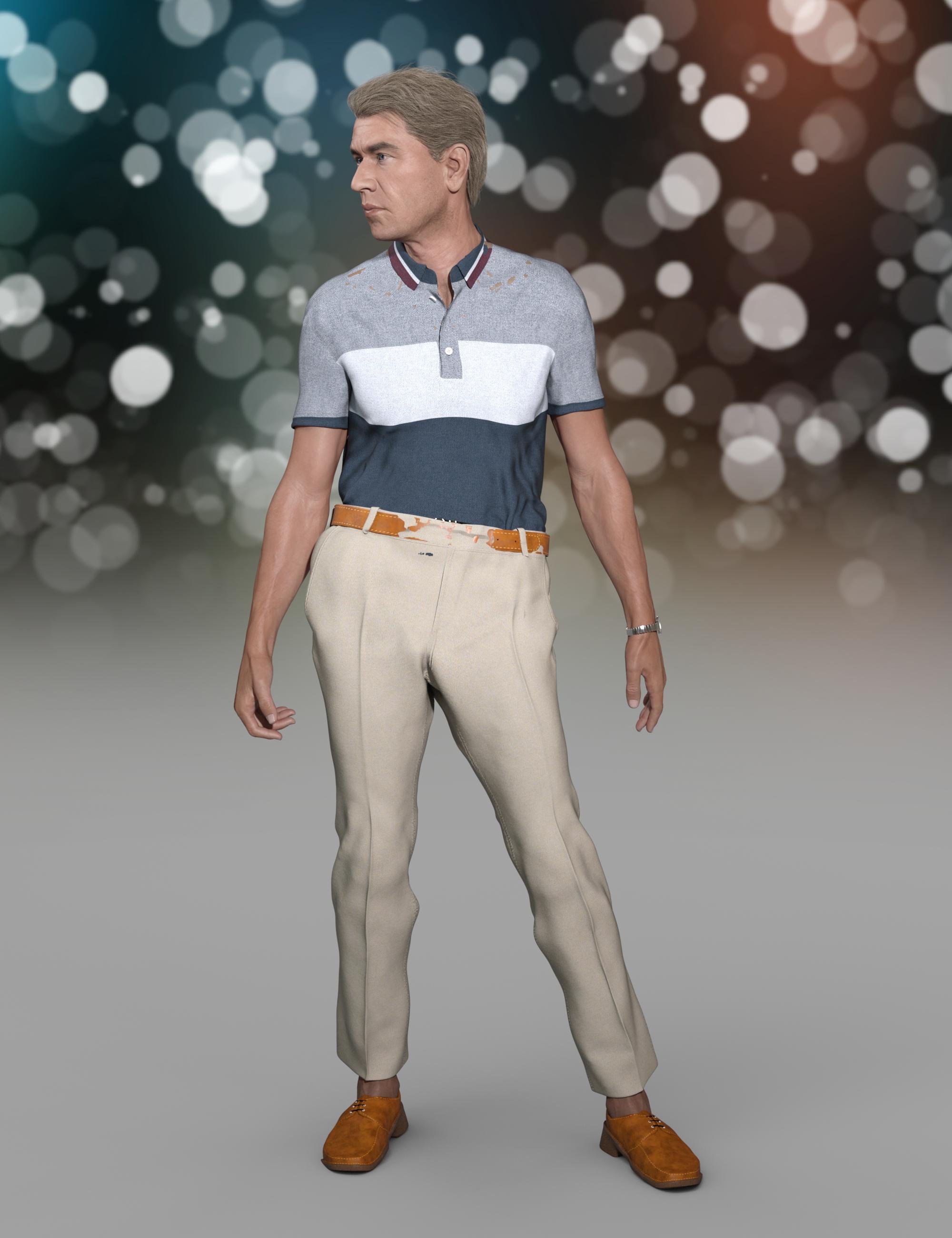
So, I am back to fiddling with morphs again, but at least this gave me a better starting point. I see that loading the outfit doesn't dial in the TuckIn morph on the shirt. Setting that to 100% and dialing some pants waist pull morphs finally eliminated the pants waist problems. I tried some shirt collar, shoulder, lapel, etc. morphs, but I was unable to completely eliminate poke through in the collarbone area. Finally I reduced the smoothing on the shirt to 7 and changed it to Generic. That helped overcome the HD poke through.
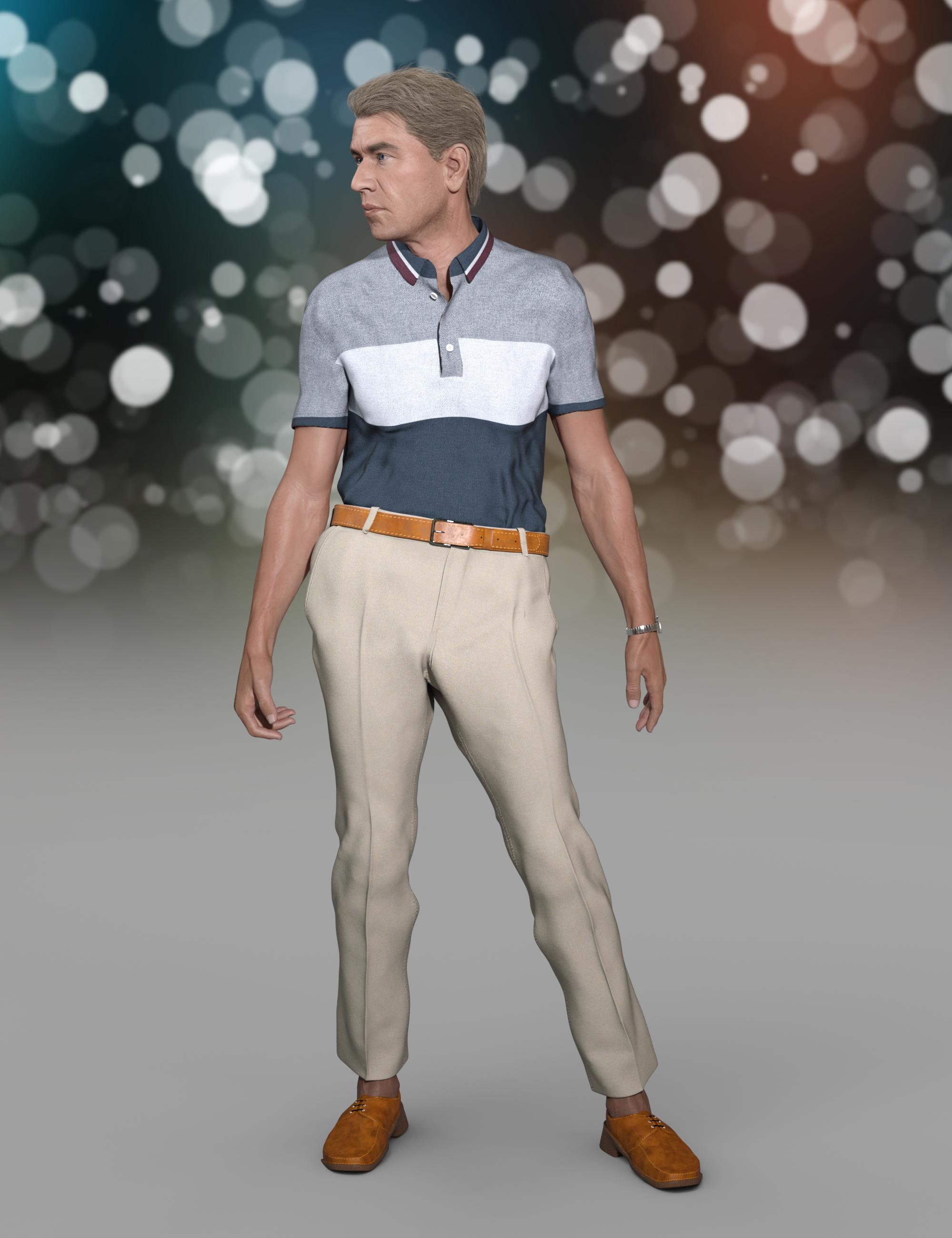
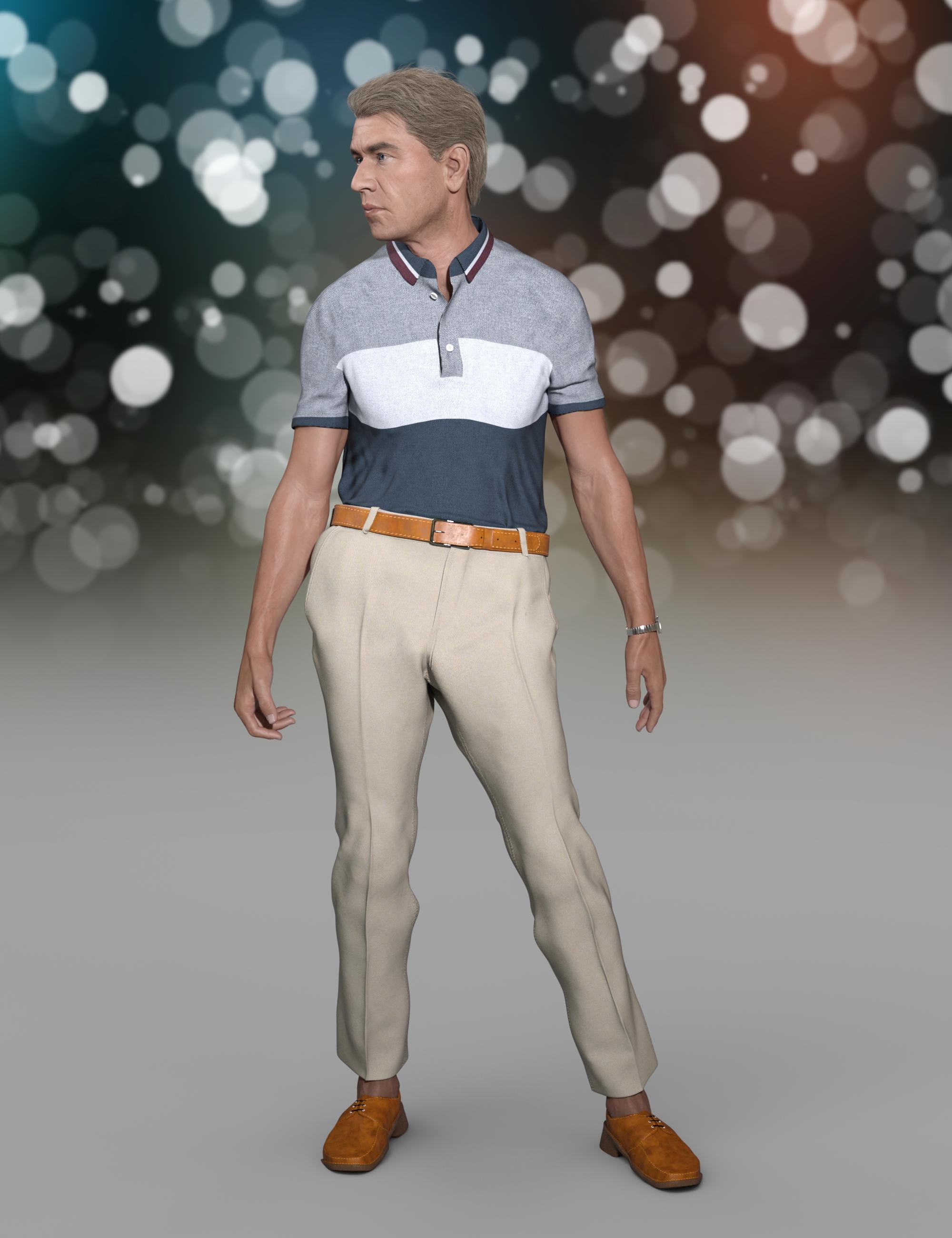
Now, after having eliminated the poke through, I did a dForce simulation from this pose (from memorized pose turned off). This is the final result. The dForce simulation brought the shoulder area back down to a natural shape. I think overall, this is a better shirt fit than my original complicated attempt.
 I am so tired of new products with bad metadata
DMax, the older items don't come with metadata, so you get to add it yourself. There are a few exceptions but those are joyful surprises. What I did after watching Slosh's video and getting it down to a smooth operation, was to have an interesting TV show on or video and do it in increments. A little a day. You will eventually run out of files to work on. And get a chance to really look at some wonderful old products. Of course, there were some items I tore my hair out trying to figure out what they were for. So the sales page helps a little.
@memcneil70 I have actually continued with the metadata activity... I know that I am too fastidious to not complete the activity even if it's going to take a while... one question though: if ever I have to reinstall my purchased items, etc... (backup failure, computer transfer, etc)... will I lose all these efforts? My fear is it will!
Export User Data.You can do that in the Content Library's Content DB Maintenance section. It will save it to a file in Runtime/Support. Later you can reimport that saved user data.
Face TransferYes, you can.
In Face Transfer, when you're saving your face, there's a checkbox option called "Save as Scene Subset". When you uncheck this option, the dialog tells you nothing will be saved, but to save the morph, you have to use File -> Save as -> Support Asset -> Morph Asset(s)... This will save the morph by itself, so you can apply it to any figure afterwards.
I am so tired of new products with bad metadataDMax, the older items don't come with metadata, so you get to add it yourself. There are a few exceptions but those are joyful surprises. What I did after watching Slosh's video and getting it down to a smooth operation, was to have an interesting TV show on or video and do it in increments. A little a day. You will eventually run out of files to work on. And get a chance to really look at some wonderful old products. Of course, there were some items I tore my hair out trying to figure out what they were for. So the sales page helps a little.
@memcneil70 I have actually continued with the metadata activity... I know that I am too fastidious to not complete the activity even if it's going to take a while... one question though: if ever I have to reinstall my purchased items, etc... (backup failure, computer transfer, etc)... will I lose all these efforts? My fear is it will!
MEC4D's celebration ( with freebies ) [commercial]Oh really ? you should look one more time , there is coal on the bottom of the fire place , paper sadly burned out already, but the ashes will be there .. lol
you just reminded me to make matchsticks, firewall and some other things but that later . Definitely need the Firewall , so when Dana animate the fire with the morph it looks more realistic in animation ( taking the eyes away from the focus point) lol j/k
I don't see any coal or paper to get the fire started
 MEC4D's celebration ( with freebies ) [commercial]
Yes Dana you do
 , you can use Opacity slider to hide the fire from the rest of it if you like and put in whatever you like . The only separate things will be furniture so you can move it eventually if needed.
And of course I was thinking about the morph for the fire as I like to do animation myself but it sucks when have have to manually sliding morphs for making animated fire , but I wish there was animated surface option in place of a morph, D|S is long behind , even old Carrara could do that better . I could do running water or fire just with AVI map in old Carrara , now I have to sliding up and down morphs for 1000 frames , very advanced indeed . I set the fire this way that you can't see the geometry, the fire appear after 2-3 second of rendering in iray , looks like igniting
Anyway I am in the sitting-orangery section today doing furniture and plants , when time allow I may find something better for the animated fire option.
and as they say in my country : “don't look a gift horse in the mouth" lol it gonna be a superb freebie you ever got.
Thanks Richard, being busy cutting wood all day for the fireplace lol ,
Is the fire in the fireplace separate, so it can be made invisible? And is it separate from the logs in the fireplace? I think there is an iray flame product that can be used to make it different. Maybe I'm wrong about that. If I'm wrong, will the flame have morhps to change its shape? For variety, and possibly for those who like to do animations. Have I just made too much work for you? Am I asking too many questions?
Dana
No one asked me - Diomede screenshots on whatever - Warning AI Discussion OKTime for my annual Blender expedition. Each year for the last several years I have given Blender another try. I really hate being forced to use shortcut keys. In the past, that got in the way of using Blender. Between the BlenderForArtists initative and the change in the interface that came with version 2.8, I think I might have more luck this time.
I can report that I've already gotten further than the first time I tried (several years ago). I was able to delete the default cube, insert a sphere, select a vertex, and translate it - without having to remember a letter to hold down.
cool stuff Ted, I've adventured into Blender a few times now, mainly to get stuff to fit better on Genesis

haven't done much more than that though.
Yes, super cool work!
I have only jumped into Blender to use the Data Transfer Modifier, stumble around, and then get myself back into comfy Carrara, lol. Selecting a vertex and moving it is way more than I have been able to accomplish.3D Art Freebie Challenge-September 2020-"In the Sky" -Main Thread Only3D Art Freebie Challenge September 2020 "In the Sky"
Here is my entry for this month, lowest number of countable freebies ever used by me!
[Best watched at full size for details.]
"Was ist das?" ("What is that?")
Starring: Helena Harper and Jill Valentine by CheckerTooThe tale:
'Spezialagenten' (Special Agents) Helena and Jill received a call from headquarters to go immediately to Potsdamer Platz, there would be something strange in the sky, "Was ist los? Was ist das?" ("What's happening? What is that?") ...
Soundtrack:
Mo-Do - Eins Zwei Polizei (© 1994)
https://www.youtube.com/watch?v=dSy2DcATYUo
COUNTABLE FREEBIES: (Alphabetic order)#01! Benzo FULL (also for poser) by Elele
https://www.sharecg.com/v/53796/browse/11/Poser/Benzo-FULL-also-for-poser **#02! Earrings for G8F by Shonen_A
https://sharecg.com/v/96360/browse/21/DAZ-Studio/Earrings **#03! Helena Harper for G8F by CheckerToo
https://www.deviantart.com/checkertoo/art/Helena-Harper-For-G8F-848965118 **
[Free Download of Full morph, Materials, Hair, Cloths and Props.]#04! Iray car related shader presets 'megapack' by Tom2099
https://www.deviantart.com/tom2099/art/Iray-car-related-shader-presets-megapack-539622361 **#05! Iray Jewelry Shaders by AllenArt
https://sharecg.com/v/95893/gallery/21/DAZ-Studio/Iray-Jewelry-Shaders **#06! Jill Valentine for G8F by CheckerToo
https://www.deviantart.com/checkertoo/art/Jill-For-G8F-DL-852699253 **
[Free Download of 2 Head morphs, Materials, 2 Hair types, Cloths and Props.]
#07! Pearl Earrings for G8F by Shonen_A
https://sharecg.com/v/96388/browse/21/DAZ-Studio/Pearl-Earrings **#08! Potsdamer Platz by Greg Zaal on HDRIHaven
https://hdrihaven.com/hdri/?c=outdoor&h=potsdamer_platz#09! Super Morphing Tree 2020 by Design Anvil
https://www.daz3d.com/forums/discussion/379371/da-super-morphing-tree-2020-oak-tree **#10! Urban Streets Of Tomorrow by sfman
https://sfman.deviantart.com/art/Free-for-DAZ-Urban-Streets-Of-Tomorrow-by-sfman-723531345 **
[Scan Beam used only.]
NO-COUNT ITEMS:--- Free Iray Outdoor Lights by Dreamlight
++ Toulouse Hair for Genesis 8 Female by Daz Originals
PURCHASED/PAID FOR ITEMS: None 100% Freebies
*1 E-mail address required
** Registration required
#x! Countable Items (Bold ones are used by me for the first time I think.)
--- No longer available freebies
++ Free with DAZ Studio (or the Essentials)
$x. Purchased/Paid For Item
Rendered with DAZ Studio 4.10.0.123 (nVidia Iray)Other free software used: GIMP v2.10.18 and Irfanview 4.54
Postwork: used the AltaLux Image Enhancement Filter (Effect) by Stefano Tommesani that comes with Irfanview. Also used mcjDenoise by mcasual. (https://sites.google.com/site/mcasualsdazscripts9/mcjdenoise)
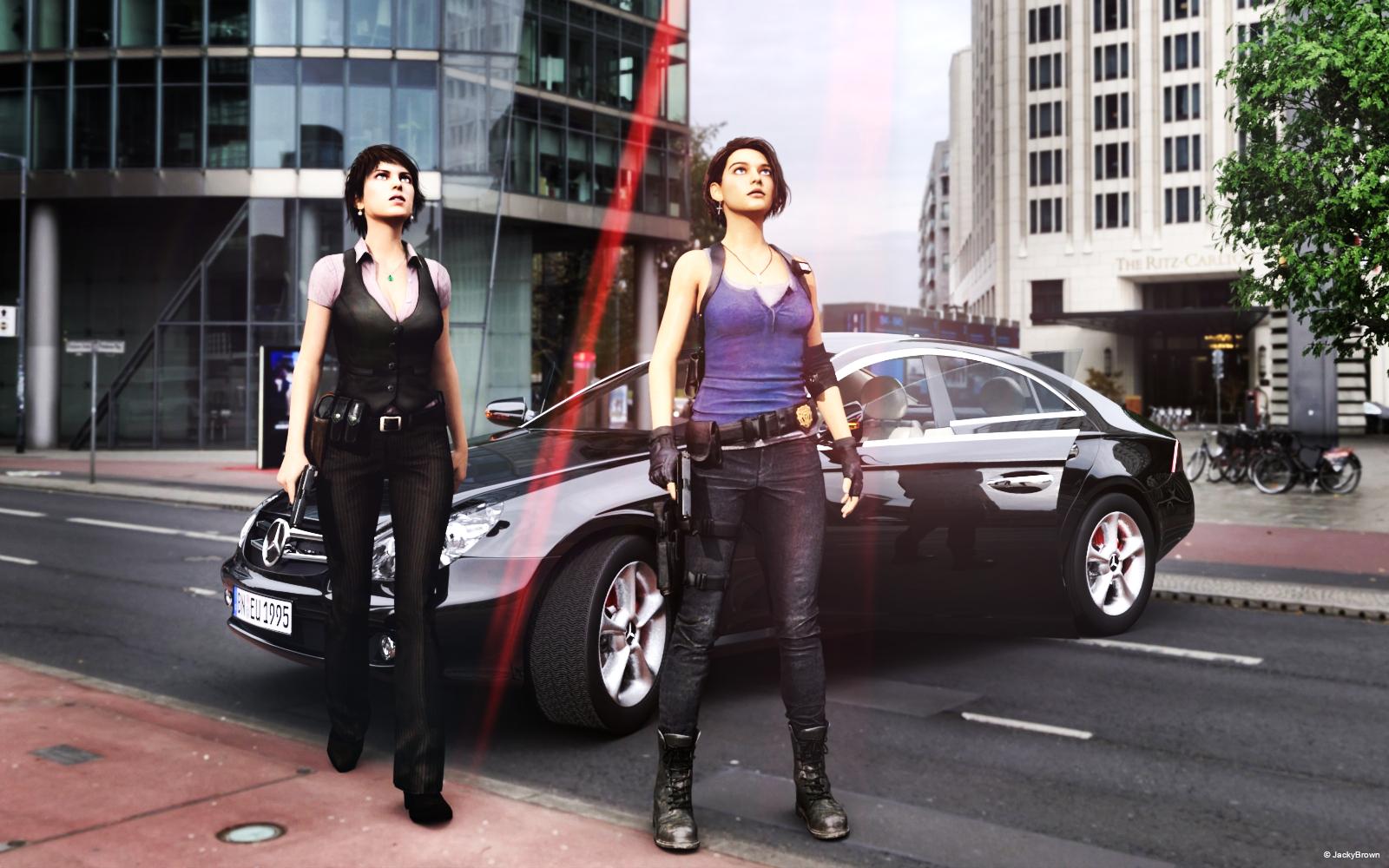
"Was ist das?" ("What is that?")
How do I repair the rigging on fingers that are morphed out of alignment?With the joint editor tool selected, right click in the window and click "Adjust rigging to shape".
Then ERC-Freeze the rigging to the new shape
Are we supposed to do this everytime we morph a character?
It depends what you mean by "morph a character".
If you mean "create a custom morph" then yes, rigging may need to be adjusted, especially if the morphed shape is very different from the default shape. You would do it once and then resave the morph with the adjustments, not every time you use the morph.
If you mean "create a character by combining existing morphs" then usually it's not needed as rigging adjustments should already be included in the morphs you used.
By morph i meant use morphs from the Daz store.
Using DAZ Store bought morphs is no insurance against this, especially if the character is changed significantly by the morphs.
FBM Expand does nothing"no subcomponents" simply means it's a parameter for a single morph, not a dial which controls several morphs.
but why does it not work? Its like I said not the first product with this problem, I have that really much times.
My Project: Brash Lonergan adventures - Warning AI Discussion PossibleNot Brash and Moxie (as of now)
Here is an example of a style which would move further away from the old newspaper Prince Valiant style comics. I did a comparison of rigging in Carrara and rigging in Studio. One advantage to rigging in Studio is that it can still be used in Carrara, and the Studio transfer utility can be used to aid the development of additional content.
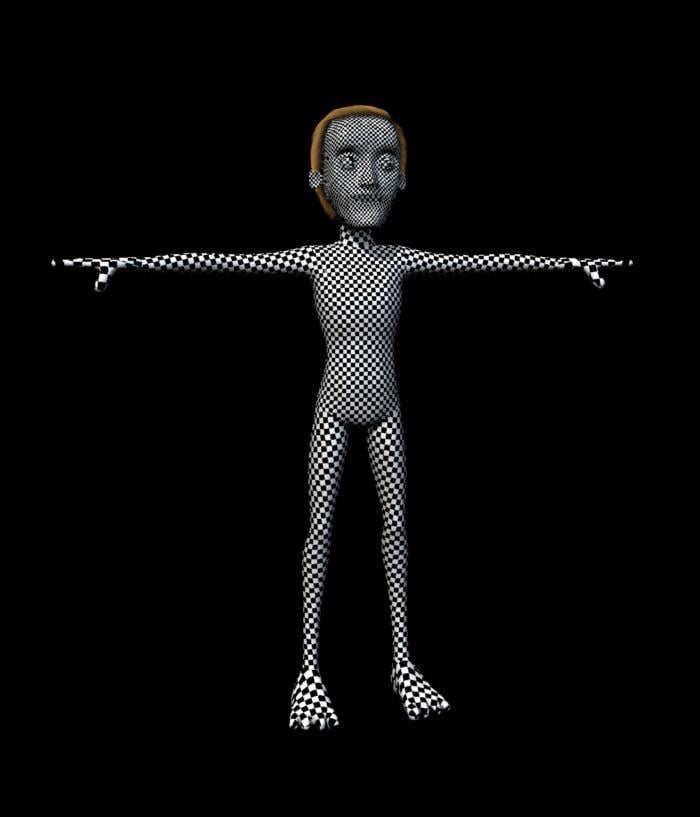
Diomede, all of this is looking so friggin' awesome!!
Thanks for all your detailed explanations. Love your characters and inspirations.How do I repair the rigging on fingers that are morphed out of alignment?With the joint editor tool selected, right click in the window and click "Adjust rigging to shape".
Then ERC-Freeze the rigging to the new shape
Are we supposed to do this everytime we morph a character?
It depends what you mean by "morph a character".
If you mean "create a custom morph" then yes, rigging may need to be adjusted, especially if the morphed shape is very different from the default shape. You would do it once and then resave the morph with the adjustments, not every time you use the morph.
If you mean "create a character by combining existing morphs" then usually it's not needed as rigging adjustments should already be included in the morphs you used.
By morph i meant use morphs from the Daz store.
Create your own "Expand All"?A possible solution ['cause I haven't actually tried this for shoes] would be to make a projection morph. Such could then be used for any pair of shoes as the morph applies to the figure, not the shoes.
How do I repair the rigging on fingers that are morphed out of alignment?With the joint editor tool selected, right click in the window and click "Adjust rigging to shape".
Then ERC-Freeze the rigging to the new shape
Are we supposed to do this everytime we morph a character?
It depends what you mean by "morph a character".
If you mean "create a custom morph" then yes, rigging may need to be adjusted, especially if the morphed shape is very different from the default shape. You would do it once and then resave the morph with the adjustments, not every time you use the morph.
If you mean "create a character by combining existing morphs" then usually it's not needed as rigging adjustments should already be included in the morphs you used.
How to replace Head form Blender FaceBuilder datahttps://www.youtube.com/watch?v=UbLMWUU_hNk&ab_channel=ParmyBaddhan
I find this vedio and follow it,I successed.I know how to import DAZ into Blender and then morph back into DAZ,not use "daz to blender" adds-on
now I need study how mix the imported obj and facebuilder obj,but it's too hard for me :(
No Pose Controls on Import [SOLVED]
Not the IK rig, but the pose morph tags. See the link above, this is what I'm looking for. My imports do not have any pose morph tags.
Daz 3D is part of

Connect
DAZ Productions, Inc.
7533 S Center View Ct #4664
West Jordan, UT 84084Licensing Agreement | Terms of Service | Privacy Policy | EULA
© 2026 Daz Productions Inc. All Rights Reserved.