
Daz 3D is part of 
Connect
DAZ Productions, Inc.
7533 S Center View Ct #4664
West Jordan, UT 84084
Licensing Agreement | Terms of Service | Privacy Policy | EULA
© 2025 Daz Productions Inc. All Rights Reserved.
Comments
I use the old Daz 4.2 to prepare the scene and only use the new Daz 2025 to render - it's a bit of extra work, but I have no problem except it takes longer and in case of errors I have to do re-open the new scene
Navigation is not yet OK in DAZ 2025 and my 3D mouse from 3D Connexion is not working at all ...
Also, takes a bit of set up in both DAZs due to libraries and settinggs
It's awesome I can render at all
Don't take it the wrong way, thanks for posting. I would use DAZ 4 if you don't have the 50xx series ...
Just wait for public release ... there is no advantage at all (I think)
Happy rendering
The new Daz 2025 update only works with computers with Open GL 4.3 and my Mac M3 does not have Open GL 4.3. It is with great sadness that I can no longer work with it as it is much better than the previous Daz 4.24.
There is an issue on Macs, it has been reported and we hope it will be resolved soon (though probbaly not before Monday).
I checked & Yes, the GeForce GTX 1080 Ti supports OpenGL 4.3
I encountered a problem with this product: Z Mixed Emotions for Genesis 8 Female
When I go to Pose controls-> Head -> Expressions, and select Z Mixed Emotions, DAZ 2025 will display an (empty) message box "Error (not responding)" and the process hangs and needs to be killed.
6.25.2025.21308:
Not much on the viewport (texture shaded) front, it's still very underwhelming in pretty much every situation I tried. I was curious so I tried to run fps stats on the viewport with a 3090 (576.52) @ 120Hz. It's very possible I made mistakes. So far it doesn't seem texture related, so Preference>Interface ain't gonna do much, if anything. Instancied nodes have a significant heavier impact on fps than duplicated nodes o_0. Doesn't feel it has been optimized yet, so any scenes that rely on instancied nodes gonna tank hard. But more concerning is sometimes the viewport seems to be degrading the more I open scenes:
1) Open Daz 6.25.2025.21308
2) add Victoria 9 HD (~120fps cap)
3) Open multiples more or less complex scenes
4) Create a new scene and add Victoria 9 HD (~55fps cap?)
5) If I close Daz and reopen, I'm back to 120fps
That said, a native show_fps on the viewport pane could be cool.
The keyboard navigation issue is addressed in the version released yesterday.
Looks like a couple problems were fixed with this. I immediately noticed that DAZ refreshed the screen as soon as I loaded, even though the mouse was not on that monitor, which it didn't do before, so, nicely done.
One, relatively minor issue that has always been in the DAZ I have used in the past, and is still in this one, is that when I load DAZ up for the first time, I use a default scene that is loaded, an empty one, but with the settings I like. Now, often, I boot up DAZ with another scene in mind I wish to continue work on, so I immediately click on the scene to load, and I am ALWAYS prompted and asked if I wish to save my old scene first. This is just a little annoying, as it is the default scene that is loaded with DAZ and there were ZERO changes made to it, so I shouldn't be prompted to save my changes.
And this is something I know about from a programmer's perspective as I created a video game and a level editor to go along with it. My level editor will prompt you to save your changes IF any are made, so I know how that works, but only if changes are actually made. When a change is made, a variable flag is set for this purpose. My guess is such a variable either has no default value at boot time or it is set to the wrong one. It would be nice if that was set properly. Admittedly a minor issue, but an annoying one none the less.
Otherwise, nice fixes, I see a few issues were dealt with. Thumbs up to the team working on it.
If you update to the latest edtion of Stuidio 25 on a Mac running Sequoia 15.6 (24G84) You get a messge upon opening. Since Apple is not going to update Open GL, effectivly this stops the Applicaiton from opening.
It is a known issue and is being addressed.
LOCAL USER cannot be found in DS 2025 (screenshot 1) Why ?
It always stays there in DS 4.x (screenshot 2)
OK, super so the latest update of the studio 6/2025 (IM00089815-04_DazStudio2025PublicBuildMac64bit) is not working on Mac.
Why can't DIM provide access to older versions so that one can go back to IM00089815-03 easily. Shouldn't be that hard?!
In the alpha interface I cannot access to "dumb" content file.
What I am missing ?
TYA
IRAY viewport minimize issue still persisting in the latest alpha release. When you use nvidia iray preview on the viewport, then minimize the Daz window, the window will never be able to recover...This issue firstly came from the release before.
You mean the Content Library pane>Daz Studio Formats? Is the pane set to show (Window>Pabes(Tabs))?
Thank you very much for the information. I'll be waiting for updates.
Yep. For instance I'm strictly unable to load a G9 or G8 vanilla figure. My old poser stuff are nowhere to be seen. I'm away from home using a low end laptop ATM.
Is the problem that you don't see the tab, or that it doesn't show your content?
If it's the second one: Do you use the default content directory or do you have custom ones? The alpha has its own set of preferences so if you don't use the default folder you may need to declare your content directories in preferences.
I'm seeing some strange things going on with Backyard Driveway.
https://www.daz3d.com/collective3d-movie-sets-backyard-driveway
Heres renders using all default settings in the ALPHA, the 4.24 Public Beta, and the General Release.
All I've done is move the perspective view slightly to show the problem with the door and the garage door
Is this a problem with the product or the ALPHA?
It appears that the ALPHA is shuffling the uvmaps around. I didn't look any further into it so not sure.
In the ALPHA you can see parts of the geometry have gone wonky that aren't in the PB or the GR.
I'm pretty sure the 4.24 PB and 4.24 GR are the same at this point. Just posting them both for the sake of completion.
I should note the problem in the ALPHA doesn't show in texture draw mode, but it does show in iray preview and in final render. The images I posted are final render with all default settings.
In addition to what I reported before, I sensed a weird behavior of the whole UI that interrupt the viewport also. For a few (most of) script UI after its loaded and executed, the script UI seems not being able to exit correctly but hide itself. This caused 2 issues, one is the same window of script will never be able to load again because the previous UI was never exited, means the script cannot be executed a 2nd time. 2ndly, the iray render of viewport preview will never be executed properly and will freeze after 1/8 or 1/16(whatever setting you using in the drawing settings.) Restart the program MAY not work as the hidden script UI seems would be saved in the layout settings...But there's also possibility the UI fix itself after restarting. Its a myth.
There's a small problem with Filament views. Mainly in character eyebrows. When the "Refraction" is set to a high value, like "0.85" for eyebrows, common from what I have seen, in the Filament view, the eyebrows pretty much vanish from view. I have to set the Refraction value to either zero, or "0.01" or some such low value in order to see them. Which shouldn't be the case. I'll attach to Filament renders, one with the default refraction value for these eyebrows (0.85) and ond where I had to lower it to "0.01", or just 0 in order to be able to see them in my viewport.
No matter what, a change in the refraction value should not make them no invisible.
My first really issues with the Alpha. I'm running version 6.25.2025.19807 on a MacBook Pro M4Pro, 48 GB RAM and under Sequoia 15.3.
The issue only appears with Genesis 9 figures, and only when rendering animations.
The animation starts out fine, 3 Filatoon-textured figures, but after a few seconds DAZ Studio loses some of the character's textures.
Start:
3 seconds in:
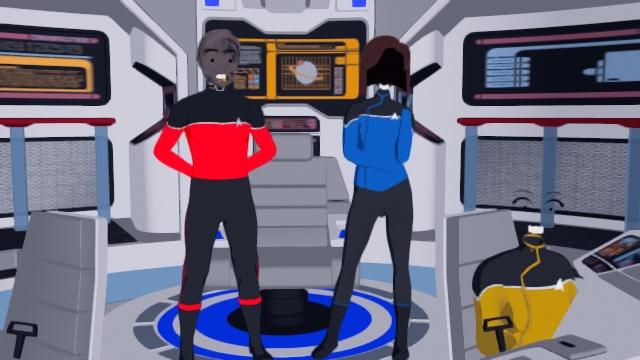
Memory seems to work fine, but after a few seconds, the characters are unusable. The render saves the .mov file, the .mov opens without issue but the missing textures make it useless after the first three or four seconds.
Even after the movie is exported and memory is freed for the app, the textures never show up again and I have to close the file and start again.
The memory at the end of the rendering looks like this:
I did a second test with 6 Genesis 3 figures, Filatoon textures, and despite using almost double the memory, the Genesis 3 version never fails, no textures lost, and once the movie saves the memory is freed up again and I can continue working with the scene if I wish.
At the end of the Genesis 3 render, this is the memory usage:
Any thoughts?
Also, as an aside, is the HydraRenderingService always needed, even without NVIDIA or Omniverse being used?
Are the problem materials using the same shader, different from the non-problem materials? What about the images being used (file formats, or Layered Images vs regular)?
They're using the same Filatoon shaders. I've tried multiple versions of the G9 characters and clothing and shaders, some simpler, some more complex, all seem to have issues for me, but not unless I'm rendering an animation. It doesn't crash the program, and it does finish the animation and saves a valid .mov file that I cen then open and inspect. You would think that if there was a serious problem or memory leak, that wouldn't happen.
I am not following this at all, though the layout details are saved in the various .dsx files in the AppData folder and dialogue positons and sizes are in the Registry/plist (depending on operating system). Remeber that scripts, if this is about running them, are not guaranteed to worrk without modification.
I'll keep trying different combinations and try and see if it's some difference in lighting or possibly a Filatoon setting that might differ.
I think Ctrl + Z stopped working, it doesn't do anything. I move the bone try to CTRL Z and it doesn't work anymore.
Man that's bad...
Both CTRL + Z and CTRL + Y are now cosmetic for me, not doing anything.
Okay, I reloaded the saved scene it works now?
Here is a Link to a useful too called Action Accelerator. It is a script that shows all your custon shortcuts. I have a modified version where i can set them too, but this is the original script.
http://docs.daz3d.com/doku.php/public/software/dazstudio/4/referenceguide/scripting/api_reference/samples/actions/action_accelerators/start
Hello,
I had an update today(supposed to be the 6.25.2025.21707) but the version didn't change, still the previous one. Will try remove / reinstall.
Question : Am I the only one having issues with mouse icon remaining on screen in the viewport while moving, or issue in the viewport too while moving a "possessed" camera ? (I mean, Daz 2025 looks terrible in term of UX performance so far, many problems to work with...)